
1. Introduction
The PRUNUS J-924 is a versatile emergency radio designed for various situations, including outdoor activities and power outages. It features multiple power sources, AM/FM/SW radio reception, a flashlight, a reading lamp, an SOS alarm, Bluetooth connectivity, and media playback options via TF card or USB drive. This manual provides detailed instructions for its setup, operation, and maintenance.
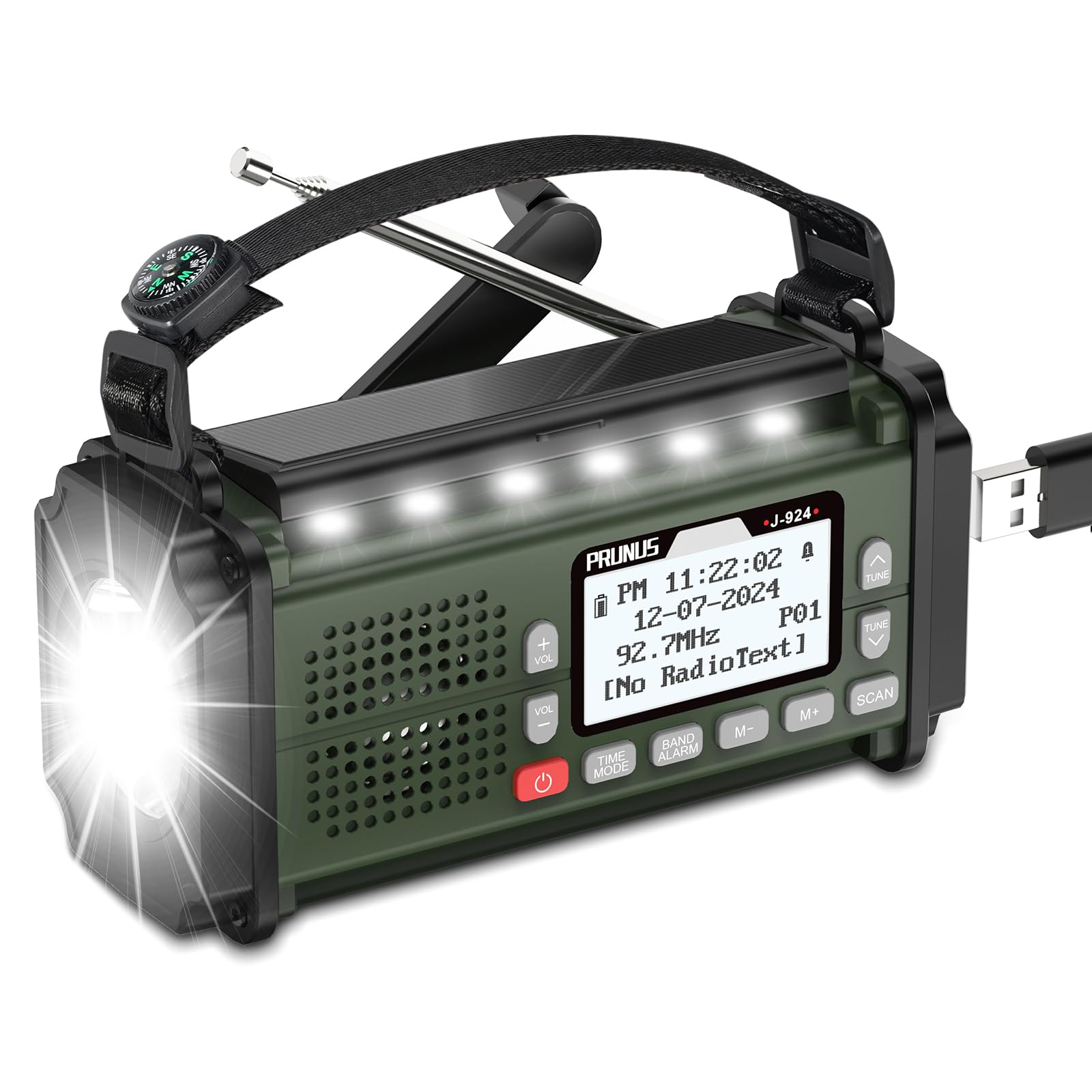
Figure 1: PRUNUS J-924 Emergency Radio
2. What's in the Box
- J-924 Radio
- Owner's Manual
- USB-C Charging Cable
3. Setup and Powering the Device
The PRUNUS J-924 radio offers five distinct methods for power, ensuring functionality in various conditions.
3.1. Charging Methods
- USB-C Charging: Connect the provided USB-C cable to the radio's Type-C port and a compatible USB power adapter (not included). The charging indicator will illuminate.
- Solar Charging: Place the radio with its solar panel facing direct sunlight. This method is primarily for maintaining battery charge or for slow charging in emergencies.
- Hand Crank: Rotate the hand crank located on the side of the radio clockwise or counter-clockwise to generate power. Continuous cranking will charge the internal battery.
- Internal 10000mAh Battery: The radio is equipped with a large capacity internal battery for extended operation.
- AAA Batteries: For backup power, insert 3 AAA batteries (not included) into the designated battery compartment. Ensure correct polarity.

Figure 2: Five Powering Methods
4. Operating Instructions
4.1. Radio Function (AM/FM/SW)
To operate the radio, extend the telescopic antenna for optimal reception. Press the 'POWER' button to turn on the device.
- Band Selection: Press the 'BAND' button to cycle through FM, AM (MW), and SW bands.
- Automatic Scan: Press the 'SCAN' button to automatically search for and save available stations.
- Manual Tuning: Use the 'TUNE UP' and 'TUNE DOWN' buttons to manually adjust the frequency.
- Volume Control: Use the 'VOL +' and 'VOL -' buttons to adjust the audio volume.
The radio covers the following frequency ranges: MW (AM): 520-1710KHz, FM: 87-108MHz, SW: 3.2-21.850MHz.

Figure 3: FM Receiver with Extended Antenna
4.2. Bluetooth/Media Playback (TF Card/USB)
The radio can play audio from various sources.
- Bluetooth Mode: Switch to Bluetooth mode. The radio will become discoverable. Pair with your smartphone or other Bluetooth-enabled device to stream audio. Note: This radio does not support wireless Bluetooth earphones.
- TF Card/USB Drive: Insert a TF (Micro SD) card or a USB memory stick containing audio files into the respective slots. The radio will automatically detect and play the content.
- Headphone Jack: Connect wired earphones to the 3.5mm headphone jack for private listening.

Figure 4: Media Playback Options
4.3. Torch & Reading Light
The radio includes integrated lighting features for illumination.
- Torch: Activate the front-facing flashlight for directional lighting.
- Reading Light: Activate the top-mounted reading lamp for broader, diffused light, suitable for reading.

Figure 5: Torch and Reading Lamp in Use
4.4. SOS Alarm & Compass
For emergency situations, the radio features an SOS alarm and a built-in compass.
- SOS Alarm: Press the dedicated 'SOS' button to activate a loud siren and flashing light, signaling for help.
- Compass: Use the integrated compass for navigation, particularly useful during outdoor activities or emergencies.

Figure 6: SOS Alarm and Compass Features
4.5. Sleep Timer & Alarm Clock
The radio includes a sleep timer and an alarm clock function.
- Sleep Timer: Set the radio to automatically turn off after a specified duration (10, 20, 30, 40, 50, 60, 70, 80, 90, 100, 110, or 120 minutes).
- Alarm Clock: Set a 12-hour or 24-hour alarm to wake up to your preferred radio station or a buzzer.
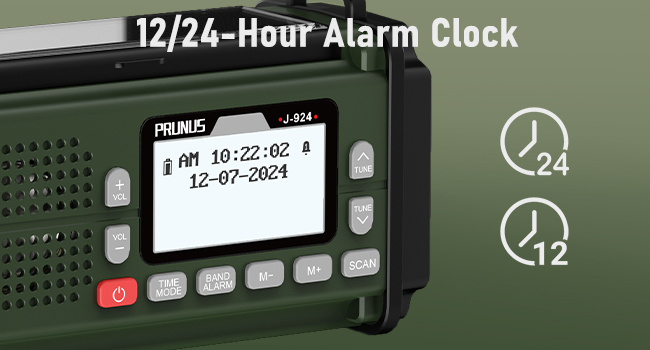
Figure 7: Alarm Clock Display
4.6. Portability
The compact design and integrated carrying strap make the PRUNUS J-924 easy to transport.

Figure 8: Portable Size and Features Overview
5. Maintenance
- Cleaning: Use a soft, dry cloth to clean the radio's exterior. Avoid abrasive cleaners or solvents.
- Storage: Store the radio in a cool, dry place away from direct sunlight and extreme temperatures.
- Battery Care: If using AAA batteries, remove them if the radio will not be used for an extended period to prevent leakage. Regularly charge the internal 10000mAh battery to maintain its lifespan.
6. Troubleshooting
| Problem | Possible Cause | Solution |
|---|---|---|
| Radio does not power on. | Low battery; AAA batteries incorrectly inserted or depleted. | Charge the internal battery via USB-C, solar, or hand crank. Check and replace AAA batteries if used. |
| Poor radio reception. | Antenna not extended; weak signal area; interference. | Fully extend the telescopic antenna. Reposition the radio for better signal. Avoid sources of electronic interference. |
| Bluetooth not connecting. | Radio not in Bluetooth mode; device too far; pairing issue. | Ensure the radio is in Bluetooth mode. Keep devices within range. Re-attempt pairing. |
| TF card/USB drive not playing. | Incorrect file format; card/drive not properly inserted; corrupted files. | Ensure audio files are in a compatible format. Reinsert the TF card/USB drive. Try a different card/drive. |
7. Specifications
| Feature | Detail |
|---|---|
| Brand | PRUNUS |
| Model Number | J-924 |
| Color | Green-New |
| Connectivity Technology | Bluetooth |
| Product Dimensions (L x W x H) | 17L x 6W x 8H Centimeters |
| Power Source | Battery Powered (Internal 10000mAh, Solar, Hand Crank, USB-C, 3x AAA) |
| Radio Bands Supported | FM, MW (AM), SW |
| Speaker Maximum Output Power | 10 Watts |
| Number of Batteries | 3 AAA batteries required (included) |
| Display Type | LCD |
| Hardware Interface | USB Type C |
| Water Resistance Level | Not Water Resistant |
| Item Weight | 580 Grams |
| Enclosure Material | Plastic |
| UPC | 743267206296 |
8. Warranty Information
The PRUNUS J-924 Emergency Radio comes with a 1-year manufacturer warranty. Please retain your purchase receipt for warranty claims.
9. Customer Support
For any pre-sale queries, post-purchase quality issues, or return/exchange related concerns, please feel free to contact us via email:
Email: Prunus-technik@hotmail.com
Manufacturer: PRUNUS
Manufacturer Contact Information: PRUNUS, Prunus-technik@hotmail.com
Importer Contact Information: PRUNUS, Prunus-technik@hotmail.com
10. Product Demonstration Video
Video 1: A short video demonstrating the button functions and display changes on the PRUNUS J-924 radio.


