
1. Introduction
Thank you for choosing the SVITOO Android 15 Tablet. This manual provides essential information for setting up, operating, maintaining, and troubleshooting your device. Please read this manual carefully before using the tablet to ensure optimal performance and longevity.

Figure 1.1: SVITOO Android 15 Tablet
This image displays the SVITOO Android 15 Tablet, showcasing its sleek design and 10.1-inch display. The screen prominently features 'Android 15', '12GB RAM', and '128GB ROM', highlighting key specifications.
2. Product Components
The SVITOO Android 15 Tablet package typically includes the following items:
- SVITOO Android 15 Tablet
- USB-C Charging Cable
- Power Adapter
- Protective Case
- User Manual (this document)

Figure 2.1: Tablet Ports and Buttons
This diagram illustrates the various ports and buttons on the SVITOO Android 15 Tablet. It labels the volume button, power button, front camera, rear camera, flashlight, 3.5mm headphone jack, TF card slot, Type-C port, microphone, and loudspeaker, providing a clear overview of the device's physical layout.
3. Setup
3.1 Initial Charging
Before first use, fully charge your tablet. Connect the USB-C charging cable to the tablet's Type-C port and the power adapter to a wall outlet. The charging indicator will show the charging status.
3.2 Powering On/Off
- To Power On: Press and hold the Power button until the SVITOO logo appears on the screen.
- To Power Off: Press and hold the Power button until the power options menu appears, then select 'Power off'.
3.3 Initial Setup Wizard
Upon first power-on, the tablet will guide you through an initial setup process. This includes selecting your language, connecting to a Wi-Fi network, and setting up your Google account.
3.4 Inserting a MicroSD Card
The tablet supports storage expansion up to 1TB via a microSD card. Locate the TF card slot (as shown in Figure 2.1) and gently insert your microSD card until it clicks into place. Ensure the tablet is powered off before inserting or removing the card.
4. Operating Your Tablet
4.1 Basic Navigation
The SVITOO tablet uses a touch-sensitive screen for navigation. Common gestures include tapping, swiping, pinching to zoom, and long-pressing.
4.2 Connectivity
- Wi-Fi: Supports 2.4G and 5G Wi-Fi for fast internet access. Navigate to Settings > Network & internet > Wi-Fi to connect to available networks.
- Bluetooth 5.0: For connecting wireless accessories like headphones or keyboards. Go to Settings > Connected devices > Connection preferences > Bluetooth.
- GPS: The tablet includes GPS functionality for navigation and location services. Note: GPS requires a Wi-Fi connection to function.
4.3 Display and Multimedia
The 10.1-inch IPS display with 1280 x 800 HD resolution provides clear and vibrant visuals. It features Widevine L1 certification, enabling high-definition streaming from platforms like Netflix and Prime Video. Dual stereo speakers enhance the audio experience.
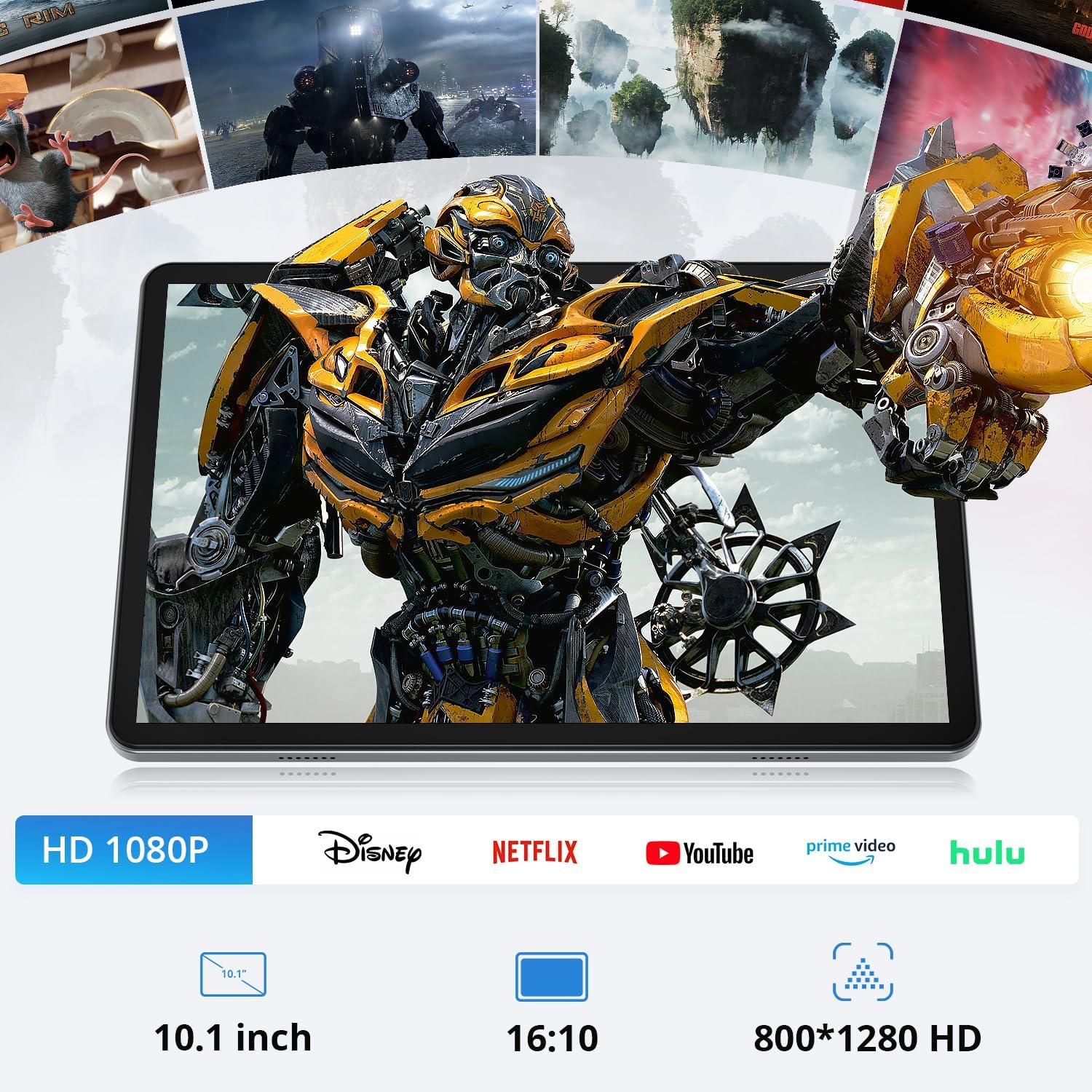
Figure 4.1: HD Streaming Capabilities
This image demonstrates the tablet's capability for high-definition streaming, showing a movie scene on the screen. Icons for popular streaming services like Disney+, Netflix, YouTube, Prime Video, and Hulu are displayed below, along with specifications like 10.1-inch, 16:10 aspect ratio, and 800x1280 HD resolution.
4.4 Cameras
The tablet is equipped with an 8MP rear camera and a 5MP front camera for photos, video calls, and more.
4.5 Performance and Storage
Powered by an Octa-Core T606 processor (2.0 GHz) and 12GB RAM (4GB physical + 8GB virtual), the tablet ensures smooth multitasking and application performance. It comes with 128GB of internal storage, expandable up to 1TB with a microSD card.

Figure 4.2: T606 Processor Details
This image highlights the T606 Octa-Core processor, detailing its specifications: Octa-Core architecture, 2.0GHz clock speed, Mali-G57 GPU, and 12nm manufacturing process, indicating its powerful performance capabilities.

Figure 4.3: Memory and Storage
This image visually represents the tablet's memory and storage capacities: 12GB RAM, 128GB ROM, and support for up to 1TB TF (microSD) card expansion, illustrating the ample space for applications and media.
4.6 Battery Management
The 6000 mAh battery provides extended usage times, up to 10 hours of video playback, 8 hours of gaming, or 12 hours of browsing. It features NTC (Negative Temperature Coefficient) protection to prevent overheating and ensure battery safety.

Figure 4.4: Battery Capacity and Protection
This image highlights the tablet's 6000mAh battery, indicating usage times of 9 hours for video, 9 hours for music, 12 hours for browsing, and 8 hours for gaming. It also emphasizes the 'WITH NTC' feature, signifying built-in temperature control for safety.
5. Maintenance
5.1 Cleaning the Device
Use a soft, lint-free cloth to clean the screen and body of the tablet. Avoid using harsh chemicals or abrasive materials that could damage the surface.
5.2 Software Updates
Regularly check for and install system updates to ensure your tablet has the latest features, security patches, and performance improvements. Go to Settings > System > System update.
5.3 Battery Care
To prolong battery life, avoid exposing the tablet to extreme temperatures. It is recommended to keep the battery charge between 20% and 80% for optimal long-term health.
6. Troubleshooting
If you encounter issues with your SVITOO tablet, refer to the following common solutions:
- Device won't turn on: Ensure the battery is charged. Connect the tablet to the charger and try powering on again.
- Slow performance: Close unnecessary background applications. Clear cache and temporary files. Consider performing a factory reset if issues persist (back up data first).
- Wi-Fi connection issues: Restart your Wi-Fi router and the tablet. Forget the network in tablet settings and reconnect.
- Apps crashing: Ensure apps are updated to their latest versions. Clear the app's cache or data in Settings > Apps.
- Screen unresponsive: Perform a forced restart by holding the power button for about 10-15 seconds until the device reboots.
For more complex issues, please contact SVITOO customer support.
7. Specifications
| Feature | Specification |
|---|---|
| Brand | SVITOO |
| Model Number | T606 |
| Operating System | Android 15 |
| Processor | Unisoc T606 Octa-Core (2.0 GHz) |
| GPU | Mali-G57 |
| RAM | 12 GB (4GB physical + 8GB virtual) |
| Internal Storage | 128 GB |
| Expandable Storage | Up to 1 TB via microSD card |
| Display Size | 10.1 Inches |
| Display Resolution | 1280 x 800 Pixels (HD IPS) |
| Widevine Certification | L1 |
| Rear Camera | 8 MP |
| Front Camera | 5 MP |
| Battery Capacity | 6000 mAh (with NTC protection) |
| Connectivity | 2.4G + 5G WiFi, Bluetooth 5.0, GPS |
| Dimensions (L x W x H) | 24.62 x 0.99 x 16.29 cm |
| Weight | 1.06 kilograms |
| Model Year | 2025 |
8. Warranty and Support
SVITOO is committed to providing reliable products and excellent customer service.
8.1 Warranty Information
Your SVITOO Android 15 Tablet comes with a 1-year manufacturer's warranty, in addition to legal guarantees. This warranty covers defects in materials and workmanship under normal use.
8.2 Return Policy
We offer a 30-day return policy from the date of purchase, no questions asked. Free returns are available in case of warranty claims.
8.3 Customer Support
Our dedicated customer support team is available 24/7 to assist you with any questions or issues. We guarantee a response within 24 hours, even on weekends.

Figure 8.1: SVITOO Customer Service
This image outlines SVITOO's customer service commitments, including a 12-month manufacturer's warranty plus legal guarantee, 30-day returns without questions, guaranteed 24-hour response (even on weekends), free returns for warranty cases, and VAT invoices available upon request.
For support, please refer to the contact information provided with your purchase or visit the official SVITOO website.
