
1. Introduction
Welcome to the user manual for your new DOOGEE S200 Plus 5G smartphone. This guide provides essential information to help you set up, operate, maintain, and troubleshoot your device. The DOOGEE S200 Plus is a rugged smartphone designed for durability and high performance, featuring a powerful camera system, long-lasting battery, and advanced connectivity options.

Image: Front and back view of the DOOGEE S200 Plus 5G smartphone, highlighting its robust design and key specifications like 32GB+512GB memory and 10100mAh battery.
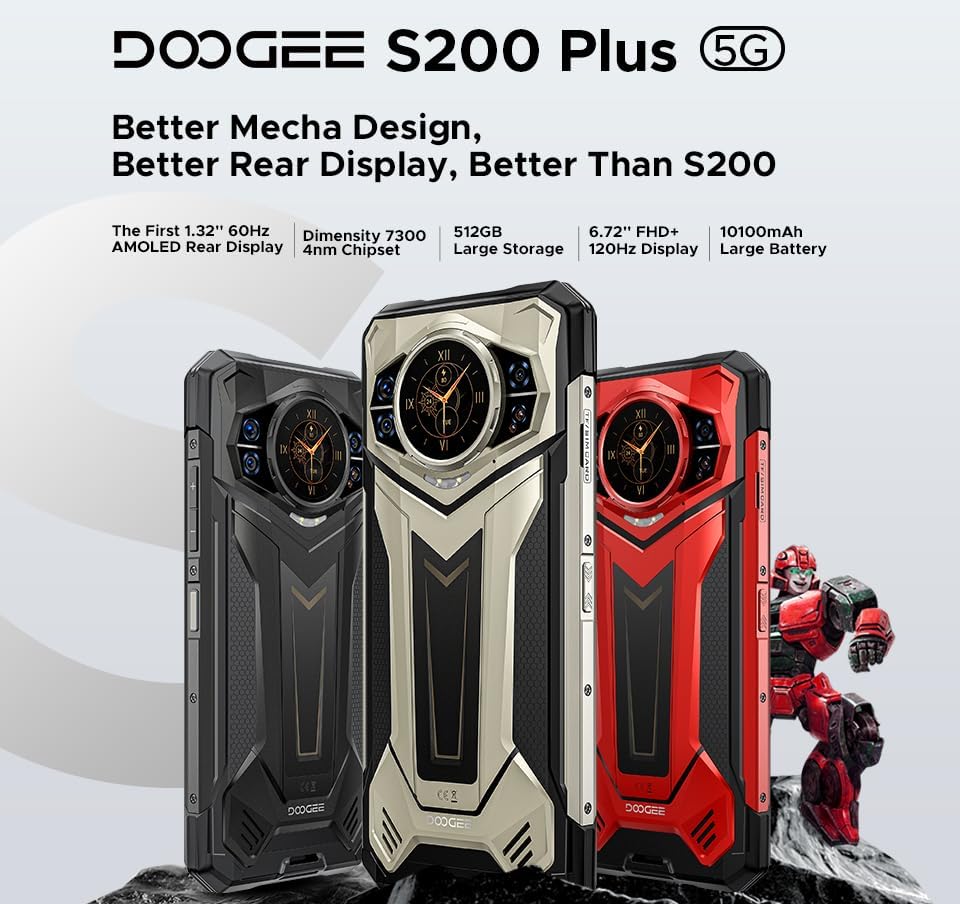
Image: Three color variants of the DOOGEE S200 Plus 5G smartphone, showcasing its "Better Mecha Design" and highlighting features such as the 1.32" AMOLED rear display, Dimensity 7300 chipset, 512GB storage, 6.72" FHD+ 120Hz display, and 10100mAh battery.
2. Key Features at a Glance
The DOOGEE S200 Plus 5G is packed with features designed for demanding environments and high performance:
- Dual Display: 6.72" FHD+ IPS (120Hz) main screen and 1.32" AMOLED (60Hz) rear display.
- Powerful Camera System: 100MP AI Main Camera (EIS+OIS), 20MP Night Vision Camera, 32MP Front Camera, 2MP Macro.
- Robust Performance: MediaTek Dimensity 7300 5G Octa-Core Processor.
- Ample Memory & Storage: 12GB RAM (expandable to 32GB) + 512GB ROM (expandable to 2TB via microSD).
- Massive Battery: 10100mAh with 33W fast charging and 18W OTG reverse charging.
- Extreme Durability: IP68/IP69K water and dust resistance, MIL-STD-810H certified for shock protection.
- Advanced Connectivity: Dual SIM 5G, Bluetooth 5.4, WiFi 6E, NFC, GPS (GLONASS/Galileo/Beidou).
- Security: Fingerprint and Face Unlock.
- Operating System: Android 14.

Image: A comprehensive overview of the DOOGEE S200 Plus 5G's key features, including its dual display, Dimensity 7300 processor, storage, battery, camera specifications, and security features.
3. Setup Guide
3.1. Package Contents
Before you begin, ensure all items are present in your package:
- DOOGEE S200 Plus 5G Smartphone
- USB Type-C Cable
- Power Adapter (33W)
- SIM Ejector Tool
- User Manual (this document)
- Warranty Card
3.2. Inserting SIM Cards and MicroSD Card
The DOOGEE S200 Plus supports dual SIM cards and a microSD card for expandable storage up to 2TB.
- Locate the SIM card tray on the side of the phone.
- Insert the SIM ejector tool into the small hole next to the tray and push gently until the tray pops out.
- Place your Nano-SIM cards and/or microSD card into the designated slots on the tray, ensuring correct orientation.
- Carefully push the tray back into the phone until it is flush with the device body.
3.3. Initial Charging
For optimal battery performance, fully charge your device before first use.
- Connect the USB Type-C cable to the charging port at the bottom of the phone.
- Connect the other end of the cable to the power adapter.
- Plug the power adapter into a wall outlet.
- The charging indicator will appear on the screen. Allow the phone to charge until it reaches 100%.
3.4. Powering On and Initial Configuration
Press and hold the Power button (usually on the right side) until the DOOGEE logo appears. Follow the on-screen prompts to complete the initial setup, including language selection, Wi-Fi connection, Google account setup, and security settings.
4. Operating Your DOOGEE S200 Plus
4.1. Main Display (6.72" FHD+ 120Hz)
The primary display offers a smooth and immersive visual experience with its 120Hz refresh rate and FHD+ resolution. It is protected by Corning Gorilla Glass.

Image: The DOOGEE S200 Plus 5G's 120Hz anti-flicker screen, illustrating its 1080*2400 resolution and high refresh rate for enhanced immersion and faster response.
4.2. Multi-functional Rear Display (1.32" AMOLED)
The innovative 1.32-inch AMOLED rear display provides quick access to various functions without needing to activate the main screen.
- Message View: Check text messages and app notifications.
- Calendar: View the current month's calendar.
- Camera Shortcut: Conveniently access the camera for quick selfies or photos.
- Music Control: Play, pause, skip tracks.
- Call Answering: Answer calls directly from the rear screen.
- Compass: Utilize the built-in compass for outdoor navigation.
- Dynamic Dials: Customize with various dynamic watch faces.

Image: Diagram illustrating the multi-functional capabilities of the DOOGEE S200 Plus 5G's rear screen, including message view, calendar, camera shortcut, music control, call answering, and compass.
4.3. Camera System
The DOOGEE S200 Plus features a versatile camera setup for various photography needs.
- 100MP AI Main Camera: Captures sharp images with EIS+OIS for stability.
- 20MP Night Vision Camera: Utilizes Morpho technology for clear images in low-light conditions.
- 32MP Front Camera: Optimized for high-quality selfies.
- 2MP Macro Camera: For detailed close-up shots.
The phone incorporates AI image processing for enhanced results in various scenarios, including:
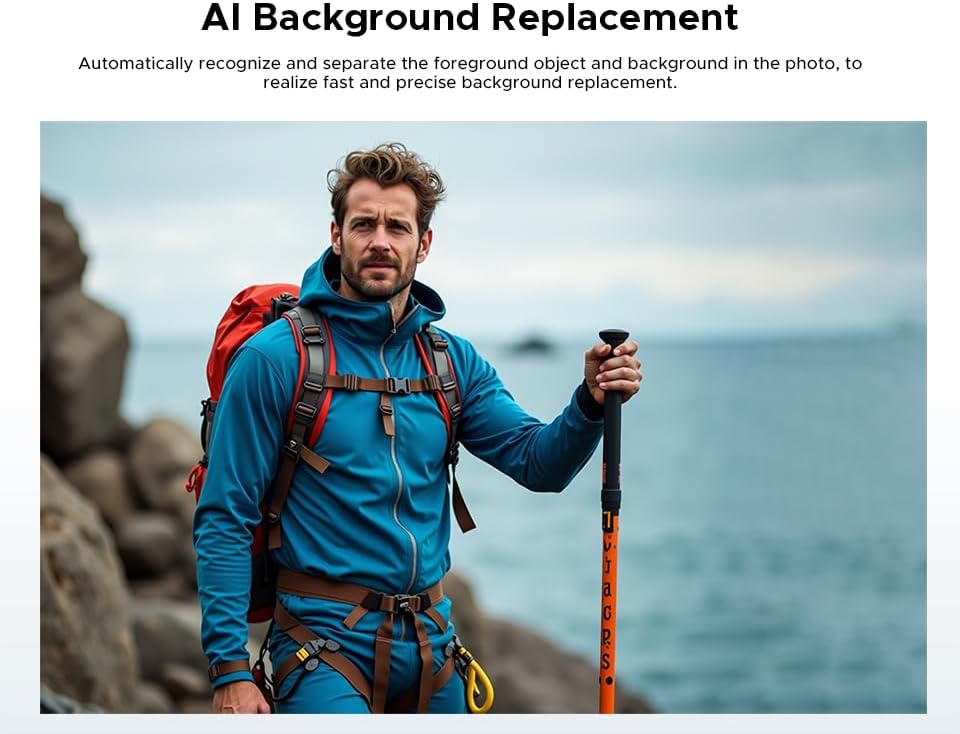
Image: Example of AI Background Replacement feature on the DOOGEE S200 Plus 5G, showing how it automatically recognizes and separates foreground objects for precise background changes.

Image: Examples of AI Portrait feature on the DOOGEE S200 Plus 5G, demonstrating intelligent image recognition to create personalized portrait photos by blending facial features into AI character models.
4.4. Performance and Storage
Powered by the MediaTek Dimensity 7300 5G processor, the S200 Plus ensures smooth multitasking and efficient performance.

Image: Illustration of the Dimensity D7300 4nm 5G Octa-core Processor, highlighting its boosted performance and reduced power consumption for the DOOGEE S200 Plus 5G.
The device comes with 12GB of base RAM, expandable by an additional 20GB of virtual RAM for a total of 32GB. It includes 512GB of internal storage, which can be further expanded up to 2TB using a microSD card.

Image: Diagram showing the 12GB Basic RAM and 20GB Extended RAM, illustrating how the DOOGEE S200 Plus 5G achieves 32GB of total RAM for seamless daily usage and sustained high performance.
4.5. Battery and Charging
The 10100mAh battery provides extended usage times, with up to 1285 hours of standby, 40 hours of talk time, or 25 hours of video playback.
- 33W Fast Charging: Quickly recharges the device.
- 18W OTG Reverse Charging: Allows you to use your phone as a power bank to charge other devices.
4.6. Connectivity and Navigation
The S200 Plus offers comprehensive connectivity options:
- Dual SIM 5G: Supports full carrier compatibility for high-speed mobile data.
- Bluetooth 5.4: For connecting wireless accessories.
- WiFi 6E: For fast and stable wireless internet.
- NFC: Integrated for Google Pay and other contactless transactions.
- Navigation: Supports GLONASS, Galileo, Beidou, and GPS for precise location tracking.
4.7. Security Features
Secure your device with biometric authentication:
- Fingerprint Unlock: Use your fingerprint to quickly and securely unlock your phone.
- Face Unlock: Unlock your device using facial recognition.
4.8. Operating System
The DOOGEE S200 Plus runs on Android 14, providing enhanced security, customization options, and optimized performance.
5. Maintenance and Care
To ensure the longevity and optimal performance of your DOOGEE S200 Plus, follow these maintenance guidelines:
- Cleaning: Use a soft, lint-free cloth to clean the screen and body. Avoid abrasive materials or harsh chemicals. For stubborn dirt, a slightly damp cloth can be used, ensuring all ports are sealed.
- Durability Features: The phone is IP68/IP69K rated for water and dust resistance and MIL-STD-810H certified for shock protection. While highly durable, avoid intentional submersion beyond specified depths/durations and extreme impacts to prevent damage. Ensure all port covers are securely closed before exposure to water or dust.
- Software Updates: Regularly check for and install software updates to ensure your device has the latest security patches and performance improvements.
- Battery Care: Avoid extreme temperatures. While the battery management system is intelligent, try to keep the battery charge between 20% and 80% for long-term health, though full charges are safe.
- Storage Management: Periodically clear unnecessary files and apps to maintain optimal performance. Utilize the expandable storage for large media files.
6. Troubleshooting
If you encounter issues with your DOOGEE S200 Plus, refer to the following common troubleshooting steps:
- Device Not Responding: If the phone freezes or becomes unresponsive, press and hold the Power button for about 10-15 seconds to force a restart.
- Charging Issues: Ensure the USB cable and power adapter are securely connected and undamaged. Try a different outlet or charging accessory. Check the charging port for debris.
- Network Connectivity Problems (No Signal/Wi-Fi):
- Toggle Airplane Mode on and off.
- Restart the phone.
- For mobile data, ensure SIM card is correctly inserted and mobile data is enabled in settings.
- For Wi-Fi, forget the network and reconnect, or restart your Wi-Fi router.
- App Crashes/Slow Performance:
- Close background apps.
- Clear app cache (Settings > Apps > [App Name] > Storage > Clear Cache).
- Ensure sufficient free storage space.
- Restart the device.
- Fingerprint/Face Unlock Not Working:
- Ensure your fingers/face are clean and dry.
- Re-register your fingerprints/face in Settings > Security.
- Factory Reset (Last Resort): If issues persist, you may consider a factory reset. Warning: This will erase all data on your phone. Back up important data before proceeding. Go to Settings > System > Reset options > Erase all data (factory reset).
7. Specifications
Detailed technical specifications for the DOOGEE S200 Plus 5G smartphone:
| Feature | Specification |
|---|---|
| Brand | DOOGEE |
| Model Name | S200 PLUS |
| Operating System | Android 14 |
| Main Display | 6.72 inches FHD+ IPS (2400 x 1080), 120Hz Refresh Rate |
| Rear Display | 1.32 inches AMOLED (60Hz) |
| Processor | MediaTek Dimensity 7300 5G (4nm Octa-Core, 2.5 GHz) |
| RAM | 12GB (expandable to 32GB with virtual RAM) |
| Internal Storage | 512GB |
| Expandable Storage | Up to 2TB via microSD card |
| Main Camera | 100 MP AI (EIS+OIS) |
| Night Vision Camera | 20 MP |
| Front Camera | 32 MP |
| Macro Camera | 2 MP |
| Battery Capacity | 10100 mAh |
| Fast Charging | 33W |
| Reverse Charging | 18W OTG |
| Cellular Technology | 5G (Dual SIM) |
| Connectivity | Bluetooth 5.4, Wi-Fi 6E, NFC |
| Navigation | GPS, GLONASS, Galileo, Beidou |
| Durability | IP68/IP69K, MIL-STD-810H |
| Biometrics | Fingerprint, Face Unlock |
| Dimensions | 17.95 x 8.25 x 1.91 cm (approx.) |
| Battery Composition | Lithium-polymer |
8. Warranty and Support
DOOGEE provides a comprehensive warranty and support for your S200 Plus 5G smartphone:
- Factory Warranty: Each DOOGEE outdoor phone purchased from an authorized retailer comes with a full 24-month warranty.
- Technical Support: For technical inquiries or hardware defects, please contact DOOGEE's specialized support team. Refer to the warranty card included in your package for contact details or visit the official DOOGEE website.
- Software Updates: Ensure your device is always up-to-date by regularly checking for and installing official software updates provided by DOOGEE.


