
1. Introduction
The DOOGEE S200 Plus 5G is a robust and high-performance smartphone designed for demanding environments and users. It features a durable construction, advanced camera capabilities including night vision, a powerful processor, and an extended battery life. This manual provides essential information for setting up, operating, maintaining, and troubleshooting your device.

Figure 1.1: Front and Rear View of the DOOGEE S200 Plus 5G. This image displays the device from both the front, showing its main display, and the rear, highlighting its rugged design, camera module, and secondary display.
2. Setup
2.1 Package Contents
Before proceeding, ensure all items are present in the package:
- DOOGEE S200 Plus 5G Smartphone
- USB Type-C Cable
- Power Adapter (33W)
- SIM Ejector Tool
- User Manual (this document)
2.2 Inserting SIM Cards and MicroSD Card
The DOOGEE S200 Plus supports dual SIM cards and a microSD card for expandable storage up to 2TB.
- Locate the SIM card tray on the side of the device.
- Insert the SIM ejector tool into the small hole next to the tray and push gently until the tray pops out.
- Place your Nano-SIM cards and/or microSD card into the designated slots on the tray, ensuring correct orientation.
- Carefully push the tray back into the device until it is flush with the body.
2.3 Initial Charging and Power On
It is recommended to fully charge the device before first use.
- Connect the USB Type-C cable to the phone's charging port.
- Connect the other end of the cable to the power adapter, then plug the adapter into a power outlet.
- The charging indicator will appear on the screen. Allow the device to charge until the battery is full.
- To power on, press and hold the Power button (located on the side) until the DOOGEE logo appears.
3. Operating Instructions
3.1 Display Features
The DOOGEE S200 Plus features a dual-screen design for enhanced usability.
Main Display (6.72" FHD+ IPS)
- Resolution: 2400 x 1080 pixels
- Refresh Rate: 120Hz for smooth visuals and responsiveness.
- Protection: Corning Gorilla Glass for scratch resistance.
- Modes: Eye comfort mode and night mode for reduced eye strain.

Figure 3.1: 120Hz Anti-flicker Screen. This image illustrates the main display's high refresh rate and resolution, emphasizing its smooth visual performance.
Rear Display (1.32" AMOLED)
The innovative rear display provides quick access to various functions without activating the main screen.
- Functions: Displays dynamic dials, YouTube previews, notifications, calendar, music control, call information.
- Compass: Integrated compass for precise outdoor navigation.

Figure 3.2: Multi-functional Rear Screen. This image details the various functions accessible via the 1.32-inch AMOLED rear display, including message view, calendar, camera control, music playback, call answering, and compass.
3.2 Camera System
The DOOGEE S200 Plus is equipped with a versatile camera system for various photography needs.
- Main Camera: 100MP with EIS+OIS for sharp images, even with movement.
- Night Vision Camera: 20MP with Morpho technology for clear images in low-light or dark conditions.
- Macro Camera: 2MP (81°) for detailed close-up shots.
- Front Camera: 32MP, optimized for selfies.
- AI Features: AI image processing for optimal results, including AI Portrait and AI Background Replacement.

Figure 3.3: AI Portrait Feature. This image demonstrates the AI Portrait capability, which intelligently recognizes and enhances facial features for personalized photos.
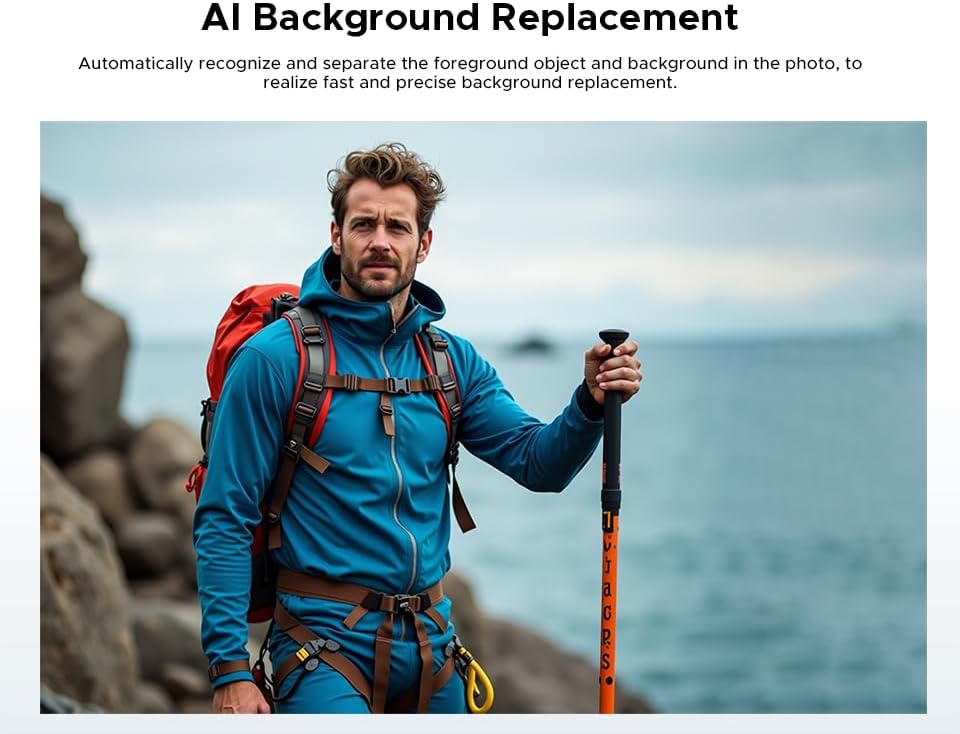
Figure 3.4: AI Background Replacement Feature. This image illustrates how the device can automatically recognize and separate foreground objects from backgrounds for quick and precise background replacement.
3.3 Performance and Storage
The device is powered by a MediaTek Dimensity 7300 5G chipset, ensuring smooth performance.
- Processor: MediaTek Dimensity 7300 5G (4nm Octa-Core, 2.5 GHz) for efficient multitasking and smooth streaming.
- RAM: 12GB base RAM, expandable with an additional 20GB virtual RAM for a total of 32GB.
- Internal Storage: 512GB ROM.
- Expandable Storage: Up to 2TB via microSD card.

Figure 3.5: Dimensity D7300 4nm 5G Octa-core Processor. This image highlights the MediaTek Dimensity 7300 chipset, emphasizing its boosted performance and reduced power consumption.

Figure 3.6: 12GB RAM + 20GB Extended RAM. This image illustrates the device's memory configuration, showing the 12GB basic RAM and the additional 20GB extended RAM for enhanced multitasking.
3.4 Battery and Charging
The DOOGEE S200 Plus is equipped with a large capacity battery and fast charging capabilities.
- Battery Capacity: 10100mAh.
- Standby Time: Up to 1285 hours.
- Talk Time: Up to 40 hours.
- Video Playback: Up to 25 hours.
- Fast Charging: Supports 33W fast charging.
- OTG Reverse Charging: 18W OTG function allows charging of other devices (e.g., earbuds, smartwatches).
- Battery Longevity: Intelligent battery management maintains over 80% capacity after 800 cycles.
3.5 Connectivity and Other Features
- Operating System: Android 14.
- Biometrics: Fingerprint and Face Unlock.
- Audio: 1216Q super linear speaker.
- Wireless: Bluetooth 5.4, WiFi 6E.
- SIM: Dual SIM 5G support.
- NFC: Integrated NFC for Google Pay.
- Navigation: Supports GLONASS, Galileo, Beidou, GPS for precise tracking.
4. Maintenance
4.1 Cleaning the Device
To maintain the device's appearance and functionality:
- Use a soft, lint-free cloth to wipe the screen and body.
- For stubborn smudges, slightly dampen the cloth with water or a screen cleaner.
- Avoid using harsh chemicals, abrasive materials, or aerosol sprays.
- Ensure all ports are dry before charging or connecting accessories.
4.2 Software Updates
Regularly check for and install software updates to ensure optimal performance, security, and access to new features. Updates are typically delivered over-the-air (OTA).
- Navigate to Settings > System > System update.
- Follow the on-screen prompts to download and install any available updates.
4.3 Ruggedness and Durability
The DOOGEE S200 Plus is built to withstand harsh conditions:
- IP68/IP69K Rated: Provides comprehensive protection against water and dust ingress.
- MIL-STD-810H Certified: Meets military standards for shock, vibration, and extreme temperatures.
- Drop Protection: Designed to withstand drops from height.
While robust, avoid intentional misuse or exposing the device to conditions beyond its specified ratings.
5. Troubleshooting
This section addresses common issues you might encounter with your DOOGEE S200 Plus.
5.1 Device Not Powering On
- Ensure the battery is sufficiently charged. Connect the charger and wait a few minutes before attempting to power on.
- Press and hold the Power button for at least 10-15 seconds to force a restart.
5.2 Charging Issues
- Verify that the charging cable and adapter are securely connected and undamaged.
- Try using a different power outlet.
- Clean the charging port gently with a soft, dry brush to remove any debris.
5.3 Network Connectivity Problems
- Check if Airplane Mode is enabled (swipe down from the top of the screen to access Quick Settings).
- Ensure your SIM card is properly inserted and activated.
- Restart the device.
- Go to Settings > Network & internet > SIMs and ensure your SIM is enabled.
5.4 Device Freezing or Lagging
- Close unused applications running in the background.
- Clear cache data for problematic apps (Settings > Apps > [App Name] > Storage & cache > Clear cache).
- Restart the device.
- If issues persist, consider a factory reset (Settings > System > Reset options > Erase all data (factory reset)). Note: This will erase all data on your phone. Back up important information first.
6. Specifications
Key technical specifications for the DOOGEE S200 Plus 5G.
| Feature | Specification |
|---|---|
| Brand | DOOGEE |
| Model Name | S200 PLUS |
| Operating System | Android 14 |
| Main Display Size | 6.72 Inches |
| Main Display Resolution | 2400 x 1080 (FHD+) |
| Main Display Refresh Rate | 120Hz |
| Rear Display Size | 1.32 Inches |
| Rear Display Type | AMOLED |
| Processor | MediaTek Dimensity 7300 5G (4nm Octa-Core, 2.5 GHz) |
| Installed RAM | 32 GB (12GB physical + 20GB extended) |
| Storage Capacity | 512 GB |
| Expandable Storage | Up to 2TB (MicroSD) |
| Main Camera Resolution | 100 Megapixels (AI) |
| Night Vision Camera | 20 Megapixels |
| Front Camera Resolution | 32 Megapixels |
| Battery Capacity | 10100 mAh |
| Fast Charging | 33W |
| OTG Reverse Charging | 18W |
| Connectivity | 5G, Bluetooth 5.4, Wi-Fi 6E, NFC |
| Durability Ratings | IP68, IP69K, MIL-STD-810H |
| Special Features | Rugged Body, Dual SIM, Integrated GPS, Expandable Memory, USB OTG Support |
| Battery Composition | Lithium-polymer |
7. Warranty and Support
DOOGEE provides comprehensive support for its products.
7.1 Factory Warranty
Each DOOGEE S200 Plus 5G purchased from an authorized retailer comes with a full 24-month factory warranty. This warranty covers manufacturing defects and hardware malfunctions under normal use conditions.
7.2 Technical Support
For technical inquiries, troubleshooting assistance beyond this manual, or warranty claims, please contact DOOGEE customer support through their official website or the contact information provided with your purchase. Have your device's model number and purchase details ready for faster service.


