Introduction
This manual provides detailed instructions for the assembly, operation, and maintenance of your EnHomee 8-Drawer Dresser. Designed for versatile storage, this dresser features integrated LED lighting, convenient power outlets, and sturdy fabric drawers. Please read all instructions carefully before assembly and use to ensure safe and proper functionality.
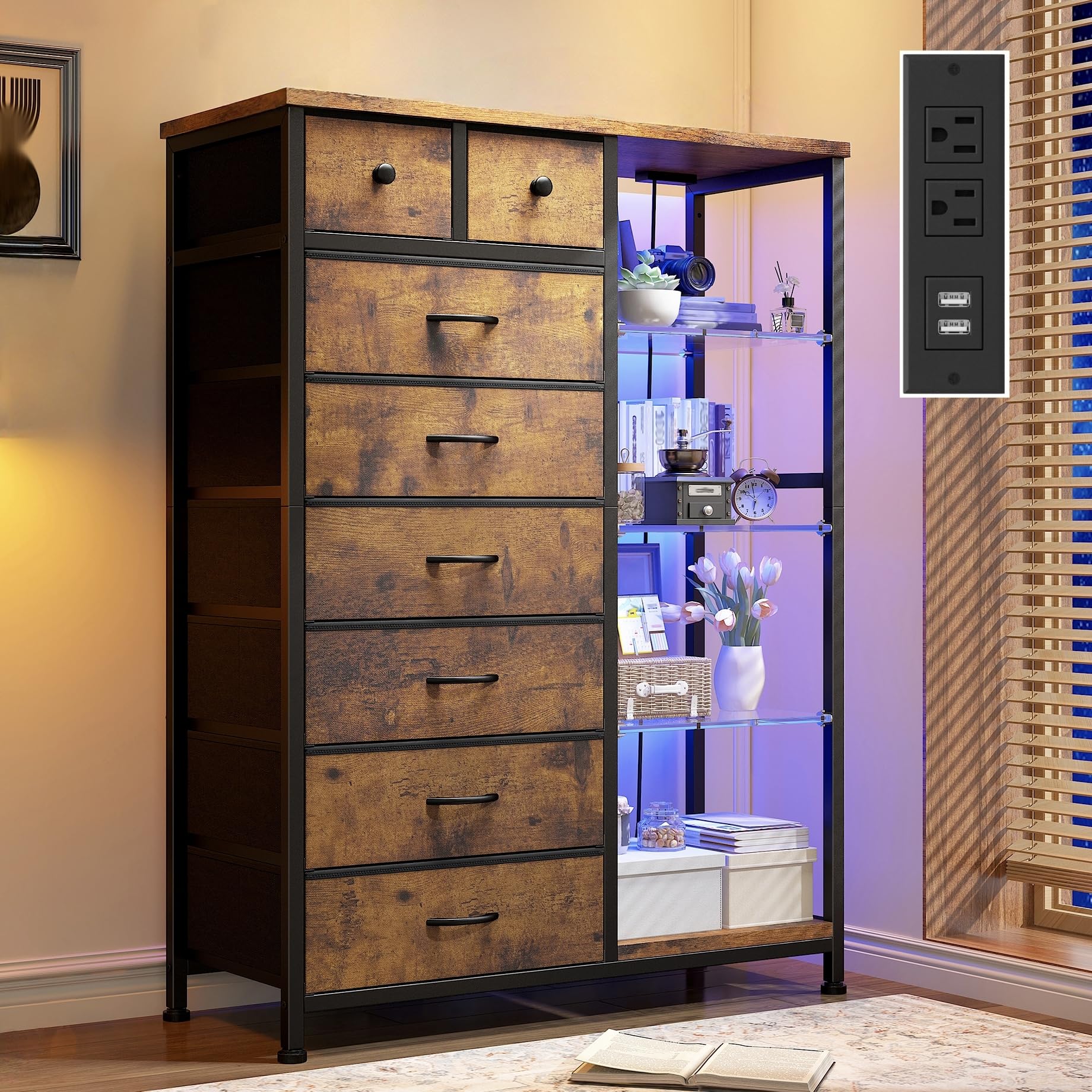
Figure 1: The EnHomee 8-Drawer Dresser, showcasing its design and features.
Important Safety Information
- Always follow assembly instructions precisely.
- Ensure all screws and fasteners are securely tightened before use.
- Use the provided anti-tip kit to secure the dresser to a wall, preventing accidental tipping and potential injury.
- Do not overload drawers or shelves. The wood top and acrylic plates each support up to 33 lbs.
- Keep children away from the assembly area. Small parts can be a choking hazard.
- For indoor use only. Avoid exposing the dresser to excessive moisture or direct sunlight.
- Do not open the power outlet unit. Risk of electric shock.

Figure 2: Key safety and convenience features of the dresser, including reinforcement and adjustable feet.
Package Contents
Verify all components are present before beginning assembly. Refer to the assembly video for a detailed overview of all parts and hardware.
Video: Overview of all parts and hardware included for dresser assembly.
Assembly Instructions
Follow these steps carefully for proper assembly. It is recommended to have two people for certain steps. For a visual guide, please refer to the assembly video below.
Video: Step-by-step guide for assembling the dresser, including frame construction and drawer installation.
Step 1: Assemble the Base Frame
Attach the adjustable feet to the bottom of the main frame components. Connect the horizontal bars to form the base structure. Ensure all connections are secure.
Step 2: Install Side Panels and Shelves
Secure the side panels and internal shelves to the frame using the provided screws. Ensure all connections are tight.
Step 3: Attach Power Outlet Unit
Carefully place the power outlet unit into its designated slot on the top panel and secure it with screws. Route the power cord as needed.
Step 4: Install LED Lights
Adhere the LED light strips to the designated areas, typically along the inner edges of the display shelves. Connect the power cable to the LED system.
Step 5: Prepare and Insert Fabric Drawers
Unfold each fabric drawer and insert the bottom panel to create a sturdy box. Attach the handles to the front of each drawer. Slide the assembled drawers into their respective compartments.

Figure 3: A fabric drawer showcasing its capacity and the attached handle.
Operating Instructions
LED Lighting System
Your dresser is equipped with a remote-controlled LED system. Use the provided remote to:
- Turn the lights ON/OFF.
- Select from 21 different colors.
- Choose from 22 dynamic modes.
- Adjust flicker frequency (10 options).
- Set brightness level (5 options).
Video: Demonstrating the LED lighting features and effects of the dresser.
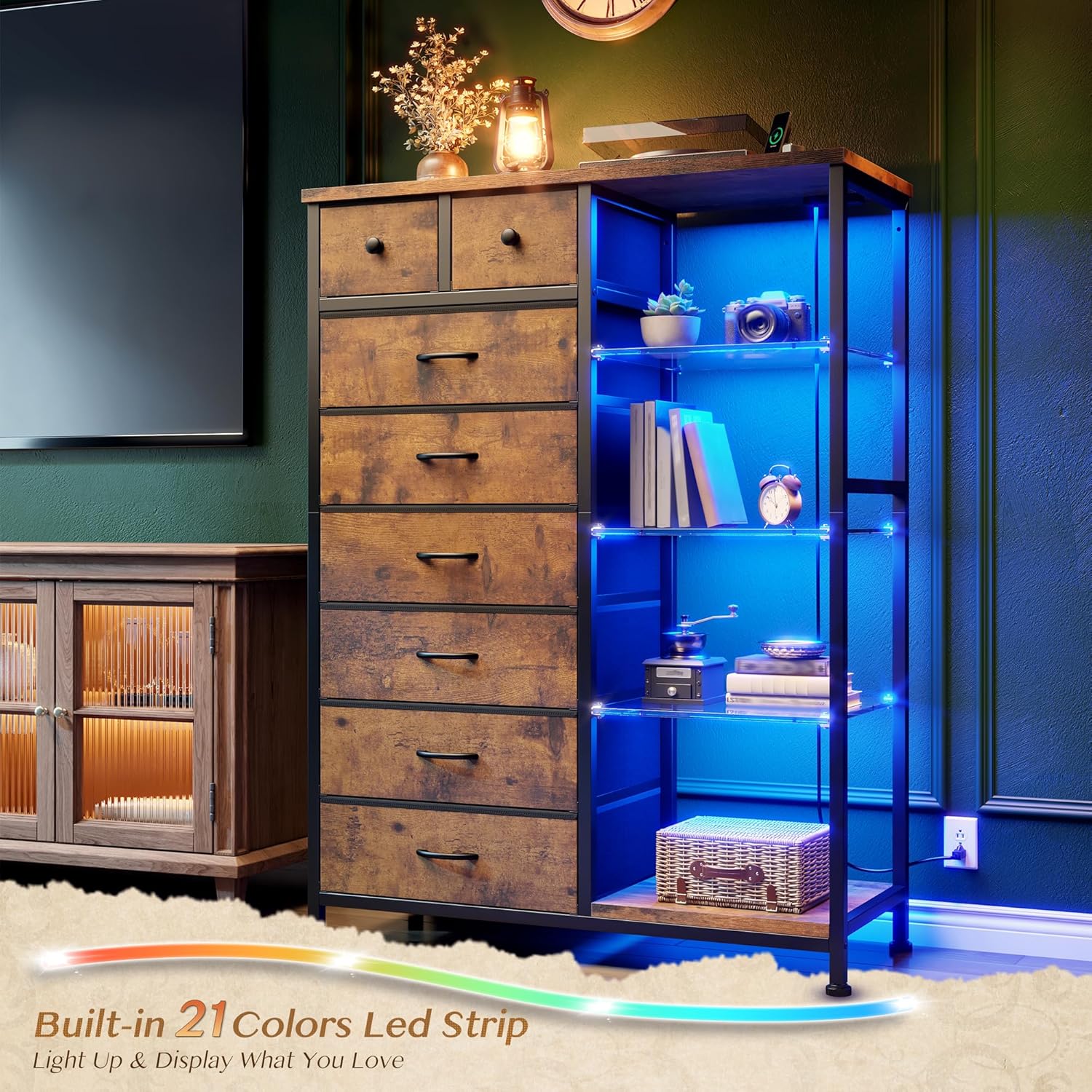
Figure 4: The dresser with LED lights illuminating the acrylic shelves, enhancing the visual appeal.
Integrated Power Outlets
The built-in charging station includes 2 standard AC outlets and 2 USB ports. Simply plug your devices into the appropriate ports for convenient charging. Ensure the dresser is plugged into a wall outlet for the charging station to function.

Figure 5: The integrated power outlets and USB ports, ready for device charging.
Maintenance
To maintain the appearance and longevity of your dresser:
- Wipe surfaces with a damp cloth. Avoid harsh chemicals or abrasive cleaners.
- Regularly check all fasteners and tighten if necessary to ensure stability.
- Keep the dresser away from direct heat sources and prolonged exposure to sunlight to prevent material damage.
Troubleshooting
- LED Lights Not Working: Ensure the LED power cable is securely connected and the dresser's main power cord is plugged into a functional wall outlet. Check the remote control battery.
- Power Outlets Not Functioning: Verify the dresser's main power cord is properly plugged into a live wall outlet. Check the circuit breaker if other devices in the same outlet are also not working.
- Dresser Wobbles: Ensure all assembly screws are tightened. Adjust the leveling feet on the bottom of the frame to stabilize the dresser on uneven floors.
- Drawers Do Not Slide Smoothly: Check that the fabric drawers are correctly assembled and that no items are obstructing their movement. Ensure the frame is square and level.
Specifications
| Brand | EnHomee |
| Model Name | 8 Drawers Dresser |
| Product Dimensions | 11.8"D x 35.4"W x 54"H |
| Color | Rustic Brown |
| Material | Acrylic, Fabric Drawers, Metal, Wood |
| Number of Drawers | 8 |
| Item Weight | 37 pounds |
| Top Panel Capacity | 88 lbs |
| Acrylic Plate Capacity (each) | 33 lbs |
| Power Outlets | 2 AC Outlets, 2 USB Ports |
| LED System | 21 colors, 22 dynamic modes, 10 flicker frequencies, 5 brightness levels |

Figure 6: Detailed dimensions and weight capacities for the dresser components.
Warranty and Support
EnHomee is committed to providing high-quality products and customer satisfaction. If you encounter any problems with your dresser, please contact our dedicated support team. They will provide a satisfactory solution.
For assistance, please refer to the contact information provided with your purchase or visit the official EnHomee website.


