Introduction
Thank you for choosing the Ledvion Rechargeable Wall Light with Motion Sensor. This manual provides essential information for the safe and efficient use of your new wall light. Please read these instructions carefully before installation and operation, and retain them for future reference.
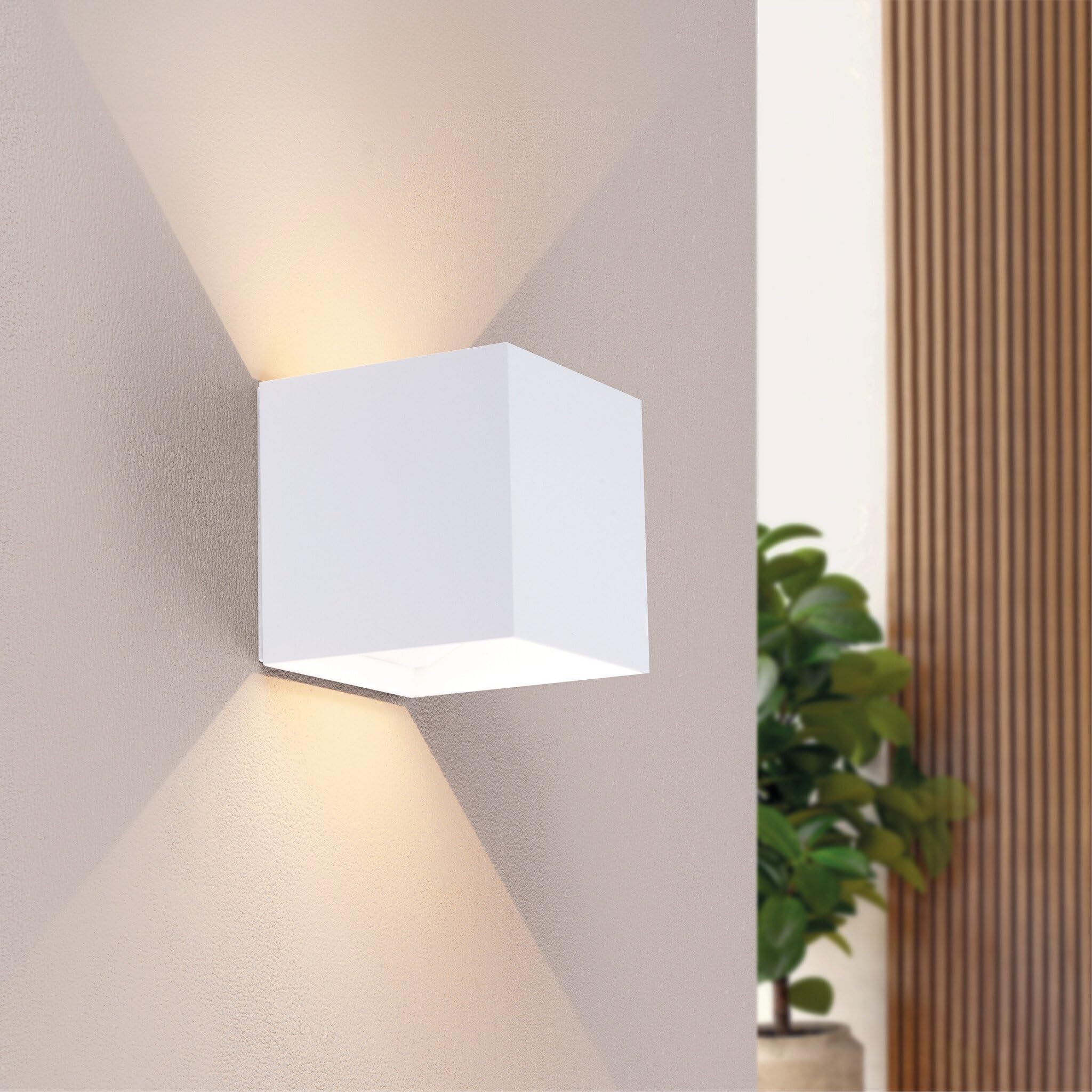
The Ledvion Rechargeable Wall Light in a typical indoor setting.

The IP44 rating makes this light suitable for damp environments like bathrooms.
This wall light features a built-in 4400mAh rechargeable battery, USB-C charging, an integrated motion sensor with three operating modes, and an IP44 rating for splash protection, making it suitable for various indoor and sheltered outdoor environments.
Package Contents

Illustration of included components.
- 1x Ledvion LED Wall Light (Cube)
- 1x Mounting Bracket
- 1x USB-C Charging Cable
- 2x Mounting Screws
- 2x Screw Wall Plugs
- 1x Instruction Manual (this document)
Safety Information
- Read all instructions before use.
- Do not attempt to disassemble, repair, or modify the device. This will void the warranty and may cause damage or injury.
- Keep the device away from extreme temperatures, direct sunlight, and moisture.
- Ensure the mounting surface is strong enough to support the weight of the light.
- Use only the provided USB-C cable for charging.
- The IP44 rating protects against splashes. Do not immerse the light in water.
- Dispose of the product and its battery responsibly according to local regulations.
Setup and Installation
Charging the Battery
Before first use, fully charge the wall light. Connect the supplied USB-C cable to the charging port on the light and to a standard USB power adapter (not included). A full charge takes approximately 6.5 hours.
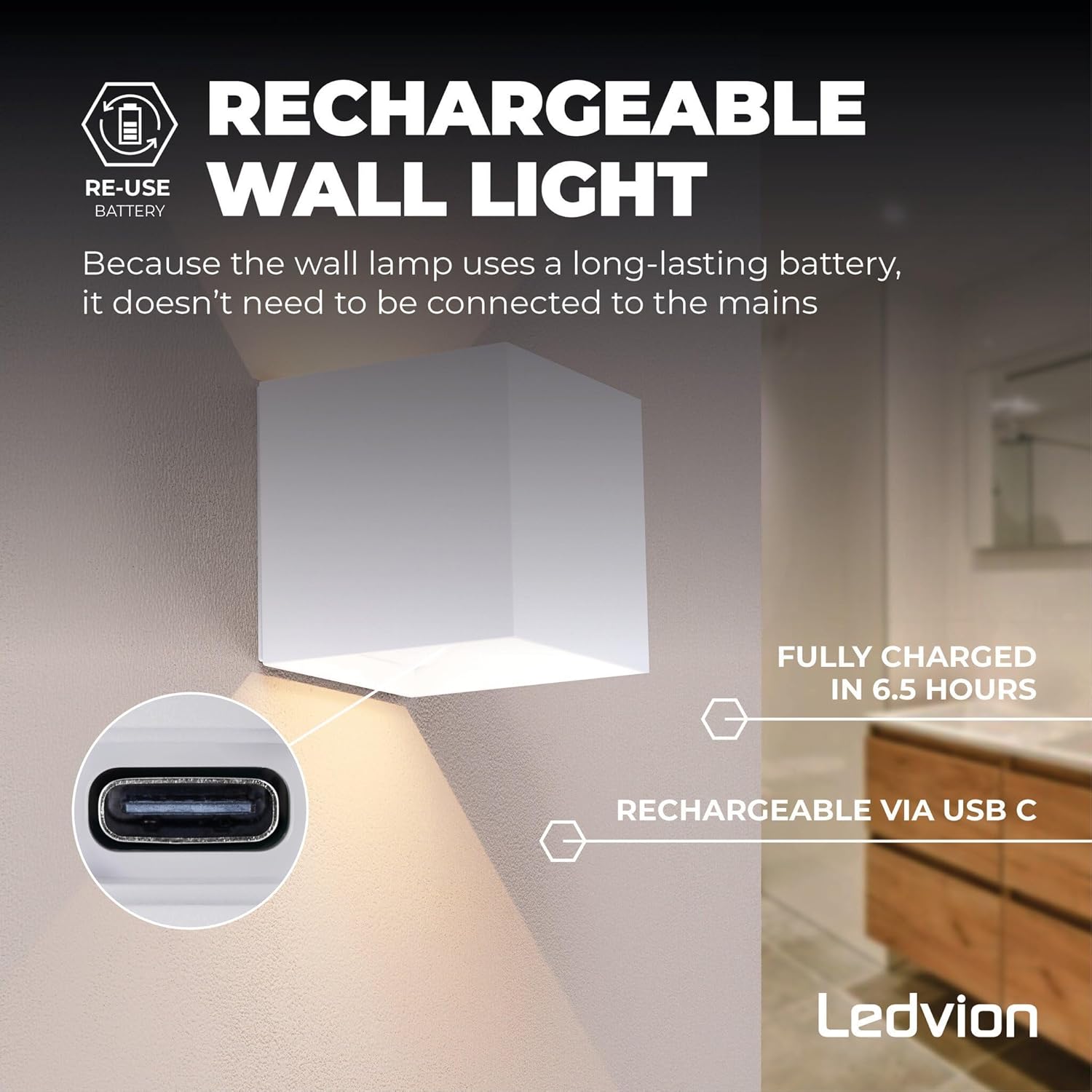
The wall light is rechargeable via USB-C. A full charge takes approximately 6.5 hours.
Mounting the Wall Light
The Ledvion wall light is designed for easy, wireless installation using the included mounting bracket, screws, and wall plugs. The light attaches to the bracket via strong magnetic suction.
- Choose a Location: Select a suitable location on a wall. Ensure the surface is clean, dry, and capable of supporting the light's weight. Consider the desired detection range for the motion sensor (up to 6 meters).
- Mark Drilling Points: Hold the mounting bracket against the wall at the desired height and mark the positions for the two screw holes.
- Drill Holes: Drill two holes at the marked positions. Insert the provided wall plugs into the drilled holes.
- Attach Bracket: Align the mounting bracket with the wall plugs and secure it firmly to the wall using the provided screws.
- Attach Light: Once the bracket is securely mounted, simply place the Ledvion wall light onto the bracket. The strong magnetic suction will hold it in place.
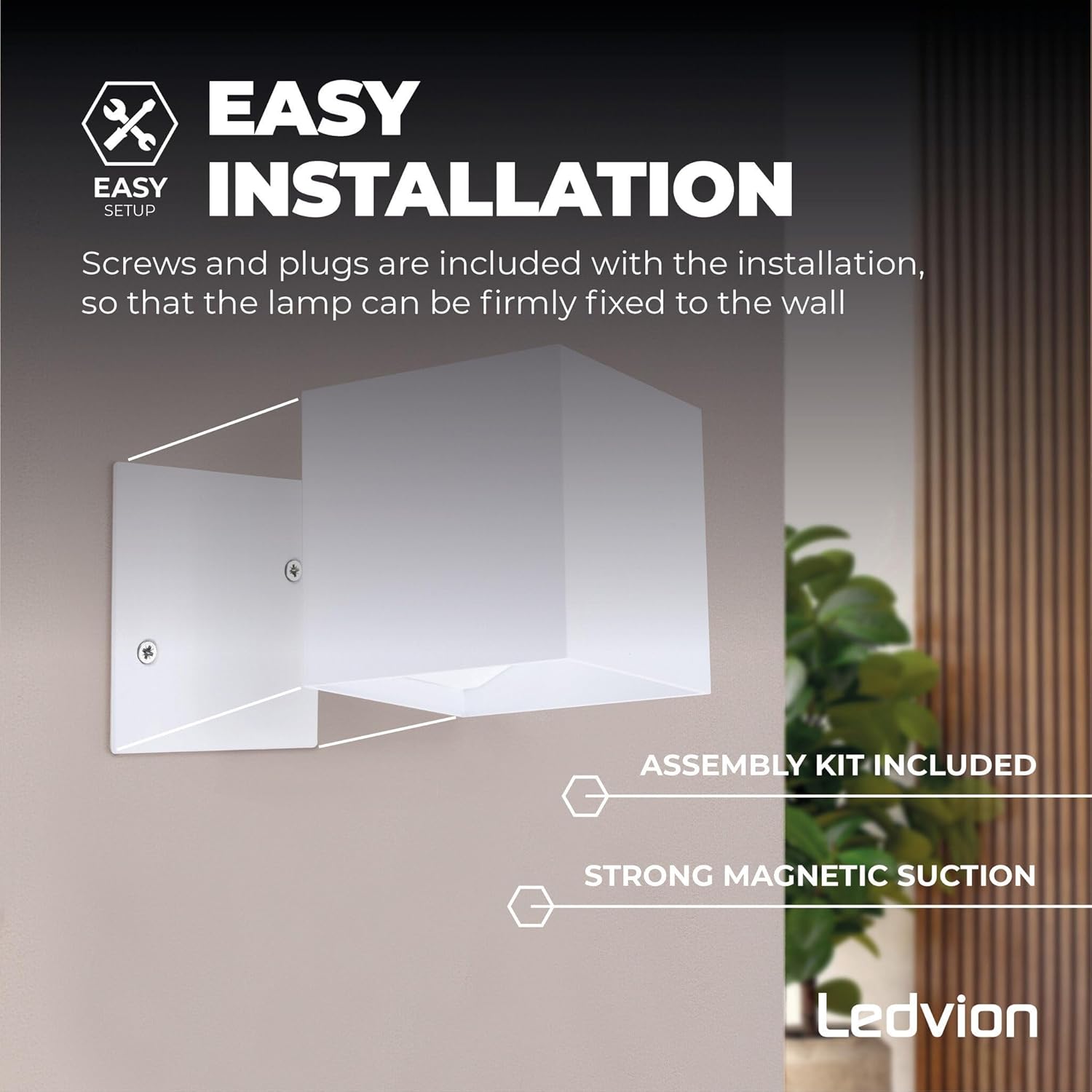
The light attaches to the mounting bracket using strong magnetic suction, making installation simple.
Operating the Wall Light
The Ledvion wall light features a motion sensor and multiple operating modes. The control panel is located on the underside of the light.
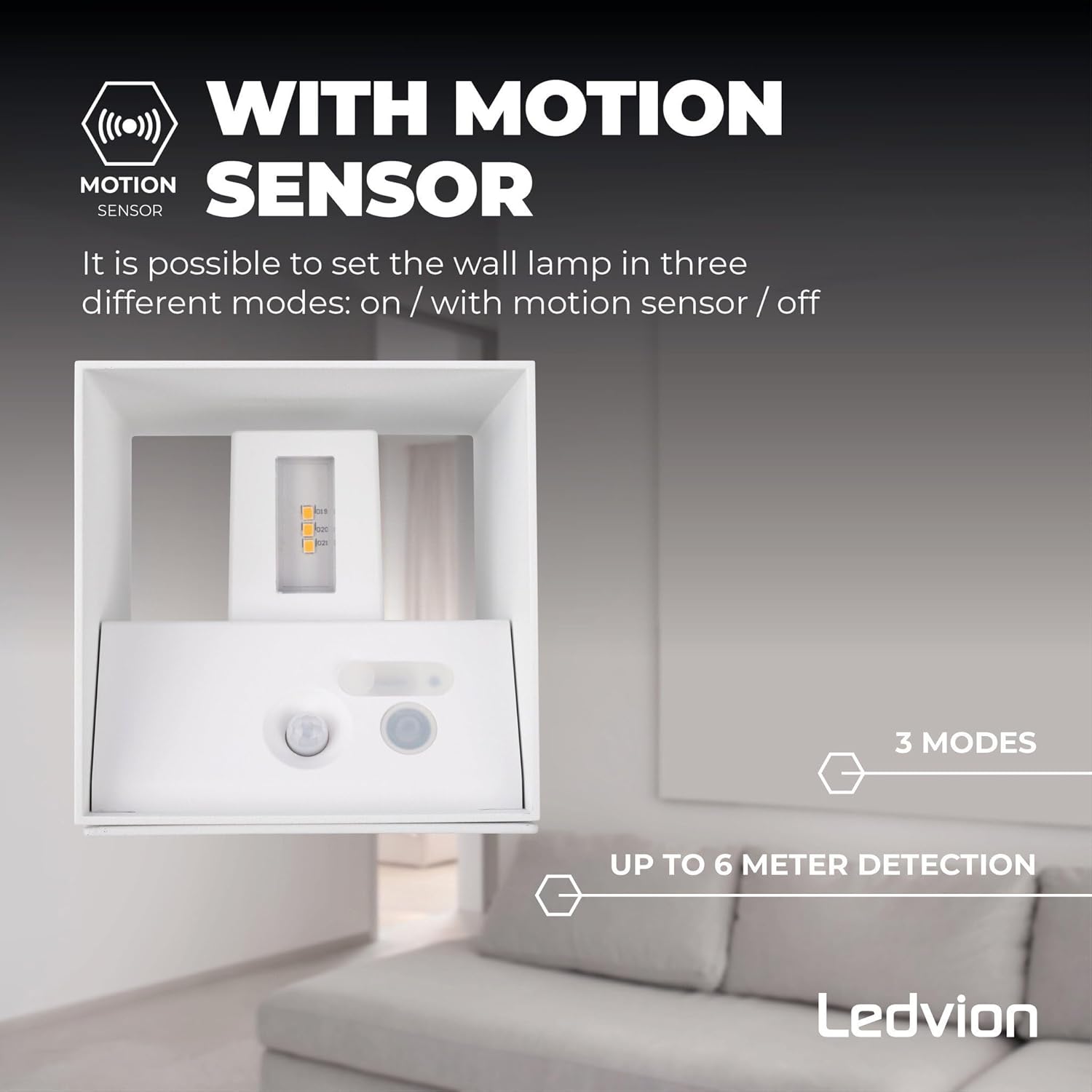
The control panel allows selection of operating modes.
Operating Modes
The wall light offers three distinct operating modes, selectable via a switch on the control panel:
- ON Mode: The light will remain continuously on until manually switched off or the battery depletes.
- Motion Sensor Mode: The light will automatically turn on when motion is detected within its range (up to 6 meters) and in low light conditions. It will turn off after a period of no motion.
- OFF Mode: The light will remain off, conserving battery power.
Select the desired mode based on your lighting needs. For optimal battery life and convenience, the motion sensor mode is recommended for most applications.
Battery Life
With a fully charged 4400mAh battery, the wall light can operate for up to 18 hours, depending on the selected mode and frequency of activation (in motion sensor mode).

The 4400mAh battery provides up to 18 hours of operation.
Maintenance
- Cleaning: Wipe the surface of the light with a soft, damp cloth. Do not use abrasive cleaners or solvents.
- Charging: Recharge the battery when the light output diminishes or when it stops functioning. Regular charging helps maintain battery health.
- Sensor Care: Keep the motion sensor lens clean and free from obstructions to ensure optimal performance.
- Storage: If storing the light for an extended period, ensure it is fully charged and store it in a cool, dry place. Recharge every 3-6 months to prevent deep discharge.
Troubleshooting
| Problem | Possible Cause | Solution |
|---|---|---|
| Light does not turn on. | Battery is depleted. | Charge the light using the USB-C cable. |
| Light does not detect motion. | Incorrect mode selected (e.g., OFF or ON mode). Sensor is obstructed or dirty. Motion is outside detection range. | Ensure the light is set to Motion Sensor mode. Clean the sensor lens. Adjust the light's position or ensure motion occurs within 6 meters. |
| Light turns on unexpectedly. | Environmental factors (e.g., heat sources, moving objects). | Relocate the light away from sources of false triggers. |
| Light does not charge. | Faulty USB-C cable or power adapter. Charging port is damaged. | Try a different USB-C cable and power adapter. If the issue persists, contact customer support. |
Product Specifications

Dimensions of the Ledvion Wall Light.
| Brand: | Ledvion |
| Model Number: | LVO10113 |
| Product Dimensions: | 10 x 10 x 10 cm (approx. 100 x 100 x 103 mm as per image) |
| Product Weight: | 620 g |
| Color: | White |
| Shape: | Cube |
| Material: | Plastic (Shade), Aluminium (Housing) |
| Light Source: | Integrated LED |
| Luminous Flux: | 170 Lumens |
| Color Temperature: | 3000 Kelvin (Warm White) |
| Electrical Power: | 5 Watts |
| Power Source: | Rechargeable Battery |
| Battery Capacity: | 4400 mAh |
| Charging Time: | Approx. 6.5 hours (via USB-C) |
| Operating Time: | Up to 18 hours (depending on mode/usage) |
| Sensor Type: | Motion Sensor |
| Motion Detection Range: | Up to 6 meters |
| IP Rating: | IP44 (Splash-proof) |
| Installation Type: | Wall Mount (Magnetic) |
| Recommended Use: | Indoor (e.g., bathrooms) and sheltered outdoor areas (e.g., gardens, patios) |
Warranty and Support
Ledvion products are manufactured to high-quality standards. For information regarding warranty terms and conditions, please refer to the documentation provided with your purchase or visit the official Ledvion website.
If you encounter any issues or have questions about your Ledvion Rechargeable Wall Light, please contact Ledvion customer support for assistance.
Manufacturer: Ledvion
Model: LVO10113