
1. Introduction & What's in the Box
Thank you for choosing the Yoever Smart Watch. This manual provides essential information for setting up, operating, and maintaining your device. The Yoever Smart Watch is designed to enhance your daily life with advanced health monitoring, fitness tracking, and smart communication features.
Package Contents:
- Smart Watch x 1
- Watch Band x 2 (one pre-attached, one additional)
- Charging Cable x 1
- User Manual x 1

Figure 1: Yoever Smart Watch and included accessories.
2. Setup Guide
2.1 Charging the Device
Before first use, fully charge your smartwatch. Connect the magnetic charging cable to the charging points on the back of the watch. Connect the USB-A end of the cable to a compatible power adapter (not included). A full charge takes approximately 2.5 hours.

Figure 2: Magnetic charging connection and estimated battery life (5-8 days working time, 40 days standby).
2.2 App Installation & Pairing
To unlock the full potential of your smartwatch, download the 'VeryFit' app on your smartphone. The watch is compatible with iOS 12.0+ and Android 6.0+ devices.
- Scan the QR code displayed on the watch screen or in the user manual to directly download the 'VeryFit' app from the Google Play Store or Apple App Store.
- Enable Bluetooth on your smartphone.
- Open the 'VeryFit' app and follow the on-screen instructions to search for and bind your 'IDW28' smartwatch.
- Ensure the watch is close to your phone during the pairing process.

Figure 3: Visual guide for connecting your smartwatch via Bluetooth using the VeryFit app.
3. Operating Instructions
3.1 Basic Navigation
The Yoever Smart Watch features a 1.85" HD 60+FPS touchscreen for smooth navigation. You can also use the rotatable crown on the side for easy operation and scrolling through menus.

Figure 4: The smartwatch features a metal frame and a rotatable crown for intuitive control.
3.2 Making & Answering Calls
With Bluetooth 5.3 connectivity, you can answer and make calls directly from your wrist, improving work efficiency and convenience.

Figure 5: The smartwatch supports answering calls, allowing you to manage communications directly from your wrist.
3.3 Notifications
Receive real-time message alerts and app notifications directly on your wrist. Stay connected and never miss important updates from loved ones and friends. (Note: Message sending/reply functions are not supported.)

Figure 6: The smartwatch displays real-time notifications from various apps.
3.4 AI Voice Assistant
Utilize the built-in AI voice assistant to wake up your phone's smart voice assistant (like Siri or Google Assistant) for making calls, searching for information, and more.

Figure 7: Interact with your phone's AI voice assistant directly from your smartwatch.
3.5 Other Utilities
The smartwatch includes various life-enhancing utilities:
- Music Control: Play, pause, skip tracks directly from your wrist.
- Alarm Clock: Set and manage alarms.
- Stopwatch & Timer: For precise timing.
- Drink Reminder: Stay hydrated with timely reminders.
- Camera Control: Remotely trigger your phone's camera.
- Calculator: Perform quick calculations.
- Calendar: View dates and schedule.
- Weather Forecast: Get real-time weather updates.
- Find Phone: Locate your misplaced smartphone.
- Breathing Training: Guided breathing exercises for relaxation.

Figure 8: Explore various multi-function features for daily convenience.

Figure 9: More utilities like calculator, calendar, and weather are available on your smartwatch.
4. Health Monitoring
High-precision sensors provide 24/7 monitoring of various health metrics.
4.1 Heart Rate Monitor
Continuously monitor your heart rate to help you stay informed about your cardiovascular health.

Figure 10: The smartwatch continuously monitors your heart rate.
4.2 Blood Oxygen (SpO2) Monitor
Ensure your comfort and physical well-being by continuously measuring your blood oxygen level.

Figure 11: Track your blood oxygen levels throughout the day.
4.3 Stress Monitoring
Check your personal stress levels and get advice on reducing stress.
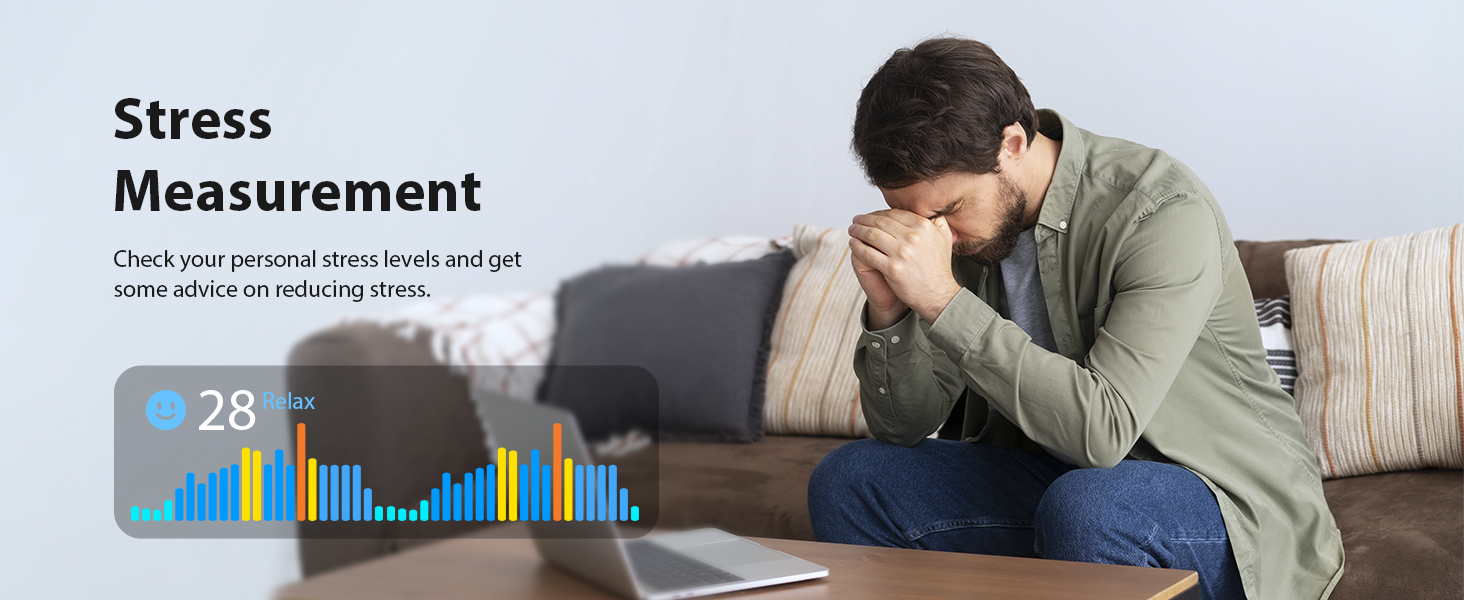
Figure 12: Monitor your stress levels and receive guidance for relaxation.
4.4 Sleep Tracking
A good night's sleep helps you to be energized. The sleep monitoring function accurately analyzes your sleep stages (deep sleep, light sleep, wake times) and provides professional advice via the app to improve your sleep quality.

Figure 13: Analyze your sleep patterns for improved rest.
4.5 Women's Health Tracking
Continuously monitor your menstrual cycle and receive timely reminders.

Figure 14: Track your menstrual cycle for better health management.
4.6 All-day Activity Recording
24/7 data tracking and summarization helps you gain a clearer understanding of your daily physical condition, including steps, calories, and distance.

Figure 15: The smartwatch records your daily activity data.
5. Fitness Features
5.1 110+ Sport Modes
The fitness tracker supports over 110 mainstream exercise modes, acquiring advanced metrics for various workouts and tracking the intensity of your activity.

Figure 16: Choose from over 110 sports modes for accurate tracking.
5.2 IP68 Waterproof Rating
Its IP68 waterproof and dustproof rating ensures confidence during aquatic adventures or daily use, making it suitable for swimming, showering, and sweating.

Figure 17: The smartwatch is IP68 waterproof for various activities.
6. Maintenance
6.1 Cleaning
Regularly clean your smartwatch and wristband to prevent skin irritation and maintain device hygiene. Use a soft, lint-free cloth. If necessary, slightly dampen the cloth with water. Avoid harsh chemicals or abrasive materials.
6.2 Water Resistance Care
While IP68 rated, avoid prolonged submersion in hot water (e.g., hot showers, saunas) as steam can penetrate seals. After exposure to saltwater, rinse the watch with fresh water and dry thoroughly.
6.3 Battery Care
To prolong battery life, avoid extreme temperatures. Store the watch in a cool, dry place when not in use. Charge the device regularly, even if not used daily, to prevent deep discharge.
7. Troubleshooting
7.1 Pairing Issues
If your watch fails to pair with the app:
- Ensure Bluetooth is enabled on your phone.
- Make sure the watch is charged and powered on.
- Restart both your phone and the smartwatch.
- Check if the 'VeryFit' app has necessary permissions on your phone.
- Try unpairing and re-pairing the device.
7.2 Notification Problems
If you are not receiving notifications:
- Verify that notifications are enabled in the 'VeryFit' app settings.
- Check your phone's notification settings for the 'VeryFit' app.
- Ensure the watch is connected via Bluetooth to your phone.
- Disable and re-enable notifications in the app.
7.3 Inaccurate Sensor Readings
For best accuracy, ensure the watch is worn snugly on your wrist, but not too tight. Keep the sensor area clean. Avoid excessive movement during readings.
For further assistance, please refer to the Warranty & Support section.
8. Specifications
| Feature | Specification |
|---|---|
| Display | 1.85 Inches HD 60+FPS Screen |
| Battery Capacity | 350 Milliamp Hours |
| Battery Life | 7-10 days (typical use) |
| Charging Time | Approx. 2.5 hours |
| Connectivity | Bluetooth 5.3 |
| Waterproof Rating | IP68 |
| Compatibility | iOS 12.0+ / Android 6.0+ |
| Item Weight | 5.9 ounces |
9. Warranty & Support
Every Yoever smartwatch includes a 10-year warranty and lifetime technical support. Your satisfaction is our priority.
Contact Support:
For any questions, technical assistance, or warranty claims, please contact Yoever customer support. Refer to the contact information provided in your product packaging or visit the official Yoever website for the most up-to-date support details.
Video 1: Yoever Smart Watch - Premium Design, Refined Craftsmanship. This video showcases the aesthetic and build quality of the smartwatch.
Video 2: Yoever Smart Watch - Watch operation instruction. This video provides a visual guide on how to operate the smartwatch's various functions.


