
Introduction
This manual provides essential instructions for the safe and efficient operation of your Renogy 24V 10A AC-to-DC LFP Portable Battery Charger. Please read this manual thoroughly before use and retain it for future reference. This charger is specifically designed for 24V Lithium-Iron Phosphate (LiFePO4) batteries.

Image: The Renogy 24V 10A AC-to-DC LFP Portable Battery Charger with its cables.
Safety Instructions
Adhering to these safety guidelines is crucial for preventing injury and damage to the charger or battery.
- This charger is exclusively designed for 24V Lithium-Iron Phosphate (LiFePO4) batteries. Do not attempt to charge other battery types.
- Ensure the charger is connected to a grounded AC outlet within the specified voltage range (100-240V AC, 50/60Hz).
- Avoid short-circuiting the output terminals.
- Do not expose the charger to rain, moisture, or extreme temperatures.
- Operate the charger in a well-ventilated area.
- If the charger's positive and negative output terminals are accidentally reversed, the built-in blade fuse will burn out to protect the charger. Replace the fuse with one of the same rating (15A) if this occurs.
- The charger includes multiple safety protections: short-circuit, over-current, over-temperature, over-voltage, under-voltage, and reverse polarity protection.
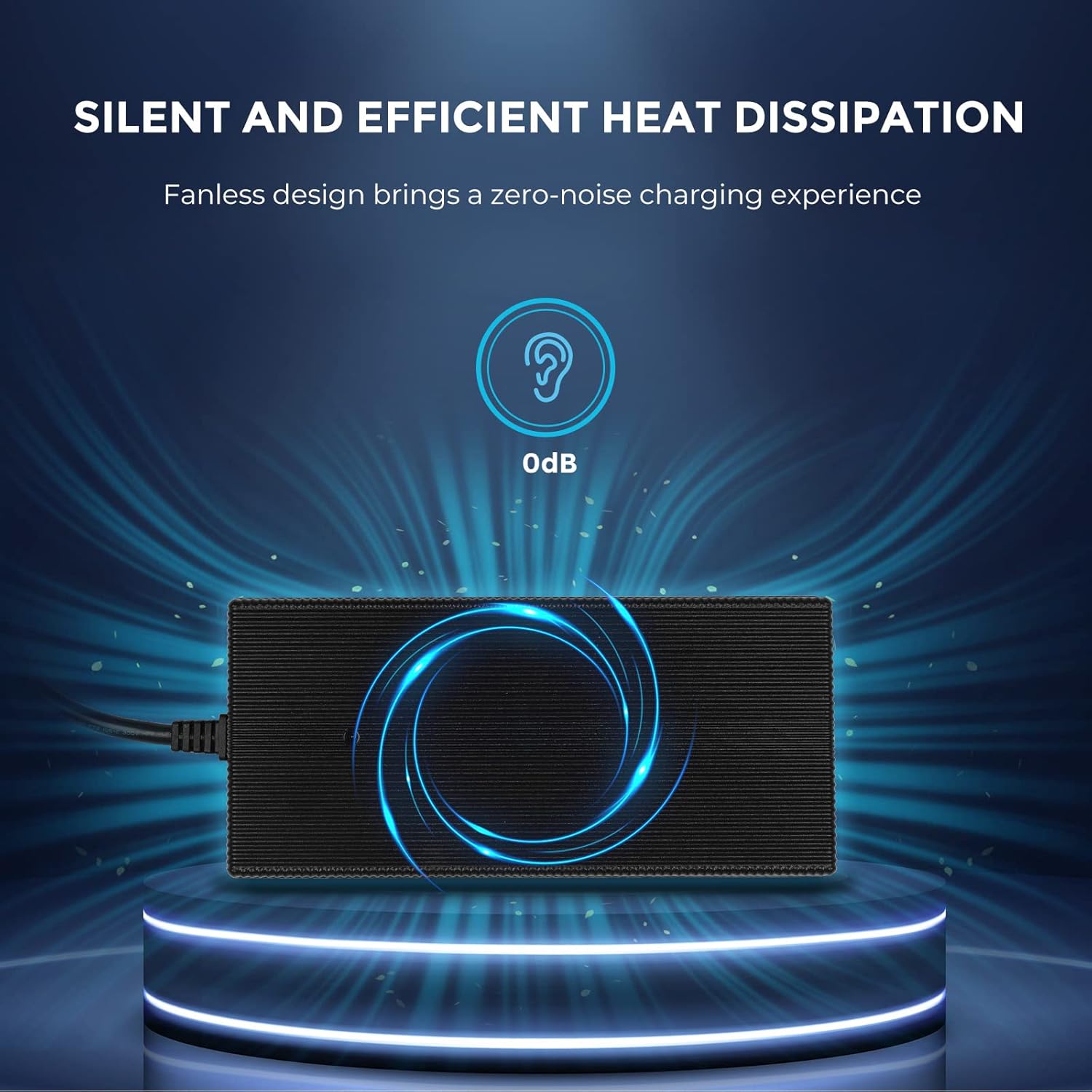
Image: Diagram illustrating the multi-layer safety protections of the charger, including short circuit, over-current, over-temperature, over-voltage, under-voltage, and reverse polarity protection.
Product Overview and Features
The Renogy 24V 10A AC-to-DC LFP Portable Battery Charger is designed for efficient and safe charging of lithium-iron phosphate batteries. Key features include:
- Lithium Battery Specific Design: Tailored for LiFePO4 batteries, including a lithium activation function to wake up batteries from BMS protection.
- Wide AC Input: Compatible with 100-240V AC, 50/60Hz power sources.
- Smart 3-Stage Charging: Utilizes Constant Current (CC), Constant Voltage (CV), and Trickle charging stages for optimized battery health and efficiency up to 92%.
- Silent Operation: Fanless design ensures zero-noise charging and efficient heat dissipation.
- Plug-and-Play: Simple connection for user-friendly operation.

Image: The Renogy charger highlighting its compatibility with 24V lithium batteries, showing both ring terminal and alligator clip connection options. Charging voltage is 28.8V and current is ≤10A.
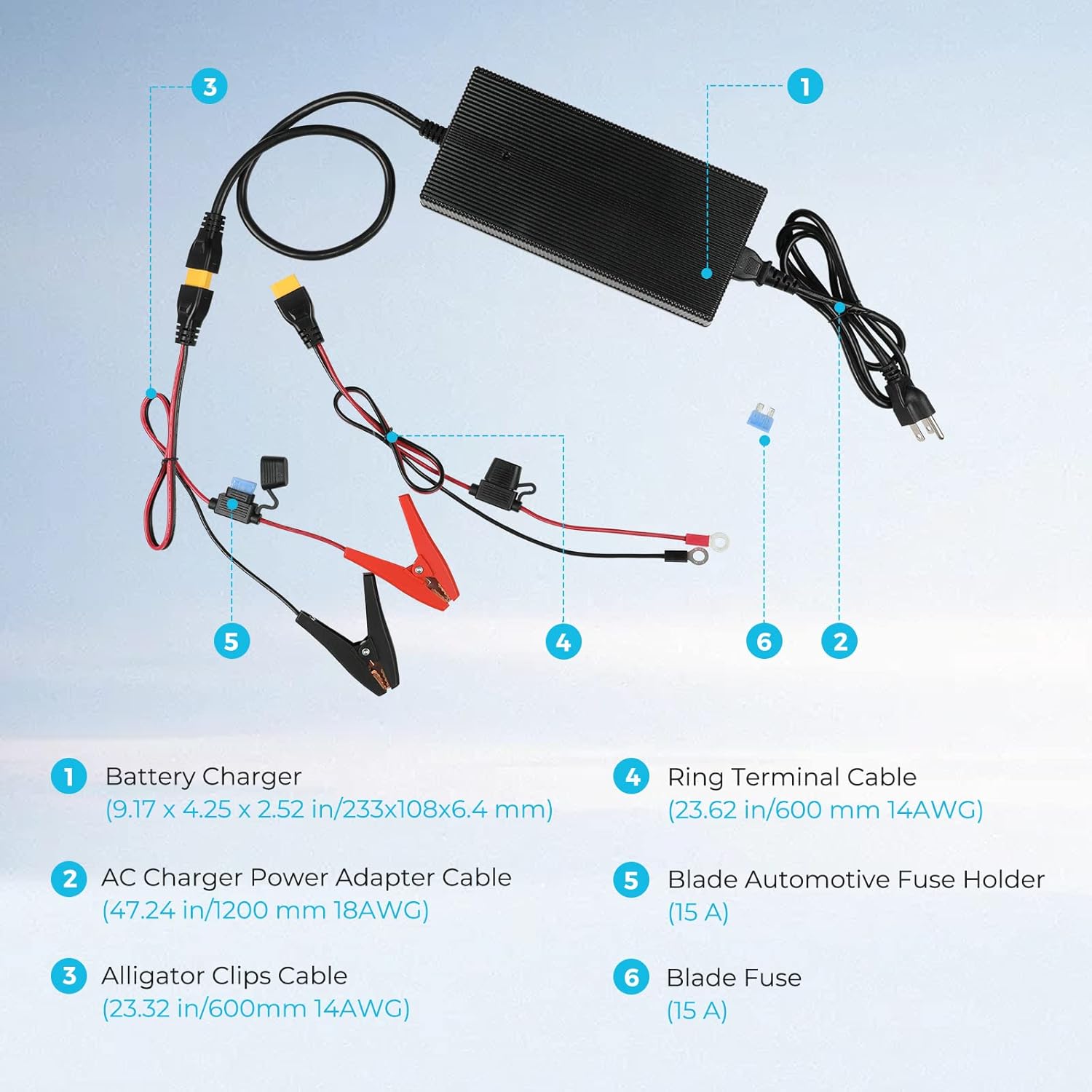
Image: The Renogy charger emphasizing its fanless design for silent operation and efficient heat dissipation, indicated by a 0dB icon.
Package Contents
Verify that all items are present in the package:
- Battery Charger: Main unit (Dimensions: 9.17 x 4.25 x 2.52 inches / 233 x 108 x 6.4 mm).
- AC Charger Power Adapter Cable: For connecting to a wall outlet (Length: 47.24 inches / 1200 mm, 18AWG).
- Alligator Clips Cable: For temporary battery connections (Length: 23.32 inches / 600 mm, 14AWG).
- Ring Terminal Cable: For permanent or semi-permanent battery connections (Length: 23.62 inches / 600 mm, 14AWG).
- Blade Automotive Fuse Holder: Integrated into the output cable (15A).
- Blade Fuse: Spare fuse (15A).

Image: An exploded diagram showing the Renogy battery charger and its components: the main charger unit, AC power adapter cable, alligator clips cable, ring terminal cable, blade automotive fuse holder, and a spare blade fuse.
Setup and Connection
Follow these steps to connect your charger:
- Choose Connection Method: Select either the alligator clips cable for temporary connections or the ring terminal cable for more secure, long-term installations.
- Connect to Battery:
- Connect the red (+) terminal of the chosen cable to the positive (+) terminal of your 24V LiFePO4 battery.
- Connect the black (-) terminal of the chosen cable to the negative (-) terminal of your 24V LiFePO4 battery.
- Ensure connections are secure.
- Connect to AC Power: Plug the AC charger power adapter cable into the charger, then plug the other end into a standard 100-240V AC wall outlet.
- The charger will automatically begin the charging process.
Operation
The charger features a 3-stage charging process and indicator lights to show the charging status.
Charging Stages and Indicator Lights:
- Fast High-Current Charging (CC - Constant Current): The charger provides a maximum charging current of 10A. The indicator light will be solid red, indicating active charging.
- Constant Voltage Charging (CV): As the battery voltage approaches full, the charging current will gradually decrease. The indicator light remains solid red, indicating active charging.
- Trickle Charging: When the battery is nearly full, the charging current will drop below 1A. The indicator light will turn green, indicating that the battery is fully charged.
Lithium Battery Activation Function:
This charger can activate a lithium battery that has entered BMS (Battery Management System) protection mode due to low voltage or other conditions. Simply connect the charger to the battery and AC power; the charger will attempt to reactivate the battery and resume normal charging.

Image: A diagram showing the Renogy charger connected to a LiFePO4 battery, illustrating fast charging (25Ah battery fully charged in 2.5 hours) and the indicator light states: red for charging, green for fully charged.
Maintenance
Proper maintenance ensures the longevity and performance of your charger:
- Keep the charger clean and free from dust and debris. Use a dry, soft cloth for cleaning.
- Regularly inspect cables and connectors for any signs of damage or wear. Replace damaged components immediately.
- Store the charger in a cool, dry place when not in use.
- Ensure proper ventilation around the charger during operation to facilitate heat dissipation.
Troubleshooting
If you encounter issues with your charger, refer to the following common problems and solutions:
| Problem | Possible Cause | Solution |
|---|---|---|
| Charger indicator light is off. | No AC power, faulty connection, or internal issue. | Check AC power outlet and cable connections. Ensure the charger is securely plugged in. |
| Charger not charging (red light not on). | Battery not connected correctly, battery in BMS protection, or reverse polarity. | Verify battery connections (positive to positive, negative to negative). The charger has a lithium activation function; ensure the battery is not severely damaged. Check the blade fuse for reverse polarity protection. |
| Charger light is green but battery is not fully charged. | Incorrect battery type or battery fault. | Ensure you are charging a 24V LiFePO4 battery. If the issue persists, the battery may be faulty. |
| Charger gets excessively hot. | Poor ventilation or internal fault. | Ensure the charger is in a well-ventilated area. If overheating continues, discontinue use and contact support. |
Specifications
| Feature | Specification |
|---|---|
| Model | RBC10A2P |
| Input Voltage | 100-240V AC, 50/60Hz |
| Output Voltage | 24V DC |
| Charging Current | 10A |
| Charging Voltage (Max) | 28.8V |
| Efficiency | Up to 92% |
| Product Dimensions | 9.17 x 4.25 x 2.52 inches (233 x 108 x 6.4 mm) |
| Item Weight | 5 pounds |
| UPC | 840315237667 |
Warranty and Support
For detailed warranty information and customer support, please refer to the official Renogy website or contact Renogy customer service directly. This manual does not contain specific warranty terms.


