1. Introduction
The ECOVACS DEEBOT N20e Plus is an advanced robotic cleaning device designed to automate floor maintenance. It combines powerful vacuuming with efficient mopping capabilities, featuring a self-emptying station for enhanced convenience. This manual provides essential information for the proper setup, operation, and maintenance of your DEEBOT N20e Plus to ensure optimal performance and longevity.

Image 1.1: The ECOVACS DEEBOT N20e Plus robot vacuum and mop with its accompanying self-emptying station.
2. Product Components
Ensure all components are present upon unpacking:
- DEEBOT N20e Plus Robot Vacuum and Mop
- Self-Emptying Station
- Power Cord
- Side Brushes
- Washable Filter
- Mopping Pad/Roller
- User Manual (this document)
3. Setup
3.1 Unpacking and Placement
- Carefully remove all components from the packaging.
- Choose a suitable location for the self-emptying station. Ensure it is against a wall, with at least 0.5 meters (1.6 feet) of clear space on either side and 1.5 meters (4.9 feet) in front.
- Plug the power cord into the self-emptying station and then into a wall outlet.
3.2 Initial Charging
Place the DEEBOT onto the charging pins of the self-emptying station. Ensure the charging contacts align. The robot will begin charging automatically. For first-time use, fully charge the robot, which may take several hours.
3.3 ECOVACS HOME App Connection
To unlock the full potential of your DEEBOT, download the ECOVACS HOME app on your smartphone.
- Scan the QR code on the packaging or search for "ECOVACS HOME" in your app store.
- Follow the in-app instructions to create an account and add your DEEBOT N20e Plus.
- Connect the DEEBOT to your home Wi-Fi network as prompted by the app.

Image 3.1: The ECOVACS HOME app provides comprehensive control over cleaning settings and map management.
3.4 Initial Mapping
After connecting to the app, initiate an initial cleaning cycle. The DEEBOT will use its TrueMapping Technology to create a map of your home, which is essential for efficient navigation and advanced cleaning features.

Image 3.2: The DEEBOT N20e Plus utilizes TrueMapping Technology for rapid and intelligent path planning, and can climb thresholds up to 20mm.
4. Operating Instructions
4.1 Starting a Cleaning Cycle
Press the Auto Mode button on the robot or use the ECOVACS HOME app to start a cleaning cycle. The DEEBOT will automatically vacuum and mop according to its programmed settings.
4.2 Vacuuming and Mopping
The DEEBOT N20e Plus features a powerful 10,000Pa suction for effective vacuuming and an OZMO ROLLER Instant Self-Washing Mopping system. It can intelligently avoid carpets in mopping mode to prevent wetting them.

Image 4.1: The DEEBOT N20e Plus demonstrates its ability to vacuum and mop simultaneously, effectively cleaning various floor types.
4.3 Using the ECOVACS HOME App
The app provides comprehensive control:
- Cleaning Modes: Select from Auto, Spot, or Zone cleaning.
- Suction Power: Adjust four levels of suction power.
- Water Flow: Control three levels of water flow for mopping.
- Scheduling: Set specific times for cleaning cycles.
- Map Management: View and edit maps, set virtual boundaries, and manage multi-floor maps.
5. Maintenance
Regular maintenance ensures optimal performance and extends the lifespan of your DEEBOT.
5.1 Self-Emptying Station
The self-emptying station automatically transfers dust from the robot's dustbin to its larger bagless dust container, reducing the frequency of manual emptying.

Image 5.1: The bagless dust container of the self-emptying station, designed for easy and eco-friendly disposal of collected debris.
5.2 Cleaning the Dust Container and Filter
- Open the top cover of the DEEBOT and remove the dust container.
- Empty the dust container.
- Remove the washable filter and tap it to remove loose debris. Rinse the filter under running water and allow it to air dry completely before reinserting.
- Wipe the dust container with a dry cloth.

Image 5.2: The internal view highlights the 4-stage filtration system, contributing to consistent suction and odor prevention.
5.3 Cleaning the Main Brush
The DEEBOT N20e Plus features ZeroTangle 2.0 Technology to minimize hair tangling. However, periodic cleaning is still recommended.
- Flip the robot over and remove the main brush cover.
- Lift out the main brush.
- Use the cleaning tool (if provided) to cut and remove any tangled hair or debris.
- Reinsert the main brush and secure the cover.
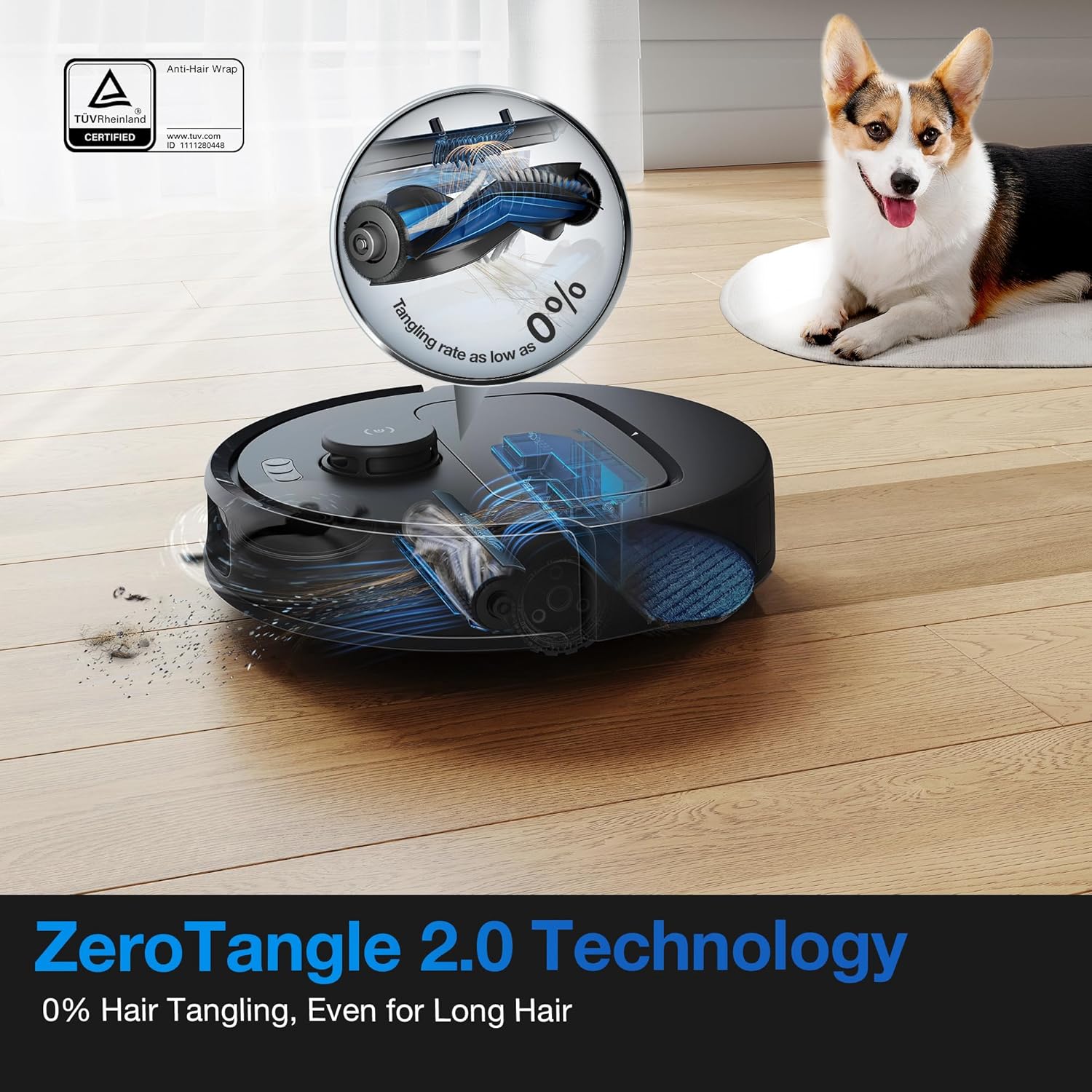
Image 5.3: The DEEBOT N20e Plus incorporates ZeroTangle 2.0 Technology to effectively manage pet hair and minimize tangles on the main brush.
5.4 Cleaning Side Brushes and Sensors
- Regularly check side brushes for wear and tear. Replace them if damaged. Remove any hair or debris wrapped around them.
- Wipe all sensors (anti-drop sensors, anti-collision sensors, charging contacts) with a clean, dry cloth to ensure proper function.
6. Troubleshooting
If your DEEBOT encounters an issue, refer to the following common solutions:
- Robot not charging: Ensure the self-emptying station is powered on and the robot's charging contacts are clean and properly aligned with the station's pins.
- Robot gets stuck frequently: Clear obstacles from the cleaning path. Check for tangled wires or small objects. Clean the driving wheels.
- Poor cleaning performance: Empty the dust container, clean the main brush, side brushes, and filter. Ensure the mopping pad is clean and properly attached.
- App connectivity issues: Ensure your Wi-Fi network is stable and the robot is within range. Restart the robot and your router. Re-pair the robot with the app if necessary.
- Unusual noises: Check the main brush, side brushes, and wheels for any foreign objects or debris.
For more detailed troubleshooting, consult the ECOVACS HOME app or the official ECOVACS support website.
7. Specifications
| Feature | Specification |
|---|---|
| Brand | ECOVACS |
| Model Name | DEEBOT N20e Plus |
| Special Feature | OZMO ROLLER Instant Self-Washing Mopping |
| Color | Black |
| Product Dimensions | 13.78"L x 20.98"W x 15.94"H |
| Included Components | DEEBOT DEEBOT N20e Plus ROBOT VACUUM |
| Filter Type | WASHABLE |
| Voltage | 120 Volts |
| Capacity | 3.2 Liters (Self-Emptying Station) |
| UPC | 850066858417 |
| Item Weight | 12.1 pounds |
| Manufacturer | ECOVACS |
| Item model number | DEEBOT N20e Plus |
| Batteries | 1 AAA batteries required. (included) |
| Battery Capacity | 5200mAh |
8. Warranty and Support
For warranty information, please refer to the warranty card included with your product or visit the official ECOVACS website. For technical support, FAQs, and additional resources, please visit www.ecovacs.com or contact ECOVACS customer service directly.