
1. Introduction and Overview
Thank you for choosing the Amicura Automatic Cat Litter Box Cura 2. This self-cleaning litter box is designed to simplify pet care by providing an efficient and hygienic solution for managing cat waste. Featuring advanced detection systems, multiple cleaning modes, and smart app control, the Cura 2 ensures a clean environment for your cat and convenience for you.
Key features include a 65L capacity, 12L waste bin, 360-degree safety sensors, and ultra-quiet operation (below 35dB).

Image: The Amicura Cura 2 Automatic Cat Litter Box in operation, showcasing its design and app connectivity.
2. Safety Information
Your cat's safety is paramount. The Cura 2 is equipped with a comprehensive five-layer detection and protection system to prevent accidents during operation. This includes door opening detection, threshold detection, cat entry detection, rear detection, and an intelligent anti-pinch safety mechanism.
- The device will immediately stop operation if any abnormality or cat presence is detected.
- Ensure the litter box is placed on a stable, level surface.
- Keep children and pets away from the device during cleaning cycles.
- Do not attempt to disassemble or repair the unit yourself. Contact customer service for assistance.
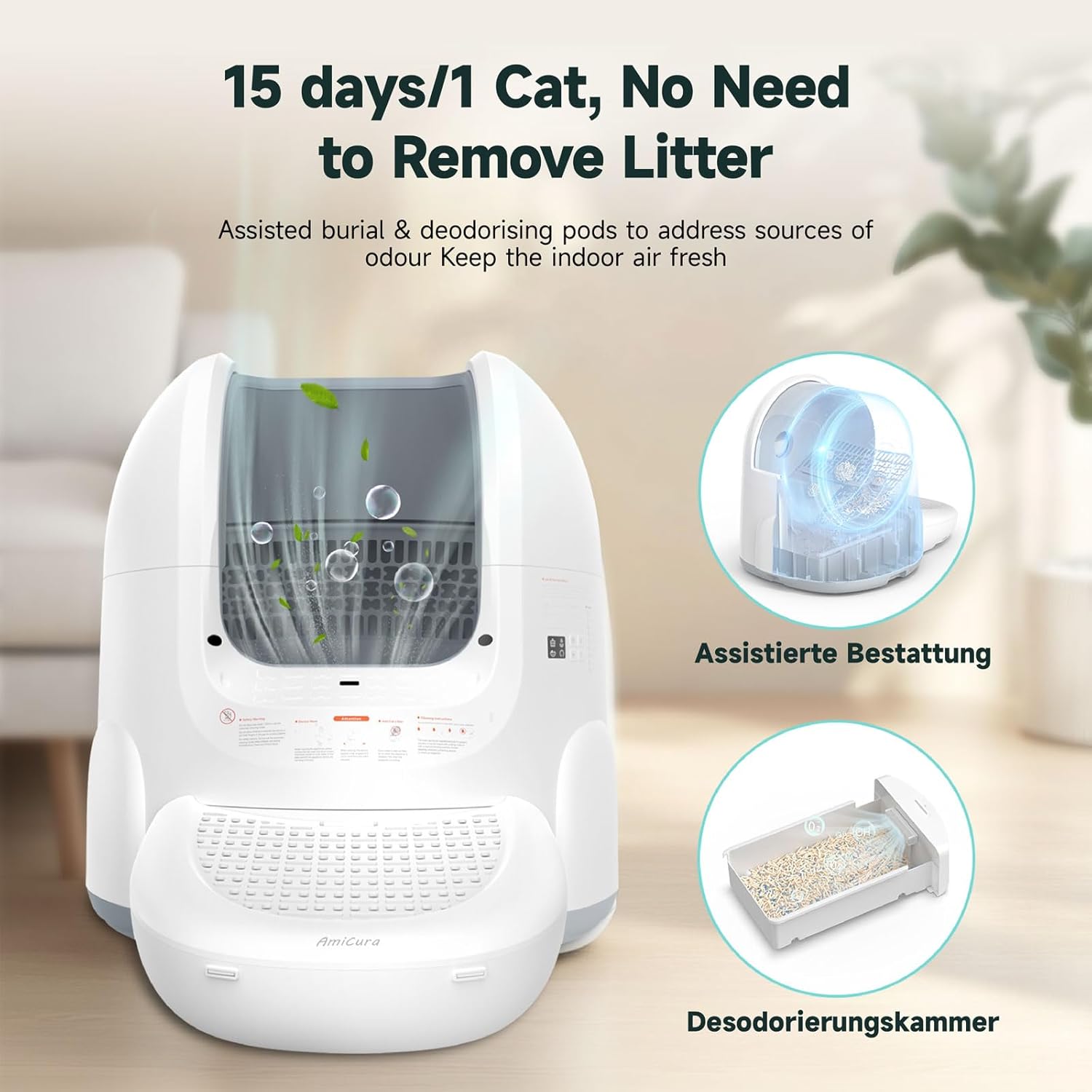
Image: Illustration of the 360-degree infrared sensors for enhanced safety.
3. Package Contents
Please verify that all items are present in the package:
- Amicura Cura 2 Self-Cleaning Cat Litter Box (Main Unit) x1
- User's Manual x1
- Filter Plate x2
- Deodorant Aromatherapy Paste x1
- Garbage Bag x1 (roll)
- Power Adapter x1
- Foot Pedal x1

Image: Contents of the Amicura Cura 2 package.
4. Setup Instructions
- Unpack and Place: Carefully remove all components from the packaging. Place the main unit on a firm, level surface in a well-ventilated area.
- Install Foot Pedal: Attach the foot pedal to the front of the litter box. This helps collect tracked litter.
- Insert Waste Bin: Slide the waste bin into its designated slot at the bottom front of the unit. Ensure a garbage bag is properly installed inside the bin.
- Add Litter: Open the top lid and pour your preferred cat litter into the drum. Ensure the litter level is between the MIN and MAX indicators. The Cura 2 is compatible with sodium-based mineral sand, bentonite clay, tofu litter, and mixed litter. Note: Crystal litter is not suitable.
- Connect Power: Plug the power adapter into the unit and then into a wall outlet. The device will perform an initial self-check.
- App Connection (Optional but Recommended):
- Download the Amicura app from your smartphone's app store.
- Follow the in-app instructions to connect your device. Ensure your Wi-Fi network is 2.4GHz, as 5GHz is not supported.
- The app allows for remote control, monitoring, and advanced settings.

Image: Compatible litter types for the Amicura Cura 2.
5. Operating Instructions
Cleaning Modes
The Cura 2 offers four distinct cleaning modes:
- Automatic Cleaning: The device detects when your cat has left the litter box and initiates a cleaning cycle after a set delay.
- App Instant Cleaning: Manually trigger a cleaning cycle anytime via the Amicura app.
- Timed Cleaning: Schedule specific cleaning times through the app to suit your routine.
- Manual Cleaning: Use the control panel buttons on the device for immediate cleaning.
The system also includes a burying function to cover waste before cleaning, helping to minimize odors.
Smart App Monitoring
The Amicura app provides valuable insights into your cat's health and habits:
- Monitor litter usage data, including frequency and average duration.
- Receive alerts for potential abnormalities in elimination habits.
- Remotely control the waste bin emptying function, ideal for travel.
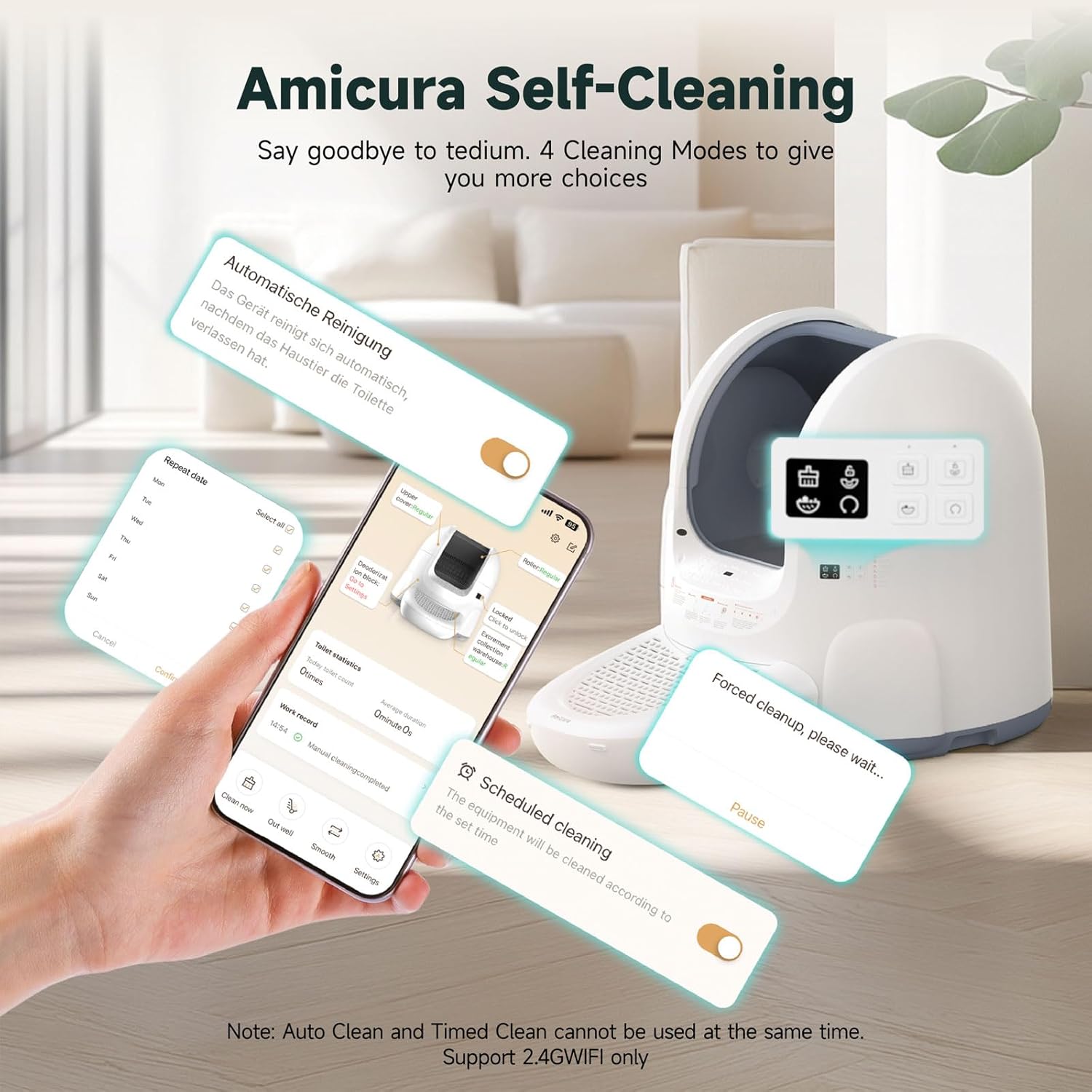
Image: Amicura app interface demonstrating cleaning mode controls.
Odor Control
An efficient deodorizing aromatherapy paste is included to neutralize odors and maintain fresh air in your home. Replace the paste as needed.
6. Maintenance
Regular cleaning ensures optimal performance and hygiene. The Cura 2 is designed for easy disassembly and cleaning.
Routine Cleaning
- Empty Waste Bin: When the waste bin is full, remove it, tie the garbage bag, and dispose of the contents. Replace with a new bag.
- Wipe Exterior: Use a damp cloth to wipe down the exterior surfaces of the unit.
Deep Cleaning (Periodically)
- Disconnect Power: Always unplug the device before performing any deep cleaning.
- Remove Upper Cover Plate: Carefully detach the upper cover plate.
- Disassemble Drum: Remove the drum, filter plates, and footrest.
- Clean Components: Wash the drum, filter plates, and footrest with water and a mild detergent. Rinse thoroughly and allow to dry completely.
- Clean Base: Wipe the base unit with a neutral damp cloth or towel. Do not wash the base unit with water as it contains sensitive electronic components.
- Reassemble: Once all parts are dry, reassemble the unit in reverse order.

Image: Step-by-step guide for disassembling and cleaning the Amicura Cura 2.
7. Troubleshooting
If you encounter issues with your Amicura Cura 2, please refer to the following common solutions:
| Problem | Possible Cause | Solution |
|---|---|---|
| Device not powering on | Power cable not connected; power outlet issue | Ensure power cable is securely plugged in. Test the outlet with another device. |
| Cleaning cycle not starting | Cat detected; waste bin full; sensor obstruction | Ensure no cat is near the device. Empty the waste bin. Clean sensors for any obstructions. |
| App not connecting to device | Incorrect Wi-Fi frequency; poor signal; incorrect setup steps | Verify your Wi-Fi is 2.4GHz. Move the device closer to the router. Re-follow app connection steps. |
| Unpleasant odors | Waste bin full; deodorizer needs replacement; insufficient cleaning | Empty waste bin regularly. Replace the deodorizing aromatherapy paste. Perform a deep clean. |
| Error code displayed | Specific malfunction | Refer to the specific error code in the full user manual or contact customer support with the code. |
If the problem persists after attempting these solutions, please contact Amicura Customer Service for further assistance.
8. Specifications
- Model: CA-Cura 2
- Brand: Amicura
- Product Dimensions: 65.2L x 66.8W x 66.1H cm
- Weight: 17.96 kg
- Litter Box Capacity: 65L
- Waste Bin Capacity: 12L (up to 15 days for a single cat)
- Noise Level: ≤35dB
- Connectivity: 2.4GHz Wi-Fi only
- Safety Features: 5-layer detection, 360-degree infrared sensors, anti-pinch mechanism
- Compatible Litter Types: Sodium-based mineral sand, bentonite clay, tofu litter, mixed litter (excluding crystal litter)
- Manufacturer: Amicura
- Country of Origin: China

Image: Dimensions of the Amicura Cura 2 Automatic Cat Litter Box.
9. Warranty and Support
Amicura stands behind the quality of its products. The Cura 2 Automatic Cat Litter Box comes with:
- 30-Day Free Return and Exchange: If you are not satisfied with your purchase, you may return or exchange it within 30 days.
- 1-Year Manufacturer Warranty: This warranty covers defects in materials and workmanship for one year from the date of purchase.
Customer Service
For any questions, concerns, or technical support, please do not hesitate to contact Amicura Customer Service. Our team is dedicated to providing prompt and helpful assistance.
Please refer to your purchase documentation or the Amicura official website for specific contact details.


