1. Introduction
Thank you for choosing the UGREEN 25W MagFlow Qi2 Wireless Car Charger. This device is designed to provide fast and secure wireless charging for compatible smartphones, particularly iPhone 12-17 series, while driving. Please read this manual thoroughly before use to ensure proper installation and operation.
2. Safety Information
- Do not disassemble or modify the device.
- Keep the device away from water, fire, and high temperatures.
- Ensure the car charger is securely mounted before placing a device on it.
- Avoid blocking your view of the road or interfering with vehicle controls when installing.
- Use only the provided USB-C cable or a certified 60W or higher USB-C to USB-C cable for optimal performance.
- If the device malfunctions, discontinue use and contact customer support.
3. Package Contents
Verify that all items are present in your package:
- 1 x UGREEN 25W MagFlow Wireless Car Charger
- 1 x USB-C to USB-C Cable (3ft)
4. Setup
4.1 Installation of the Air Vent Clip
The UGREEN MagFlow charger features a reinforced air vent clip for secure attachment. Follow these steps for installation:
- Insert the universal ball joint of the charger into the groove of the air vent clip and tighten the nut securely.
- Release the hook mechanism on the air vent clip.
- Insert the hook into a suitable air vent slat in your vehicle. Ensure the vent type is compatible (refer to the image below for compatible and incompatible vent types).
- Turn the knob on the clip firmly to secure the hook to the vent slat. The clip should be stable and not wobble.

4.2 Connecting Power
Connect the included USB-C to USB-C cable to the charging port on the UGREEN MagFlow charger and plug the other end into a compatible USB-C car adapter (not included) that supports 60W or higher power output for optimal 25W charging.
5. Operating Instructions
5.1 Attaching Your Smartphone
The UGREEN MagFlow charger utilizes strong built-in magnets for secure attachment. Simply bring your compatible iPhone (12-17 series) or MagSafe-compatible phone case close to the charging pad. The magnets will automatically align and secure your phone in place. This allows for convenient one-handed operation.

5.2 Charging Performance
This charger is Qi2 certified and delivers up to 25W fast wireless charging for compatible devices. Charging speeds may vary based on phone model, battery level, and environmental conditions.
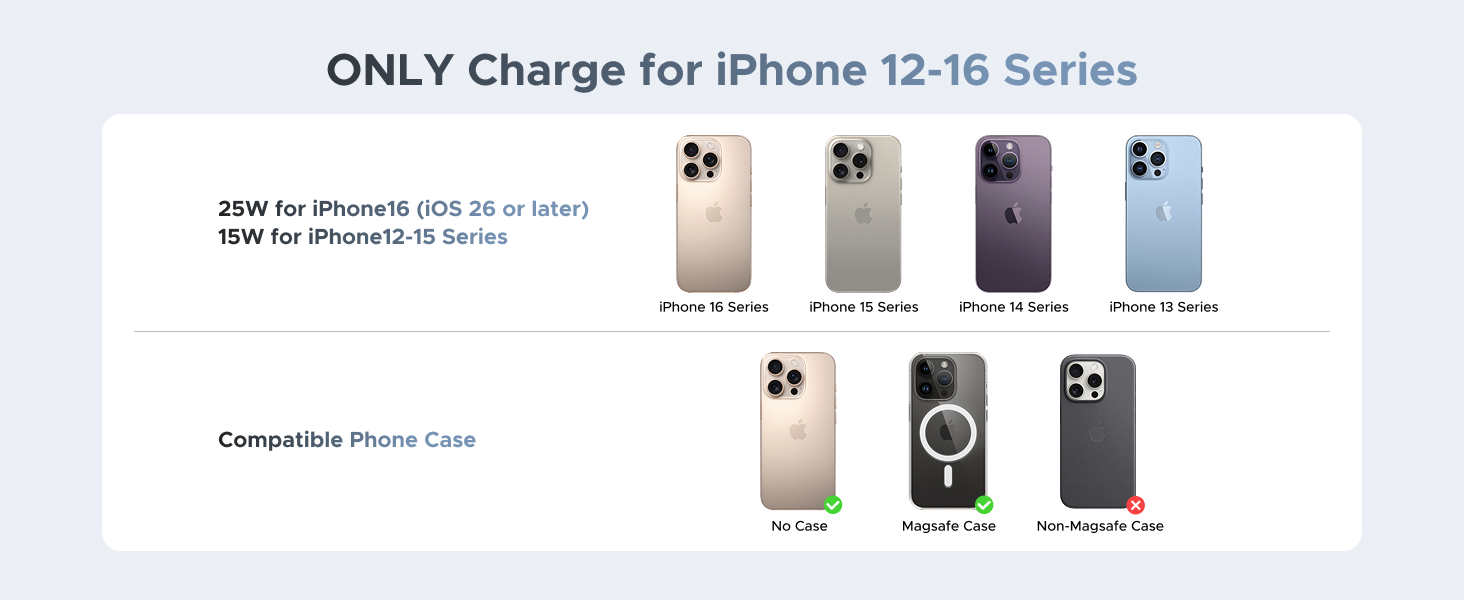
- 25W Charging: Supported for iPhone 16 and iPhone 17 series (with iOS 26+).
- 15W Charging: Supported for iPhone 12, 13, 14, and 15 series.
- Non-iPhone devices may charge at slower speeds due to compatibility differences.


5.3 Adjustable Viewing Angle
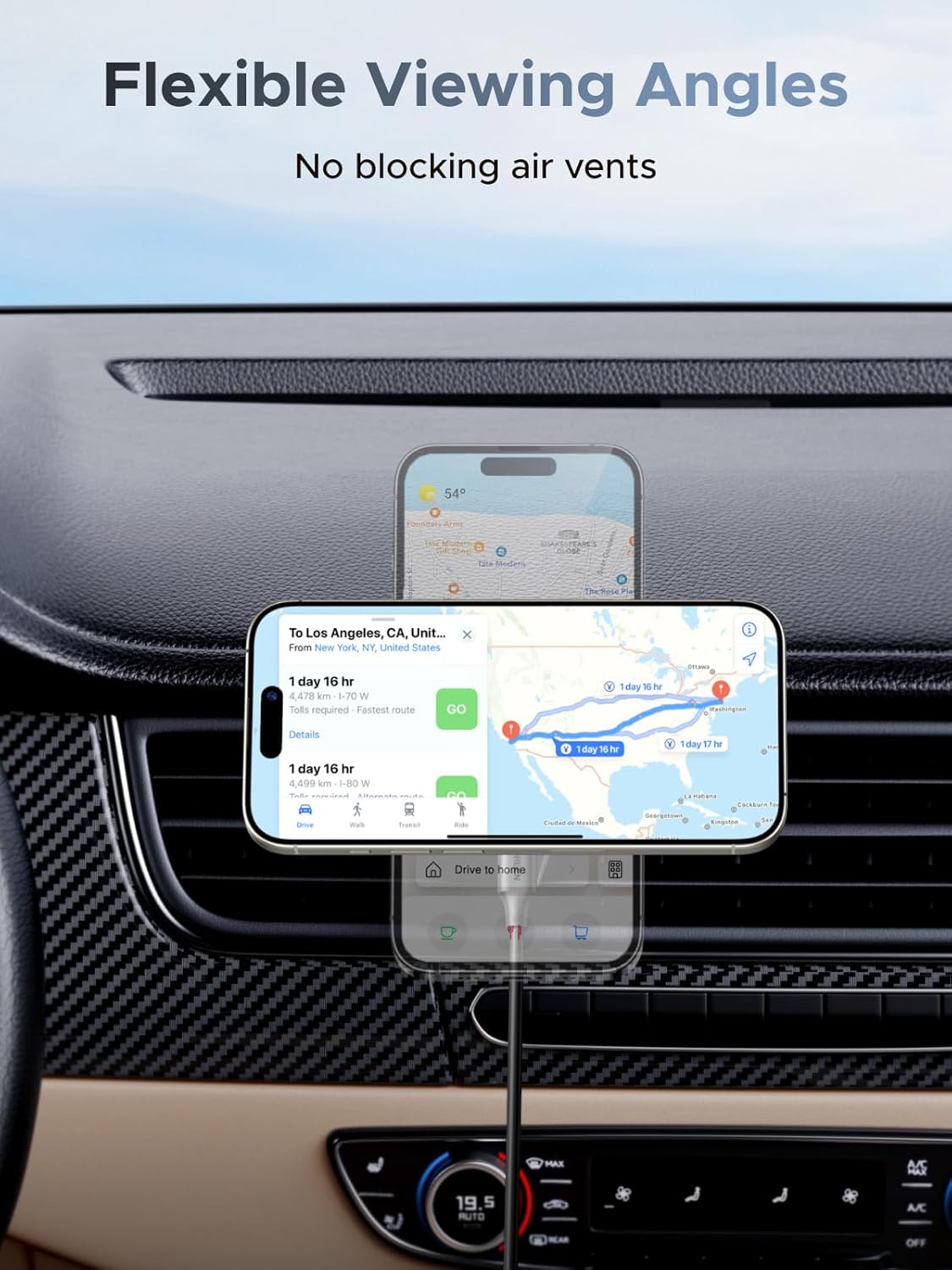
The charger features a 360° rotatable ball joint, allowing you to adjust your phone to any desired viewing angle for navigation, calls, or music playback. This flexibility ensures your phone does not block air vents or your line of sight.
5.4 ThermalGuard™ Temperature Control
The UGREEN MagFlow charger incorporates ThermalGuard™ technology to monitor and regulate the device's temperature 200 times per second. This intelligent system helps prevent overheating and ensures safe, consistent charging performance.

5.5 iPhone StandBy Mode Support
When mounted horizontally, the charger supports iPhone StandBy mode, transforming your phone into a smart display for time, widgets, or live activities while charging.

6. Maintenance
- Clean the charger's surface with a soft, dry cloth. Do not use abrasive cleaners or solvents.
- Ensure the charging pad is free of dust and debris for optimal magnetic connection and charging efficiency.
- Store the charger in a cool, dry place when not in use.
7. Troubleshooting
7.1 Device Not Charging
- Check Power Connection: Ensure the USB-C cable is securely connected to both the charger and a functional car adapter.
- Verify Power Adapter: Confirm your car adapter provides sufficient power (60W or higher recommended for 25W charging).
- Phone Compatibility: Ensure your phone supports wireless charging and is an iPhone 12-17 series model.
- Case Compatibility: If using a phone case, ensure it is MagSafe-compatible. Non-MagSafe cases or thick cases may interfere with charging.
- Alignment: Reposition your phone on the charging pad to ensure proper magnetic alignment.
7.2 Weak Magnetic Hold
- Case Interference: Remove your phone case or use a MagSafe-compatible case.
- Foreign Objects: Ensure no metal objects or cards are placed between the phone and the charger.
7.3 Charger Overheating
- The charger has built-in temperature control. If it feels excessively hot, remove the phone and allow it to cool.
- Ensure the car's air conditioning is not directly blowing hot air onto the charger during use.
8. Specifications
| Model Number | W758 |
| Product Dimensions | 2.36 x 4.72 x 2.36 inches |
| Item Weight | 7.4 ounces |
| Input Voltage | 12 Volts (AC) |
| Amperage | 3 Amps |
| Connector Type | USB Type C |
| Wireless Charging Output | Up to 25W (Qi2 Certified) |
| Compatible Devices | Smartphones (iPhone 12/13/14/15/16/17 Series) |
| Special Features | Fast Charging, MagSafe Compatible, Wireless Charging, ThermalGuard™ Temperature Control |
9. Warranty and Support
UGREEN products come with a standard manufacturer's warranty. For detailed warranty information, product support, or technical assistance, please refer to the official UGREEN website or contact UGREEN customer service directly. Keep your purchase receipt for warranty claims.


