
JOYROOM ZS501
Contents
JOYROOM ZS501 Magsafe Car Mount User Manual
Model: ZS501 | Brand: JOYROOM
1. Introduction
Thank you for choosing the JOYROOM ZS501 Magsafe Car Mount. This product is designed to provide a secure and convenient way to hold your smartphone in various environments, primarily in vehicles. It features an innovative vacuum suction cup base for strong adhesion, a 360° adjustable metal strut for optimal viewing angles, and powerful N55 magnets for reliable phone attachment. This manual will guide you through the installation, operation, and maintenance of your device.

Image: The JOYROOM ZS501 Magsafe Car Mount, showcasing its sleek design and magnetic phone attachment.
2. Package Contents
Please verify that all items are present in your package:
- JOYROOM ZS501 Magsafe Car Mount
- Dashboard Pad (with 3M adhesive)
- MagSafe Adhesive Ring (for non-MagSafe compatible phones/cases)
- User Manual (this document)
3. Setup and Installation
Follow these steps to properly install your JOYROOM ZS501 Magsafe Car Mount:
3.1 Surface Preparation
The suction cup base requires a clean, smooth, and flat surface for optimal adhesion. For textured or uneven surfaces, use the provided dashboard pad.

Image: Illustration of suitable smooth surfaces (glass, metal, screen) and unsuitable rough surfaces (cement, wood, leather, curved) for mounting.
- Clean the Surface: Thoroughly clean the desired mounting area (dashboard, windshield, etc.) with a damp cloth and allow it to dry completely.
- Apply Dashboard Pad (if needed): If your dashboard has a textured surface, peel off the protective film from the 3M adhesive dashboard pad and firmly stick it to the cleaned area. Press down for 30 seconds to ensure strong adhesion. Wait at least 24 hours before attaching the mount to the pad for best results.
3.2 Mount Installation
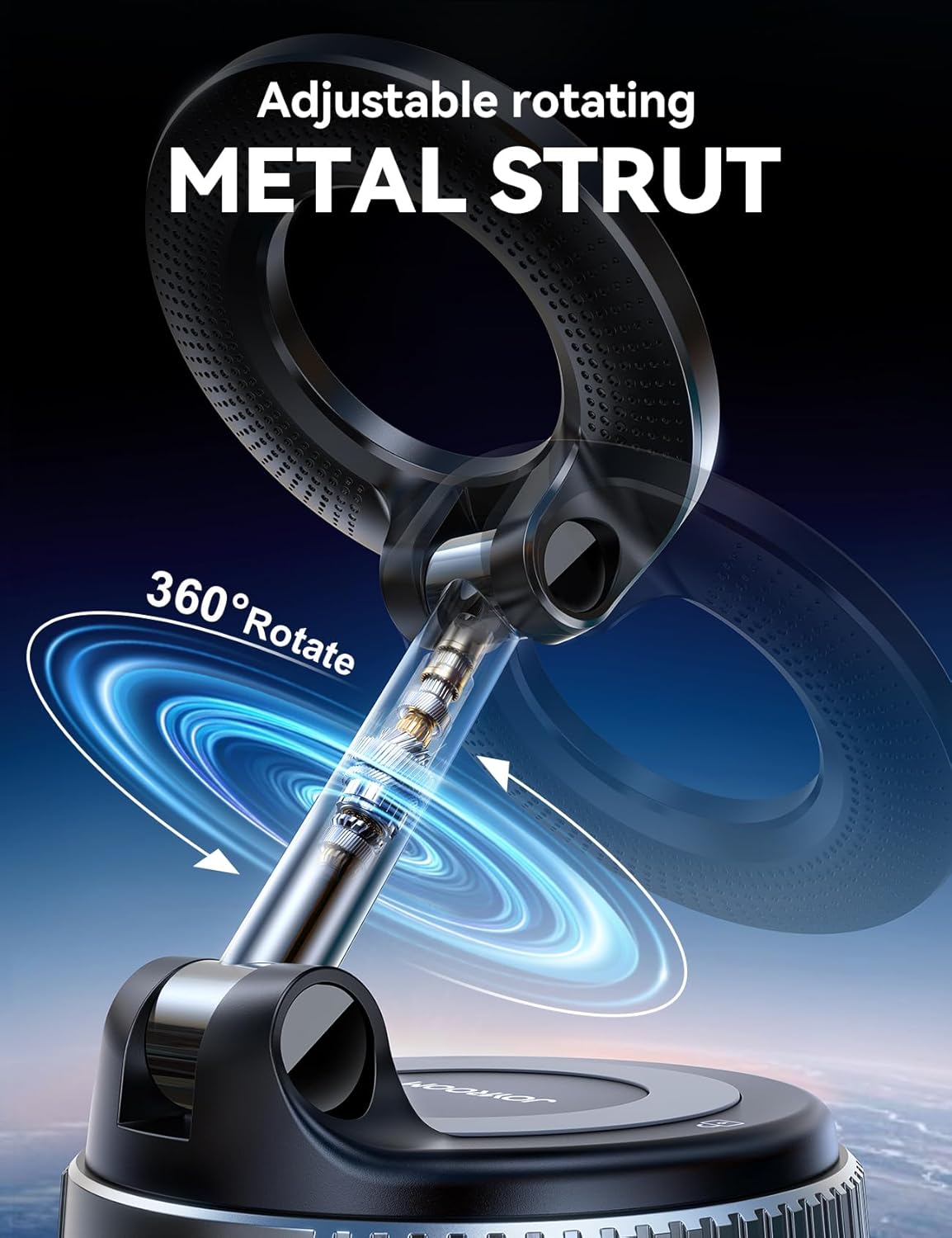
Image: Visual guide demonstrating the four steps for installing and removing the car mount.
- Position the Mount: Place the suction cup base onto the prepared smooth surface (or dashboard pad).
- Engage Suction: Press the suction cup firmly onto the surface. While pressing, rotate the bearing on the base towards the "Tight" direction until a secure vacuum seal is formed. You should feel it lock into place.
- Verify Stability: Gently tug on the mount to ensure it is securely attached before placing your phone on it.
3.3 MagSafe Adhesive Ring Application (for non-MagSafe devices)
If your phone or phone case is not MagSafe compatible, use the included MagSafe adhesive ring for magnetic attachment.
- Clean the back of your phone or phone case.
- Carefully peel the backing from the adhesive ring.
- Center the ring on the back of your phone or case. Ensure it does not obstruct cameras or wireless charging coils.
- Press firmly for 30 seconds and allow the adhesive to cure for 24 hours before use.
4. Operating Instructions
4.1 Attaching Your Phone
The JOYROOM ZS501 uses powerful N55 magnets for secure phone attachment.
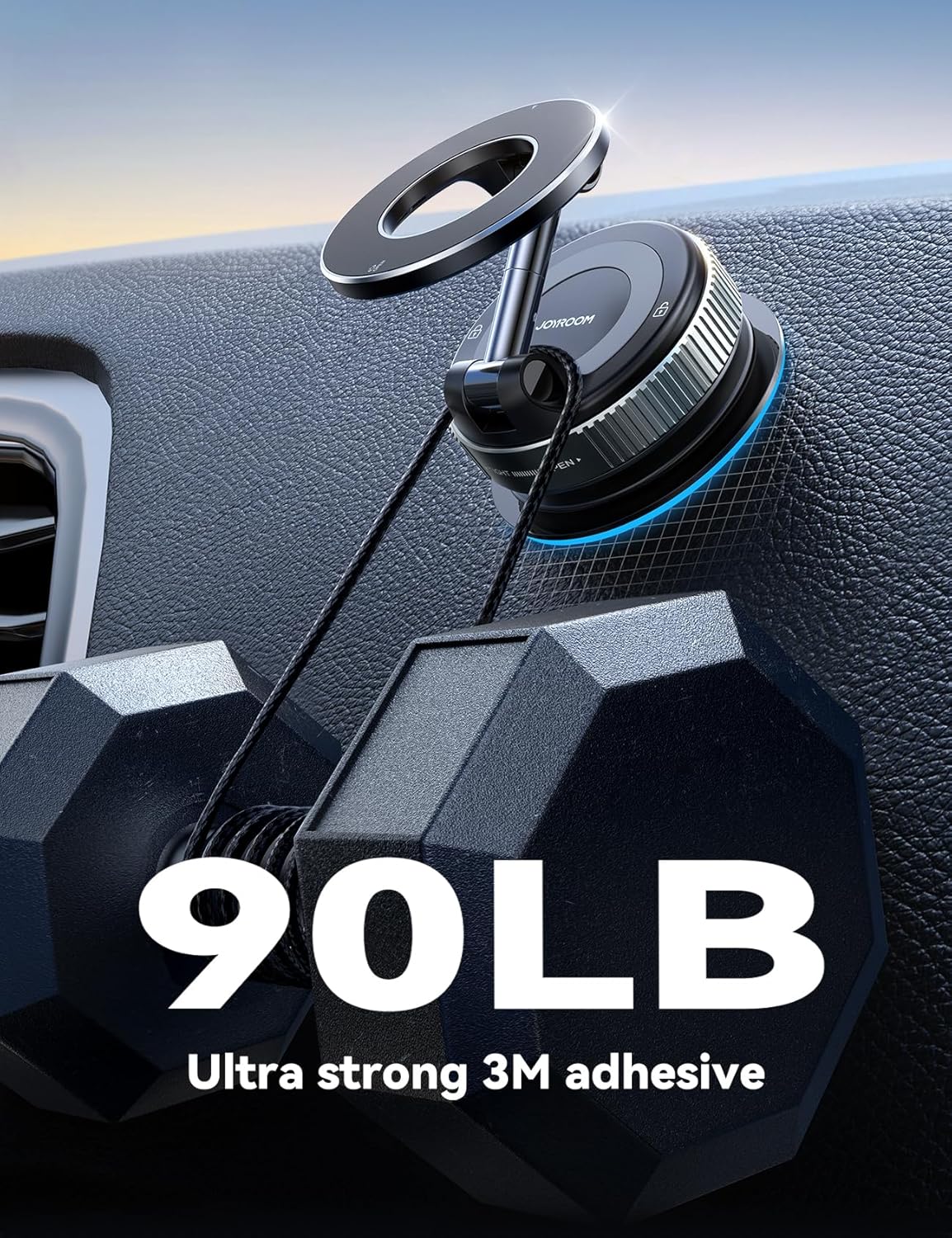
Image: Detail of the magnetic array, highlighting the 24 N55 magnets for strong hold.
- Simply bring your MagSafe-compatible phone (or phone with the adhesive ring) close to the magnetic head of the mount.
- The magnets will automatically align and secure your phone in place.
- To remove, gently pull your phone away from the magnetic head.
4.2 Adjusting Viewing Angle
The mount features a 360° adjustable metal strut for flexible positioning.

Image: Illustration demonstrating the 360-degree rotation and adjustability of the metal strut.
- The metal strut allows for rotation and tilt adjustments.
- Gently move the phone and strut to achieve your desired viewing angle. The reinforced joints are designed to maintain position without sagging.
4.3 Multi-Scenario Use
Beyond vehicle use, the JOYROOM ZS501 can be utilized in various settings with smooth, flat surfaces.

Image: Various car mounting options including dashboard, windshield, and center console.

Image: Examples of using the mount in different environments like a kitchen, office, or gym.
- In the Car: Mount on the dashboard, windshield, or center console for navigation, music, or hands-free calls.
- At Home/Office: Attach to kitchen countertops for recipes, office desks for video calls, or mirrors for tutorials.
5. Maintenance and Care
Proper maintenance ensures the longevity and performance of your car mount.
- Cleaning the Suction Cup: If the suction cup loses adhesion, rinse it with lukewarm water and let it air dry completely. Do not wipe with a cloth, as this can leave lint.
- Cleaning the Magnetic Surface: Wipe the magnetic surface with a soft, dry cloth to remove dust or debris.
- Storage: When not in use for extended periods, store the mount in a cool, dry place away from direct sunlight and extreme temperatures.
- Avoid Harsh Chemicals: Do not use abrasive cleaners or solvents on any part of the mount.
6. Troubleshooting
If you encounter issues with your JOYROOM ZS501 Magsafe Car Mount, please refer to the following common problems and solutions:
| Problem | Possible Cause | Solution |
|---|---|---|
| Suction cup does not stick or falls off. | Surface is dirty, uneven, or not smooth enough. Suction mechanism not fully engaged. | Clean the surface thoroughly. Use the dashboard pad for textured surfaces. Ensure the bearing is rotated fully to "Tight" to create a strong vacuum seal. Rinse and air dry the suction cup if it's dusty. |
| Phone does not attach magnetically or falls off. | Phone/case not MagSafe compatible. MagSafe adhesive ring not applied correctly or cured. Obstruction between phone and mount. | Ensure your phone or case is MagSafe compatible. If not, apply the provided MagSafe adhesive ring correctly and allow 24 hours for curing. Remove any thick cases or metal objects that might interfere with the magnetic connection. |
| Mount wobbles or does not hold position. | Suction cup not fully secured. Joints not tightened. | Re-engage the suction cup by rotating the bearing to "Tight". Ensure the adjustable strut's joints are firm. |
| Difficulty removing the mount. | Suction mechanism still engaged. | Rotate the bearing on the base to the "Open" direction. Then, gently lift the side with the "lock" icon to release the vacuum seal. |
7. Specifications
| Model Number | ZS501 |
| Brand | JOYROOM |
| Color | Dark Blue |
| Mounting Type | Dashboard, Windshield, Smooth Surfaces |
| Special Features | 360° Metal Strut, Indoor Universal, Super Strong Magnetic Strength, Vacuum Suction Base |
| Magnetic Strength | 24 N55 Magnets, holds devices up to 2.5 lbs |
| Compatible Devices | iPhone 12/13/14/15/16/17 Series (MagSafe compatible), Samsung Galaxy Ultra, Google Pixel, Oneplus, LG, Motorola, Sony, and other smartphones (4.7" to 7.2") with MagSafe cases or adhesive ring. |
| Item Weight | 5.6 ounces |
| Package Dimensions | 6.34 x 3.31 x 1.54 inches |
8. Warranty and Customer Support
JOYROOM products are manufactured to high-quality standards. For any warranty claims, technical assistance, or product-related inquiries, please contact JOYROOM customer service through the retailer where you purchased the product or visit the official JOYROOM website for support contact information.
Please retain your proof of purchase for warranty purposes.
Documents and downloads
Ask a question about this manual
Ask about setup, troubleshooting, compatibility, parts, safety, or missing instructions. Manuals+ will review the question and use this page’s manual context to help answer it.