
USMATEK 552123
USMATEK 2025 Sports Smart Watch User Manual
Model: 552123
Introduction
Welcome to the world of smart fitness with your new USMATEK 2025 Sports Smart Watch. This manual provides detailed instructions to help you set up, operate, and maintain your device, ensuring you get the most out of its advanced features. Please read this manual thoroughly before using your watch.

The USMATEK 2025 Sports Smart Watch, featuring a sleek black design and vibrant display.
Package Contents
Before you begin, please verify that all items are present in your package:
- Smart Watch
- Charging Cable
- User Manual
The smart watch as packaged in its retail box.
All components included in the smart watch package.
Setup Guide
1. Charging the Watch
Before first use, fully charge your smart watch. Connect the magnetic charging cable to the charging contacts on the back of the watch and plug the USB end into a compatible power adapter (not included). A full charge typically takes approximately 2 hours. The watch is powered by a 300mAh battery.
2. App Download and Pairing
Your USMATEK Smart Watch requires the 'Da Fit' app for full functionality. Follow these steps to download and pair:
- Scan the QR code below or visit http://plus.crrepa.com/app-download/dafit to download the 'Da Fit' app.
- Ensure Bluetooth is enabled on your smartphone.
- Open the 'Da Fit' app and follow the on-screen instructions to add your device. Select '552123' or the corresponding device name when prompted.
- Confirm the pairing request on both your phone and watch.

Scan this QR code to download the Da Fit app.
Operating Your Smart Watch
Display and Watch Faces
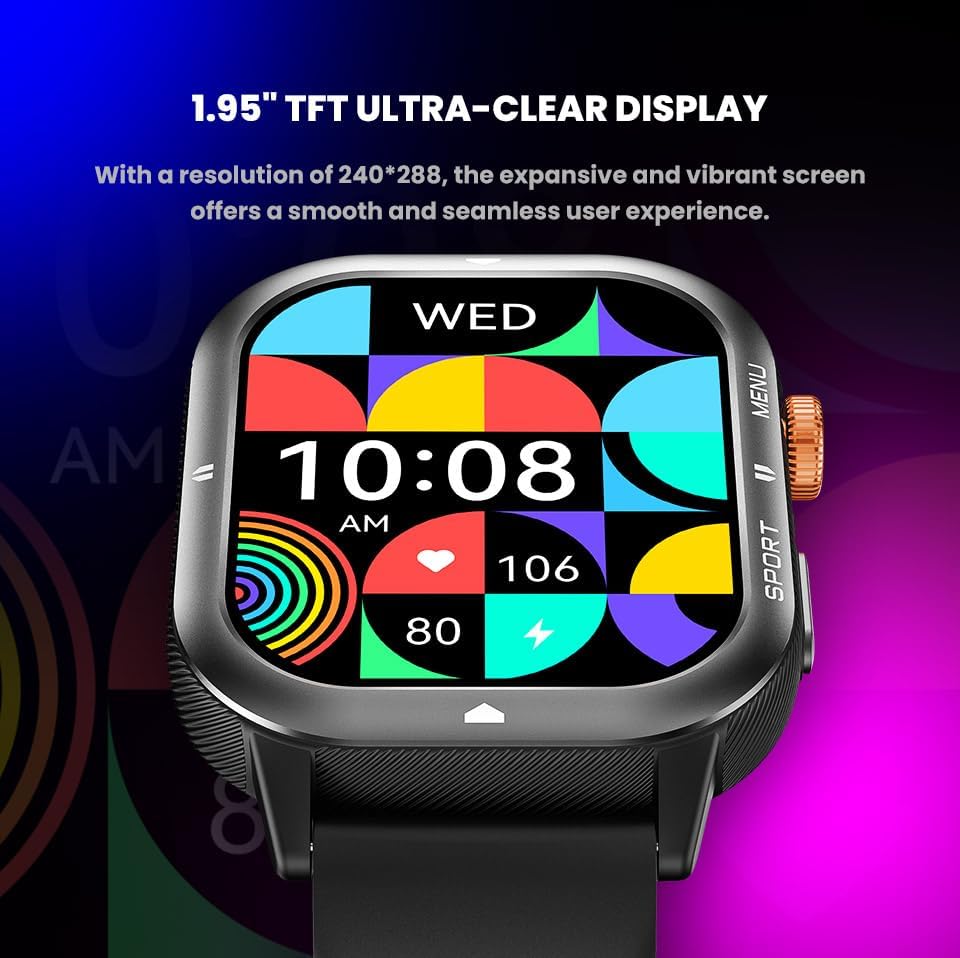
The watch features a 1.93-inch HD TFT display (240x288 resolution) for crystal-clear visuals. You can choose from 8 stylish pre-installed watch faces or customize your own through the Da Fit app. Easily switch watch faces by rotating the side button for a seamless and intuitive experience.

The 1.93-inch HD TFT Ultra-Clear Display provides vibrant visuals.

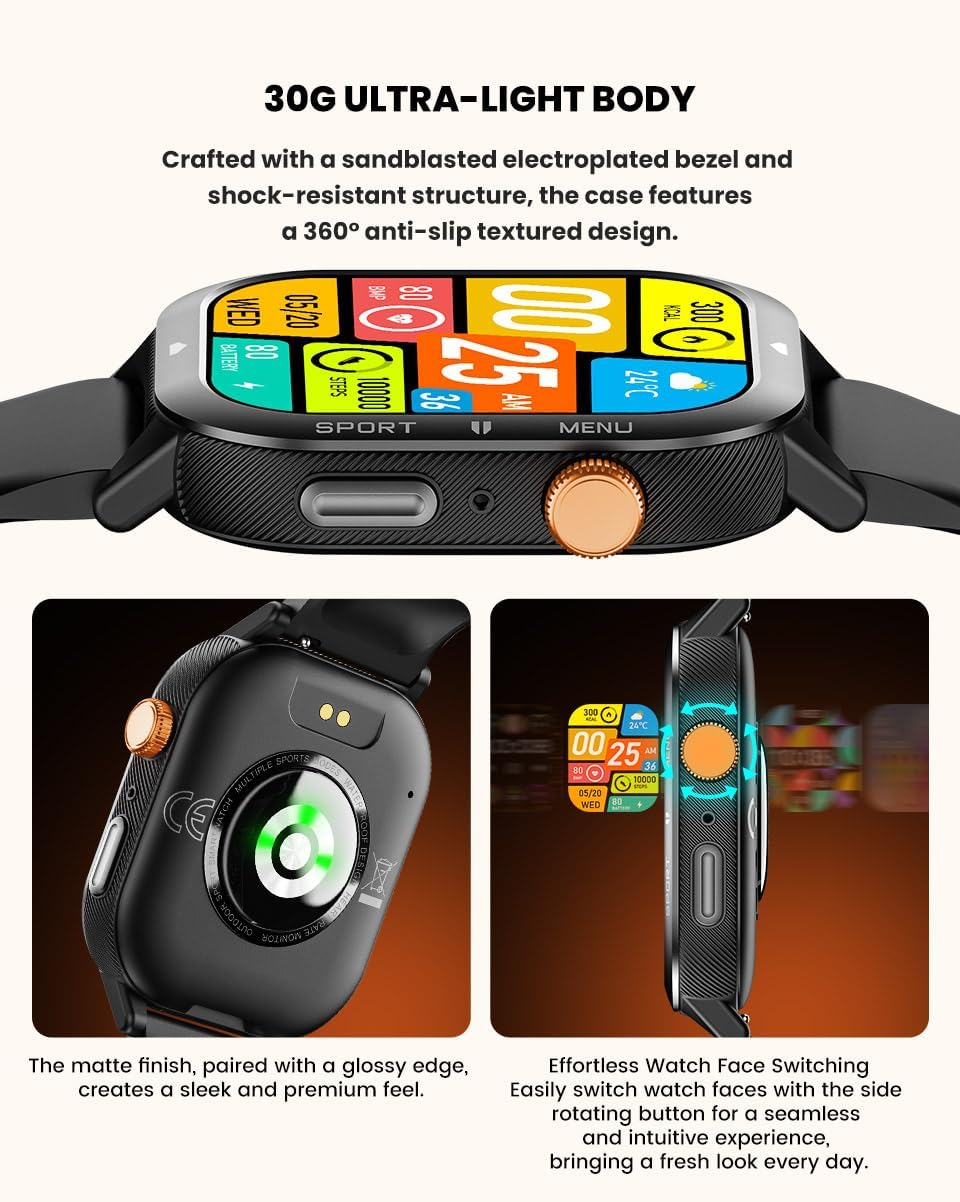
Effortlessly switch watch faces using the side rotating button.
Bluetooth Calling & Notifications
With BT 5.4 connectivity, you can make and receive calls directly from your wrist. The watch also provides real-time notifications for SMS, social media, and other app alerts, keeping you updated without needing to check your phone.

Stay updated with message notifications directly on your wrist.
100+ Sports Modes & Fitness Tracking
Track your workouts with over 100 sports modes, including running, cycling, yoga, and more. The watch accurately records calories burned, steps taken, and distance covered, helping you monitor your fitness progress. Powered by GoMore algorithms, it provides accurate tracking and detailed performance records. You can customize your workout goals for time, distance, or calories.

Explore over 100 sports modes and track your fitness activities.
Official product video demonstrating various features including display, sports modes, and battery life.
Heart Rate & Sleep Monitoring
Equipped with an advanced VC30F heart rate chip, the watch provides accurate 24/7 heart rate monitoring. It also analyzes your sleep patterns, helping you understand and improve your sleep quality through integration with the Da Fit App.

The bio-tracking optical sensors on the back of the watch enable comprehensive health monitoring.
AI Voice Assistant
Once paired with the Da Fit app, you can access the AI voice assistant directly from the watch menu. This feature allows you to execute commands with ease, such as making calls, checking the weather, or setting alarms, by simply speaking to your watch.

Utilize the AI Voice Assistant for convenient hands-free control.
Key Features Overview
- 1.93” HD Display & Custom Watch Faces: High-resolution TFT display (240x288) with customizable watch faces.
- Bluetooth Calling & Notifications: BT 5.4 for direct calls and real-time alerts.
- 100+ Sports Modes & Fitness Tracking: Comprehensive tracking for various activities including steps, calories, and distance.
- Heart Rate & Sleep Monitoring: Accurate 24/7 heart rate monitoring and sleep pattern analysis.
- IP67 Waterproof & Long Battery Life: Designed for daily wear with 1 ATM water resistance and a 300mAh battery for extended use.
- 30G Ultra-Light Body: Crafted with a sandblasted electroplated bezel and shock-resistant structure for comfort and durability.
- AI Voice Assistant: Convenient voice control for various functions when paired with the app.
Maintenance and Care
To ensure the longevity and optimal performance of your USMATEK Smart Watch, follow these maintenance guidelines:
- Cleaning: Regularly wipe the watch and strap with a soft, dry cloth. For stubborn dirt, use a slightly damp cloth and then dry thoroughly. Avoid harsh chemicals or abrasive materials.
- Water Resistance: The watch is IP67 waterproof (1 ATM), meaning it can withstand splashes, rain, and brief immersion up to 1 meter. It is suitable for daily wear and light water activities. Avoid hot water, steam, or prolonged submersion. Do not press buttons underwater.
- Temperature: Avoid exposing the watch to extreme temperatures (very hot or very cold) as this can affect battery life and internal components.
- Charging: Use only the provided charging cable. Ensure the charging contacts are clean and dry before charging.
- Storage: When not in use for extended periods, store the watch in a cool, dry place.

The watch is IP67 waterproof, suitable for various daily activities.
Troubleshooting
If you encounter any issues with your smart watch, please refer to the following common problems and solutions:
| Problem | Solution |
|---|---|
| Watch does not turn on | Ensure the watch is fully charged. Press and hold the power button for at least 5 seconds. |
| Cannot pair with smartphone | Ensure Bluetooth is enabled on your phone. Make sure the watch is within range. Restart both the watch and your phone. Check the Da Fit app for pairing instructions. |
| Inaccurate heart rate/sleep data | Ensure the watch is worn snugly on your wrist, not too tight or too loose. Keep the sensor clean. Avoid excessive movement during measurements. |
| Notifications not received | Check app permissions on your phone to ensure Da Fit has access to notifications. Ensure the watch is connected via Bluetooth. Verify notification settings within the Da Fit app. |
If the problem persists, please contact customer support for further assistance.
Specifications
| Feature | Detail |
|---|---|
| Model Number | 552123 |
| Display Size | 1.93 Inches |
| Screen Type | TFT (240x288 resolution) |
| Connectivity | Bluetooth 5.4 |
| Battery Capacity | 300 Milliamp Hours |
| Water Resistance | IP67 (1 ATM) |
| Operating System Compatibility | Android 9.0 & above, iOS 9.0 & above |
| Item Weight | 2.5 ounces |
| Memory Storage Capacity | 128 MB |
| Special Features | 100+ Sports Modes, Heart Rate Monitor, Pedometer, Sleep Monitor, AI Voice Assistant |
Warranty and Support
Your USMATEK 2025 Sports Smart Watch comes with a standard manufacturer's warranty. Please refer to the warranty card included in your package for specific terms and conditions. For technical support, troubleshooting assistance, or warranty claims, please contact USMATEK customer service through the contact information provided on our official website or your purchase platform.
Ask a question about this manual
Ask about setup, troubleshooting, compatibility, parts, safety, or missing instructions. Manuals+ will review the question and use this page’s manual context to help answer it.