
1. Important Safety Information
Please read all instructions carefully before operating the TER Air MK-AP01 Air Purifier. Retain this manual for future reference.
- Always place the air purifier on a firm, level surface.
- Do not block air inlets or outlets.
- Keep the appliance away from water or damp environments.
- Unplug the air purifier before cleaning or performing any maintenance.
- Do not operate with a damaged cord or plug. Contact customer support for assistance.
- This appliance is for indoor use only.
2. Product Overview
The TER Air MK-AP01 is designed to improve indoor air quality by filtering various airborne particles. It features a multi-stage filtration system and intelligent operation modes.
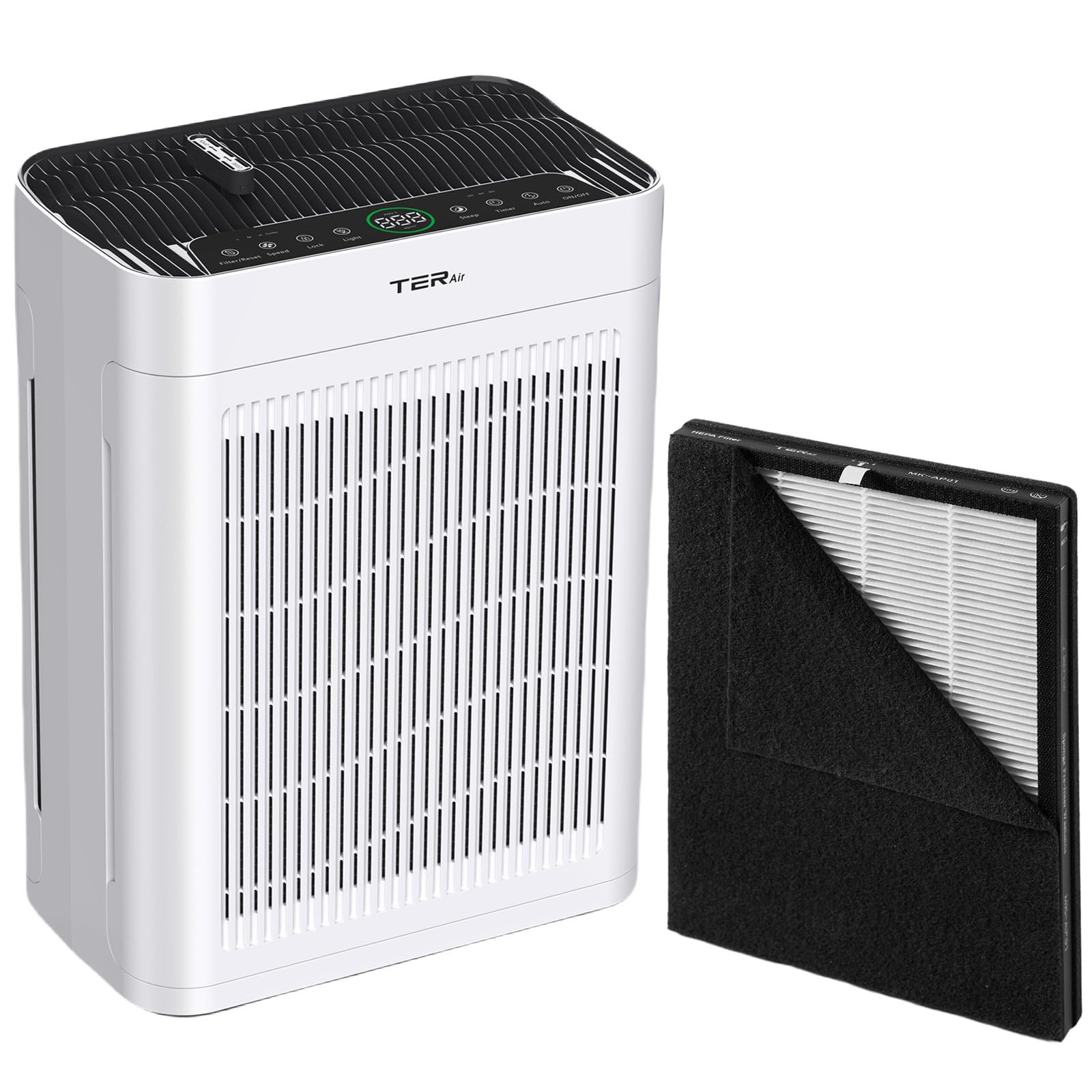
Image: The TER Air MK-AP01 Air Purifier, a white rectangular unit with a black top panel, shown next to a golden retriever dog. An oil dropper is depicted above the unit, indicating an aromatherapy feature.
Key Features:
- Double-sided Air Intake: Efficiently draws air from two sides for faster purification.
- H13 True HEPA Filtration: Captures fine dust, smoke particles, pollen, and pet dander.
- Washable Pre-Filter: Extends the lifespan of the main filter by capturing larger particles.
- Air Quality Sensor & Smart Mode: Automatically adjusts purification speed based on real-time PM2.5 levels.
- Aromatherapy Diffuser: Allows for the addition of essential oils.
- Quiet Operation: Designed for low noise levels, especially in sleep mode.

Image: An exploded view diagram illustrating the double-sided air intake and the multi-layer filtration system of the air purifier. Air flows through multiple filter layers before being expelled.

Image: A collage depicting common airborne pollutants such as smoke, pollen, pet dander, and wildfire smoke, with the TER Air MK-AP01 Air Purifier centrally placed, indicating its function in purifying these elements.
3. Setup
Unpacking:
- Carefully remove the air purifier from its packaging.
- Remove any plastic bags or protective materials.
- Ensure all components are present: air purifier unit, filter(s), and user manual.
Filter Installation:
The filter may come pre-installed but wrapped in plastic for protection. Remove all plastic packaging from the filter before use.
- Turn the air purifier upside down or locate the filter compartment cover.
- Twist or unlatch the cover to open the filter compartment.
- Remove the old filter (if applicable) or the new filter with its plastic packaging.
- Remove all plastic packaging from the new filter.
- Insert the filter into the compartment, ensuring it is seated correctly.
- Close and secure the filter compartment cover.
- Place the air purifier upright on a stable surface.
4. Operating Instructions
Control Panel:
The control panel is located on the top of the unit and features touch-sensitive buttons for various functions.
Power On/Off:
- Plug the power cord into a suitable electrical outlet.
- Press the Power button to turn the unit on or off.
Fan Speed Adjustment:
- Press the Fan Speed button to cycle through available fan speeds (e.g., Low, Medium, High).
Smart Mode:
The Smart Mode automatically adjusts the fan speed based on the detected air quality.

Image: The TER Air MK-AP01 Air Purifier with its display showing PM2.5 air quality readings. The display indicates different air quality levels (Good, Normal, Bad) based on PM2.5 concentration.
- Press the Smart Mode button to activate this feature. The unit will use its built-in sensor to monitor PM2.5 levels and adjust fan speed accordingly.
Sleep Mode:
Sleep Mode operates the air purifier at the lowest fan speed and dims or turns off display lights for undisturbed rest.

Image: The TER Air MK-AP01 Air Purifier placed in a bedroom next to a sleeping person. The image emphasizes its quiet 22dB operation and the aromatherapy diffuser feature, suitable for night use.
- Press the Sleep Mode button to activate. Press again to exit.
Timer Function:
- Press the Timer button to set the operating duration (e.g., 2H, 4H, 8H). The unit will automatically turn off after the set time.
Aromatherapy:
- Locate the aromatherapy pad compartment, usually on the top or side of the unit.
- Add a few drops of essential oil (not included) to the pad.
- Insert the pad back into the compartment.
5. Maintenance
Regular maintenance ensures optimal performance and extends the lifespan of your air purifier.
Cleaning the Washable Pre-Filter:

Image: A split image demonstrating the cleaning process for the washable pre-filter. One side shows water rinsing the filter, and the other shows a vacuum cleaner removing dust from it.
- Unplug the air purifier from the power outlet.
- Open the filter compartment and carefully remove the pre-filter.
- Rinse the pre-filter under running water or use a vacuum cleaner to remove accumulated dust and debris.
- Allow the pre-filter to air dry completely before reinstalling. Do not use heat to dry.
Replacing the HEPA Filter:
The HEPA filter is not washable and should be replaced periodically (typically every 6-8 months, depending on usage and air quality).

Image: A detailed close-up of the TER Air MK-AP01 HEPA filter, revealing its pleated white filter material and the surrounding black pre-filter layer.
- Unplug the air purifier.
- Open the filter compartment.
- Remove the used HEPA filter.
- Insert a new, genuine TER Air MK-AP01 replacement filter (ensure plastic packaging is removed).
- Close and secure the filter compartment.
- Reset the filter replacement indicator (refer to your unit's specific instructions, usually by pressing and holding the filter button).
General Cleaning:
- Wipe the exterior of the unit with a soft, dry cloth.
- Do not use abrasive cleaners or solvents.
- Clean the air inlet and outlet grilles with a soft brush or vacuum cleaner attachment to remove dust.
6. Troubleshooting
| Problem | Possible Cause | Solution |
|---|---|---|
| Unit does not turn on | No power supply Filter not installed correctly | Check power cord connection and outlet Ensure filter is unwrapped and correctly seated, and compartment cover is closed |
| Weak airflow | Clogged filter Air inlets/outlets blocked | Clean or replace filter Ensure nothing is obstructing air vents |
| Unusual noise | Filter not seated properly Foreign object inside | Reinstall filter Unplug and check for obstructions (contact support if unable to resolve) |
| Odor coming from unit | New filter odor Filter needs replacement | Operate for a few hours, odor should dissipate Replace filter |
7. Specifications
- Model: MK-AP01
- Brand: TER Air
- Filtration: H13 True HEPA, Activated Carbon, Pre-filter
- Coverage Area: Up to 3000 sq ft (based on CADR)
- CADR: 500 m³/h
- Noise Level: As low as 22dB (Sleep Mode)
- Features: Smart Mode, Air Quality Sensor, Timer, Sleep Mode, Aromatherapy
- Power Supply: AC 120V, 60Hz (typical for US market)

Image: The TER Air MK-AP01 Air Purifier operating in a spacious living room with a family, illustrating its capability to purify air in large areas, with text indicating 3000 sq ft coverage and 500 m³/h CADR.
8. Warranty and Support
TER Air products are manufactured to high-quality standards. For warranty information, technical support, or replacement parts, please refer to the warranty card included with your purchase or visit the official TER Air website.
For further assistance, please contact TER Air customer support.
