
1. Important Safety Instructions
Please read all instructions carefully before using the dehumidifier and retain this manual for future reference. Failure to follow these instructions may result in electric shock, fire, or serious injury.
- Always connect the dehumidifier to a grounded power outlet.
- Do not operate the unit with a damaged power cord or plug.
- Keep the dehumidifier away from water and other liquids. Do not immerse the unit in water.
- Ensure proper ventilation around the unit. Do not block air inlets or outlets.
- Do not allow children to play with or operate the dehumidifier.
- Unplug the unit before cleaning or performing any maintenance.
- Do not use the dehumidifier in areas where flammable gases or liquids are stored.
2. Product Overview
The Homtronics 8L/Day Silent Dehumidifier is designed to efficiently remove excess moisture from your indoor environment, creating a more comfortable and healthy living space. It features multiple operating modes, smart controls, and convenient drainage options.
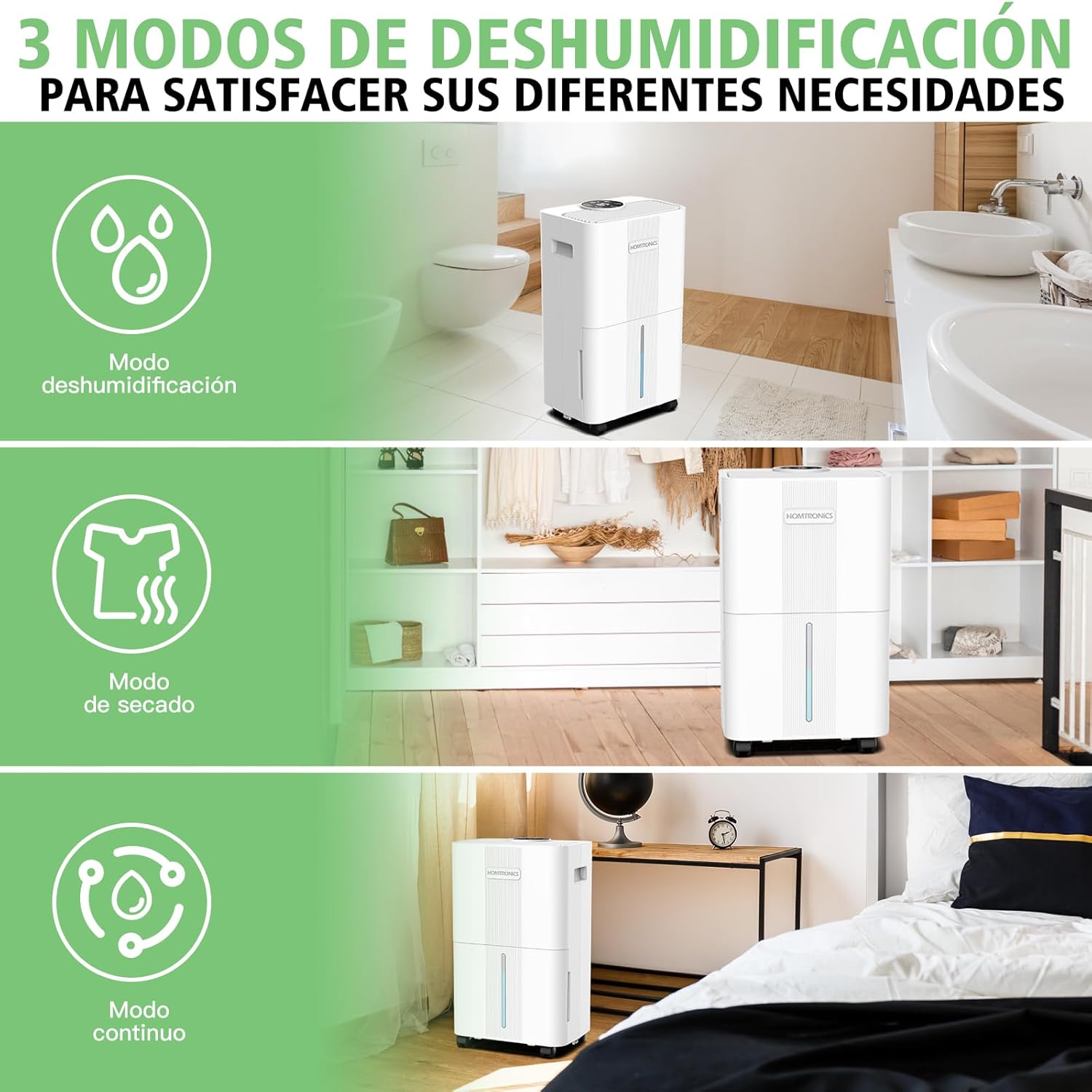
Figure 2.1: Homtronics Dehumidifier showcasing its three versatile modes.
The dehumidifier is equipped with a high-performance compressor capable of removing up to 8 liters of moisture per day under specific conditions (35°C, 90% RH). It is suitable for various spaces including bedrooms, basements, bathrooms, living rooms, and RVs.
3. Setup
3.1 Unpacking and Placement
- Carefully remove the dehumidifier from its packaging.
- Place the unit on a firm, level surface in the desired location.
- Ensure there is at least 20 cm (8 inches) of clearance around the air inlets and outlets for optimal airflow.
- The unit features 360° swivel wheels and ergonomic handles for easy mobility.

Figure 3.1: Product dimensions for placement reference.
3.2 Power Connection
Connect the power cord to a suitable grounded electrical outlet. The unit is ready for operation once plugged in.
3.3 Drainage Options
The dehumidifier offers two methods for water drainage:
- Water Tank Drainage: The unit includes a 2-liter water tank. When the tank is full, the dehumidifier will automatically shut off, and an indicator light will alert you. Remove the tank, empty the collected water, and reinsert it to resume operation.
- Continuous Drainage: For uninterrupted operation, connect the included 1.5-meter drain hose to the continuous drainage port. Ensure the hose is positioned to drain water into a suitable receptacle or floor drain, and that it is not kinked or blocked.

Figure 3.2: Illustration of the two drainage methods.
Note: The 8-liter capacity refers to the amount of moisture the unit can remove daily, not the size of the water tank.
4. Operating Instructions
4.1 Control Panel
The dehumidifier features an intuitive smart control panel for easy operation.
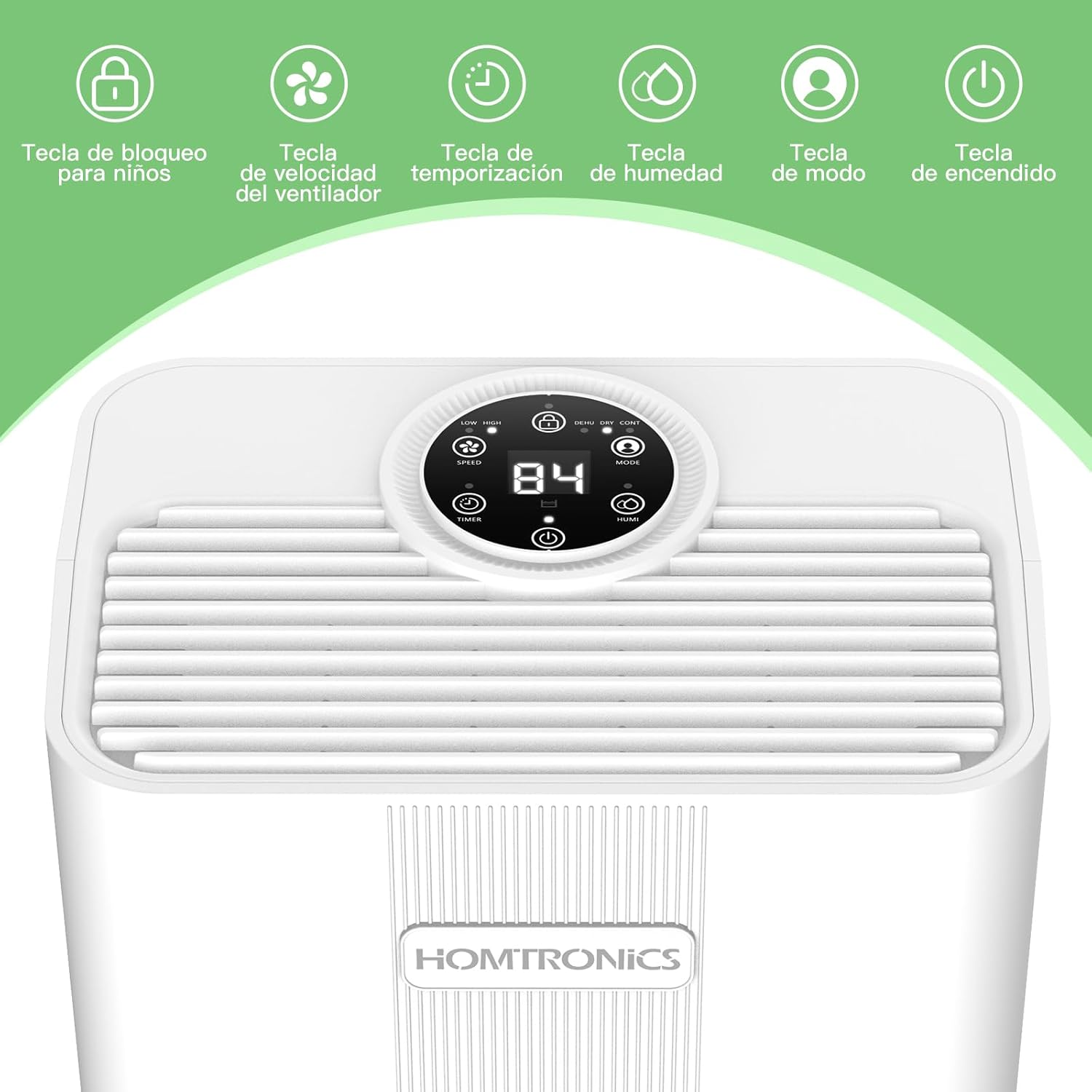
Figure 4.1: Detailed view of the control panel buttons.
- Power Button: Turns the unit On or Off.
- Mode Button: Cycles through the three operating modes: Dehumidification, Fast Drying, and Continuous.
- Humidity Button: Adjusts the target humidity level (30%-80%) in Dehumidification Mode.
- Fan Speed Button: Selects between low and high fan speeds.
- Timer Button: Sets the 24-hour timer for automatic shut-off.
- Child Lock Button: Activates or deactivates the child lock function to prevent accidental changes to settings.
4.2 Operating Modes
Select the appropriate mode based on your needs:
- Dehumidification Mode: Allows you to set a specific target humidity level (30%-80%) and fan speed. The unit will operate until the target humidity is reached, then cycle on and off to maintain it.
- Fast Drying Mode: Designed for quickly drying laundry or highly humid areas. In this mode, humidity levels and fan speed are automatically optimized for maximum moisture removal.
- Continuous Mode: Provides uninterrupted dehumidification for extremely damp environments. Humidity settings are not adjustable in this mode, but fan speed can be selected.
4.3 Timer Function
The 24-hour timer allows you to program the unit to turn off automatically after a set period. Press the Timer button to cycle through the desired hours (1-24).

Figure 4.2: The 24-hour timer function ensures convenient operation.
4.4 Child Lock
Activate the child lock to prevent accidental changes to settings. Press and hold the Child Lock button for a few seconds until the indicator light appears. Repeat to deactivate.
4.5 Quiet Operation
The dehumidifier operates at a low noise level of 35-39.3 dB, making it suitable for use in bedrooms, nurseries, or offices without disturbing sleep or work.
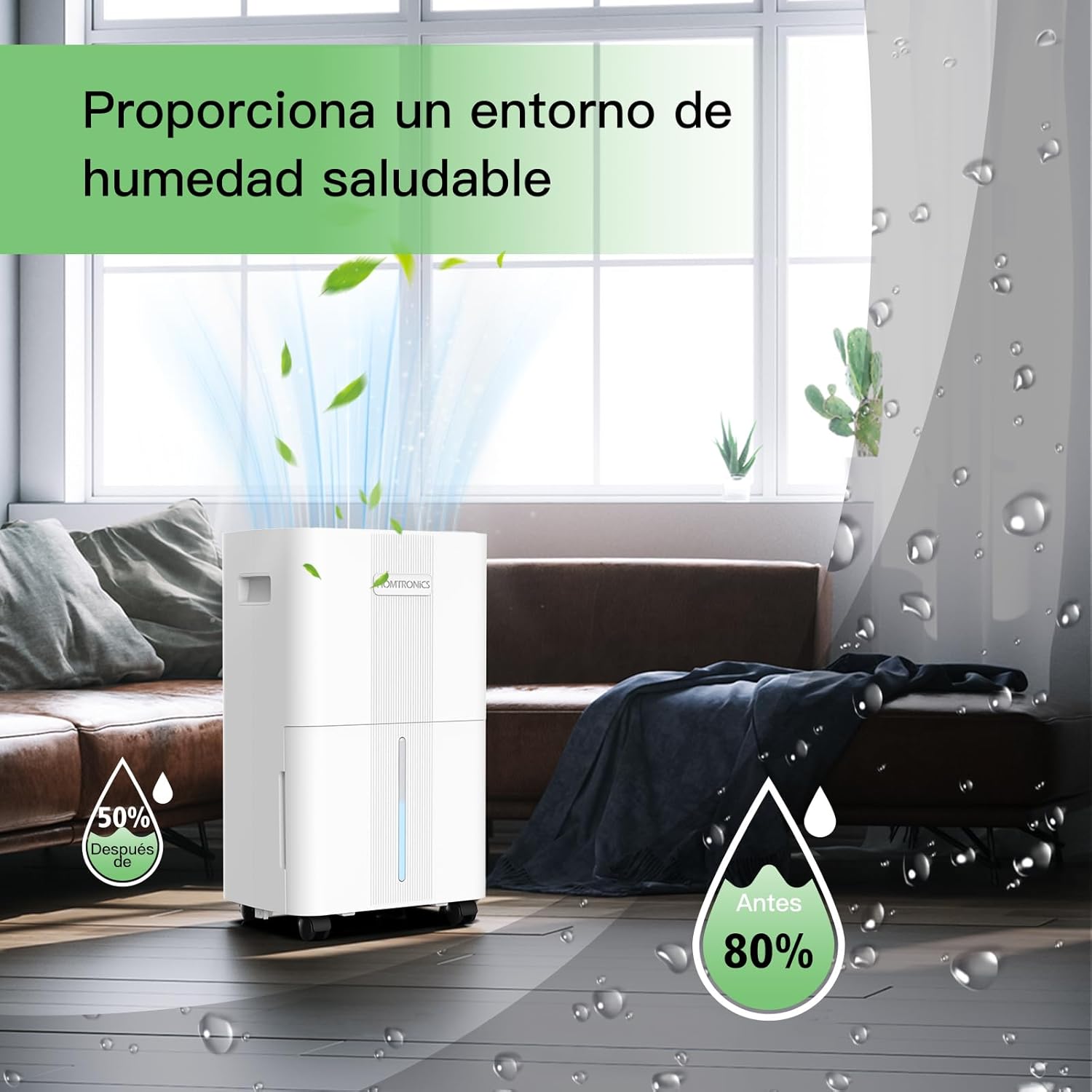
Figure 4.3: The dehumidifier helps maintain a healthy humidity level.
5. Maintenance
Regular maintenance ensures the longevity and efficient operation of your dehumidifier.
5.1 Emptying the Water Tank
When the water tank is full, the unit will stop operating and an indicator light will illuminate. Carefully pull out the water tank, empty the collected water, and slide it back into place until it clicks securely.
5.2 Cleaning the Air Filter
The dehumidifier is equipped with a washable filter. It is recommended to clean the filter every two weeks or more frequently depending on usage and air quality.
- Turn off and unplug the dehumidifier.
- Remove the filter cover and carefully pull out the air filter.
- Wash the filter with clean water and a mild detergent.
- Rinse thoroughly and allow the filter to air dry completely before reinserting.
- Place the dry filter back into the unit and close the cover.

Figure 5.1: Steps for cleaning the air filter.
5.3 Cleaning the Exterior
Wipe the exterior of the dehumidifier with a soft, damp cloth. Do not use harsh chemicals or abrasive cleaners.
5.4 Storage
If storing the unit for an extended period, ensure the water tank is empty and clean, and the filter is dry. Store in a cool, dry place, preferably in its original packaging.
6. Troubleshooting
Refer to the table below for common issues and their solutions.
| Problem | Possible Cause | Solution |
|---|---|---|
| Dehumidifier does not turn on. | No power supply. Water tank is full or incorrectly inserted. | Check power connection. Empty and correctly reinsert the water tank. |
| No water collected. | Room humidity is too low. Air filter is clogged. Temperature is too low. | Increase target humidity or use Continuous Mode. Clean the air filter. Dehumidifiers are less effective in very cold environments. |
| Unit is noisy. | Unit is not on a level surface. Internal components vibrating. | Ensure the unit is on a stable, level surface. If rattling noise persists after initial operation, contact customer support. |
| Airflow is weak. | Air inlets/outlets are blocked. Air filter is dirty. | Clear any obstructions. Clean the air filter. |
7. Specifications
Technical specifications for the Homtronics Dehumidifier.
| Feature | Specification |
|---|---|
| Brand | Homtronics |
| Model | B0DZT48R5S |
| Color | White |
| Product Dimensions (L x W x H) | 24.5 x 17 x 42 cm (9.6 x 6.7 x 16.5 inches) |
| Product Weight | 7.84 kg (17.28 lbs) |
| Water Tank Capacity | 2 Liters |
| Daily Dehumidification Capacity | 8 Liters/Day (at 35°C, 90% RH) |
| Material | Acrylonitrile Butadiene Styrene (ABS) |
| Noise Level | 35-39.3 dB |
| Special Features | Anti-spill, Child Lock, Adjustable Humidity Control, Continuous Drainage, 24-Hour Timer |
8. Warranty and Support
Your Homtronics Dehumidifier is covered by a manufacturer's warranty. Please refer to the warranty card included in your product packaging for specific terms and conditions.
For technical support, troubleshooting assistance, or warranty claims, please contact Homtronics customer service through the retailer where you purchased the product or visit the official Homtronics website for contact information.