
QUI BQ100
QUI Presentation Clicker Wireless Presenter Remote User Manual
Model: BQ100 | Brand: QUI
Product Overview
The QUI Presentation Clicker is a versatile wireless presenter designed to enhance your presentations. It features a red light pointer for highlighting key points, a long wireless range for freedom of movement, and broad compatibility with various operating systems and presentation software. Its plug-and-play design ensures easy setup and immediate use.

Image: The QUI Presentation Clicker, its USB receiver, and the open battery compartment showing where a AAA battery is inserted.
Key Features:
- Red Light Pointer: Built-in red light pointer for clear highlighting on most backgrounds.
- Extended Wireless Range: Up to 328 feet (100 meters) wireless control, allowing free movement during presentations.
- Broad Compatibility: Supports Windows 2003/XP/Vista/7/8/10+, macOS, Linux, and Android. Compatible with PowerPoint, Excel, Prezi, Google Slides, Keynote, Numbers, and Pages.
- Plug & Play: No software installation required; simply plug in the USB receiver.
- Ergonomic Design: Comfortable grip for prolonged use.
Setup Guide
Follow these simple steps to set up your QUI Presentation Clicker:
- Insert Battery: Open the battery compartment cover on the back of the presenter. Insert one AAA battery (not included), ensuring correct polarity (+/-). Close the battery cover securely.
- Retrieve USB Receiver: The 2.4GHz USB receiver is conveniently stored inside the presenter's battery compartment. Gently pull it out.
- Connect Receiver: Plug the USB receiver into an available USB port on your computer or laptop.
- Power On: Slide the power switch on the side of the presenter to the "ON" position. The presenter is now ready for use.

Image: A close-up view demonstrating how to insert the USB receiver into a laptop's USB port, highlighting the plug-and-play functionality.
Operating Instructions
The QUI Presentation Clicker provides intuitive controls for seamless navigation through your presentations.
Button Functions:

Image: A detailed diagram illustrating the various buttons on the QUI Presentation Clicker and their corresponding functions, including the red light, power switch, and navigation controls.
- Page Up (▲): Press to advance to the next slide.
- Page Down (▼): Press to go back to the previous slide.
- Pointer Button (Laser Icon): Press and hold to activate the red light pointer. Release to turn off.
- Black Screen Switching (Square Icon): Press to toggle between a black screen and your presentation.
- Full Screen Switching (Monitor Icon): Press to enter or exit full-screen mode for your presentation.
- Power Switch (ON/OFF): Located on the side, use to turn the device on or off to conserve battery.
Wireless Range and Performance:
The presenter offers a robust wireless range, allowing you to move freely and engage with your audience.
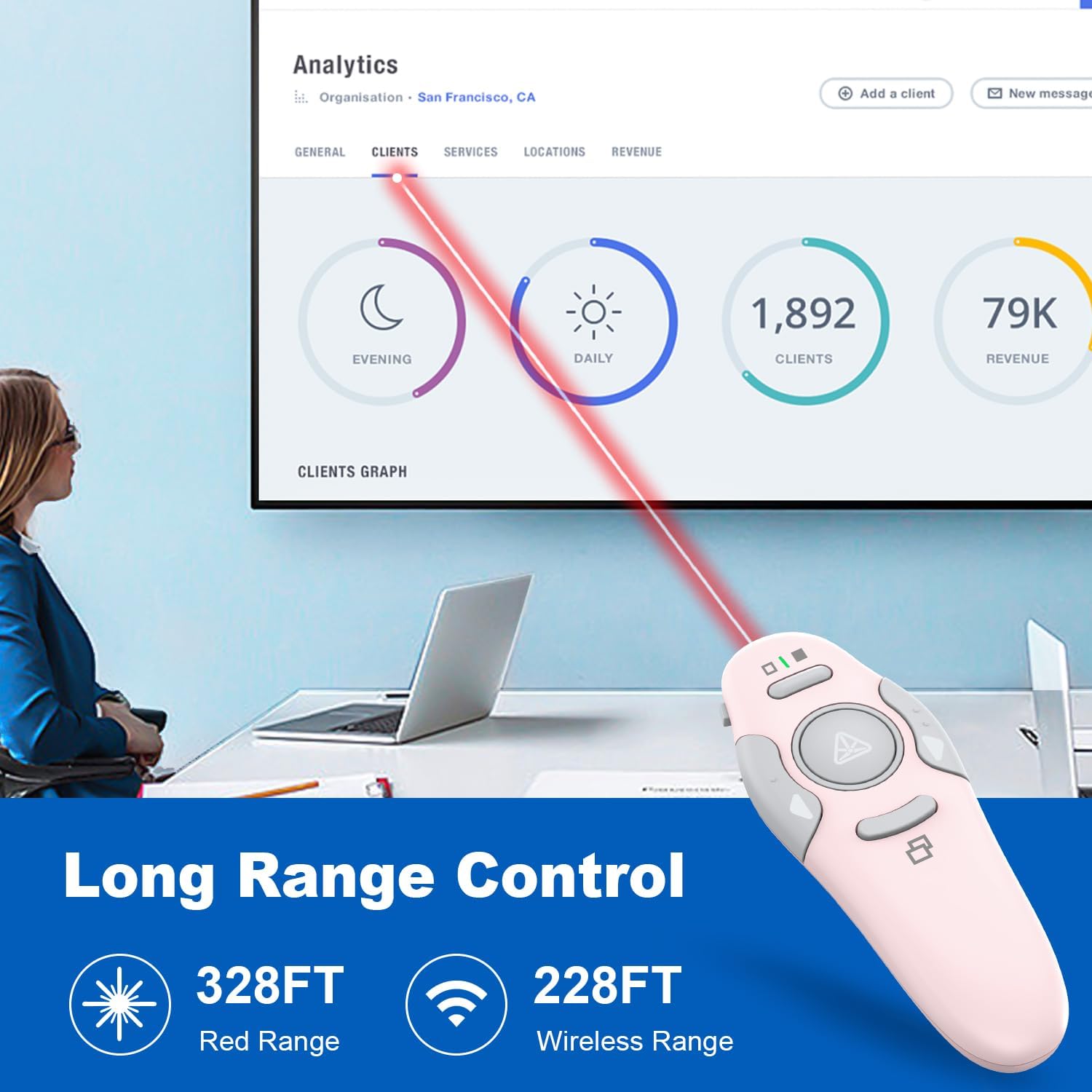
Image: An illustration demonstrating the long-range capabilities of the QUI Presentation Clicker, showing a red laser beam extending across a room, indicating a 328ft red light range and 228ft wireless range.
The red light pointer has an effective range of up to 328 feet (100 meters), while the wireless control for slide navigation works reliably up to 228 feet (70 meters). Ensure a clear line of sight between the presenter and the USB receiver for optimal performance.
System and Software Compatibility:
The QUI Presentation Clicker is designed for broad compatibility across various platforms and applications.

Image: A visual chart detailing the system compatibility (Linux, Windows, Mac OS, Android) and software compatibility (PowerPoint, Excel, Word, Keynote, Numbers, Pages, Google Slides, Prezi, ACDSee) of the QUI Presentation Clicker.
It is compatible with operating systems including Windows (2003/XP/Vista/7/8/10 and above), macOS, Linux, and Android. Supported presentation software includes, but is not limited to, Microsoft PowerPoint, Excel, Prezi, Google Slides, and Apple iWork applications (Keynote, Numbers, Pages).
Maintenance
- Battery Replacement: When the red light pointer dims or the presenter becomes unresponsive, it's time to replace the AAA battery. Always use a fresh, high-quality AAA battery.
- Cleaning: Wipe the surface of the presenter with a soft, dry cloth. Do not use abrasive cleaners or immerse the device in water.
- Storage: When not in use, turn off the presenter using the power switch to conserve battery life. Store the USB receiver inside the presenter's battery compartment to prevent loss. Keep the device in a cool, dry place away from direct sunlight and extreme temperatures.
Troubleshooting
| Problem | Possible Cause | Solution |
|---|---|---|
| Presenter not responding. | Low battery; USB receiver not properly connected; presenter is off. | Replace battery; ensure USB receiver is fully inserted into a working USB port; turn on the presenter. |
| Red light pointer is dim or not working. | Low battery; laser emitter blocked. | Replace battery; ensure nothing is obstructing the laser emitter. |
| Limited wireless range or intermittent connection. | Obstructions between presenter and receiver; interference from other wireless devices. | Reduce distance between presenter and receiver; remove obstructions; avoid using near strong electromagnetic interference sources. |
| Slide navigation not working in specific software. | Software not fully compatible or requires specific settings. | Ensure your software is listed as compatible. For some applications, you may need to be in presentation mode for the clicker to function. |
Specifications
- Model Number: BQ100
- Wireless Technology: 2.4GHz RF
- Wireless Range: Up to 228 feet (70 meters)
- Laser Type: Red Light Pointer
- Laser Range: Up to 328 feet (100 meters)
- Battery Type: 1 x AAA Battery (not included)
- Operating System Compatibility: Windows 2003/XP/Vista/7/8/10+, macOS, Linux, Android
- Dimensions: 4.37 x 1.69 x 1.06 inches (11.1 x 4.3 x 2.7 cm)
- Weight: 1.76 ounces (50 grams)
- Manufacturer: QUI Technology Co., Ltd.
Warranty and Support
For warranty information and technical support, please refer to the official QUI website or contact QUI customer service directly. Keep your purchase receipt for warranty claims.
Contact Information:
- Brand: QUI
- Manufacturer: QUI Technology Co., Ltd.
- For the most up-to-date support resources, please visit the QUI Brand Store on Amazon.
Related documentsBQ100

Ask a question about this manual
Ask about setup, troubleshooting, compatibility, parts, safety, or missing instructions. Manuals+ will review the question and use this page’s manual context to help answer it.