
1. Introduction
The MYPIN Upgraded Wireless CarPlay Adapter is a versatile 3-in-1 device designed to enhance your in-car experience. It converts your vehicle's existing wired CarPlay or Android Auto system into a wireless connection, offering convenience and a clutter-free environment. This adapter also features built-in video streaming capabilities for popular platforms like Netflix, YouTube, and TikTok, transforming your car's display into a media center. With support for TF cards up to 256GB, you can enjoy offline media playback. The device is compatible with both iPhone and Android devices and supports online updates for continuous feature improvements.
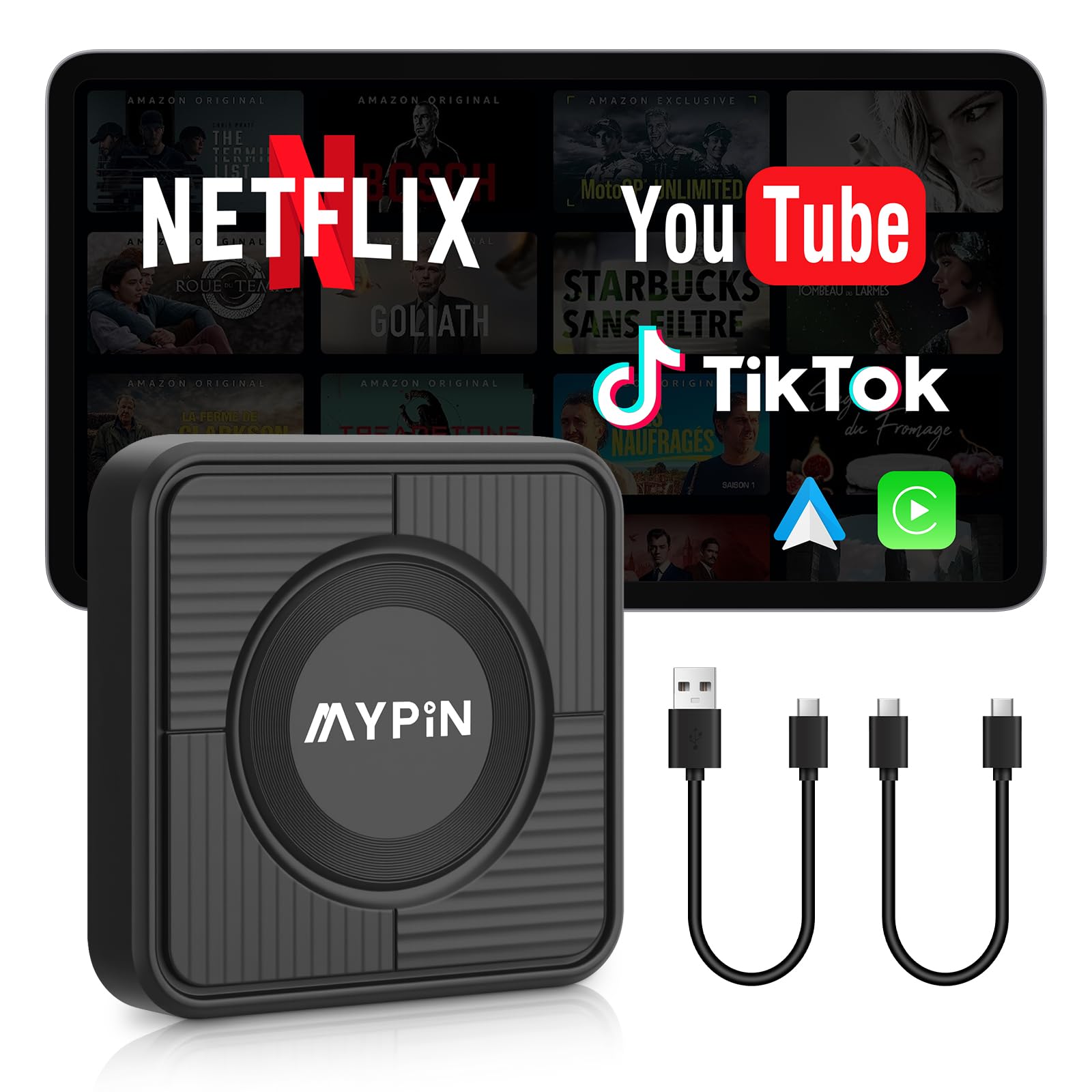
Image: MYPIN Wireless CarPlay Adapter, a compact device for wireless connectivity.
2. Setup Instructions
2.1 Initial Connection
- Verify Car Compatibility: Ensure your car's infotainment system supports wired CarPlay or Android Auto. Connect your phone via USB to check for existing wired connectivity.
- Plug In the Adapter: Connect the MYPIN adapter to your car's USB port (Type C or Type A).
- Device Boot-up: Wait for the adapter to fully power up. The Auto/CarPlay icon will appear on your car's screen.
- Bluetooth Pairing: On your phone, locate the Bluetooth device named "autobox" (or similar) and tap to pair and connect.
- Connect to CarPlay/Android Auto: After pairing, wait 5-10 seconds for CarPlay or Android Auto to connect successfully.

Image: Visual guide for the Plug & Play setup process, showing connection to car USB, Bluetooth pairing, and CarPlay/Android Auto activation.
Video: Demonstrates the setup process for the Wireless CarPlay & Android Auto Adapter, including plugging in and initial connection steps.
2.2 Wi-Fi Setup for Live Streaming
To utilize the built-in video apps like Netflix, YouTube, or TikTok, the adapter requires an internet connection via a mobile hotspot.
- Access Settings: From the adapter's home screen on your car display, tap the "Settings" icon.
- Enable Mobile Hotspot: On your mobile phone, turn on your personal hotspot or portable Wi-Fi.
- Connect to Hotspot: On the car display, navigate to Wi-Fi settings and select your phone's hotspot. Enter the password if prompted. The default pre-set password for the adapter is 12345678.
- Start Streaming: Once connected, you can launch Netflix, YouTube, or TikTok from the adapter's interface.

Image: Step-by-step guide for connecting the adapter to a mobile hotspot for online video streaming.
3. Operating Instructions
3.1 Control Methods
The MYPIN adapter maintains compatibility with your car's original control methods, ensuring a familiar and responsive user experience. You can control functions using:
- Touch screen control
- OEM knob control
- Steering wheel control
- Voice assistant control

Image: Illustration of various control methods supported by the adapter, including touchscreen, steering wheel, OEM knob, and voice assistant.
3.2 Media Playback (TF Card)
The adapter supports a TF (MicroSD) card (not included) up to 256GB. This allows you to store and play videos, MP4s, and MP3s directly from the card, eliminating the need for a mobile phone hotspot for local media playback.

Image: Demonstrates the TF card slot and its use for expanding storage and playing media.
3.3 Switching Between CarPlay and Android Auto
The adapter allows seamless switching between Apple CarPlay and Android Auto. To switch modes, press and hold the small hole on the side of the device with an eject tool for 10-15 seconds until the blue light signals the desired mode.
3.4 Reconnecting to CarPlay/Android Auto After Streaming
If you switch from video streaming apps back to CarPlay or Android Auto, you may need to manually reconnect. Return to the adapter's home screen, tap the "Auto/CarPlay" icon, and then select your car's Bluetooth name (e.g., "autoboxxx") from your phone's paired Bluetooth devices list to re-establish the connection.
4. Compatibility
The MYPIN Wireless CarPlay Adapter is designed for wide compatibility, supporting approximately 98% of cars equipped with factory-wired CarPlay or Android Auto. It is compatible with iPhones running iOS 10 or above and Android phones running Android 11.0 or above.
Important Note: This adapter is not compatible with B-M-W or Tesla vehicles.

Image: Visual representation of wide compatibility with various car brands that support wired CarPlay or Android Auto.
5. Maintenance
The adapter supports online updates to ensure it remains current with the latest features and improvements. Periodically check for available software updates through the device's settings menu on your car display to optimize performance and access new functionalities.
6. Troubleshooting
- Connection Issues: If the device fails to connect, ensure your car supports wired CarPlay/Android Auto. Re-pair the Bluetooth connection on your phone and the adapter.
- Audio Quality/Call Issues: Some users have reported static or fragmented audio during calls. Ensure a stable Bluetooth connection and check for any obstructions or interference.
- Overheating: Prolonged use, especially during streaming, may cause the device to overheat, potentially leading to connection drops or functionality issues. Ensure adequate ventilation around the adapter.
- Lag/Slow Performance: If you experience lag, try clearing background applications using the "Clean" function on the adapter's interface. Ensure a strong Wi-Fi signal for streaming.
- Maps Not Switching to Dark Mode: This may be a software-specific issue. Check for adapter updates or consult the manufacturer's support.
7. Specifications
| Feature | Detail |
|---|---|
| Product Dimensions | 5.84 x 5.84 x 1.5 cm |
| Item Weight | 31.75 g (0.07 Pounds) |
| Manufacturer | MYPIN |
| Model Number | MJ-CE0411&CE0412 |
| Country of Origin | China |
| Compatible Devices | Android phone, iPhone |
| Specific Uses for Product | Car Audio & Video |
| Connector Type | USB Type C |
| Colour | Black |
| Number of Ports | 1 |
8. Warranty and Support
The MYPIN Wireless CarPlay Adapter comes with a Six-month warranty from the date of purchase.
For technical support, troubleshooting assistance, or any inquiries regarding your product, please contact the manufacturer:
Manufacturer Contact Information: support@imypin.com