1. Introduction
This manual provides detailed instructions for the setup, operation, and maintenance of your iGPSPORT BiNavi Wireless Bike Computer. Please read this manual thoroughly before using the device to ensure optimal performance and safety.

Model: BiNavi
This manual provides detailed instructions for the setup, operation, and maintenance of your iGPSPORT BiNavi Wireless Bike Computer. Please read this manual thoroughly before using the device to ensure optimal performance and safety.
The iGPSPORT BiNavi features a 3.5-inch capacitive touch screen and physical buttons for intuitive control. Familiarize yourself with the device layout before proceeding.
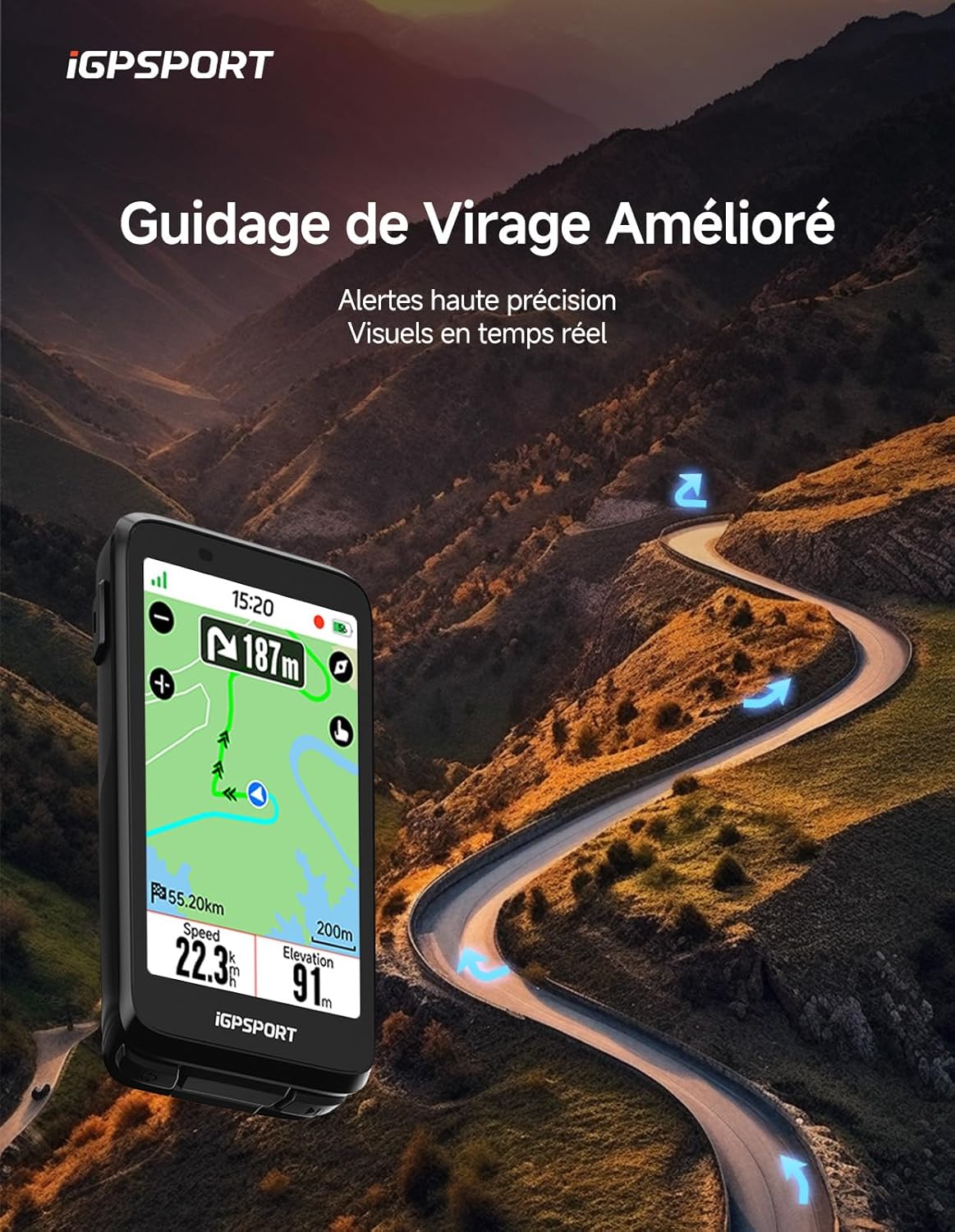
Image: The iGPSPORT BiNavi bike computer mounted on a bicycle handlebar, displaying various ride data.
Use the provided handlebar mount to securely attach the BiNavi to your bicycle. Ensure the device is firmly seated to prevent dislodgement during rides.

Image: A close-up view of the iGPSPORT BiNavi bike computer securely attached to a bicycle's handlebar, showing its sleek design.
Download the iGPSPORT app on your smartphone. Enable Bluetooth on both your phone and the BiNavi. Open the app and follow the instructions to pair your device. This enables route planning, data synchronization, and other smart features.

Image: A cyclist interacting with the iGPSPORT BiNavi on their bike and a smartphone, demonstrating precise navigation setup and one-button operation.
The BiNavi supports various external sensors (heart rate monitors, speed, cadence, power sensors). Navigate to the 'Sensors' menu on your device to search for and pair compatible sensors via Bluetooth.

Image: An illustration depicting the iGPSPORT BiNavi connected to multiple cycling sensors, including heart rate, speed, cadence, and power, enhancing ride data collection.

Image: The iGPSPORT BiNavi screen showing a detailed navigation map with an upcoming turn indicated, providing clear guidance.

Image: The iGPSPORT BiNavi screen illustrating intelligent redirection, showing how the device automatically finds the best path back to the route if a deviation occurs.
Connect your BiNavi to your smartphone via Bluetooth to control music playback directly from the device. This allows for safer and more enjoyable rides without needing to access your phone.
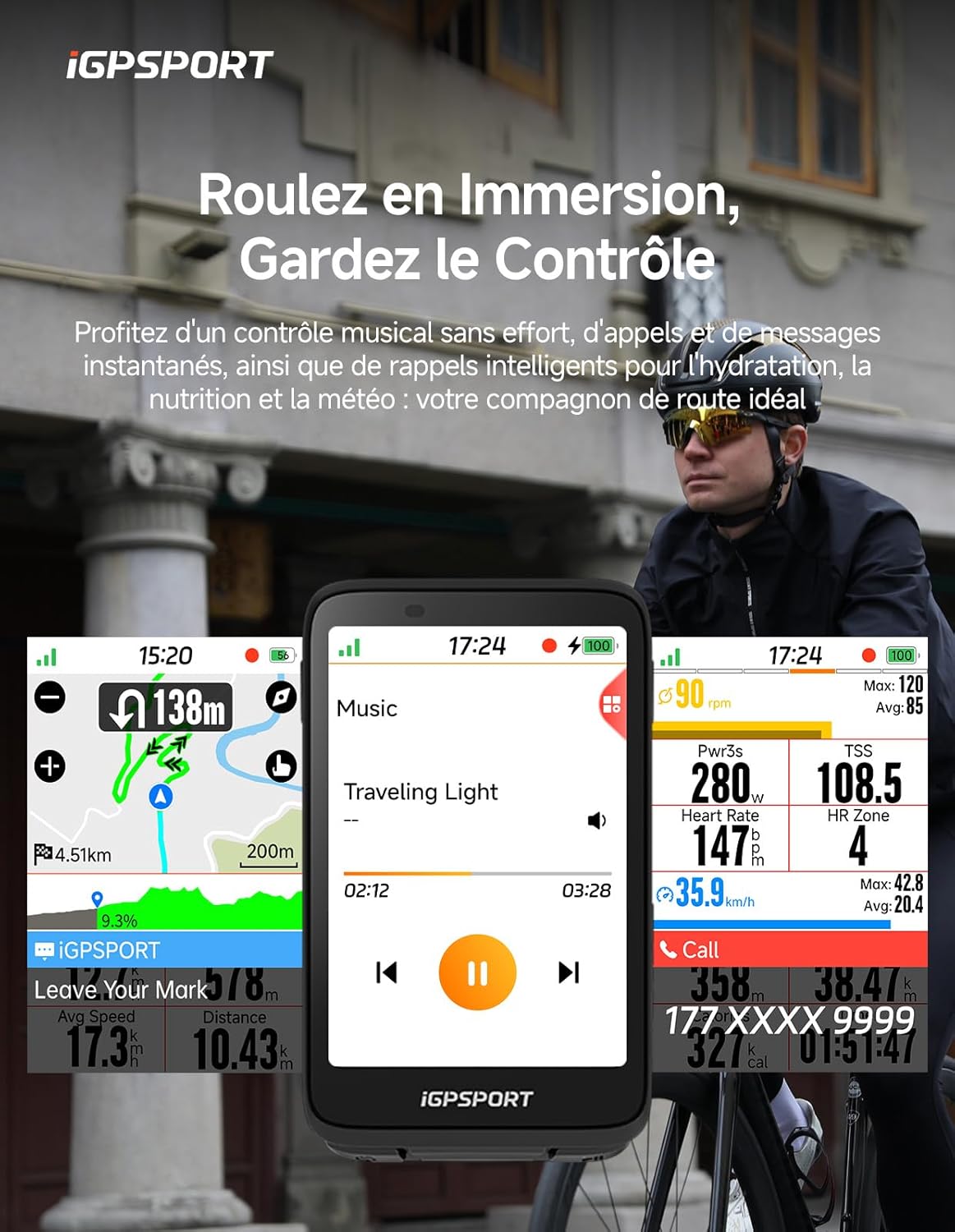
Image: The iGPSPORT BiNavi displaying its music control interface, allowing users to manage playback directly from the device.
Enable group riding to share your position, distance, speed, and other data with fellow riders in real-time. This feature enhances safety and coordination during group outings.

Image: A group of cyclists riding together, with the iGPSPORT BiNavi displaying real-time shared data for enhanced group coordination.
The BiNavi offers over 160 data fields across 16 categories. Customize your display pages with flexible widgets to suit your unique riding experience. The large font mode ensures instant visibility of ride data.

Image: A collage of iGPSPORT BiNavi screens showcasing the extensive range of over 160 customizable data fields available for detailed ride analysis.
iClimb Pro provides professional-level climb classifications based on pre-revealed curve data. Overlay ascents on maps for clear visualization and scientific energy management.

Image: The iGPSPORT BiNavi screen displaying the iClimb Pro feature, showing climb data and a graphical representation of the ascent.
Benefit from over 20 intelligent functionalities, including music control, call reminders, weather updates, and hydration/nutrition alerts, keeping you connected and informed on and off the bike.
The intelligent system monitors your cycling activity and reminds you to record data as soon as you are in motion, ensuring no ride data is missed.

Image: The iGPSPORT BiNavi screen displaying a prompt for smart movement detection, reminding the user to start recording their ride.
Connect your BiNavi to an electric bicycle to receive real-time ride data, providing a new intelligent cycling experience.
Connect to your rear radar for real-time traffic information and allow your front light to automatically adjust brightness based on speed, while monitoring battery life. Ride smarter and safer.
Seamlessly transfer your ride data to iGPSPORT, Strava, Komoot, and other platforms. Share your adventures with friends with a single click.
Easily transfer your settings, data, and habits from your old bike computer to a new one via cloud synchronization, eliminating the need to reconfigure everything.
Combine data and route tracks from multiple days into a single continuous and memorable journey.
| Brand | iGPSPORT |
| Model Name | BiNavi Bike Computer |
| Color | Black |
| Screen | 3.5 inch Capacitive Touch Screen |
| Connectivity Technology | Bluetooth |
| Mapping Type | Route |
| Battery Life | 35 hours |
| Mounting Type | Handlebar Mount |
| Package Dimensions | 18.3 x 12.7 x 6.2 cm; 470 grams |
Warranty information for the iGPSPORT BiNavi is not available in this document. Please refer to the official iGPSPORT website or contact their customer support for detailed warranty terms and conditions.
For further assistance, technical support, or inquiries, please visit the official iGPSPORT website or contact their customer service department. Contact details can typically be found on the product packaging or the brand's official online presence.
Ask about setup, troubleshooting, compatibility, parts, safety, or missing instructions. Manuals+ will review the question and use this page’s manual context to help answer it.


