
PAISEEC S3
PAISEEC S3 Foldable Mobility Scooter User Manual
Model: S3
1. Product Overview
The Paiseec S3 Foldable Mobility Scooter is designed for adults and seniors seeking a reliable and portable mobility solution. It features a removable battery, all-terrain navigation capabilities, comfortable seating, and an intuitive control panel with advanced safety systems.
- Removable Battery: Allows for flexible charging options, both on-board and off-board.
- All-Terrain Navigation: Equipped with a 250W motor and enlarged air-filled 10-inch rear wheels and 9-inch front wheels for stable riding on various surfaces.
- Comfortable Seating: Padded seat, adjustable handlebar, and armrests for user comfort.
- Easy Portability: 2-step folding design for compact storage and transport in most car trunks.
- Intuitive Controls: 6.1-inch high-definition screen displays speed, battery status, lights, and horn. Features 5 riding modes (reverse, low, medium, high, walk).
- AI Safety System: Includes auto speed control for turns/downhills, a seat detection function, and intelligent voice alerts for dangerous conditions or low battery.

Image: The Paiseec S3 mobility scooter showcasing its key features and design.
2. Unboxing and Setup
Your Paiseec S3 Mobility Scooter comes largely pre-assembled. Follow these steps to prepare it for use.
2.1 Unfolding the Scooter
The scooter features a simple 2-step folding mechanism for quick deployment.
- Pull the pole up and lock the pole folding mechanism.
- Lift the seat until you hear a clicking sound, indicating it is securely in place.
Video: Demonstrates the 2-step unfolding process of the Paiseec S3 mobility scooter, showing how to raise the handlebar and secure the seat.
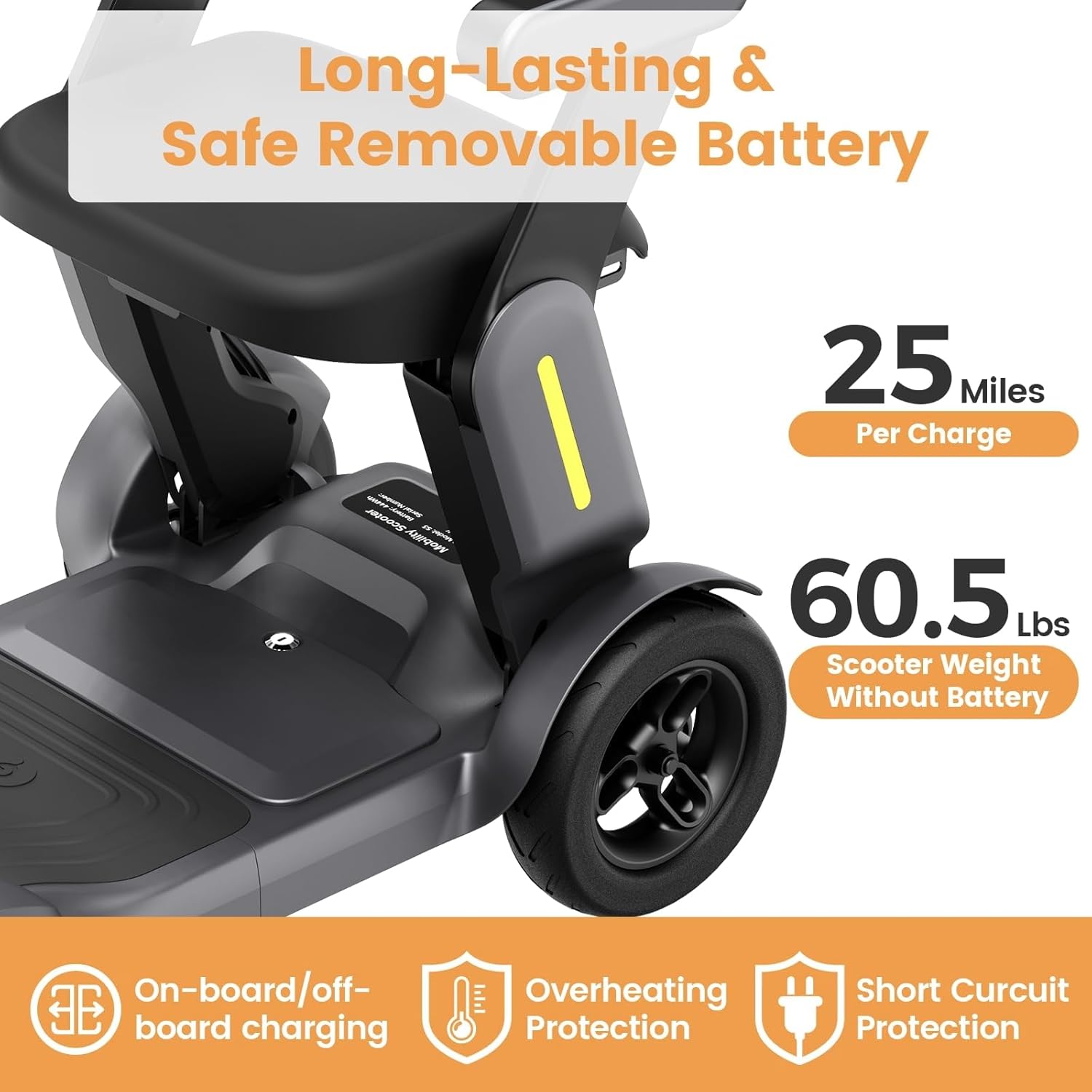
Image: A person unfolding the Paiseec S3 mobility scooter, highlighting the ease of setup from its compact, folded state.
2.2 Attaching the Basket
The front basket can be easily attached to the tiller for carrying personal items.

Image: The Paiseec S3 mobility scooter with its front basket attached, ready for use.
3. Operation
Familiarize yourself with the controls and operating procedures before riding.
3.1 Control Panel Overview
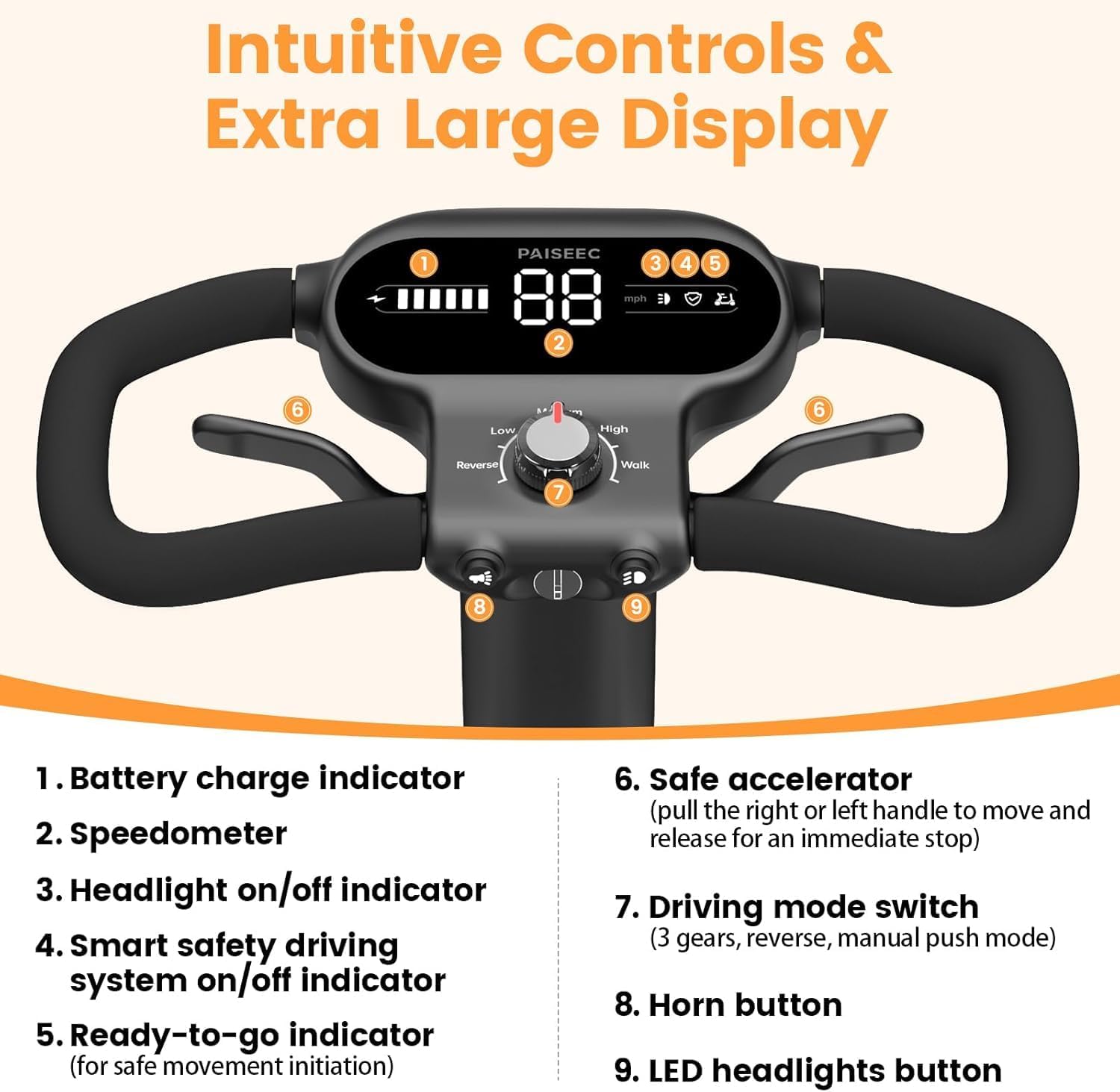
Image: Detailed view of the control panel, showing the display, speed dial, and buttons for headlight and horn.
- Battery Charge Indicator: Displays current battery level.
- Speedometer: Shows current speed in mph.
- Headlight On/Off Indicator: Lights up when headlights are active.
- Smart Safety Driving System On/Off Indicator: Indicates the status of the AI safety features.
- Ready-to-Go Indication: Confirms the scooter is ready for movement.
- Safe Accelerator: Pull the right or left handle to move; release for immediate stop.
- Driving Mode Switch: Selects between 5 modes: Reverse, Low, Medium, High, and Walk.
- Horn Button: Activates the horn.
- LED Headlights Button: Turns LED headlights on or off.
3.2 Starting the Scooter
- Insert the key into the ignition.
- Turn the key to the right to power on the scooter.
- Take the seat. The scooter will not move until the on-seat sensor detects a rider. The on-seat sensor indicator will turn white when a rider is detected.
- Select your desired driving mode using the mode knob (Low, Medium, High, Reverse, Walk).
- Press the throttle lever to begin riding.
Video: Instructions on how to install and use the S3 mobility scooter, including starting procedures and basic controls.
3.3 Driving Modes
The S3 offers various driving modes to suit different environments and user preferences:
- Low Speed: Ideal for indoor use or crowded areas (0-2 mph).
- Medium Speed: Balanced speed for general outdoor use (0-4 mph).
- High Speed: Maximum speed for open outdoor areas (0-6.2 mph).
- Reverse Mode: Allows backward movement.
- Walk Mode: For pushing the scooter manually, useful for rehabilitation training or navigating tight spaces while walking alongside.

Image: Visual representation of the five available driving modes (Low, Medium, High, Reverse, Walk) and their respective speed ranges.
4. Safety Features
The Paiseec S3 is equipped with advanced safety features to ensure a secure riding experience.
- AI Auto Speed Control: Automatically adjusts speed on turns and downhills to prevent tipping or rollover.
- On-Seat Safety Sensor: The scooter will not move until you are securely seated, reducing the risk of accidental movement.
- Intelligent AI Voice Alerts: Provides voice notifications for dangerous road conditions, excessive speed, or low battery.
- Electromagnetic Brake System: Provides instant stopping when the throttle is released.
- Anti-Rollover Tires: Designed for enhanced stability.
- LED Headlight: Improves visibility in low-light conditions.

Image: Illustrates the AI auto-speed control for turns and the on-seat safety sensor, enhancing rider safety.

Image: Depicts the inclination alarm feature, which warns the user if the slope is too steep, advising dismounting.
5. Charging the Battery
The Paiseec S3 features a removable battery for convenient charging. A full charge typically takes 8-10 hours.
- On-board Charging: Plug the charger directly into the scooter's charging port.
- Off-board Charging: Remove the battery and plug it into the charger separately.

Image: Illustrates the two charging methods: directly into the scooter or by removing the battery for separate charging.
6. Maintenance
Regular maintenance ensures the longevity and optimal performance of your scooter.
- Battery Care: Charge the battery regularly, even if not in frequent use, to maintain its health. Avoid fully discharging the battery.
- Tire Pressure: Periodically check and maintain the correct tire pressure for optimal ride comfort and safety.
- Cleaning: Wipe down the scooter with a damp cloth. Avoid using harsh chemicals or excessive water.
- Storage: Store the scooter in a dry, cool place when not in use.
7. Troubleshooting
If you encounter issues with your scooter, refer to these common solutions.
- Scooter does not power on:
- Ensure the key is fully inserted and turned to the ON position.
- Check if the battery is charged and properly installed.
- Scooter does not move when throttle is pressed:
- Verify that you are seated correctly and the on-seat sensor is activated (indicator is white).
- Check if the driving mode is selected and not in "Park" or "Neutral" if applicable.
- Unusual noises during operation:
- Inspect wheels and motor area for any obstructions.
- Contact customer support if the noise persists.
For further assistance, please contact PAISEEC customer support.
8. Specifications
| Feature | Detail |
|---|---|
| Model | S3 |
| Max Load Capacity | 300 LBS |
| Max Speed | 6 mph (6.2 mph) |
| Driving Range | Up to 25 miles per charge |
| Motor Power | 250W |
| Wheel Size | 10'' rear, 9'' front (air-filled) |
| Folded Dimensions | 39"x22"x17" |
| Expanded Dimensions | 39"x22"x35" |
| Scooter Weight (without battery) | 61 lbs |
| Battery Type | Removable Lithium Battery (36V 12Ah) |
| Charging Time | 8-10 hours |
| Material | Aluminum Alloy |

Image: An infographic displaying key specifications and dimensions of the Paiseec S3 mobility scooter, including seat depth, overall length, and width.
9. Warranty and Support
PAISEEC is committed to customer satisfaction and provides comprehensive support for your mobility scooter.
- Battery Warranty: 18-month coverage.
- Frame Warranty: 12-month coverage.
- Customer Support:
- Phone Support: 1(833) 612-2678 (Mon-Sun 9:00 AM-6:00 PM EST)
- Email Support: support@paiseec.com (Replies within 24 hours)
- 7-Day Online Technical Support.
- Lifetime Technical Support.
- Returns: 30-day free returns for quality issues with a prepaid return label.
- Price Match: Refund for price difference within 30 days.
- Lightning Refund: Refund issued upon item return receipt.
Related documentsS3


Ask a question about this manual
Ask about setup, troubleshooting, compatibility, parts, safety, or missing instructions. Manuals+ will review the question and use this page’s manual context to help answer it.