Introduction
This manual provides instructions for the proper use and maintenance of your YANMONGI Silicone Protective Case and Cleaner Kit, designed specifically for the Audio Technica ATH-AC5TW earbuds. Please read this manual thoroughly before use to ensure optimal performance and longevity of your product.
Setup
Installing the Earbud Case
- Ensure your Audio Technica ATH-AC5TW charging case is clean and free of dust or debris.
- Gently insert the Audio Technica ATH-AC5TW charging case into the silicone protective cover. Ensure it fits snugly and all cutouts align with the charging port and LED indicator.

Image: The YANMONGI silicone case with Audio Technica ATH-AC5TW earbuds, accompanied by the cleaning pen, lanyard, and carabiner. This illustrates the complete product package and how the earbuds fit into the case.
Attaching the Carabiner and Lanyard
- Attach the metal carabiner to the designated loop on the silicone case for easy attachment to bags or belts.
- Thread the lanyard through the small loop on the case to wear around your wrist or neck for added security.
Operating Instructions
Charging the Earbuds
The silicone case is designed to allow convenient charging without removal. The charging port cutout ensures full access for wired charging. The case also supports wireless charging.
- Wired Charging: Connect your charging cable directly to the Audio Technica ATH-AC5TW charging case through the bottom cutout of the silicone cover.
- Wireless Charging: Place the entire cased earbud charging unit onto a compatible wireless charging pad.
The LED indicator light on your earbud charging case will remain visible through the silicone cover, allowing you to monitor charging status.
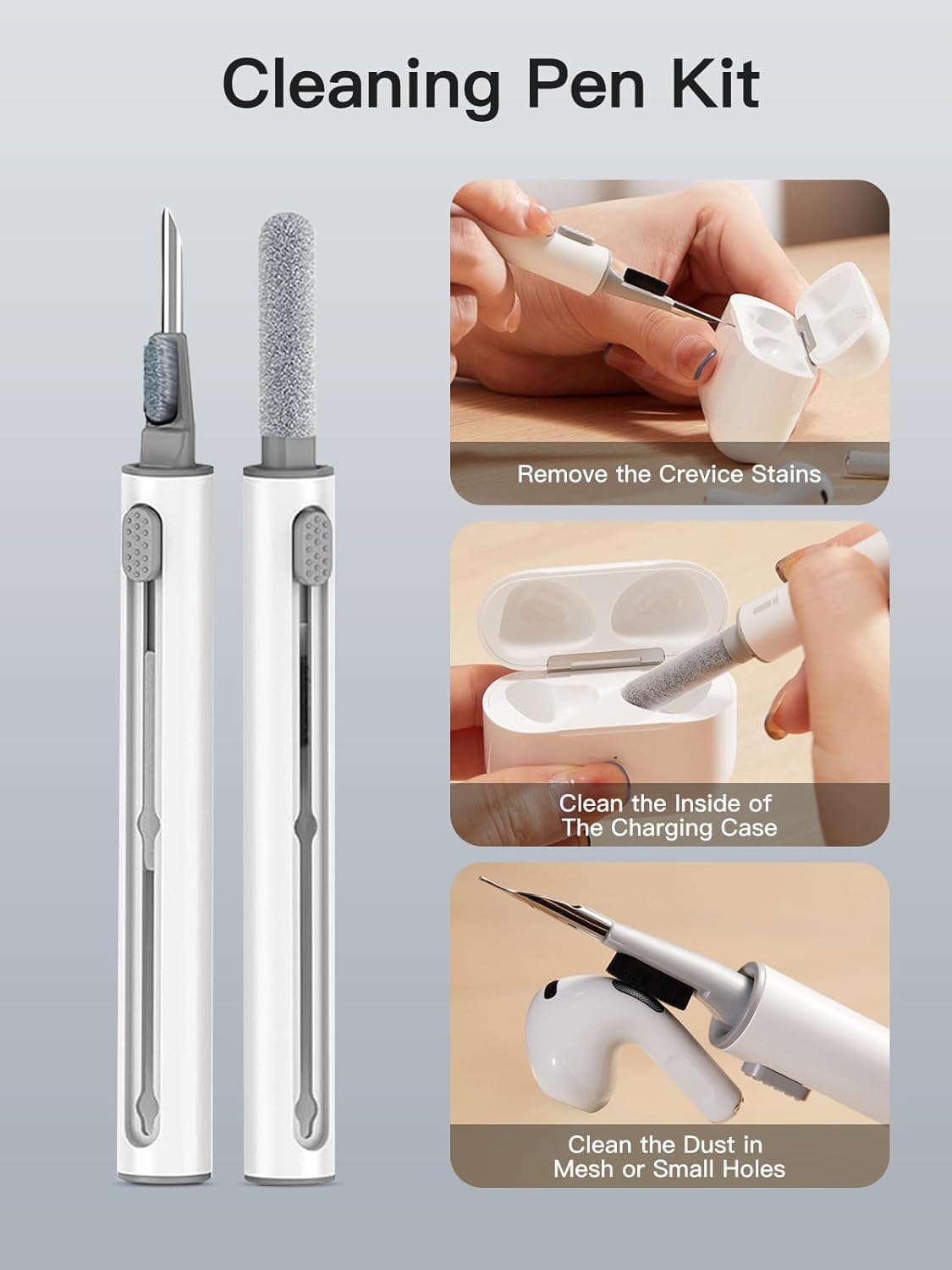
Image: The YANMONGI silicone case with a charging cable connected, demonstrating the precise cutout for the charging port. This highlights the ease of charging without removing the case.
Maintenance
Cleaning the Silicone Case
The silicone case is washable and resistant to fingerprints and oil stains. To clean:
- Remove the Audio Technica ATH-AC5TW charging case from the silicone cover.
- Wash the silicone cover with mild soap and water.
- Rinse thoroughly and allow it to air dry completely before re-installing the earbud charging case.

Image: The YANMONGI silicone case being rinsed under water, illustrating its washable and dirt-resistant properties for easy cleaning.
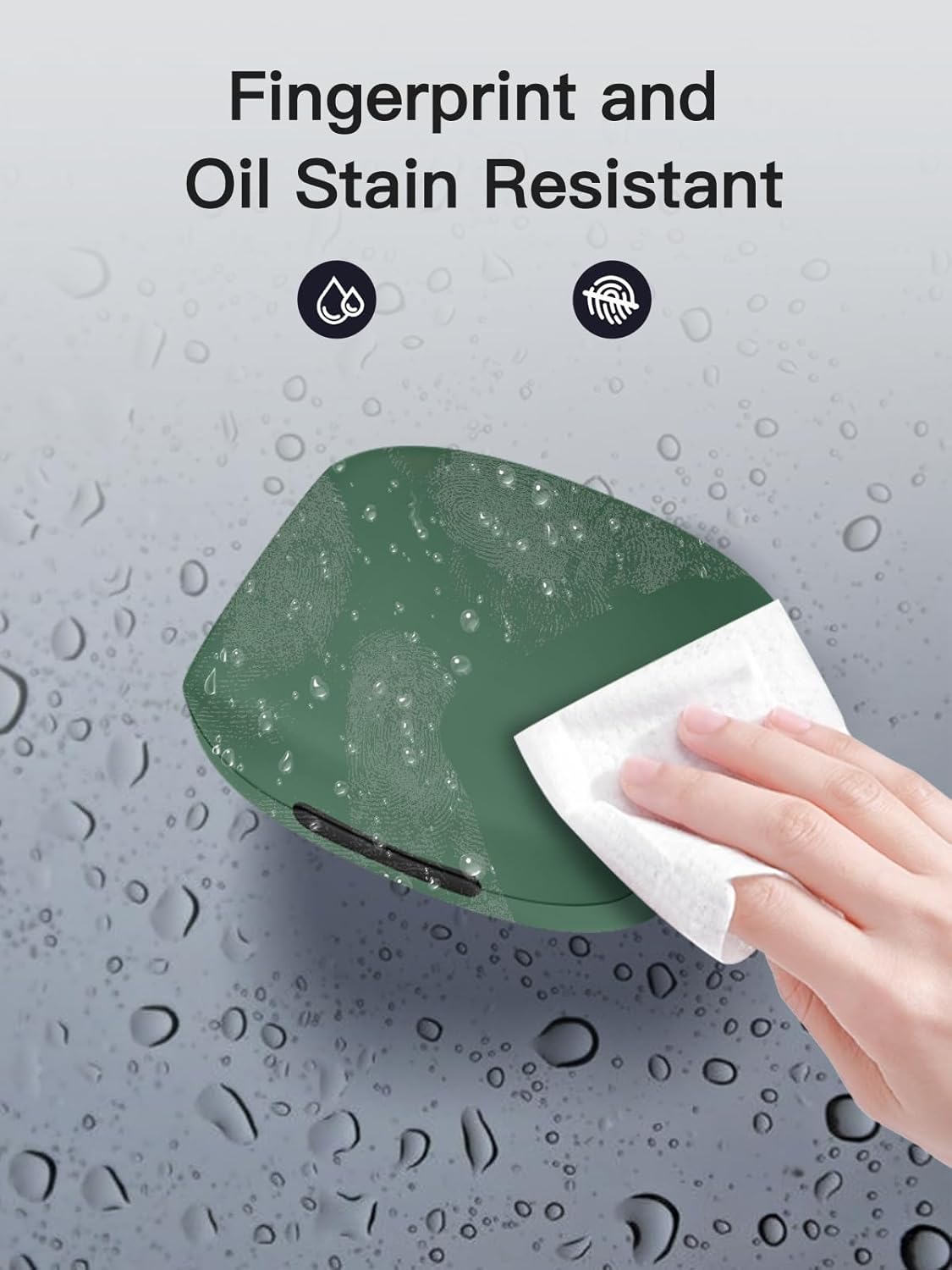
Image: A hand wiping the surface of the YANMONGI silicone case, demonstrating its resistance to fingerprints and oil stains, making it easy to keep clean.
Using the 3-in-1 Cleaning Pen
The included cleaning pen is designed to keep your earbuds and charging case free from dust and dirt.
- Metal Pen Tip: Use the metal tip to carefully remove stubborn dirt or debris from crevices and small openings on your earbuds or charging case.
- Soft Brush: The soft brush is ideal for gently sweeping away dust from larger surfaces and mesh areas.
- High-Density Flocking Brush: Use this brush to clean the inside of the earbud charging case, ensuring no dust interferes with charging contacts.
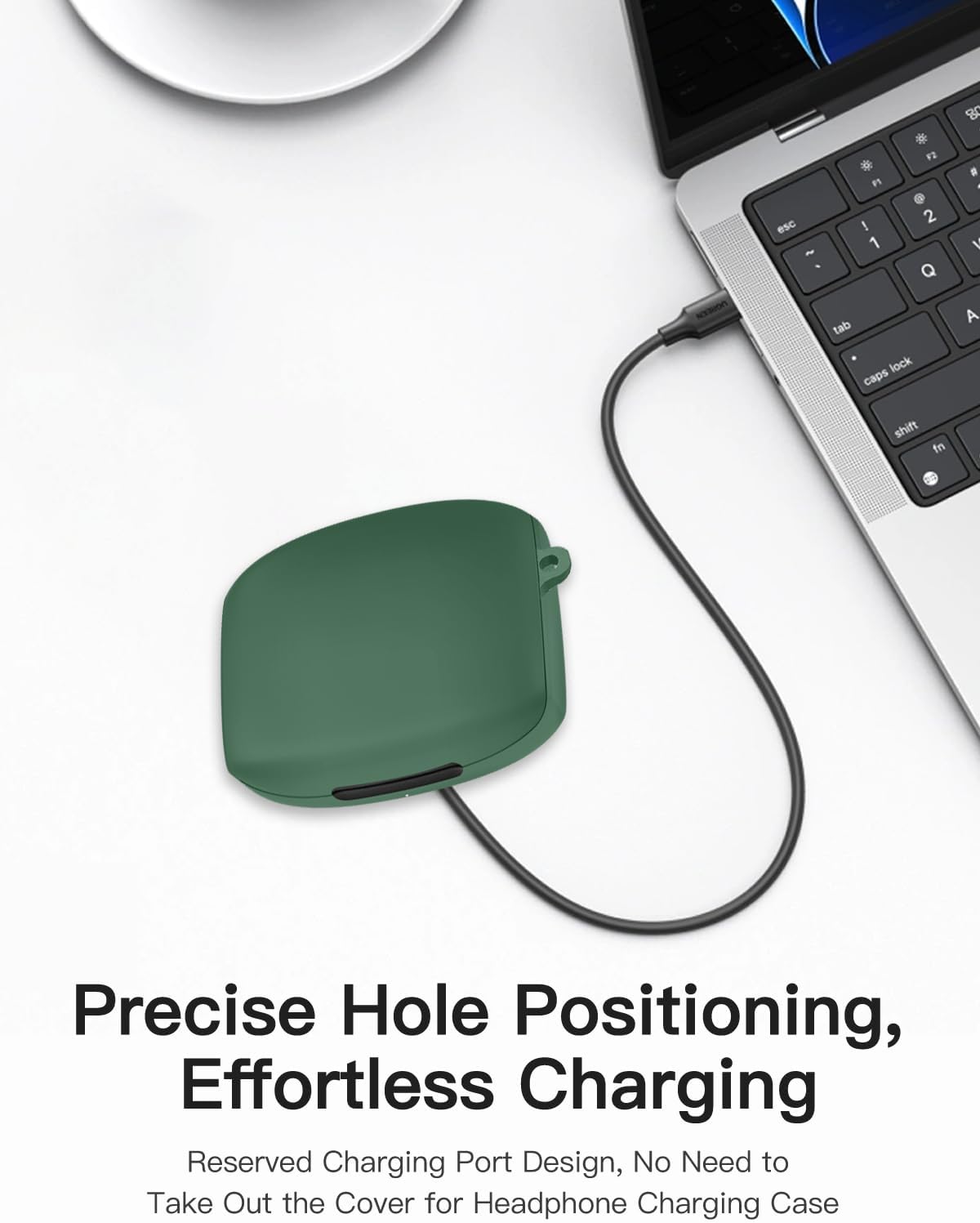
Image: A visual guide demonstrating the use of the 3-in-1 cleaning pen. It shows the metal tip for crevices, the soft brush for general cleaning, and the flocking brush for the charging case interior.
Protection Features
The YANMONGI silicone case provides comprehensive protection for your Audio Technica ATH-AC5TW earbuds:
- 360° Protection: Shields against scratches, accidental drops, shocks, and bumps.
- Non-slip: The silicone material offers a secure grip.
- Scratch Proof: Protects the original charging case from surface damage.
- Shockproof: Absorbs impact from minor drops.
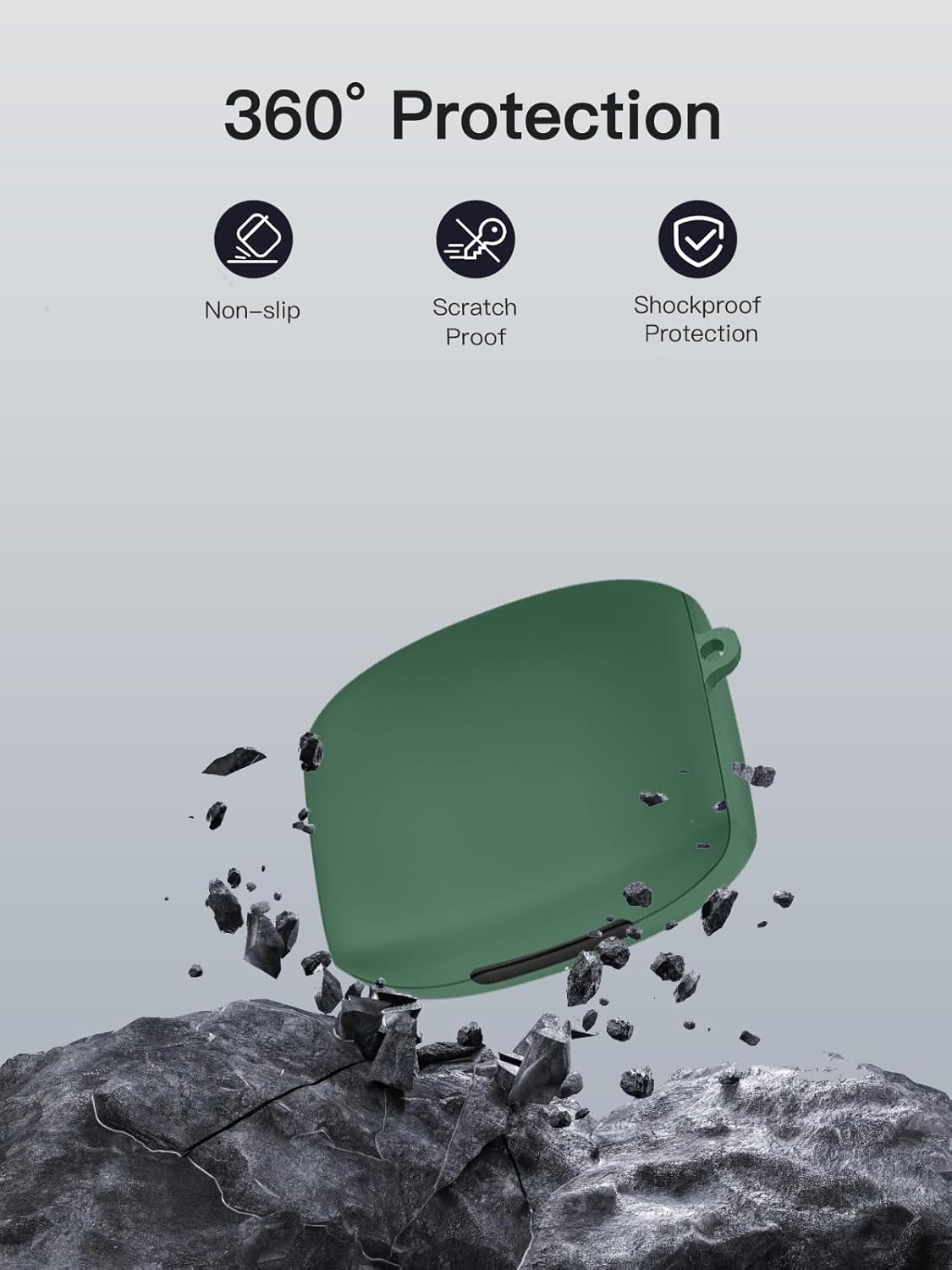
Image: The YANMONGI silicone case shown amidst falling debris, symbolizing its 360-degree protection against non-slip, scratches, and shocks.
Troubleshooting
| Issue | Possible Cause | Solution |
|---|---|---|
| Case does not fit snugly. | Incorrect model or improper installation. | Ensure the case is for Audio Technica ATH-AC5TW. Re-install, ensuring proper alignment. |
| Charging port is obstructed. | Case not aligned correctly. | Adjust the earbud charging case within the silicone cover to align with the port cutout. |
| LED indicator not visible. | Case not aligned correctly. | Adjust the earbud charging case within the silicone cover to align with the LED cutout. |
| Cleaning pen not effective. | Incorrect tool used or excessive dirt. | Refer to the "Using the 3-in-1 Cleaning Pen" section for proper tool usage. For heavy dirt, repeat cleaning or use a slightly damp cloth (for case only). |
Specifications
- Brand: YANMONGI
- Model Compatibility: Audio Technica ATH-AC5TW
- Material: Premium Silicone
- Color: Green
- Features: 360° Protection, Washable, Fingerprint/Oil Stain Resistant, Wired & Wireless Charging Compatible, LED Indicator Visibility
- Included Accessories: 3-in-1 Cleaning Pen, Metal Carabiner, Lanyard
- Item Weight: 0.352 ounces (approximately 10 grams)
- Package Dimensions: 0.39 x 0.39 x 0.39 inches (approximate, for product packaging)
Warranty and Support
For any issues or inquiries regarding your YANMONGI protective case, please contact the seller directly. The seller commits to resolving issues within 24 hours.
Note: The Audio Technica ATH-AC5TW charging case and earbuds are not included with this product.


