
Introduction
Thank you for choosing the Frigidaire EM0953WHTE White Microwave Oven. This manual provides essential information for the safe and efficient use of your new appliance. Please read it thoroughly before operation and retain it for future reference. This 0.9 cubic foot, 900-watt microwave is designed for convenient and quick meal preparation.
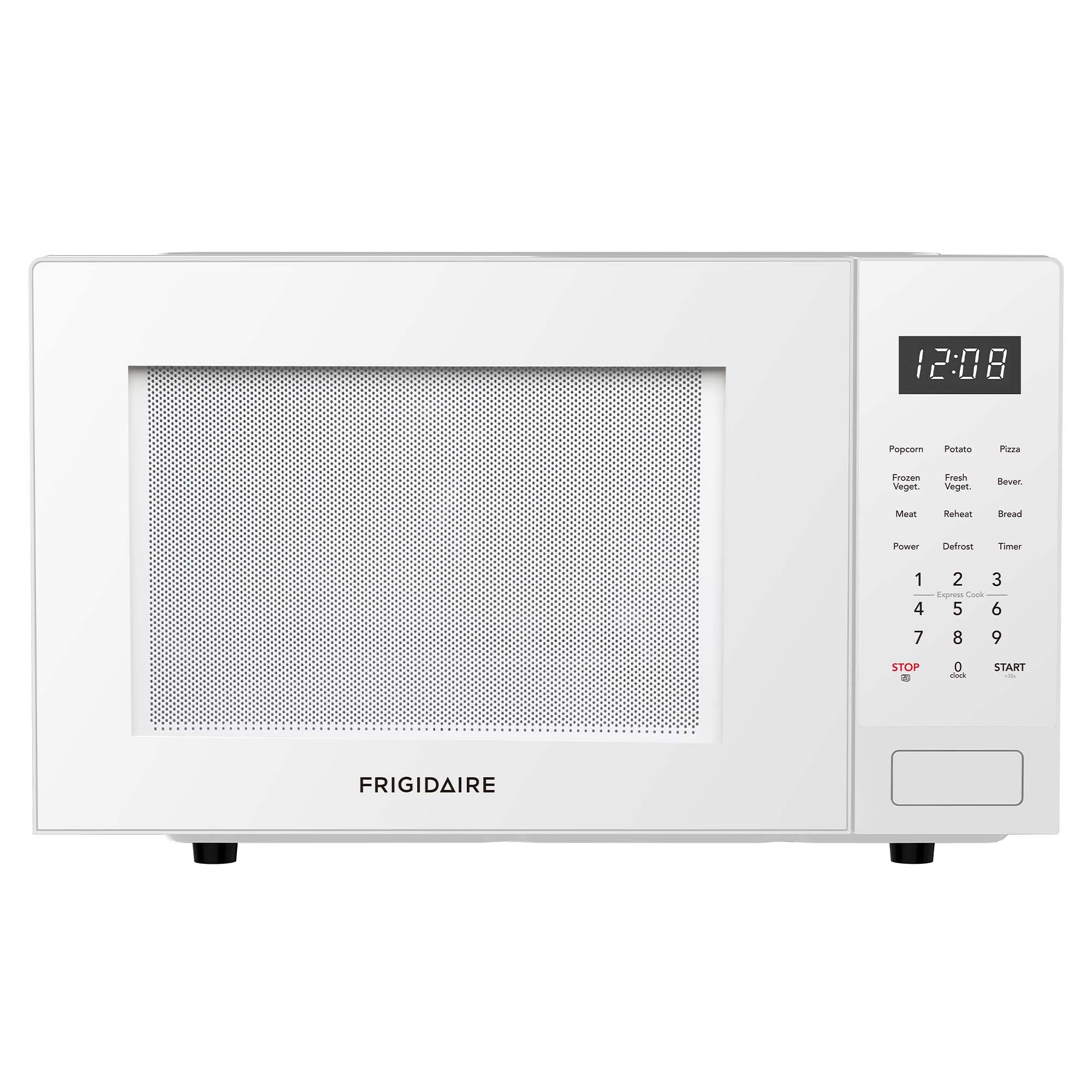
Image: Front view of the Frigidaire EM0953WHTE White Microwave Oven, showing the control panel and digital display.
Important Safety Information
Always follow basic safety precautions when using electrical appliances to reduce the risk of burns, electric shock, fire, injury to persons, or exposure to excessive microwave energy.
- Read all instructions before using the appliance.
- Do not operate the oven if it has a damaged cord or plug, if it is not working properly, or if it has been damaged or dropped.
- Do not heat sealed containers as they may explode.
- Do not use corrosive chemicals or vapors in this appliance.
- Supervise children when the appliance is in use.
- Ensure proper ventilation around the microwave.
- Never operate the oven empty as this can damage the appliance.
- Liquids heated in the microwave can boil over unexpectedly. Exercise caution when removing containers.
- Eggs in their shell and whole hard-boiled eggs should not be heated in microwave ovens as they may explode.
Setup and Installation
Unpacking
Carefully remove the microwave oven and all packing materials from the carton. Check the oven for any damage, such as dents or a misaligned door. Do not operate the oven if it is damaged. Dispose of all packing materials responsibly.
Placement
Place the microwave on a flat, stable surface that can support its weight. Ensure there is adequate ventilation around the unit. Maintain a minimum of 4 inches (10 cm) of space on the top, back, and sides for proper airflow.

Image: Dimensional diagram of the microwave, indicating length, width, and height for proper placement.
Turntable Installation
The glass turntable and turntable ring must be installed correctly for the microwave to operate. Place the turntable ring in the center of the microwave cavity. Then, place the glass turntable securely on top of the ring, ensuring it sits properly on the center hub.

Image: Interior view of the microwave with the door open, highlighting the removable glass turntable.
Power Connection
Plug the microwave oven into a standard 120V, 60Hz grounded electrical outlet. Do not use an extension cord or adapter.
Operating Instructions
Control Panel Overview
The microwave features a soft-touch electronic control panel with a digital display and various function buttons for easy operation.

Image: Detailed view of the microwave's control panel, illustrating the various buttons and digital display.
Setting the Clock
- Press the CLOCK button once.
- Enter the current time using the number pad.
- Press the CLOCK button again to confirm.
Basic Microwave Cooking (Time Cook)
- Place food in the microwave.
- Enter the desired cooking time using the number pad.
- Press the START button.
Power Levels
The microwave offers 10 power levels for versatile cooking. To adjust the power level:
- Enter the desired cooking time.
- Press the POWER button.
- Enter the desired power level (1-10) using the number pad. (e.g., '9' for 90% power, '5' for 50% power).
- Press the START button.
Auto-Cook Menu
The one-touch auto-cook menu simplifies cooking for popular items:
- Popcorn: Press the POPCORN button.
- Potato: Press the POTATO button.
- Pizza: Press the PIZZA button.
- Beverage: Press the BEVER. button.
- Frozen Vegetable: Press the FROZEN VEG. button.
- Fresh Vegetable: Press the FRESH VEG. button.
- Meat: Press the MEAT button.
- Reheat: Press the REHEAT button.
- Bread: Press the BREAD button.
For most auto-cook functions, you may need to select the quantity after pressing the button. Follow the prompts on the digital display.
Defrost Functions
The microwave offers two defrost options:
- Speed Defrost: Press the DEFROST button once. Enter the desired defrost time. Press START.
- Defrost by Weight: Press the DEFROST button twice. Enter the weight of the food in pounds (e.g., 1.0 for 1 pound). Press START.
Kitchen Timer
To use the kitchen timer:
- Press the TIMER button.
- Enter the desired time using the number pad.
- Press the START button. The timer will count down without microwave operation.
Child Safety Lock
To activate the child safety lock, press and hold the STOP/CLEAR button for 3 seconds. The lock indicator will appear on the display. To deactivate, press and hold the STOP/CLEAR button again for 3 seconds.
End-of-Cycle Signal
The microwave will emit an audible signal when the cooking cycle is complete. This signal will repeat periodically until the door is opened or the STOP/CLEAR button is pressed.
Care and Maintenance
Regular cleaning and proper care will ensure the longevity and optimal performance of your microwave oven.
Cleaning the Interior
Wipe the interior cavity with a damp cloth after each use. For stubborn stains, use a mild detergent or a microwave-safe cleaner. Avoid abrasive cleaners or scouring pads.
Cleaning the Exterior
Clean the exterior surfaces with a soft, damp cloth. Do not allow water to drip into the ventilation openings. Dry thoroughly with a soft cloth.
Cleaning the Glass Turntable
The glass turntable can be removed for easy cleaning. Wash it in warm, soapy water or in the dishwasher. Ensure it is completely dry before placing it back in the microwave.
Troubleshooting Guide
If you experience issues with your microwave, consult the following table for common problems and solutions.
| Problem | Possible Cause | Solution |
|---|---|---|
| Oven will not start | Door is not closed properly. Power cord is unplugged. Fuse is blown or circuit breaker tripped. | Ensure the door is securely closed. Check if the power cord is firmly plugged into the outlet. Check your household fuse/circuit breaker box. |
| Food not heating | Cooking time or power level set incorrectly. Door not closed properly. | Verify cooking time and power level settings. Ensure the door is completely closed. |
| Turntable not rotating | Turntable not placed correctly. Debris under the turntable ring. | Ensure the turntable is seated correctly on the center hub and ring. Clean any food particles from under the turntable ring. |
| Oven light not working | Bulb needs replacement. | Contact customer service for bulb replacement. Do not attempt to replace it yourself. |
| Display shows error code | Internal malfunction. | Unplug the microwave for 30 seconds, then plug it back in. If the error persists, contact customer support. |
Product Specifications
- Model: EM0953WHTE
- Capacity: 0.9 Cubic Feet
- Wattage: 900 Watts
- Voltage: 120 Volts
- Frequency: 60 Hz
- Product Dimensions (D x W x H): 13.27 x 18.9 x 11.52 inches
- Item Weight: 28.4 Pounds
- Color: White
- Special Feature: Child Safety Lock
- Installation Type: Countertop
- Material (Turntable): Glass
Warranty and Support
This Frigidaire microwave oven comes with a limited manufacturer's warranty. Please refer to the warranty card included with your purchase for specific terms and conditions, including coverage duration and limitations.
For technical assistance, service, or to inquire about replacement parts, please visit the official Frigidaire website or contact their customer support line. Keep your purchase receipt and model number handy when contacting support.
Online Support: www.frigidaire.com


