
1. Important Safety Instructions
Before operating your new microwave oven, please read all instructions carefully. Keep this manual for future reference. Failure to follow these instructions may result in electric shock, fire, or other hazards.
- Do not attempt to operate this oven with the door open as this can result in harmful exposure to microwave energy.
- Do not place any object between the oven front face and the door or allow soil or cleaner residue to accumulate on sealing surfaces.
- Do not operate the oven if it is damaged. It is particularly important that the oven door closes properly and that there is no damage to the: (1) door (bent), (2) hinges and latches (broken or loosened), (3) door seals and sealing surfaces.
- The oven should not be adjusted or repaired by anyone except properly qualified service personnel.
- Always ensure proper ventilation around the microwave. Do not block air vents.
2. Setup and Installation
Proper installation is crucial for safe and efficient operation.
2.1 Unpacking
- Remove all packing materials from inside the oven cavity.
- Check the microwave for any damage, such as a misaligned door or dents. Do not operate if damaged.
2.2 Placement
- Place the microwave on a flat, stable surface, such as a countertop, that can support its weight (approximately 23.4 lbs).
- Ensure adequate space for ventilation: at least 3 inches (7.5 cm) of clearance on the top, sides, and rear of the oven.
- Do not place the microwave near heat sources or in areas with high humidity.
2.3 Power Connection
- Plug the microwave into a standard 120 Volt AC, 60 Hz grounded electrical outlet.
- Do not use extension cords or adapters.
2.4 Turntable Installation
Place the roller ring in the center of the oven floor. Position the glass turntable securely on top of the roller ring. Ensure it rotates freely.

Image: Interior of the microwave showing the glass turntable and roller ring.
3. Operating Instructions
This section details how to use your Frigidaire microwave for various cooking tasks.
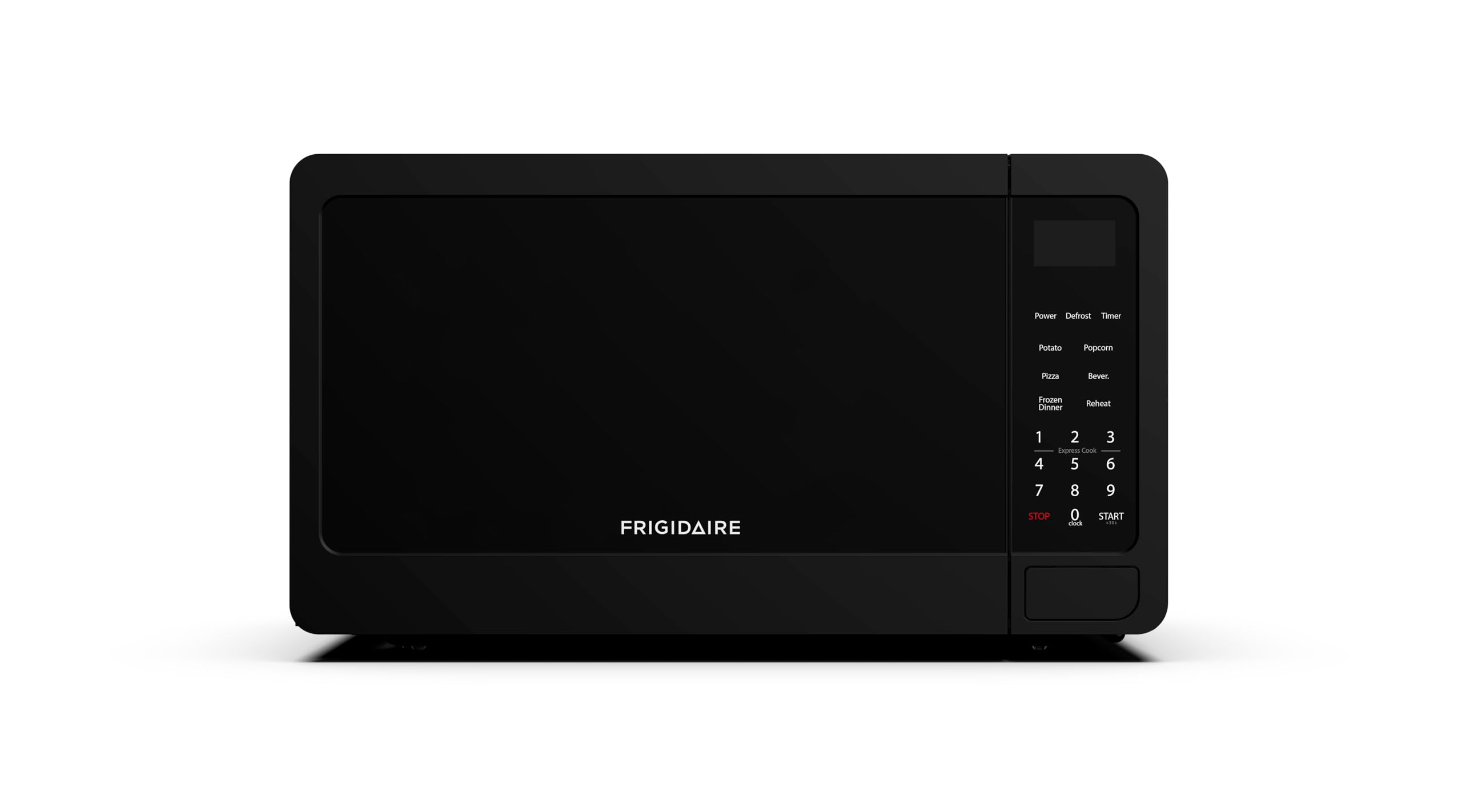
Image: Front view of the Frigidaire EMW736BLK microwave.
3.1 Setting the Clock
- When the oven is first plugged in, the display will show "12:00" or "0:00".
- Press the "CLOCK" button once.
- Use the number pads to enter the current time.
- Press the "CLOCK" button again to confirm.
3.2 Basic Microwave Cooking (Time Cook)
- Place food in a microwave-safe container on the turntable.
- Enter the desired cooking time using the number pads.
- Press the "POWER" button to select a power level (default is 100%). Press repeatedly to cycle through 10 power levels.
- Press "START" to begin cooking.
3.3 Express Cook (30-Second Start)
For quick heating, simply press the "START" button to cook for 30 seconds at 100% power. Each subsequent press of "START" will add 30 seconds to the cooking time.
3.4 Pre-Programmed Settings
The microwave includes six one-touch cooking menus for common items:
- Popcorn: For various popcorn bag sizes.
- Potato: For baking potatoes.
- Pizza: For reheating pizza slices.
- Frozen Vegetable: For cooking frozen vegetables.
- Beverage: For heating drinks.
- Reheat: For reheating prepared meals.
To use, press the corresponding button once, then press "START". Some settings may require you to select a quantity using the number pads before pressing "START".
3.5 Defrost Function
The microwave offers two defrost timers for precise control:
- Defrost by Weight: Press the "DEFROST" button, then enter the weight of the food using the number pads. Press "START".
- Defrost by Time: Press the "TIMER" button, then enter the desired defrost time. Press "START".
3.6 Child Safety Lock
To activate the child safety lock, press and hold the "STOP/CANCEL" button for 3 seconds. The display will show "LOCK". To deactivate, press and hold the "STOP/CANCEL" button again for 3 seconds.

Image: Control panel with various cooking options and number pad.
3.7 Door Operation
To open the microwave door, pull the door handle. If the microwave is in operation or has just completed a cycle, it is recommended to press the "STOP/CANCEL" button before opening the door to pause or clear the current operation.
4. Maintenance and Cleaning
Regular cleaning and maintenance will ensure the longevity and optimal performance of your microwave oven.
4.1 Exterior Cleaning
- Wipe the exterior with a damp cloth and mild soap.
- Avoid abrasive cleaners or scouring pads, which can scratch the surface.
4.2 Interior Cleaning
- Clean the interior cavity with a damp cloth after each use to prevent food buildup.
- For stubborn stains, place a bowl of water with lemon slices inside and microwave for 2-3 minutes. The steam will loosen food particles, making them easier to wipe away.
- Ensure the door seals and surrounding areas are clean to maintain proper sealing.
4.3 Turntable and Roller Ring
- The glass turntable and roller ring can be removed for cleaning.
- Wash them in warm, soapy water or in the dishwasher.
- Ensure they are completely dry before placing them back in the oven.
5. Troubleshooting
If you encounter any issues with your microwave, refer to the following common problems and solutions.
| Problem | Possible Cause | Solution |
|---|---|---|
| Oven will not start | Door not closed properly; Power cord unplugged; Fuse blown or circuit breaker tripped. | Ensure door is securely closed; Check power cord connection; Check household fuse/circuit breaker. |
| Food not heating | Incorrect cooking time/power level; Microwave-safe dish not used. | Adjust cooking time/power; Use only microwave-safe cookware. |
| Turntable not rotating | Turntable or roller ring not positioned correctly; Debris under turntable. | Re-position turntable and roller ring; Clean under the turntable. |
| Unusual noise during operation | Food container touching oven walls; Turntable not centered. | Ensure proper clearance for food; Re-center turntable. |
| Door difficult to open after cooking | Safety mechanism requires 'STOP' command. | Press the 'STOP/CANCEL' button before attempting to open the door. |
6. Specifications
Detailed technical specifications for the Frigidaire EMW736BLK microwave oven.
- Model: EMW736BLK
- Capacity: 0.7 Cubic Feet
- Power Output: 700 Watts
- Voltage: 120 Volts (AC)
- Frequency: 60 Hz
- Product Dimensions (D x W x H): 12.3" x 17.8" x 10.2"
- Item Weight: 23.4 Pounds
- Material: Plastic
- Installation Type: Countertop
7. Official Product Video
Watch the official product video from Frigidaire for an overview of the microwave's features and benefits.
Video: Microwaves from Frigidaire. This video provides a general overview of Frigidaire microwaves, highlighting key features and design.
8. Warranty and Support
For detailed warranty information, please refer to the warranty card included with your product or visit the official Frigidaire website. If you require technical assistance or have questions about your microwave, please contact Frigidaire customer support.
- Manufacturer: CURTIS INTERNATIONAL LTD
- Brand: Frigidaire
- Online Support: Visit the official Frigidaire website for FAQs and support resources.


