
Inspire Fitness T4 (LED)
Inspire Series T4 Treadmill User Manual
Model: T4 (LED)
1. Important Safety Information
Read all instructions before using this equipment. Keep this manual for future reference.
- Consult your physician before beginning any exercise program.
- Keep children and pets away from the treadmill during operation.
- Ensure the treadmill is placed on a flat, stable surface.
- Do not operate the treadmill if it has a damaged cord or plug.
- Always use the safety key during operation.
2. Product Overview
The Inspire Series T4 Treadmill is designed for home fitness, offering a robust and comfortable running experience with advanced features.
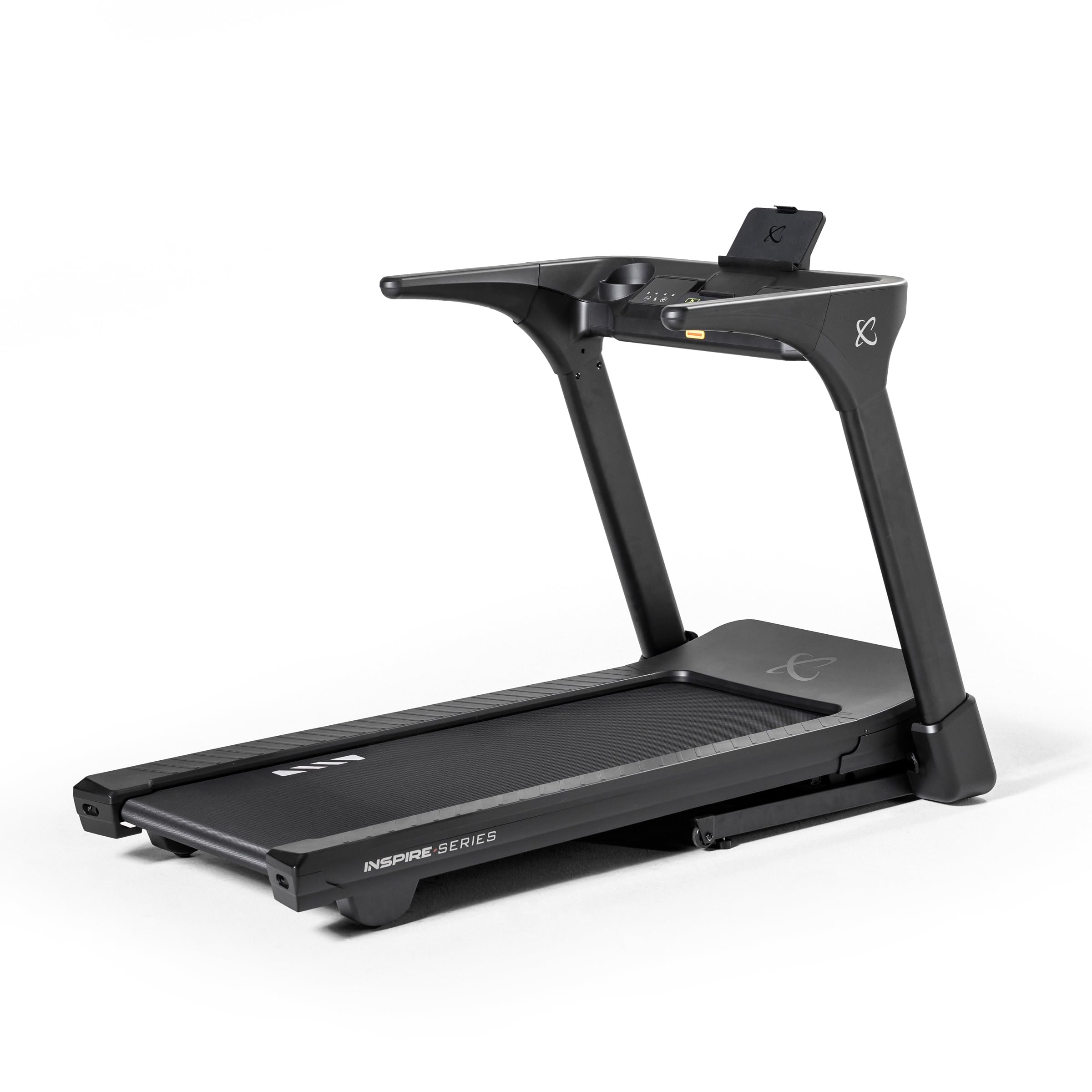
Figure 2.1: Inspire Series T4 Treadmill, showing its sleek, foldable design.
Key Features:
- 3.0 HP Brushless DC Motor: Provides quiet and reliable performance.
- Cloud Cushion Technology: Reduces impact for a softer stride.
- Foldable Design: Easy storage and space-saving.
- LED Console: Displays essential workout metrics.
- Bluetooth Connectivity: For connecting to compatible devices.
- Maximum Speed: Up to 10 mph.
- Maximum Incline: Up to 12%.
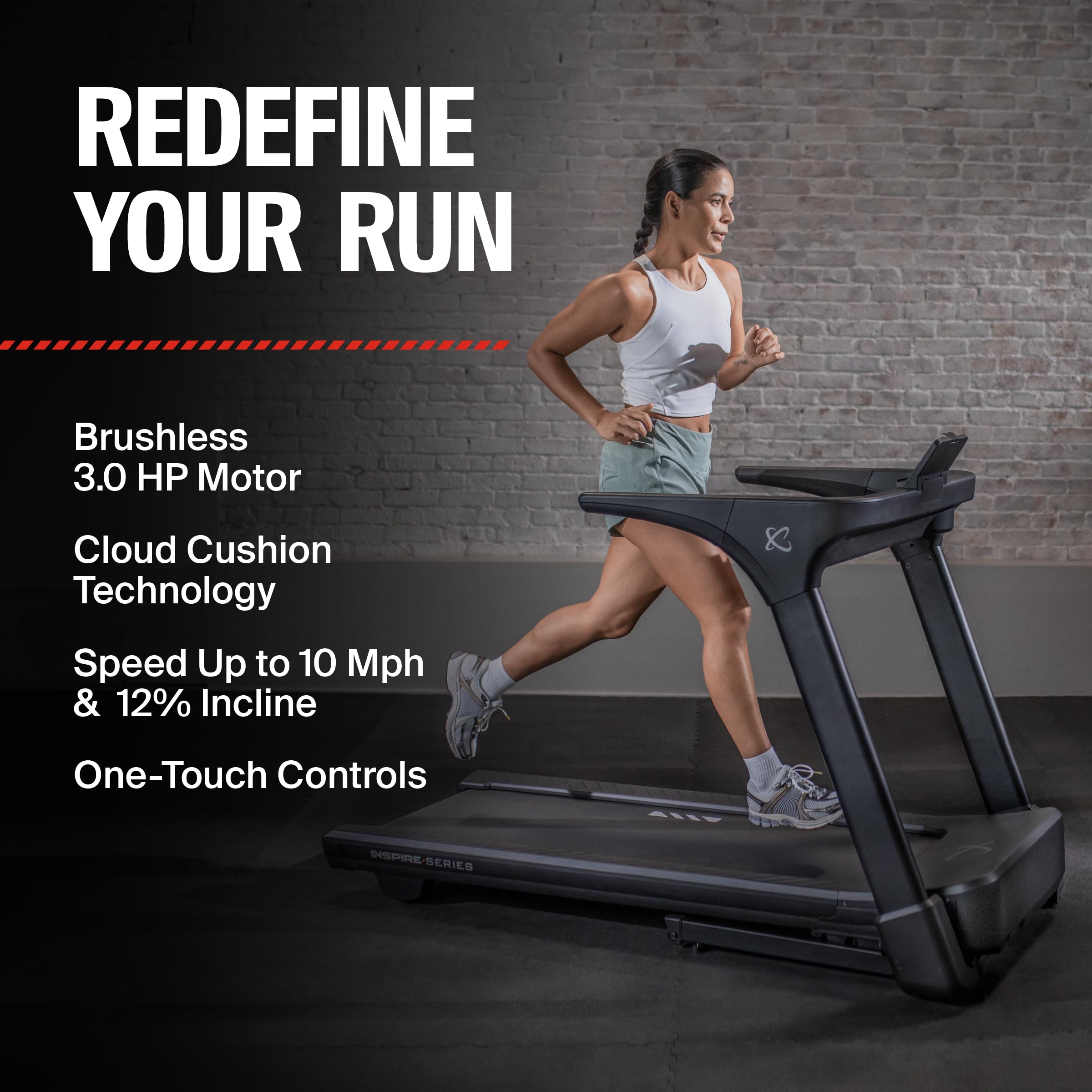
Figure 2.2: User running on the Inspire Series T4 Treadmill, highlighting its performance features like the brushless motor and incline capabilities.
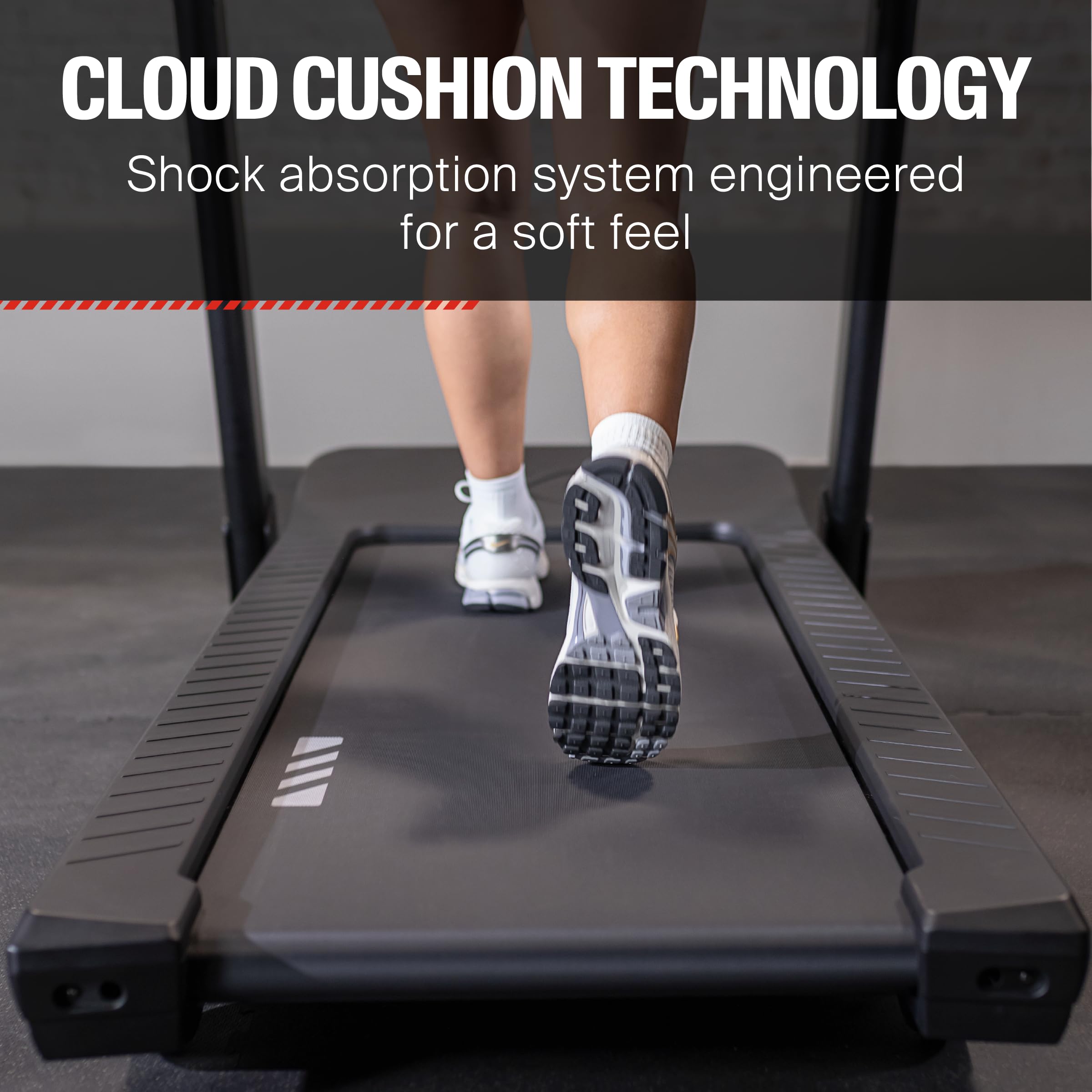
Figure 2.3: A close-up view of the treadmill belt, illustrating the Cloud Cushion Technology designed for shock absorption and a soft feel.
3. Setup and Assembly
The Inspire Series T4 Treadmill features a tool-free installation process for quick setup.
3.1 Unpacking
- Carefully remove all components from the packaging.
- Verify all parts are present against the packing list.
- Retain packaging materials for potential future transport or storage.
3.2 Placement
- Place the treadmill on a level, solid surface.
- Ensure adequate clearance around the treadmill for safe operation (minimum 2 feet on sides, 6 feet behind).
- Avoid placing in direct sunlight or near heat sources.
3.3 Unfolding the Treadmill
The treadmill comes pre-assembled and can be easily unfolded for use.
- Grasp the rear of the running deck.
- Gently lower the deck until it rests flat on the floor. Ensure the deck locks securely into place.
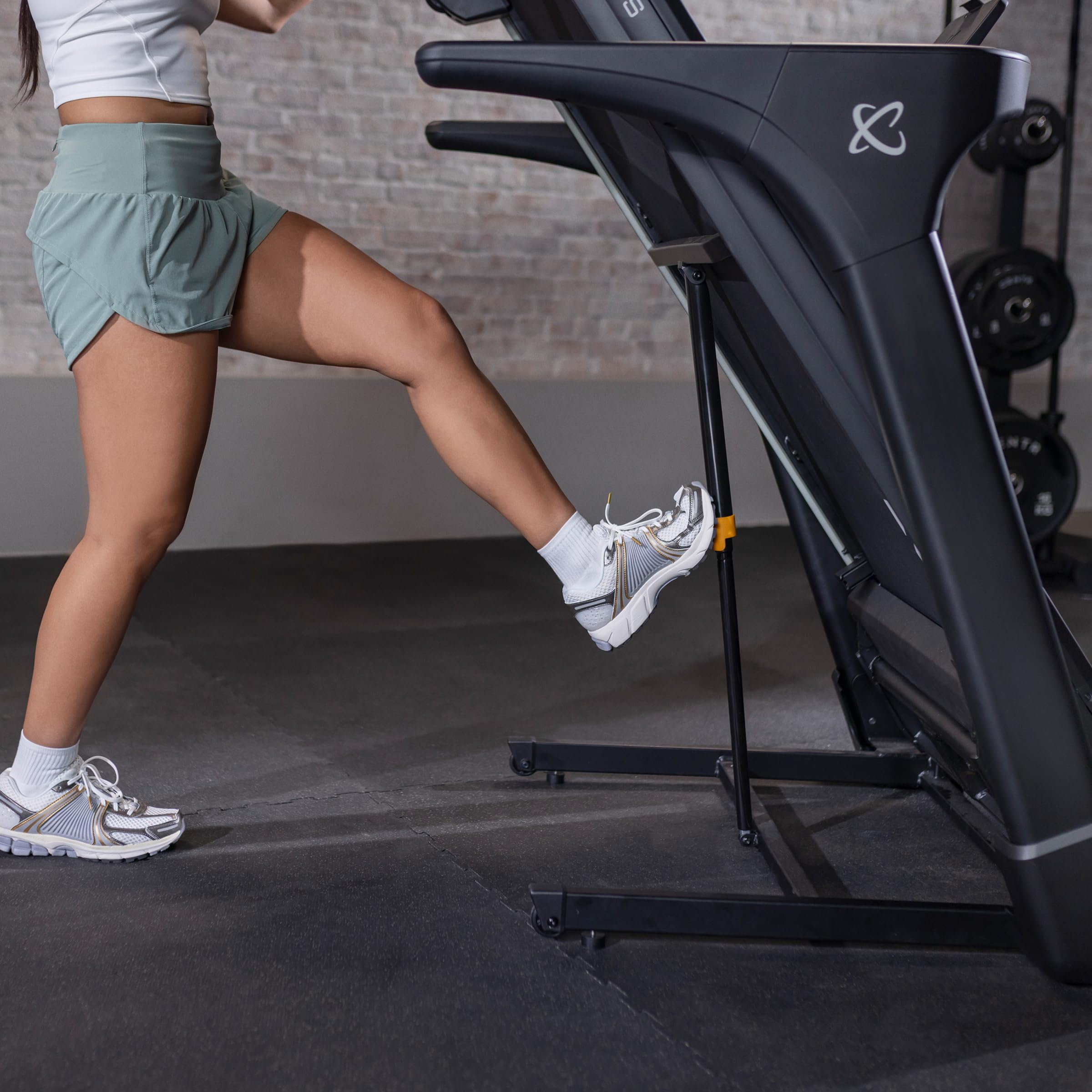
Figure 3.1: Demonstrates the process of unfolding the treadmill deck from its upright storage position to the operational flat position.
4. Operating Instructions
4.1 Console Features
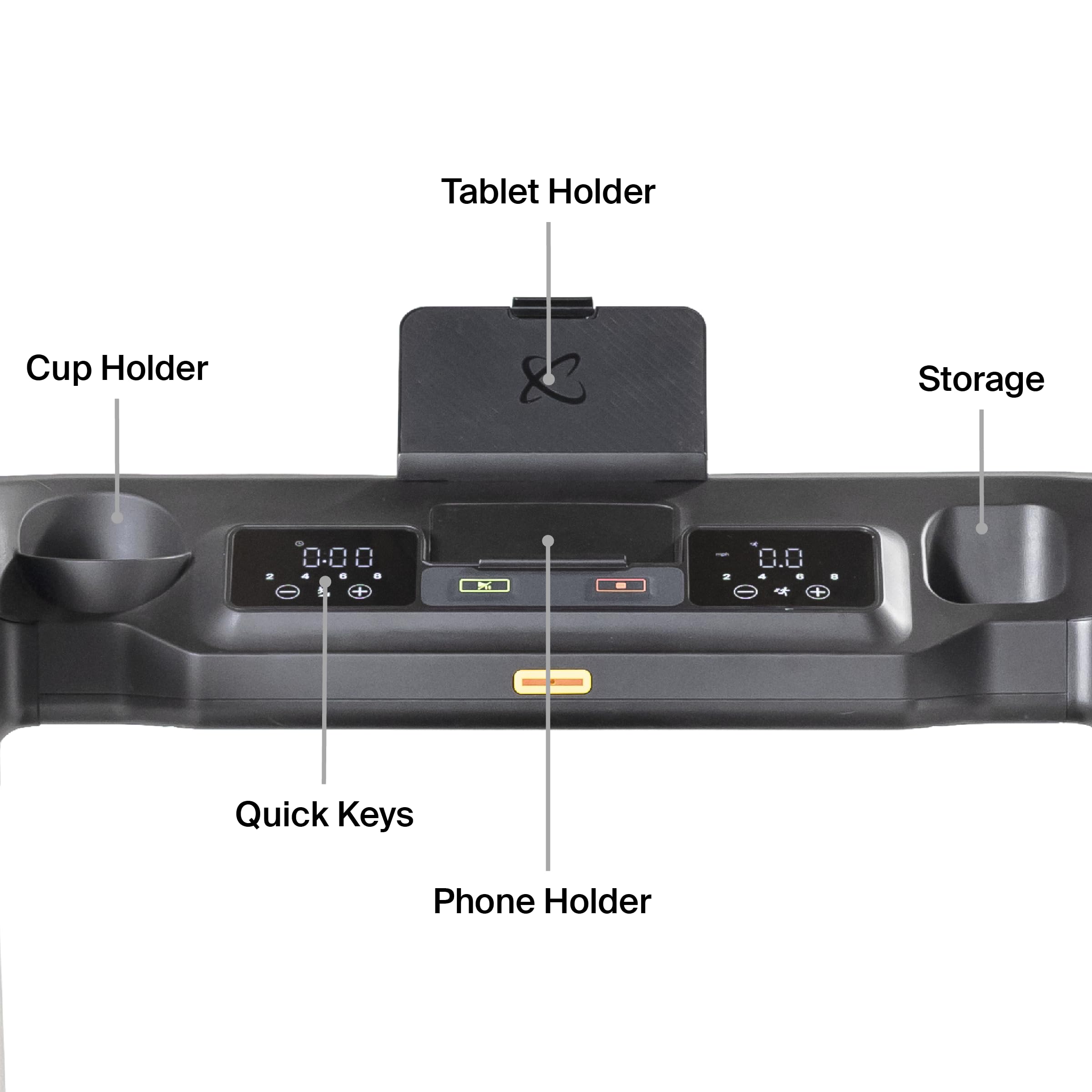
Figure 4.1: Overview of the T4 LED console, indicating the location of the tablet holder, cup holder, storage, quick keys, and phone holder.
- LED Display: Shows time, distance, speed, calories, and incline.
- Quick Keys: For rapid adjustment of speed and incline.
- Tablet Holder: Securely holds your tablet for entertainment or workout apps.
- Cup Holder: Conveniently holds your water bottle.
- Phone Holder: Keeps your phone accessible.
4.2 Starting a Workout
- Plug the power cord into a grounded outlet.
- Attach the safety key to your clothing and insert it into the console. The treadmill will not operate without the safety key.
- Step onto the side rails of the treadmill.
- Press the START button. The belt will begin to move at a low speed.
- Gradually increase speed using the SPEED + button or quick keys.
- Adjust incline using the INCLINE + button or quick keys.
4.3 Stopping a Workout
- Press the STOP button to gradually slow down and stop the belt.
- To stop immediately, pull the safety key from the console.
4.4 Bluetooth Connectivity
The treadmill supports Bluetooth for connecting to compatible fitness apps or devices.
- Ensure Bluetooth is enabled on your device.
- Search for "Inspire T4" in your device's Bluetooth settings.
- Pair with the treadmill.
5. Maintenance
Regular maintenance ensures the longevity and optimal performance of your treadmill.
5.1 Cleaning
- Wipe down the console and exterior surfaces with a damp cloth after each use.
- Do not use abrasive cleaners or solvents.
5.2 Belt Lubrication
The Inspire Series T4 Treadmill features an auto-lubricating belt, reducing the need for manual lubrication.
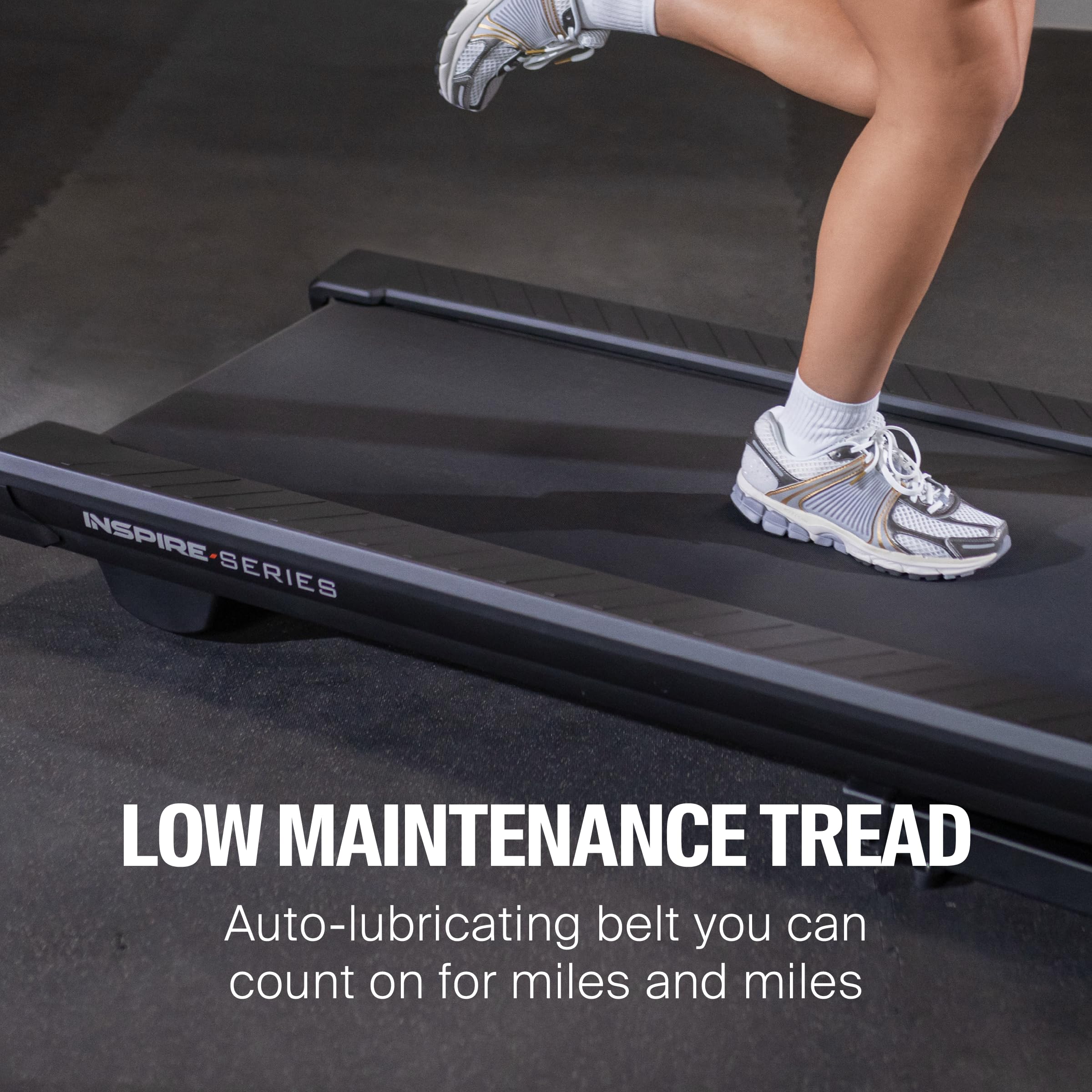
Figure 5.1: Illustrates the low-maintenance auto-lubricating belt, designed for extended use without frequent manual intervention.
Periodically check the belt for signs of wear or excessive dryness. If manual lubrication is ever required, refer to the specific instructions provided with your lubrication kit or contact customer support.
5.3 Belt Tension and Alignment
- If the belt slips or drifts to one side, adjust the tension and alignment bolts located at the rear of the treadmill.
- Turn bolts in small increments (quarter turns) and test the belt after each adjustment.
6. Troubleshooting
| Problem | Possible Cause | Solution |
|---|---|---|
| Treadmill does not power on. | Power cord not plugged in; Safety key not inserted; Circuit breaker tripped. | Ensure cord is fully plugged in; Insert safety key; Reset circuit breaker. |
| Belt slips during use. | Belt tension too loose. | Adjust belt tension (refer to Maintenance section). |
| Belt drifts to one side. | Belt alignment off. | Adjust belt alignment (refer to Maintenance section). |
| Unusual noise from motor area. | Loose components; Motor issue. | Check for loose bolts; Contact customer support if noise persists. |
7. Specifications
| Feature | Detail |
|---|---|
| Brand | Inspire Fitness |
| Model Name | T4 LED Treadmill |
| Product Dimensions (Unfolded) | 83.3"D x 36.3"W x 58.3"H |
| Product Dimensions (Folded) | 48"D x 35.8"W x 57.7"H |
| Item Weight | 376 Pounds |
| Maximum Weight Recommendation | 350 Pounds |
| Motor | 3.0 HP Brushless DC Motor |
| Maximum Speed | 10 Miles per Hour |
| Maximum Incline Percentage | 12% |
| Running Surface | 20" x 55" |
| Display Type | LED |
| Connectivity Technology | Bluetooth, Tablet Holder |
| UPC | 810000545742 |
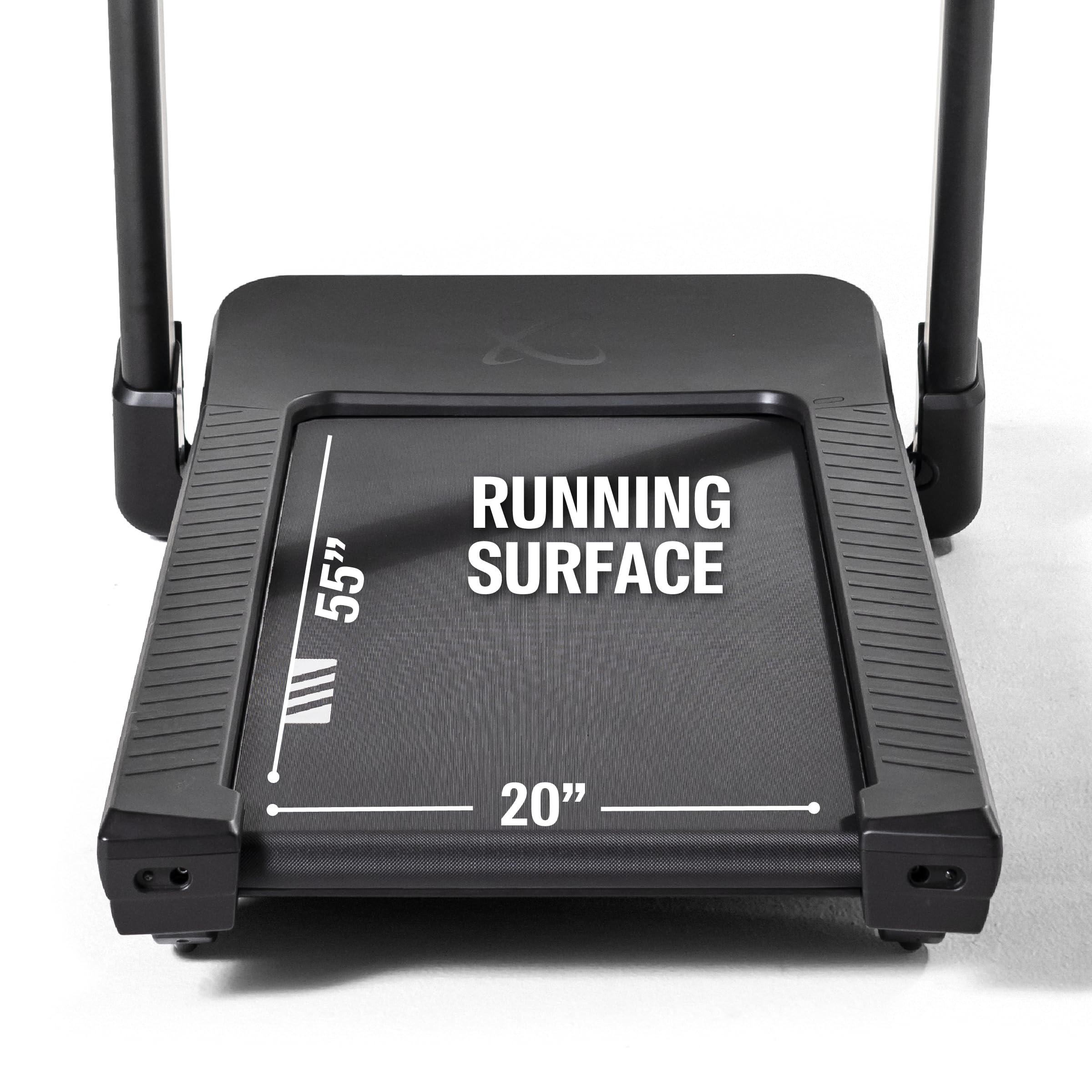
Figure 7.1: Visual representation of the 20" x 55" running surface dimensions.
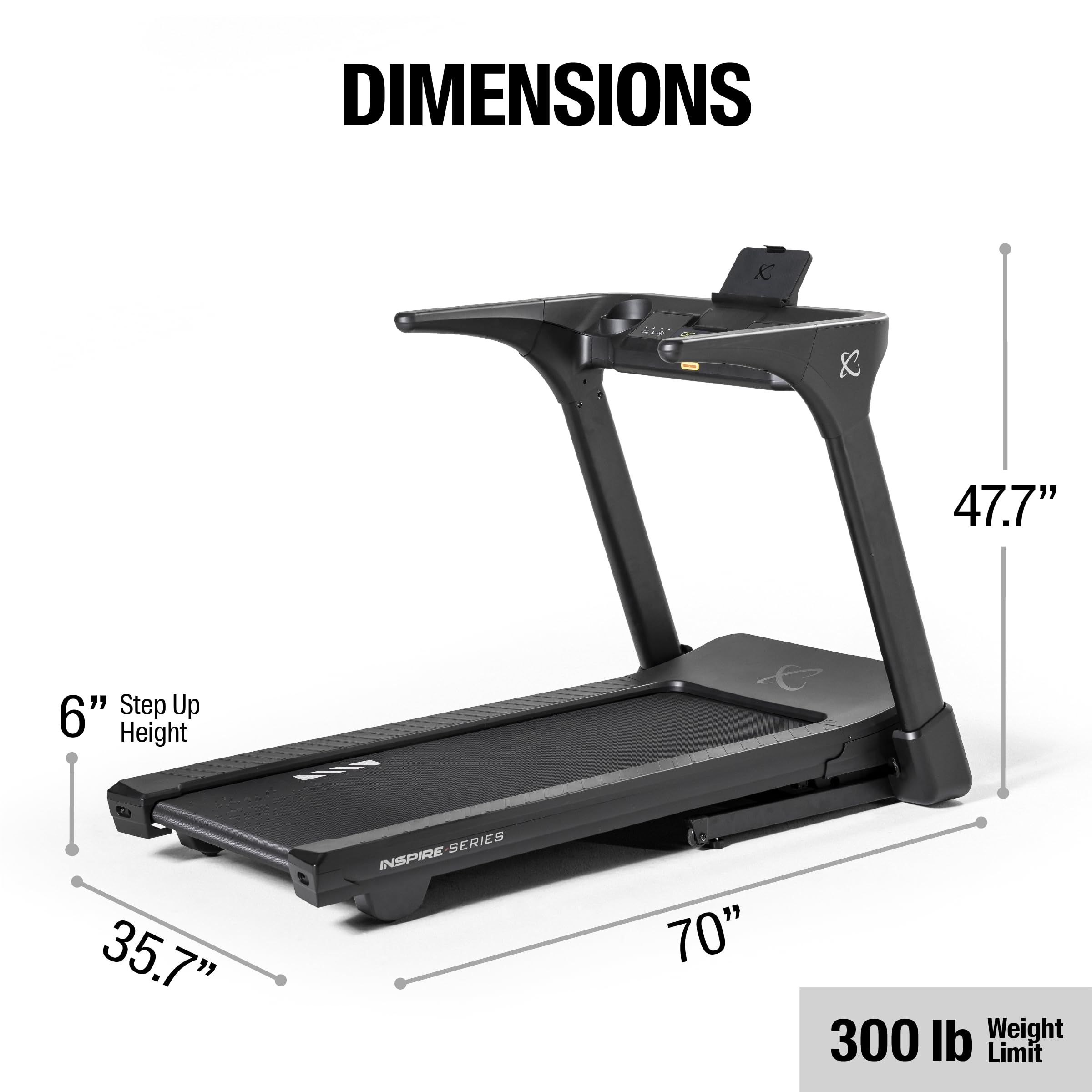
Figure 7.2: Detailed dimensions of the treadmill when fully unfolded and ready for use.
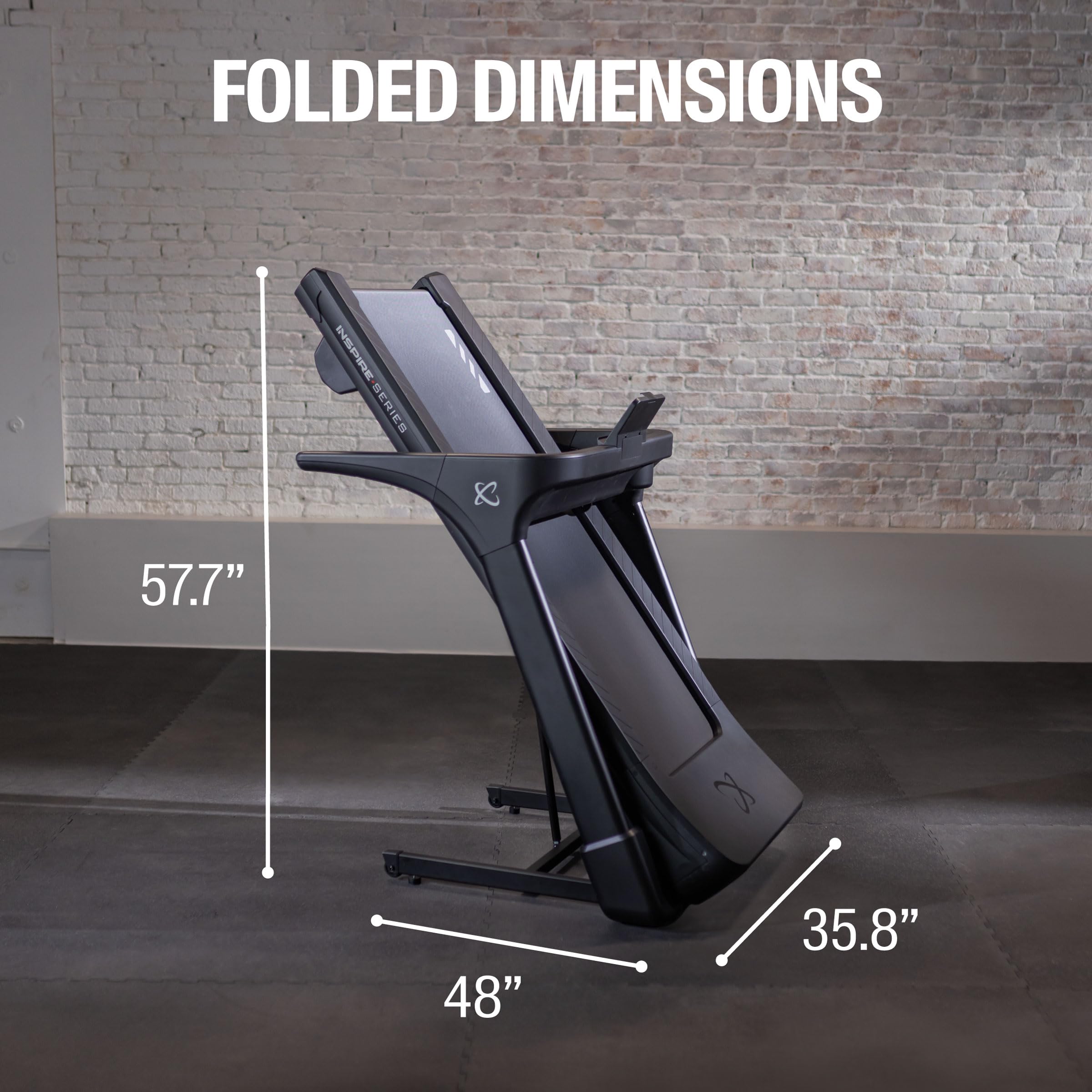
Figure 7.3: Dimensions of the treadmill in its folded, space-saving configuration.
8. Warranty and Support
8.1 Warranty Information
The Inspire Series T4 Treadmill comes with a comprehensive warranty:
- Frame: Limited Lifetime Warranty
- Motor: Limited Lifetime Warranty
- Parts: 5-Year Coverage
For detailed warranty terms and conditions, please refer to the warranty card included with your product or visit the official Inspire Fitness website.
8.2 Customer Support
For technical assistance, parts inquiries, or any questions regarding your Inspire Series T4 Treadmill, please contact Inspire Fitness customer support.
Visit the official Inspire Fitness Store on Amazon for more information and support resources.
Related documentsT4 (LED)

Ask a question about this manual
Ask about setup, troubleshooting, compatibility, parts, safety, or missing instructions. Manuals+ will review the question and use this page’s manual context to help answer it.