
Viper 3108V
VIPER 3108V 1-Way Security System User Manual
Model: 3108V
Introduction
This user manual provides comprehensive instructions for the installation, operation, and maintenance of your VIPER 3108V 1-Way Security System. This advanced system offers superior protection and convenience for your vehicle, integrating cutting-edge security technologies. It features dual 1-way, 4-button transmitters with an extended range of up to 1/4 mile, a sleek Control Center with an integrated valet switch and LED, remote keyless entry, ignition-controlled door locks, and auxiliary outputs. For optimal performance and safety, please read this manual thoroughly before using the product.
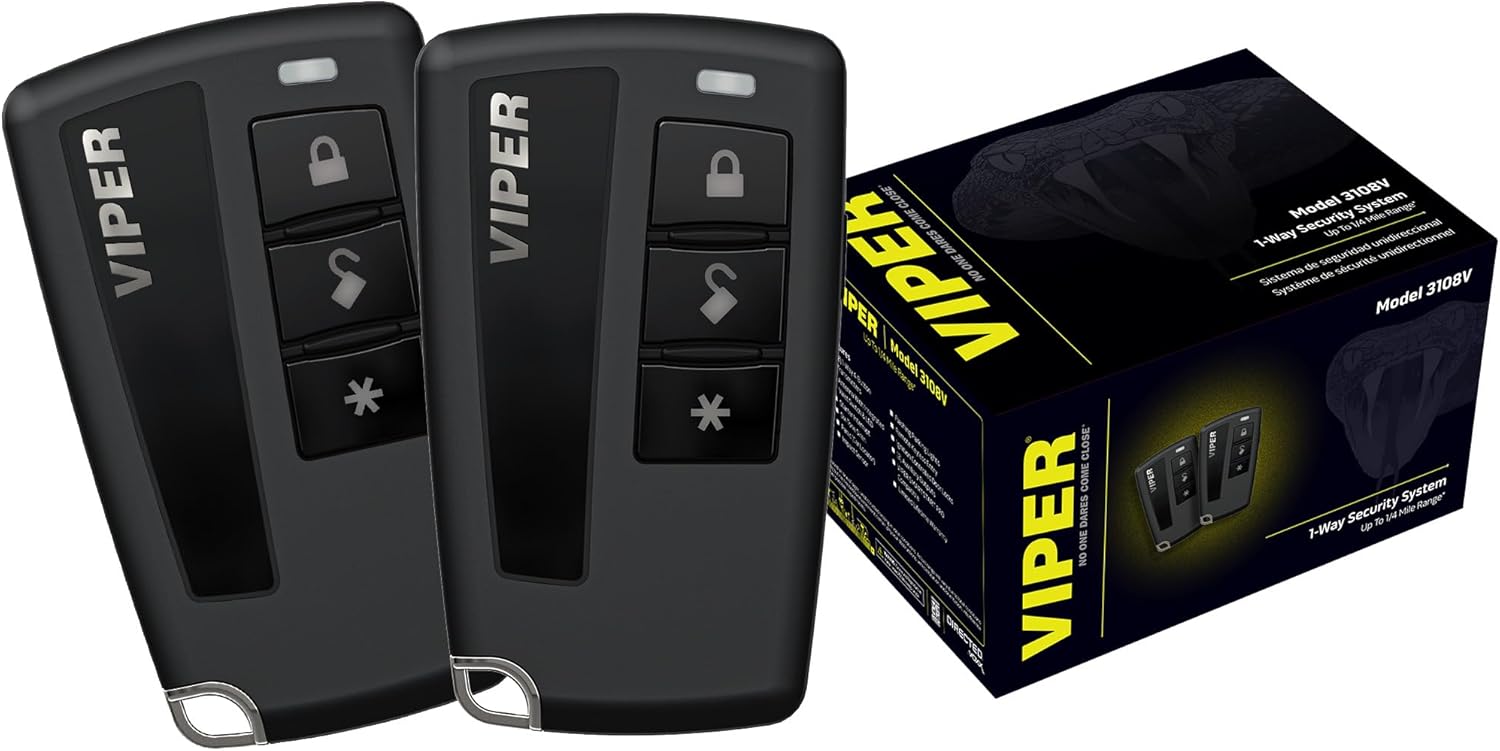
Image: The VIPER 3108V 1-Way Security System, showing two black 4-button remote transmitters and the product box. The remotes feature lock, unlock, trunk release, and auxiliary buttons. The box displays the Viper logo and model number.
Safety Information
Always adhere to the following safety guidelines:
- Installation should only be performed by a qualified professional to prevent damage to the vehicle or the security system.
- Do not attempt to disassemble or modify the system components. This may void the warranty and cause malfunction.
- Ensure the vehicle is in a safe, stationary position before testing any remote functions.
- Keep remote transmitters away from water and extreme temperatures.
- Regularly check the system's functionality to ensure proper operation.
Package Contents
Your VIPER 3108V Security System package includes:
- (2) 1-Way 4-Button Transmitters
- Control Center with Integrated Valet Switch and LED
- Six-Tone Siren
- Impact Sensor
- Wiring Harnesses (for installation)
- User Manual
Product Overview
The VIPER 3108V system is designed for comprehensive vehicle security. Key components and features include:
- 1-Way 4-Button Transmitters: Two durable remotes for arming, disarming, trunk release, and auxiliary functions.
- Antenna with Integrated Valet Switch & LED: Provides system status indication and allows for valet mode activation.
- Starter Interrupt: Prevents the vehicle from being started when the alarm is armed.
- Six-Tone Siren: A powerful siren to deter intruders and alert you to security breaches.
- Impact Sensor: Detects impacts to the vehicle and triggers the alarm.
- Flashing Parking Lights: Visual confirmation of arm/disarm and alarm triggers.
- Remote Keyless Entry: Conveniently lock and unlock your vehicle's doors.
- Auxiliary Outputs: Two programmable outputs for additional features (e.g., power windows, rear defrost).
- Ignition Controlled Door Locks: Automatically locks doors when ignition is on and unlocks when off (if installed).
Video: An official product video from VIPER Direct showcasing the features and benefits of the VIPER 3108V 1-Way Security System. It demonstrates the system's ability to deter vehicle theft and highlights key functionalities like the remote transmitters, siren, and impact sensor.
Setup and Installation
Professional installation is highly recommended for the VIPER 3108V Security System. Incorrect installation can lead to vehicle damage or system malfunction. Please consult a certified automotive electronics technician for proper setup.
Key Installation Considerations:
- Main Unit Placement: The main control unit should be securely mounted in a hidden, dry location within the vehicle.
- Siren Mounting: Mount the siren in the engine compartment, facing downwards to prevent water accumulation, and away from heat sources.
- Antenna/Control Center: Position the antenna for optimal range, typically on the windshield or dashboard, ensuring the LED and valet switch are accessible.
- Wiring: All wiring connections must be secure, insulated, and routed away from moving parts or heat sources.
- Sensor Adjustment: The impact sensor sensitivity should be adjusted to prevent false alarms while still detecting legitimate threats.
Operating Instructions
Using the Remote Transmitters:
- Arming the System (Lock Button): Press the Lock button once. The parking lights will flash once, and the siren will chirp once, indicating the system is armed. Doors will lock (if connected).
- Disarming the System (Unlock Button): Press the Unlock button once. The parking lights will flash twice, and the siren will chirp twice, indicating the system is disarmed. Doors will unlock (if connected).
- Trunk Release (Trunk Icon Button): Press and hold the Trunk Icon button for 3 seconds to open the vehicle's trunk (if connected).
- Auxiliary Function (Asterisk Button): Press the Asterisk (*) button to activate a programmed auxiliary function (e.g., power windows, rear defrost). Consult your installer for specific programming.
- Panic/Car Locator: Press and hold the Lock button for 3 seconds to activate the panic alarm. The siren will sound, and parking lights will flash. Press any button to turn off.
Valet Mode:
Valet mode allows you to temporarily disable the security features of the system, useful when servicing your vehicle. The keyless entry and auxiliary functions will still operate.
- Entering Valet Mode: Turn the ignition ON, then press and release the Valet Switch (integrated into the antenna) once. The LED will light solid, indicating valet mode is active.
- Exiting Valet Mode: Turn the ignition ON, then press and release the Valet Switch once. The LED will turn off, indicating valet mode is deactivated.
Maintenance
To ensure the longevity and optimal performance of your VIPER 3108V Security System, follow these maintenance tips:
- Remote Battery Replacement: When the remote's range decreases or the LED on the remote dims, it's time to replace the battery. Refer to the remote's specific instructions for battery type and replacement procedure.
- Cleaning: Wipe the remote transmitters and Control Center with a soft, dry cloth. Avoid using harsh chemicals or abrasive cleaners.
- Regular Testing: Periodically test the system's arming, disarming, and siren functions to ensure everything is working correctly.
- Professional Check-ups: Consider having your system professionally inspected annually to ensure all components are functioning optimally and to check for any potential issues.
Troubleshooting
| Problem | Possible Cause | Solution |
|---|---|---|
| System does not respond to remote. | Dead remote battery, out of range, or system in valet mode. | Replace remote battery. Move closer to the vehicle. Check if the system is in valet mode (solid LED on antenna) and exit if necessary. |
| Alarm triggers unexpectedly. | Impact sensor too sensitive, faulty sensor, or open door/hood/trunk. | Reduce impact sensor sensitivity. Check all doors, hood, and trunk are fully closed. If problem persists, consult an installer. |
| Siren does not sound. | Siren disconnected or faulty, or system in silent arm/disarm mode. | Check siren connection. Ensure system is not in silent mode (refer to installer for programming). If still no sound, siren may need replacement. |
| Keyless entry not working. | Vehicle's door lock actuators faulty, or system not properly connected to door locks. | Verify vehicle's door locks function manually. Consult an installer to check wiring and programming. |
Specifications
- Model: VIPER 3108V
- System Type: 1-Way Security System
- Remote Transmitters: (2) 4-Button 1-Way
- Range: Up to 1/4 Mile
- Siren: Six-Tone
- Sensors: Impact Sensor
- Keyless Entry: Yes
- Auxiliary Outputs: (2) Programmable
- Ignition Controlled Door Locks: Yes (if installed)
- Item Weight: 1.6 pounds
- Package Dimensions: 7.5 x 5.5 x 4 inches
- Compatible Devices: Cars, Trucks, Motorcycles
- UPC: 044476160691
Warranty and Support
The VIPER 3108V Security System is backed by a limited lifestyle warranty. For specific details regarding warranty coverage, terms, and conditions, please refer to the warranty card included with your product or visit the official Viper website. Keep your proof of purchase for warranty claims.
For technical support, installation inquiries, or service, please contact your authorized Viper dealer or visit the Viper support website. Do not attempt to service the unit yourself.
Viper Official Website: www.viper.com
Related documents3108V


Ask a question about this manual
Ask about setup, troubleshooting, compatibility, parts, safety, or missing instructions. Manuals+ will review the question and use this page’s manual context to help answer it.