
Introduction
The OSCAL T1 Smartwatch is a rugged, feature-rich device designed for active lifestyles and outdoor adventures. It combines military-grade durability with advanced health monitoring, extensive sports modes, and convenient communication features. This manual provides essential information for setting up, operating, and maintaining your OSCAL T1 Smartwatch.
What's in the Box
Upon opening your OSCAL T1 Smartwatch package, you should find the following items:
- OSCAL T1 Smartwatch
- Charging Cable
- User Manual (this document)
Setup
1. Charging the Device
Before initial use, fully charge your OSCAL T1 Smartwatch. Connect the charging cable to the charging port on the back of the watch and plug the other end into a USB power adapter (not included). A full charge typically takes approximately 2 hours.
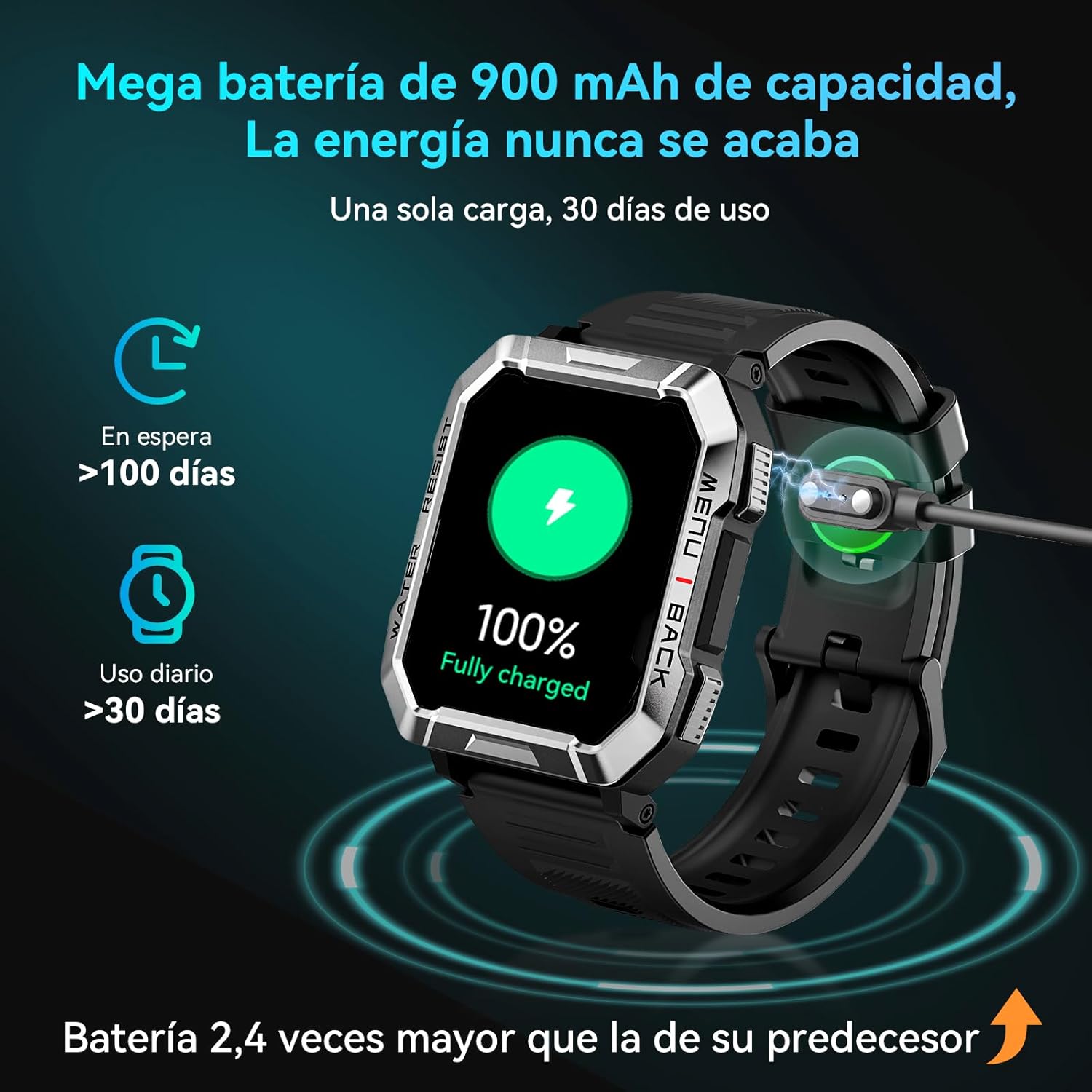
Image: The OSCAL T1 Smartwatch connected to its charging cable, showing a '100% Fully Charged' status on its display. This illustrates the charging process and the watch's impressive battery life capabilities, including over 100 days in standby mode and over 30 days of daily use on a single charge.
The 900 mAh battery provides up to 30 days of normal use and up to 100 days in standby mode.
2. App Installation
To unlock the full potential of your smartwatch, download and install the "GloryFitPro" application on your smartphone. The app is compatible with both iOS and Android devices.
- Scan the QR code in the quick start guide (if provided) or search for "GloryFitPro" in your smartphone's app store (Apple App Store for iOS, Google Play Store for Android).
- Install the application and grant necessary permissions.
- Create an account or log in if you already have one.
3. Device Pairing
Pair your OSCAL T1 Smartwatch with the GloryFitPro app via Bluetooth for data synchronization and full functionality.
- Ensure Bluetooth is enabled on your smartphone.
- Open the GloryFitPro app.
- Navigate to the "Device" or "Add Device" section within the app.
- Select "OSCAL T1" from the list of available devices.
- Confirm the pairing request on both your smartphone and the smartwatch.
Once paired, the watch will synchronize time and data with your phone.
Operating Instructions
Basic Navigation
The OSCAL T1 features a 2.01-inch LCD touchscreen and physical buttons for navigation.
- Touchscreen: Swipe up, down, left, or right to navigate through menus and screens. Tap to select an option.
- Side Buttons: Typically, one button serves as a power/back button, while others may provide quick access to specific functions or sports modes. Refer to the on-screen prompts for specific button functionalities.
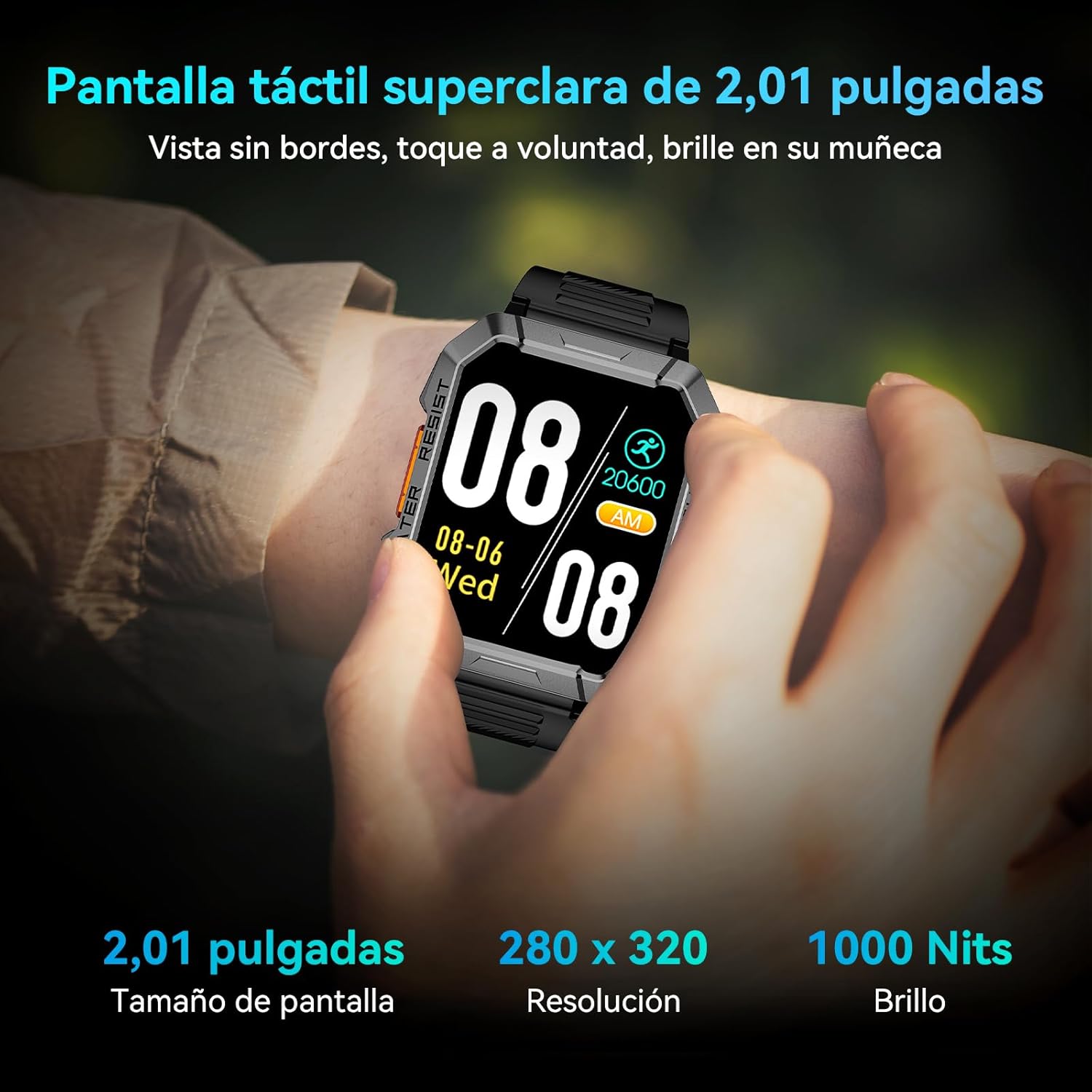
Image: A close-up of the OSCAL T1 Smartwatch display on a wrist, showing the time (08:08), date (08-06 Wed), and a step count (20600). The image highlights the clear 2.01-inch touchscreen with a resolution of 280x320 and 1000 Nits brightness, ensuring excellent visibility.
Communication Features
The smartwatch supports Bluetooth calling and notifications.
- Bluetooth Calls: With its built-in HiFi speaker and microphone, you can answer and make calls directly from your wrist after pairing with your smartphone.
- Notifications: Receive real-time notifications from various apps like WhatsApp, Instagram, Facebook, and more. Manage notification settings through the GloryFitPro app.
- AI Assistant: Utilize the AI assistant for alarms, weather updates, and voice commands.

Image: The OSCAL T1 Smartwatch on a wrist, showing various social media and communication app icons (Facebook, Instagram, WhatsApp, Line, Twitter, Gmail) floating around the watch face. This illustrates the dual-mode Bluetooth call technology and notification capabilities, indicating smoother operation, lower power consumption, and higher image frequency.
Health Monitoring
The OSCAL T1 provides comprehensive health tracking features. Note: This device is not a medical device and should not be used for medical diagnosis or treatment.
- Heart Rate Monitoring: Continuously monitors your heart rate throughout the day. View detailed reports in the GloryFitPro app.
- SpO2 Monitoring: Tracks blood oxygen saturation levels 24/7.
- Sleep Tracking: Analyzes sleep patterns, including light, deep, and REM sleep stages, to help improve sleep quality.
- Stress Level Measurement: Measures stress levels and provides insights.
- Breathing Exercises: Guides you through breathing exercises to help relax and manage stress.
- Sedentary Reminder: Alerts you when you've been inactive for too long.

Image: A person running on a treadmill wearing the OSCAL T1 Smartwatch, which displays various health metrics such as SpO2 (98%), heart rate (70 bpm), and sleep duration (7h 26min). Icons for 24/7 SpO2 monitoring, 24-hour heart rate monitoring, deep sleep tracking, and sedentary reminders are also shown, highlighting the watch's comprehensive health functions.

Image: A person sleeping with the OSCAL T1 Smartwatch on their wrist, displaying sleep tracking data. The image emphasizes the deep sleep tracking feature, which scientifically improves sleep quality by monitoring sleep stages.
Sports Modes and Activity Tracking
The OSCAL T1 supports over 160 sports modes to track your workouts accurately. It also includes GPS route synchronization via the GloryFitPro app.
- Activity Tracker: Records steps, distance, and calories burned.
- GPS Tracking: Syncs GPS routes and training data with the GloryFitPro app for outdoor activities.

Image: A collage showing three individuals performing different exercises (gymnastics rings, weightlifting, running), with the OSCAL T1 Smartwatch prominently displayed. This visual emphasizes the watch's support for over 100 training modes, encouraging a healthier lifestyle by tracking exercise.

Image: The OSCAL T1 Smartwatch on a wrist, displaying colorful activity rings and calorie burn data. This image illustrates the pedometer function, which tracks daily walks and runs, calculates calorie expenditure, and motivates users to maintain an active and healthy lifestyle.
Special Features
- Integrated LED Flashlight: The watch includes a powerful LED flashlight with a range of 6-10 meters, offering constant light, flash mode, and three brightness levels. Ideal for emergencies or navigating in low-light conditions.
- Magnetic Compass: A built-in compass assists with navigation, particularly useful for outdoor enthusiasts.
- Customizable Watch Faces: Choose from over 100 watch faces or upload your own photos to personalize your device.

Image: The OSCAL T1 Smartwatch on a person's wrist, with a bright light beam emanating from the watch face, illustrating the integrated LED flashlight. The image also highlights the compass feature, indicating its utility for illumination and navigation in various modes (constant light, flash, three brightness levels).
Maintenance
- Cleaning: Wipe the watch and strap regularly with a soft, damp cloth. Avoid using harsh chemicals or abrasive materials.
- Water Resistance (IP68): The OSCAL T1 is IP68 rated, meaning it is resistant to dust and can withstand immersion in water up to 1.5 meters for 30 minutes. It is suitable for daily use, including hand washing and rain exposure. However, it is not recommended for swimming, diving, or exposure to hot water/steam.
- Battery Care: To prolong battery life, avoid extreme temperatures and do not allow the battery to fully discharge frequently. Charge the device regularly.

Image: A robust OSCAL T1 Smartwatch with a square dial and digital display, highlighting its thick protective casing and side buttons. The image emphasizes its military-grade durability, shockproof, dustproof, and IP68 waterproof features, making it suitable for outdoor adventures.
Troubleshooting
| Problem | Possible Solution |
|---|---|
| Watch does not turn on. | Ensure the watch is fully charged. Connect it to the charger for at least 30 minutes. |
| Cannot pair with smartphone. |
|
| Inaccurate health data. | Ensure the watch is worn snugly on your wrist, about one finger's width from your wrist bone. Avoid excessive movement during measurements. |
| Notifications not received. |
|
| Short battery life. |
|
Specifications
| Feature | Detail |
|---|---|
| Model Name | T1 |
| Display Size | 2.01 Inches |
| Display Type | LCD |
| Resolution | 240 x 201 |
| Max Screen Brightness | 350 Nits Coating |
| Battery Capacity | 900 mAh |
| Battery Life (Normal Use) | Up to 30 Days |
| Battery Life (Standby) | Up to 100 Days |
| Charging Time | Approx. 2 Hours |
| Connectivity | Bluetooth |
| Operating System | Proprietary OS |
| Water Resistance | IP68 (up to 1.5 meters depth) |
| Sensors | Heart Rate Sensor, SpO2 Sensor |
| Special Features | SOS Flashlight, Compass, Integrated GPS, Bluetooth Call, Activity Tracker |
| Compatibility | iOS and Android Smartphones |
| Case Material | Alloy Steel |
| Strap Material | Rubber |
| Dimensions (LxWxH) | 50 x 45 x 14 mm |
Warranty and Support
The OSCAL T1 Smartwatch comes with a limited warranty. For detailed warranty information, product support, or service inquiries, please refer to the official OSCAL website or contact their customer service. You can also visit the OSCAL Brand Store on Amazon for additional resources.


