Introduction
Thank you for choosing the Quntis ScreenLinear Radar Monitor Light Bar. This device is designed to provide optimal lighting for your workspace, featuring smart motion detection, adjustable brightness and color temperature, and automatic dimming for eye protection. This manual will guide you through the setup, operation, and maintenance of your new monitor light bar.
What's in the Box
- Monitor Lamp x 1
- Remote Control x 1
- USB-C Cable x 1
- AAA Batteries x 3
- Screen Clip x 1
- Allen Key x 1
- User Manual x 1

Setup Instructions
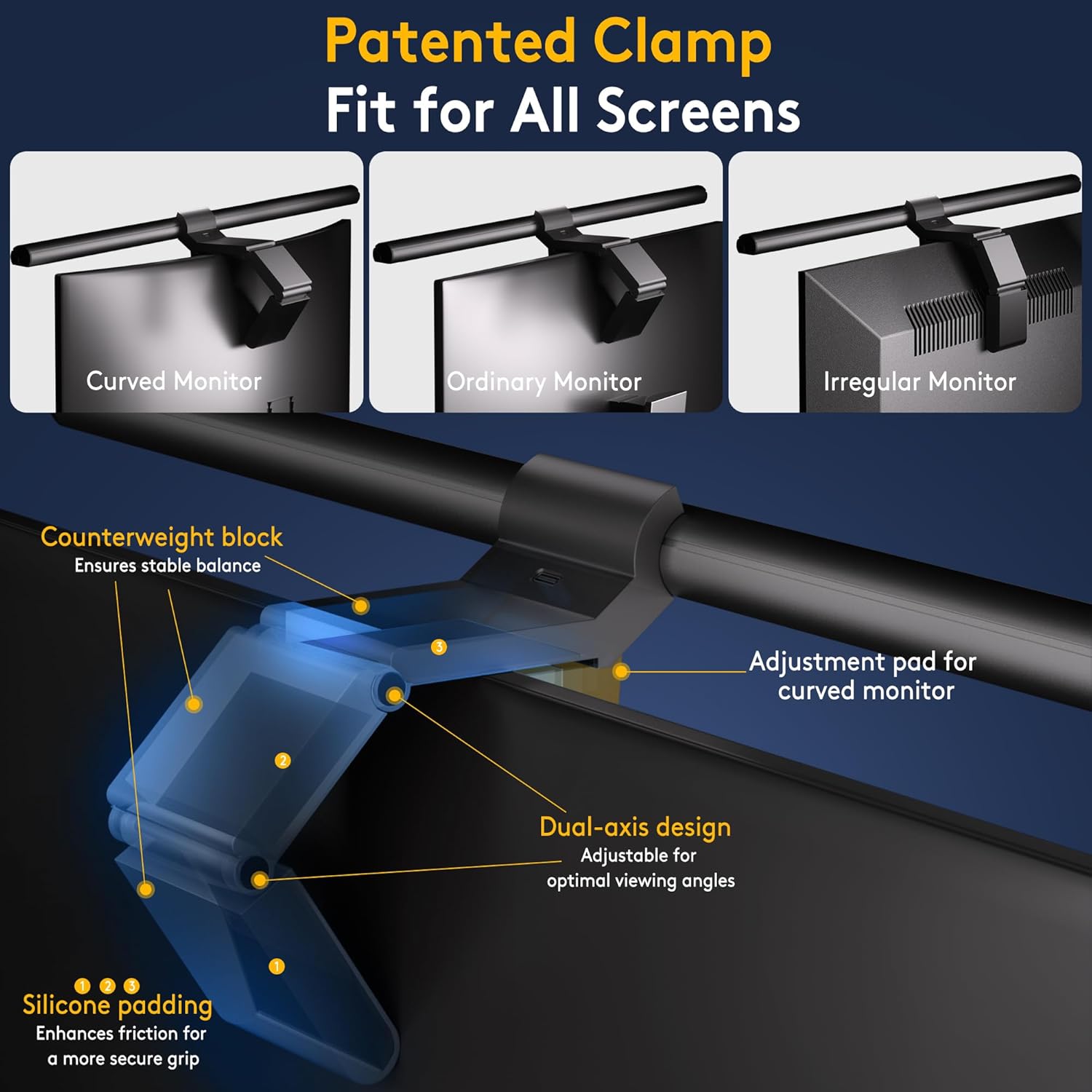
- Attach the Screen Clip: Securely attach the patented clip to the top of your monitor. The clip is designed to fit various screen types, including curved, ordinary, and irregular monitors, up to 9cm thick. The silicone padding protects your screen from scratches.
- Connect Power: Connect the L-shaped USB-C cable to the light bar and then to a USB port with a minimum power output of 5W. The 2-meter cable allows for flexible placement.
- Positioning: Ensure the light bar is positioned so that the light illuminates your desk area without causing glare on the screen or shining directly into your eyes. The asymmetric optical design directs light downwards at a 45° angle.
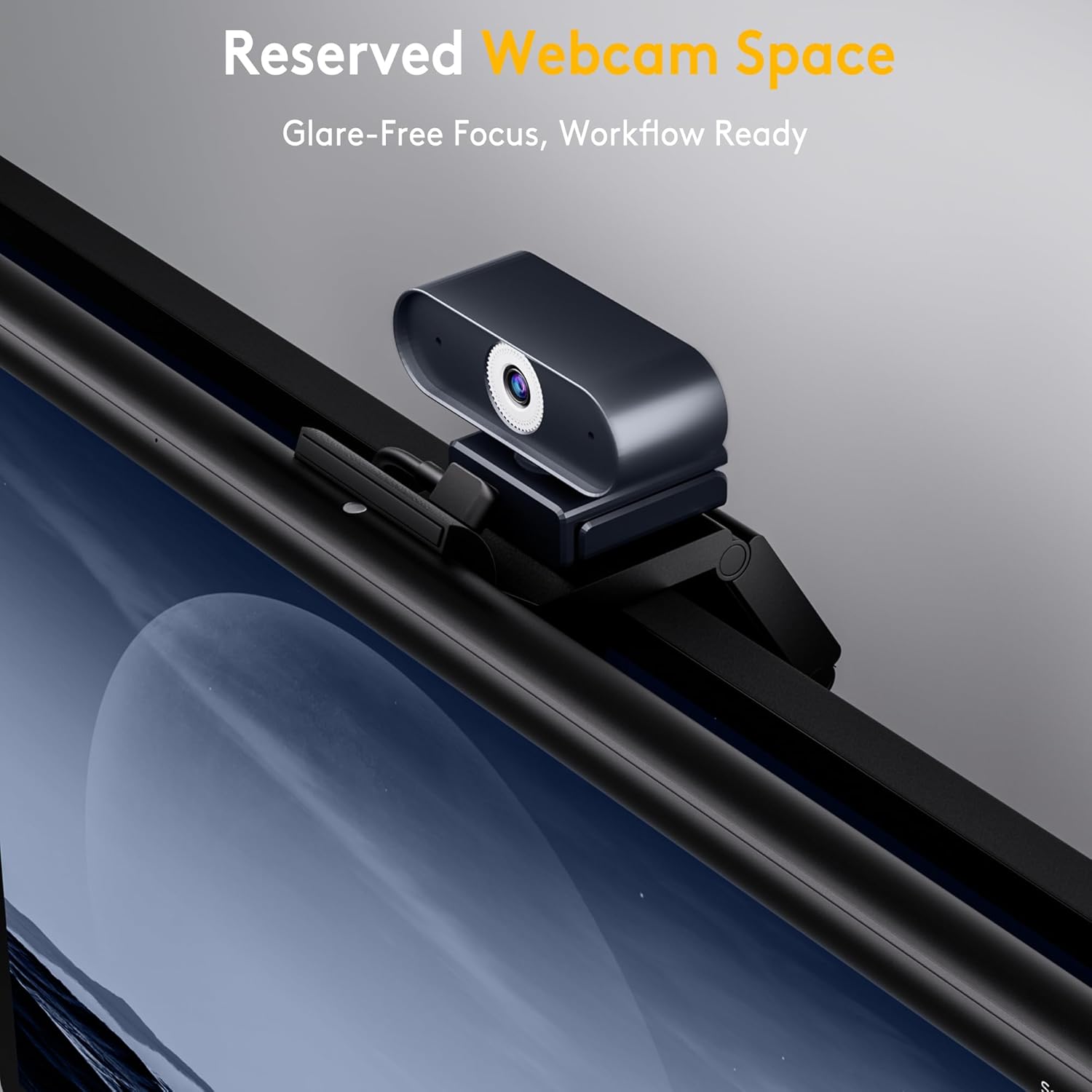
- Webcam Space: The design includes reserved space for a webcam, allowing it to be mounted above the light bar without obstruction.
- Insert Remote Batteries: Open the remote control and insert the 3 AAA batteries provided.
Operating Instructions
Remote Control Functions
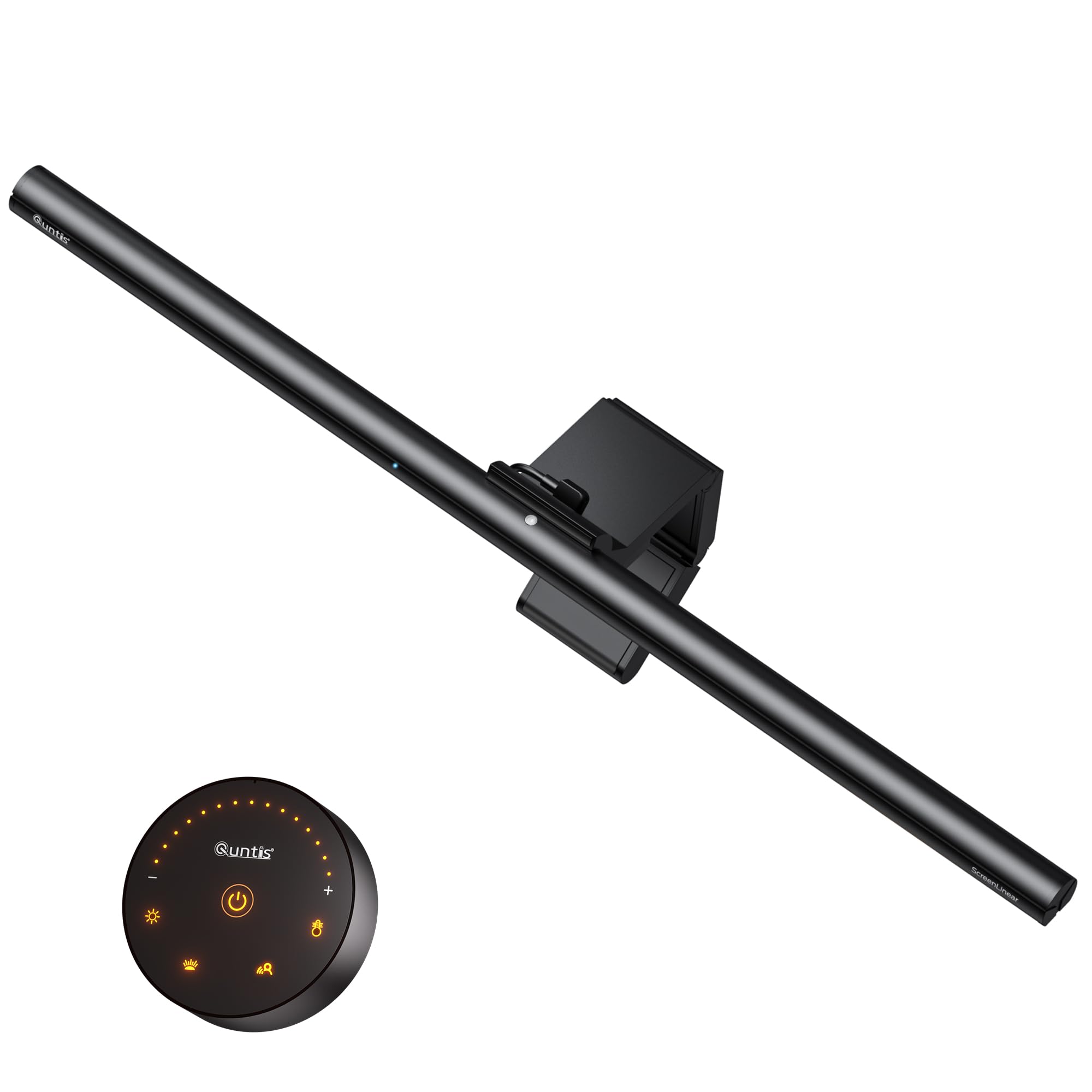
The wireless remote control allows for easy adjustment of the light bar's settings. The buttons are backlit for visibility in low light conditions.
- Power Button: Press to turn the light bar ON or OFF.
- Timer Button: Activates a timer function (specific duration not detailed, refer to full manual for specifics).
- Brightness Mode Button: Cycles through preset brightness levels (5%-100%). Long press the +/- buttons for stepless adjustment.
- Color Temperature Mode Button: Cycles through preset color temperatures (3000K-6500K). Long press the +/- buttons for stepless adjustment.
- Light Sensor Switch: Toggles the automatic dimming function.
- Radar Human Body Sensing: Toggles the motion detection feature.
Smart Motion Detection
The ScreenLinear Radar features intelligent human presence detection. When you approach within 60±10 cm, the light automatically turns on. If you move away more than 50 cm, the light will turn off after 5 minutes of no detected movement.
Brightness and Color Temperature Adjustment
You can adjust both the brightness and color temperature of the light to suit your preferences and environment.
- Brightness: Short press the brightness button to cycle through 5 preset levels (5%, 20%, 40%, 65%, 100%). For continuous adjustment, long press the '+' or '-' buttons on the remote.
- Color Temperature: Short press the color temperature button to cycle through 5 preset levels (3000K warm white, 3800K, 4500K neutral white, 5500K, 6500K cool white). For continuous adjustment, long press the '+' or '-' buttons on the remote.

Automatic Dimming Function
When the automatic dimming mode is activated via the remote control, a blue indicator on the light bar will illuminate. The ambient light sensor will then automatically adjust the light bar's brightness to maintain a comfortable illumination level, helping to reduce visual fatigue.

Key Features
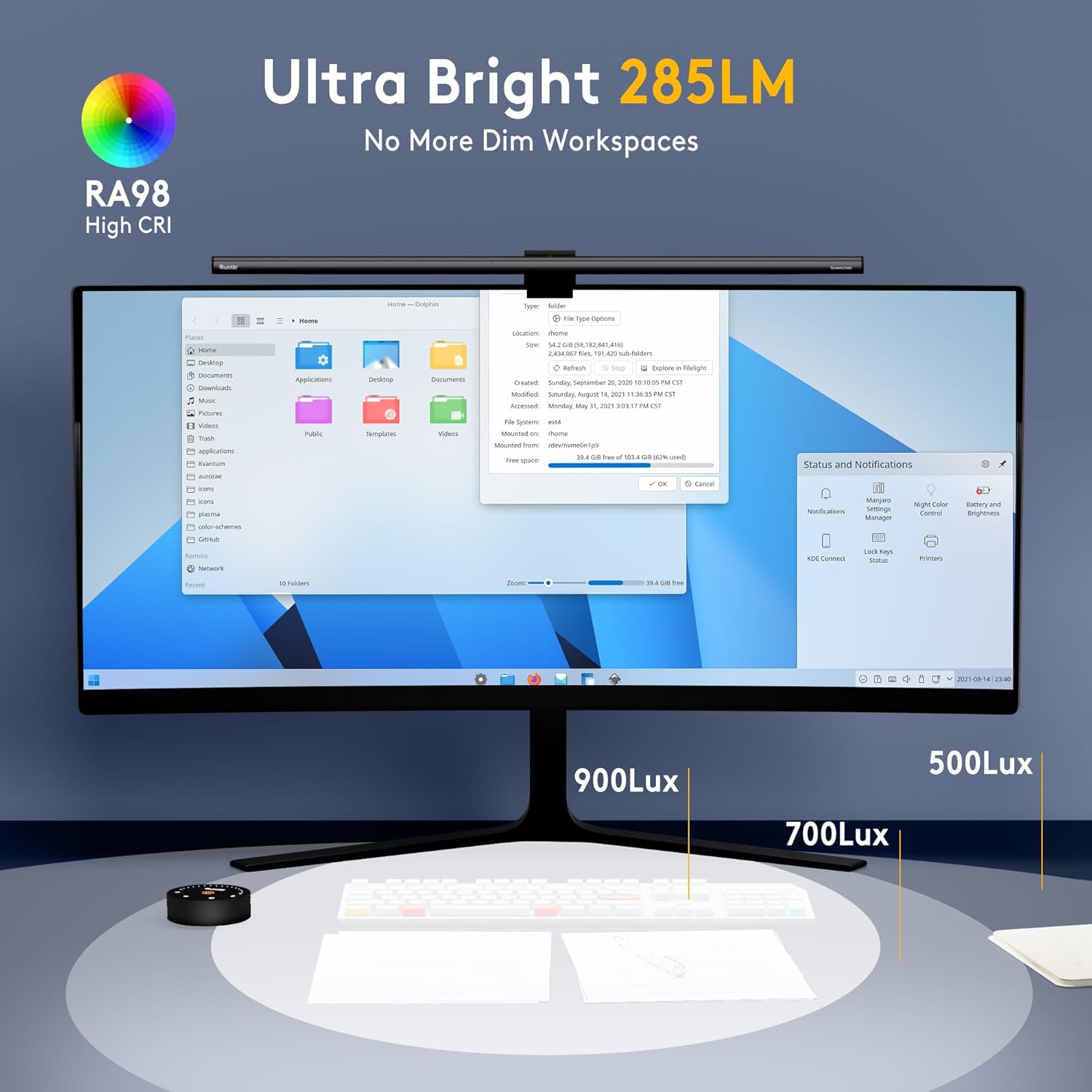
- Professional Visual Protection: The 52 cm light bar integrates 100 high-quality LEDs, providing 900 Lux brightness with uniform, soft, and flicker-free diffusion. Its 45° asymmetric optical technology illuminates only the work area, preventing direct light into the eyes and reflections on the screen. RG0 class UVB protection effectively reduces eye strain.
- High Color Rendering Index (CRI Ra98): Reproduces colors faithfully while maintaining calibrated screen accuracy, ensuring true-to-life color representation.
- Flicker-Free Lighting: Provides a stable light source, compliant with IEEE STD 1789, IEC 62493, and IEC 62471 standards, to protect your eyes from flicker-induced fatigue.


Troubleshooting
- Q: Does the screen lamp sometimes flicker?
- A: Flickering may occur when the output voltage is unstable. We recommend using a power supply with an output power greater than 10W.
- Q: What should I do if the remote control malfunctions?
- A: Consider changing the batteries and re-pairing the device by following the pairing steps in the instruction manual.
- Q: Can the remote control operate multiple lamps?
- A: Yes, once paired, the remote control can simultaneously operate multiple lamps, provided they are of the same model.
Specifications
| Brand | Quntis |
| Model | ScreenLinear Radar |
| Product Dimensions (L x W x H) | 52 x 2 x 2 cm |
| Weight | 1.06 Kilograms |
| Power Source | USB-C Cable |
| Voltage | 5 Volts |
| Wattage | 5 Watts |
| Light Source Type | LED |
| Number of LEDs | 100 |
| Luminous Flux | 900 Lux |
| Color Temperature Range | 3000K - 6500K |
| Special Features | Automatic Dimming Function, Smart Motion Sensor |
| Material | Acrylonitrile Butadiene Styrene, Aluminum |
| Remote Control Batteries | 3 AAA (included) |
Maintenance
- Cleaning: Use a soft, dry cloth to clean the light bar and remote control. Avoid using abrasive cleaners or solvents.
- Battery Replacement: If the remote control's performance degrades, replace the AAA batteries. Ensure correct polarity when inserting new batteries.
- Storage: When not in use for extended periods, store the light bar in a cool, dry place.
Warranty and Support
Quntis products come with a standard warranty. For specific warranty details, technical support, or service inquiries, please refer to the warranty card included in your package or visit the official Quntis website. Keep your purchase receipt for warranty claims.