
radtel RT-860G
Radtel RT-860G GPS Version Multi Band Ham Radio User Manual
Model: RT-860G
1. Product Overview
The Radtel RT-860G is a versatile multi-band ham radio featuring GPS functionality, extensive frequency reception, and a durable design. It supports HF, UHF, VHF, AM, USB, LSB, CW, CB, LW, MW, SW, and SSB reception, offering 1024 channels for diverse communication needs.
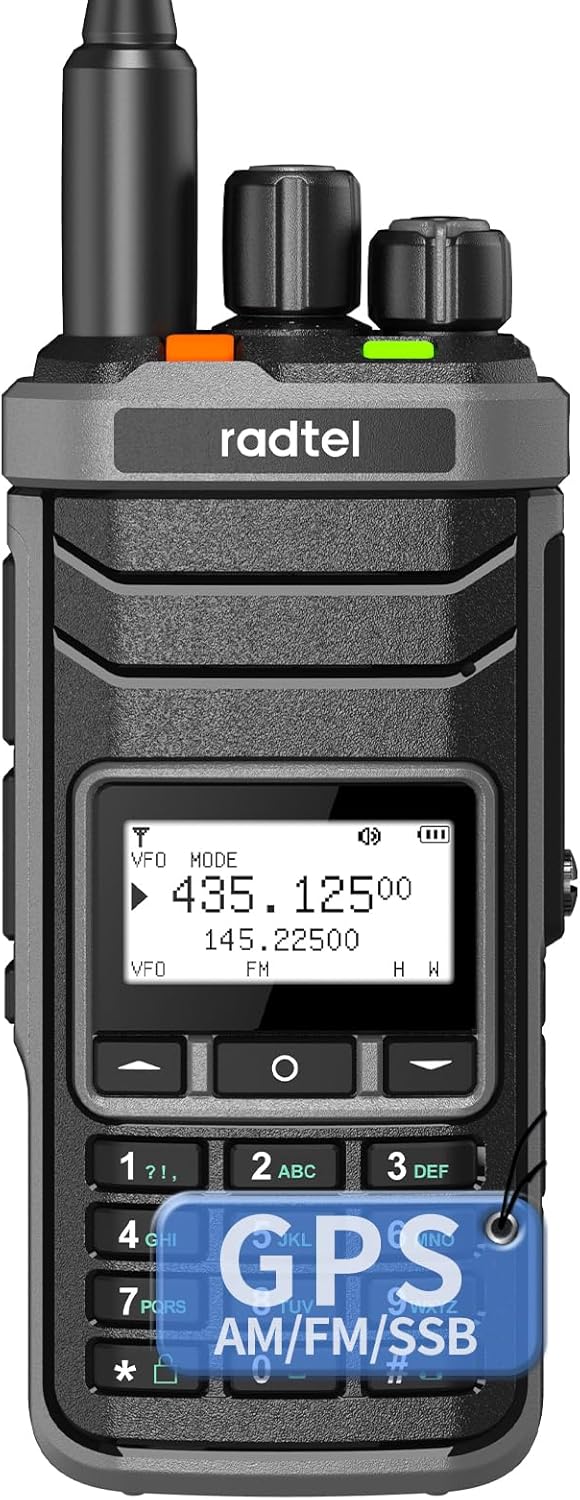
Figure 1: Radtel RT-860G Multi-Band Ham Radio
Key Features:
- Integrated GPS: Displays current location (longitude, latitude, altitude) and available satellites. Allows setting a starting point and calculating bearing/distance to a new location.
- Robust Construction: Built with metal material, dust-proof, crush-resistant, and made with eco-friendly materials for enhanced durability.
- Extensive Channel Capacity: Supports 1024 channels for versatile communication.
- Wide Frequency Reception: Full-band AM FM USB LSB CW CB LW MW SW SSB and Air-Band RX.
- Shortwave Antenna Port: Enhances signal reception for shortwave frequencies.
- User-Friendly Setup: Features 1-second matching and quick decoding for effortless communication without complex cable programming.
- Dual Charging Options: Supports both Type-C fast charging and desktop dock charging.
- Dual PTT Buttons: For convenient operation.
- Removable Belt Clip: For portability and secure attachment.
2. Package Contents
Verify that all items listed below are included in your package. If any items are missing or damaged, please contact your retailer.
- 1x RT-860G Main unit
- 1x 2000mAh Li-ion Battery
- 1x Dual band antenna
- 1x Desktop charger
- 1x Lanyard
- 1x Belt Clip
- 1x Type C charging Cable
- 1x Power supply with USB port
- 1x English User Manual (this document)

Figure 2: Contents of the Radtel RT-860G package.
3. Setup Guide
3.1 Battery Installation and Charging
The RT-860G comes with a 2000mAh Li-ion battery. Ensure the battery is fully charged before first use.
- Align the battery with the back of the radio unit and slide it into place until it clicks securely.
- To charge, connect the Type-C cable to the radio's Type-C port or place the radio in the desktop charger.
- The charging indicator on the desktop charger will illuminate to show charging status.

Figure 3: The RT-860G supports both Type-C direct charging and convenient desktop dock charging.
3.2 Antenna Attachment
The RT-860G features dual antenna sockets for optimal performance across different bands.
- Carefully screw the dual-band antenna into the appropriate antenna socket on top of the radio. Do not overtighten.
- For shortwave reception, an external shortwave antenna can be connected to the dedicated shortwave antenna port.

Figure 4: The radio features a dedicated port for connecting a shortwave antenna, enhancing reception capabilities.
3.3 Belt Clip Installation
Attach the belt clip to the back of the radio for convenient carrying.
- Align the belt clip with the designated slots on the back of the radio.
- Slide the clip down until it locks into place. Ensure it is securely fastened.
4. Operating Instructions
4.1 Power On/Off and Volume Control
- To power on, rotate the top-right knob clockwise until you hear a click.
- Continue rotating the same knob to adjust the volume.
- To power off, rotate the knob counter-clockwise until it clicks.
4.2 Frequency and Channel Selection
The RT-860G supports both VFO (Variable Frequency Oscillator) mode for direct frequency input and Channel mode for pre-programmed channels.
- Use the keypad to directly input desired frequencies in VFO mode.
- Press the MODE button to switch between different modulation types (AM, FM, USB, LSB, CW).
- Navigate through channels using the up/down arrow keys or the rotary knob.
4.3 GPS Functionality
The integrated GPS provides real-time location data and navigation assistance.
- The display shows current longitude, latitude, altitude, and the number of available satellites once GPS positioning is successful.
- To set a starting point: After successful GPS positioning, press the ◯ (circle) key.
- To measure bearing and distance: Move to a new location. After successful GPS positioning at the new location, press the # key. The bearing angle and distance relative to your starting point will be displayed.

Figure 5: The GPS feature allows for precise location tracking and bearing/distance calculations.
4.4 One-Click Matching and Quick Decoding
This feature simplifies frequency and tone matching for quick communication setup.
- Activate the one-click matching function (refer to the specific key assignment in your radio's menu).
- The radio will automatically scan and decode incoming signals to match frequency and tone settings, eliminating manual programming.
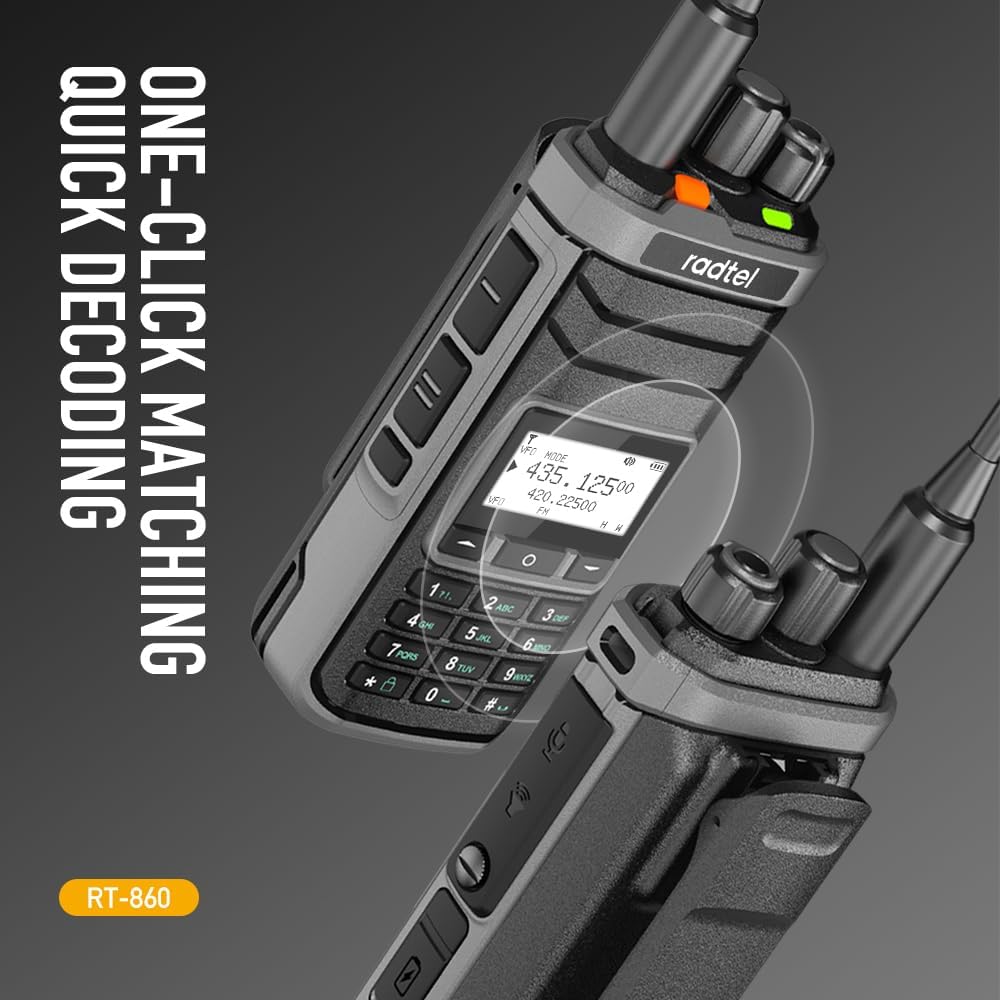
Figure 6: The one-click matching feature streamlines the setup process for seamless communication.
4.5 Additional Functions
- NOAA Weather Channels: Access 11 NOAA weather channels for real-time weather alerts.
- Spectrum Analyzer: Utilize the built-in spectrum analyzer for signal analysis.
- VOX Function: Voice-activated transmission for hands-free operation.
- Dual Standby: Monitor two different frequencies simultaneously.

NOAA Weather Channels

Spectrum Analyzer

VOX Function

Dual Standby
Video 1: Overview of the Radtel RT-860G's features and design, including its portability, dual antenna sockets, dual PTT, waterproof rating, removable belt clip, aluminum housing, shortwave reception, and charging options.
5. Maintenance
5.1 Cleaning
Regular cleaning helps maintain the radio's performance and appearance.
- Wipe the radio's surface with a soft, damp cloth. Do not use harsh chemicals or abrasive cleaners.
- Ensure the charging ports and antenna sockets are free from dust and debris. Use a soft brush if necessary.
5.2 Battery Care
Proper battery care extends its lifespan.
- Avoid fully discharging the battery frequently.
- Store the radio and battery in a cool, dry place when not in use for extended periods.
- Do not expose the battery to extreme temperatures.
5.3 Storage
When storing the radio for a long time, ensure it is powered off and the battery is partially charged (around 50%).
6. Troubleshooting
| Problem | Possible Cause | Solution |
|---|---|---|
| Radio does not power on. | Battery is low or not installed correctly. | Charge the battery or re-install it securely. |
| No signal reception. | Antenna not connected or damaged; incorrect frequency/channel. | Ensure antenna is securely attached. Verify frequency and channel settings. Check for obstructions. |
| Poor audio quality. | Low signal strength; volume too low/high; speaker/microphone obstruction. | Adjust volume. Move to an area with better signal. Check for debris in speaker/microphone. |
| GPS not acquiring signal. | Obstructed view of sky; indoors. | Move to an open outdoor area with clear view of the sky. Allow time for satellite acquisition. |
7. Specifications
| Feature | Detail |
|---|---|
| Model Number | RT-860G |
| Item Weight | 1.12 pounds |
| Product Dimensions | 1.18 x 2.36 x 4.72 inches |
| Battery Type | 1 Lithium Ion (included) |
| Battery Capacity | 2000mAh |
| Number of Channels | 1024 |
| Frequency Range | 144-148Mhz/420-450Mhz (TX/RX), Full-band AM FM USB LSB CW CB LW MW SW SSB and Air-Band RX |
| Talking Range Maximum | 5 Kilometer |
| Tuner Technology | AM/FM/SSB |
| Voltage | 7.4 Volts |
| Water Resistance Level | Not Water Resistant |
| Manufacturer | Xiamen Radtel Electronics Co.,Ltd |
8. Warranty Information
The Radtel RT-860G is covered by a 1-year manufacturer's warranty from the date of purchase. This warranty covers defects in materials and workmanship under normal use.
The warranty does not cover:
- Damage caused by accident, abuse, misuse, flood, fire, earthquake, or other external causes.
- Damage caused by operating the product outside the permitted or intended uses described by Radtel.
- Damage caused by service (including upgrades and expansions) performed by anyone who is not a representative of Radtel or a Radtel Authorized Service Provider.
- Products or parts that have been modified to alter functionality or capability without the written permission of Radtel.
- Consumable parts, such as batteries, unless damage has occurred due to a defect in materials or workmanship.
Please retain your proof of purchase for warranty claims.
9. Support
For technical support, troubleshooting assistance, or warranty inquiries, please contact Radtel customer service:
- Manufacturer: Xiamen Radtel Electronics Co.,Ltd
- Online Support: Visit the official Radtel store on Amazon: Radtel Store
- Refer to the contact information provided in your product packaging or on the official Radtel website for direct contact methods.
When contacting support, please have your product model (RT-860G) and purchase details ready.
Related documentsRT-860G


Ask a question about this manual
Ask about setup, troubleshooting, compatibility, parts, safety, or missing instructions. Manuals+ will review the question and use this page’s manual context to help answer it.