
1. Important Safety Information
Read and understand all safety precautions before operating this welding machine. Failure to follow these instructions can result in serious injury or death.
- Electric Shock: Welding current can cause fatal electric shock. Ensure proper grounding, wear dry gloves, and insulate yourself from the workpiece and ground.
- Fumes and Gases: Welding produces fumes and gases hazardous to health. Work in a well-ventilated area or use an approved respirator.
- Arc Rays: Arc rays can burn eyes and skin. Wear a welding helmet with appropriate shade and protective clothing.
- Fire and Explosion: Welding sparks and hot metal can cause fire or explosions. Keep flammable materials away from the welding area.
- Burns: Hot metal and electrodes can cause severe burns. Wear protective gloves and clothing.
This VEVOR ACDC TIG-200 welder includes built-in safety features such as Voltage Reduction Device (VRD), overcurrent protection, overload protection, and overheat protection to enhance user safety during operation.

Image: The VEVOR ACDC TIG-200 welder highlighting its safety features including overcurrent, overvoltage, overheat, and overload protection.
2. Product Overview
The VEVOR ACDC TIG-200 is a versatile 6-in-1 TIG welding machine designed for a wide range of welding applications. It supports AC TIG, DC TIG, AC Pulse TIG, DC Pulse TIG, Spot TIG, and MMA (Stick) welding modes. Featuring dual voltage compatibility (110V & 220V) and advanced IGBT technology, this welder provides stable performance and precise control for both professional and DIY users.

Image: Front view of the VEVOR ACDC TIG-200 TIG Welder, showcasing its compact design and control panel.
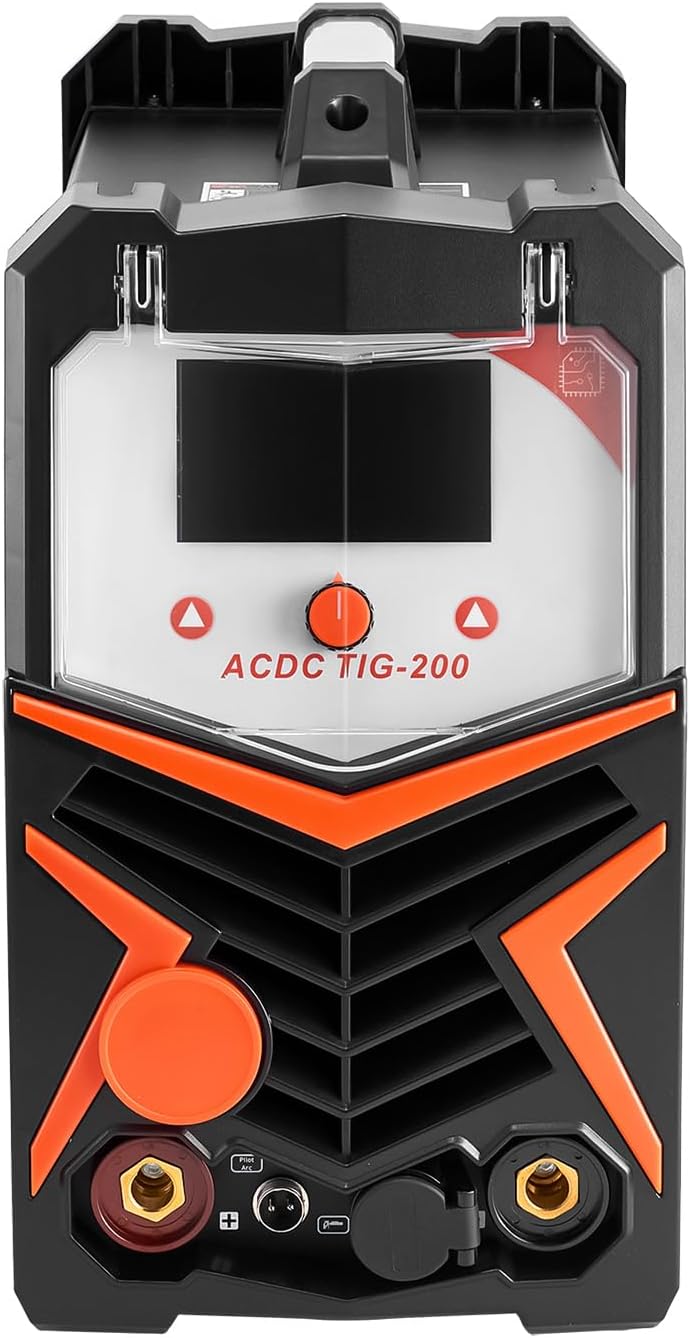
Image: Top view of the VEVOR ACDC TIG-200 welder, illustrating the layout of the control panel and connection ports.
3. Key Features
- 6-in-1 Multi-Process Welding: Offers AC TIG, DC TIG, AC Pulse TIG, DC Pulse TIG, Spot TIG, and MMA (Stick) welding modes for diverse applications.
- Aluminum Welding Capability: The AC TIG function provides a stable arc for welding aluminum, reducing porosity and ensuring strong, clean welds. Includes 9 waveform options for process optimization.
- Smart LED Display: A clear LED screen allows for easy monitoring and adjustment of welding parameters, enhancing visibility and workflow.
- Adjustable Welding Current: Current can be precisely adjusted to suit various material thicknesses, from thin sheets to thick plates, ensuring stable arcs and clean results.
- Wide Material Compatibility: Capable of welding aluminum, carbon steel, magnesium alloy, copper, stainless steel, and titanium. Supports 6010, 6011, 6013, and 7018 electrodes. Handles up to 1/4" aluminum and 3/8" low carbon steel.
- IGBT Technology: Utilizes advanced Insulated Gate Bipolar Transistor (IGBT) inverter technology for stable arc performance and smooth welds.
- Dust Cover: Features a dust cover for the welding panel, providing protection against dust, moisture, and fading for internal components.

Image: Visual representation of the six welding processes supported by the VEVOR ACDC TIG-200 welder.

Image: The large smart LCD display of the welder, showing current, function mode, and welding mode for easy monitoring.

Image: Examples of the wide range of metals that can be welded with this machine, including aluminum, carbon steel, and stainless steel.
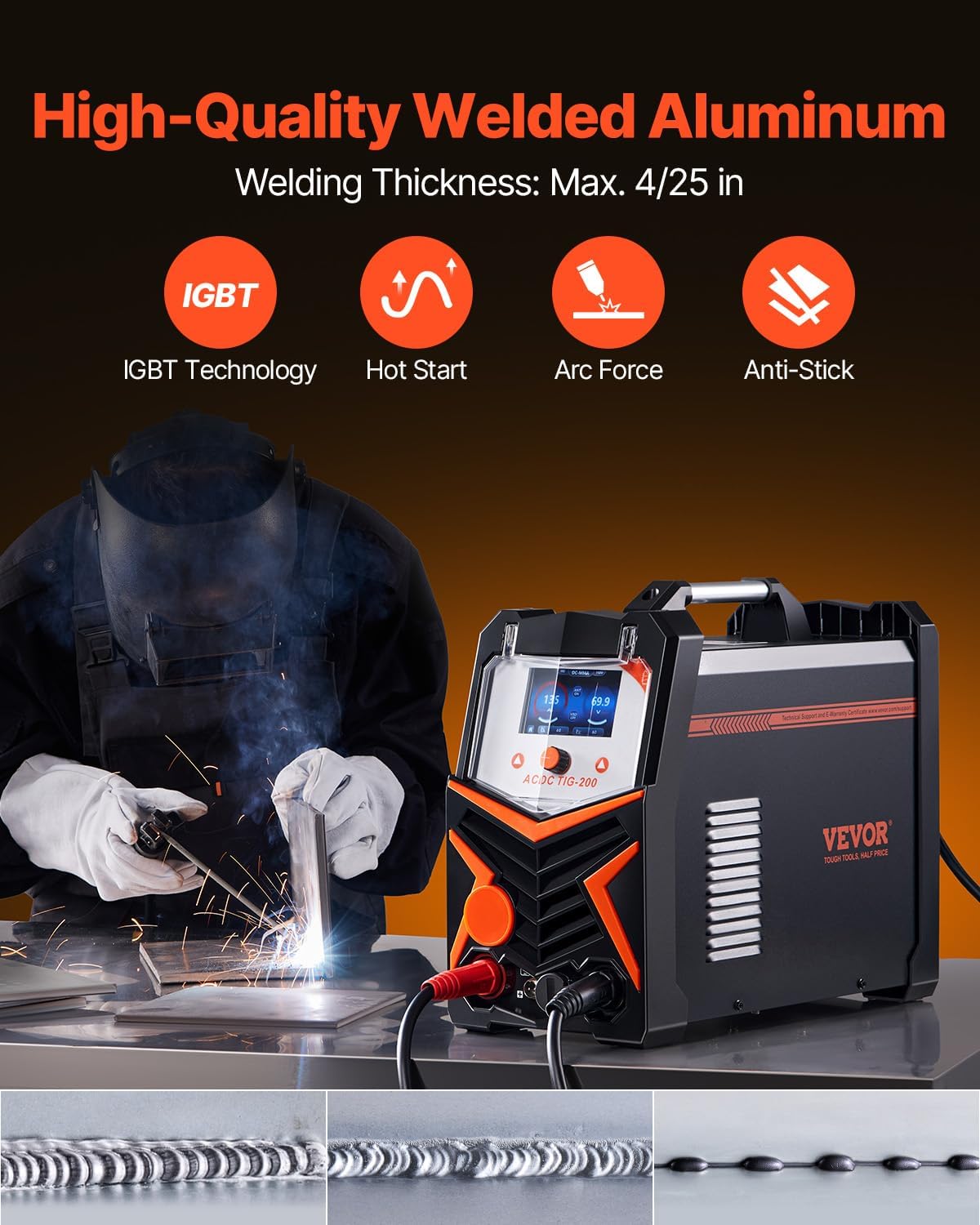
Image: The welder producing a high-quality aluminum weld, highlighting features like IGBT technology, Hot Start, Arc Force, and Anti-Stick.

Image: A transparent dust cover protecting the control panel of the welder, indicating dust-proof, moisture-proof, and fade-proof properties.
4. Package Contents
Verify that all items listed below are included in your package:
- 1 x VEVOR ACDC TIG-200 TIG Welder
- 1 x Ground Clamp
- 1 x Electrode Holder
- 1 x Air Hose
- 2 x Hose Clamps
- 1 x Argon Welding Regulator
- 1 x TIG Welding Torch
- 1 x Foot Pedal
- 1 x Face Mask
- 1 x Conversion Plug (US Includes)

Image: All included accessories for the VEVOR ACDC TIG-200 welder, including the ground clamp, electrode holder, TIG torch, foot pedal, and argon regulator.
5. Setup Instructions
Follow these steps to set up your VEVOR ACDC TIG-200 welder:
- Power Connection: Connect the welder to an appropriate power source (110V or 220V) using the provided power cord and conversion plug if necessary. Ensure the power outlet matches the welder's voltage requirements.
- Ground Clamp Connection: Attach the ground clamp cable to the designated ground terminal on the welder. Securely connect the ground clamp to the workpiece or welding table to ensure a proper electrical circuit.
- TIG Torch Connection: Connect the TIG welding torch to its designated port on the front panel. Ensure all connections are tight.
- Gas Connection (for TIG): For TIG welding, connect the argon gas cylinder to the argon welding regulator. Attach the air hose from the regulator to the gas inlet on the welder. Use hose clamps to secure connections. Ensure the gas cylinder valve is closed before connecting and open it slowly once connected.
- Electrode Holder Connection (for MMA/Stick): If performing MMA/Stick welding, connect the electrode holder cable to the appropriate terminal on the welder.
- Foot Pedal Connection: Connect the foot pedal cable to its designated port on the welder for remote current control in TIG mode.
- Safety Gear: Always wear appropriate personal protective equipment (PPE), including a welding helmet, gloves, and protective clothing, before powering on the machine.
6. Operating Instructions
This section outlines the general operation of the VEVOR ACDC TIG-200 welder. Refer to the detailed manual for specific parameter settings for each welding mode.
- Power On: Turn on the main power switch located on the rear or front panel of the welder. The LED display will illuminate.
- Mode Selection: Use the control knob or buttons on the front panel to select the desired welding mode (AC TIG, DC TIG, AC Pulse TIG, DC Pulse TIG, Spot TIG, or MMA/Stick). The selected mode will be displayed on the LED screen.
- Parameter Adjustment: Adjust welding parameters such as welding current, pulse frequency, balance, pre-flow, and post-flow according to the material type and thickness. The smart LED display provides real-time feedback on settings.
- TIG Welding (AC/DC/Pulse/Spot):
- Ensure gas flow is established.
- Position the TIG torch over the workpiece.
- Initiate the arc using the torch switch or foot pedal.
- Maintain a consistent arc length and travel speed.
- Feed filler rod into the weld puddle as needed.
- MMA/Stick Welding:
- Insert the appropriate electrode into the electrode holder.
- Strike the arc by lightly touching and quickly lifting the electrode from the workpiece.
- Maintain a consistent arc length and travel speed.
- Power Off: After welding, turn off the gas supply (if applicable) and then turn off the main power switch on the welder.

Image: An individual performing stick welding, demonstrating the MMA mode of the welder.
7. Maintenance
Regular maintenance ensures the longevity and optimal performance of your welding machine.
- Cleaning: Periodically clean the exterior of the welder with a dry cloth. Use compressed air to blow out dust from the ventilation openings. Ensure the machine is unplugged before cleaning.
- Cable and Connection Inspection: Regularly inspect all welding cables, torch, ground clamp, and power cord for damage, cuts, or loose connections. Replace damaged components immediately.
- Consumables: Check and replace TIG torch consumables (collets, collet bodies, ceramic nozzles, tungsten electrodes) and MMA electrodes as they wear out.
- Dust Cover: Utilize the provided dust cover to protect the control panel from environmental elements when the machine is not in use.
- Storage: Store the welder in a clean, dry environment, away from excessive dust, moisture, and corrosive substances.
8. Troubleshooting
This section provides solutions to common issues. For more complex problems, contact VEVOR customer support.
| Problem | Possible Cause | Solution |
|---|---|---|
| No Arc / Unstable Arc | Improper grounding, loose connections, incorrect current setting, worn consumables, insufficient gas flow (TIG). | Check ground clamp connection, tighten all cables, adjust current, replace TIG torch consumables or MMA electrode, verify gas supply. |
| Poor Weld Quality | Incorrect parameters, improper technique, contaminated workpiece, wrong filler material, insufficient shielding gas. | Adjust current/voltage/pulse settings, refine welding technique, clean workpiece, use correct filler rod, check gas flow and purity. |
| Machine Overheating | Exceeding duty cycle, blocked ventilation, high ambient temperature. | Allow machine to cool down, ensure clear ventilation, operate in a cooler environment. The machine has overheat protection and will shut down automatically. |
| No Power | Power cord unplugged, circuit breaker tripped, faulty power switch. | Check power cord connection, reset circuit breaker, contact support if power switch is faulty. |
9. Technical Specifications
| Specification | Detail |
|---|---|
| Model Number | ACDC TIG-200 |
| Welding Modes | AC TIG, DC TIG, AC Pulse TIG, DC Pulse TIG, Spot TIG, MMA (Stick) |
| Input Voltage | 110V & 220V (Dual Voltage) |
| Max Welding Current | 200A |
| Power Source | AC/DC |
| Item Weight | 33.1 pounds (15 kg) |
| Product Dimensions | 16.93 x 16.93 x 14.17 inches (43 x 43 x 36 cm) |
| Aluminum Welding Thickness | Max. 1/4 inch |
| Low Carbon Steel Welding Thickness | Max. 3/8 inch |
| Safety Features | VRD, Overcurrent, Overload, Overheat Protection |
10. Warranty and Support
For warranty information, please refer to the documentation included with your product or visit the official VEVOR website. VEVOR offers protection plans for extended coverage, which can be purchased separately.
If you encounter any issues or require technical assistance, please contact VEVOR customer support through their official website or the contact information provided in your product packaging. When contacting support, please have your product model number (ACDC TIG-200) and purchase details readily available.


