
Introduction
The PONNOR AL-12 is a versatile counterfeit detection device designed to authenticate various documents, including banknotes, credit cards, and identification cards. It utilizes advanced LED UV technology and a full-size white light panel to reveal hidden security features, ensuring accurate verification in diverse lighting conditions. This manual provides instructions for the proper setup, operation, and maintenance of your AL-12 detector.
Package Contents
- PONNOR AL-12 Counterfeit Bill Detector
- USB-C Charging Cable
- User Manual (this document)
Setup
1. Charging the Device
The PONNOR AL-12 is equipped with a built-in 1200 mAh rechargeable lithium polymer battery. Before first use, or when the battery is low, connect the device to a power source using the provided USB-C charging cable. The charging indicator will show the charging status.
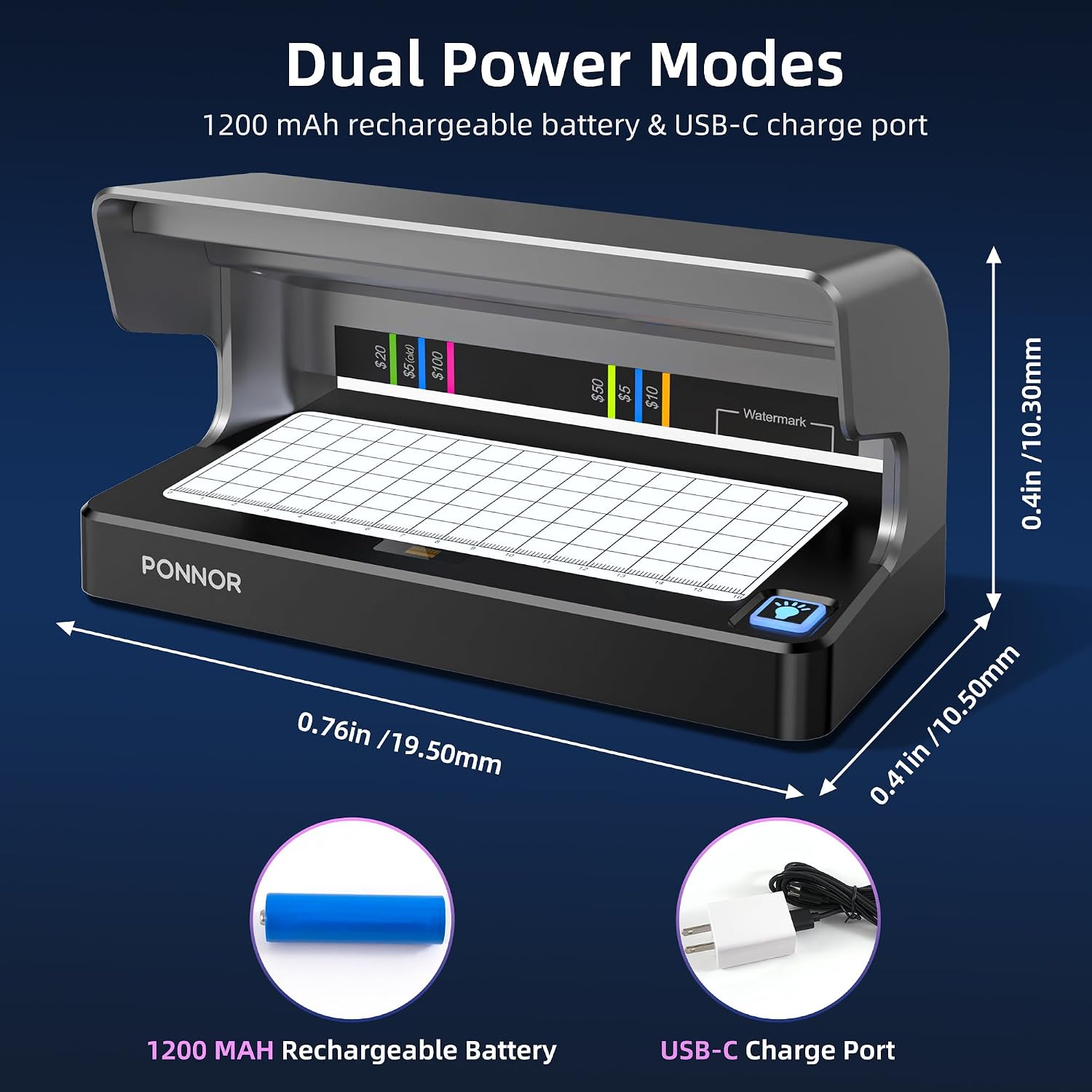
Image: The AL-12 detector highlighting its 1200 mAh rechargeable battery and USB-C charging port for flexible power options.
2. Powering On/Off
The device features an intelligent automatic on/off function. It powers on when a bill is placed for detection and automatically turns off after 20 seconds of inactivity to conserve battery life and extend LED lifespan.
Operating Instructions
1. Verifying Banknotes with UV Light
Place the banknote under the UV light. Genuine banknotes contain security threads and fibers that fluoresce under UV light. The AL-12's ultra-bright UV LED technology instantly reveals these hidden features. The built-in color-coded strips assist in comparing the fluorescent colors on the dollar bills for quick verification.

Image: The AL-12 detector using UV light to highlight security features on a banknote, including fluorescent strips and a watermark area. Color-coded guides are present for different denominations.
The device's high-intensity UV illumination ensures accurate detection even in bright or low-light environments.

Image: Illustration of the AL-12's dual, ultra-bright UV lights, indicating their intensity and coverage for effective detection.
2. Checking Watermarks and Security Threads with White Light
For watermark and traditional security thread verification, utilize the full-size white light panel. Place the banknote flat on the panel. The white light illuminates the watermark, which is a faint image embedded in the paper, and allows for clear inspection of security threads and microprinting.
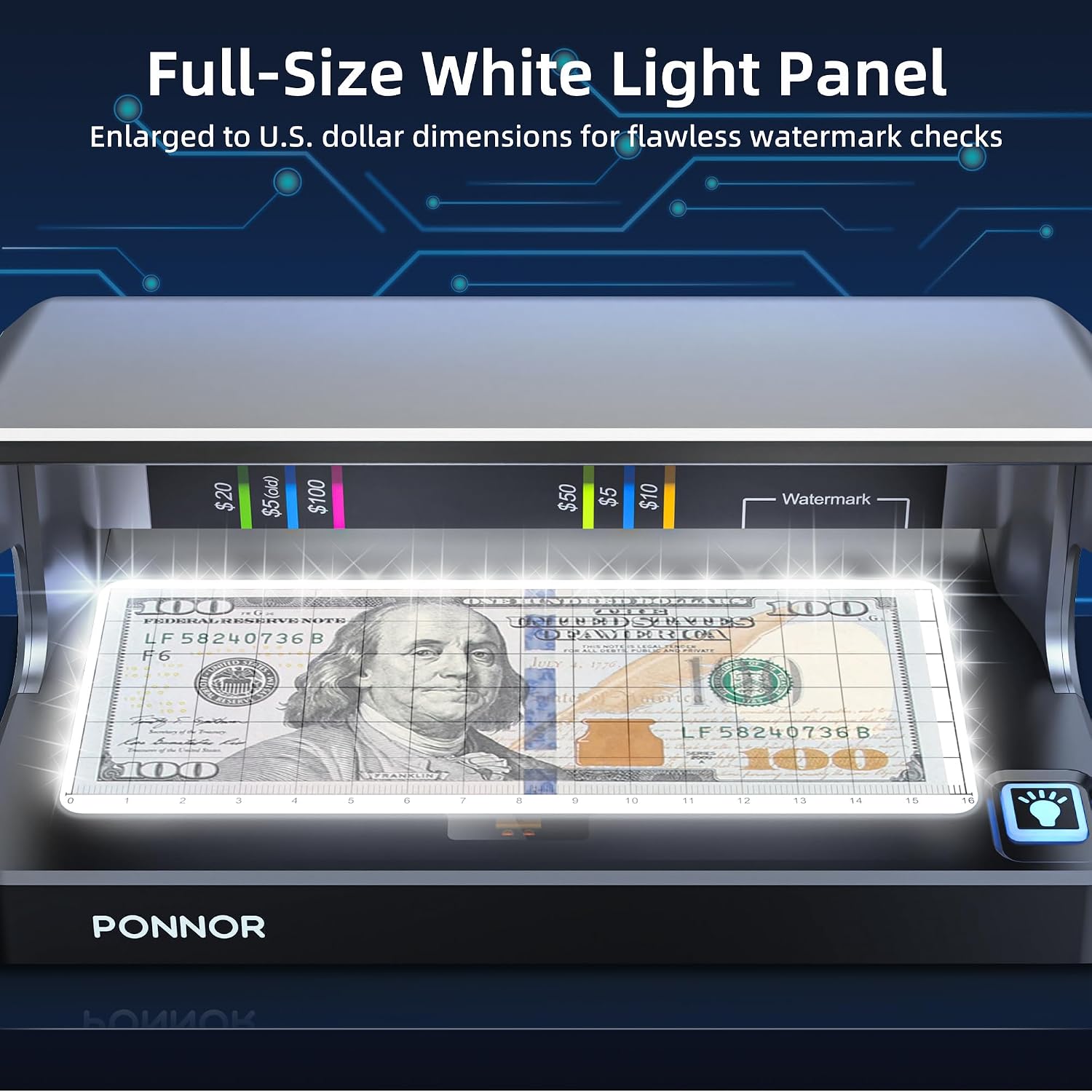
Image: The AL-12 detector's full-size white light panel, designed for inspecting watermarks and other security features on banknotes.
The 6.5 x 2.8 inch white light panel matches US dollar dimensions, ensuring comprehensive coverage. Integrated rulers assist in confirming size and placement of security features.
3. Verifying Other Documents
The AL-12 is capable of authenticating various documents beyond banknotes, including passports, identification cards, and credit cards. Place the document under the UV light or on the white light panel to reveal security features specific to that document type.

Image: The AL-12 detector demonstrating its capability as a multi-item scanner, verifying world currencies, IC cards, bank cards, and passports.
It supports authentication for various currencies including USD ($5 to $100), Euros, CAD, MXN, GBP, RMB, INR, and more.
Maintenance
- Cleaning: Gently wipe the device's surfaces, including the UV light area and white light panel, with a soft, dry cloth. Do not use abrasive cleaners or solvents.
- Battery Care: To prolong battery life, avoid fully discharging the battery frequently. Charge the device regularly, especially if it will be stored for an extended period.
- Storage: Store the device in a cool, dry place away from direct sunlight and extreme temperatures.
Troubleshooting
- Device not turning on: Ensure the battery is charged. Connect the device to a power source using the USB-C cable.
- Lights not activating: The device has an auto-on sensor. Ensure a document is properly placed under the detection area. If the issue persists, check battery charge.
- Inaccurate detection: Ensure the document is placed correctly and flat on the detection surface. Verify that the document is not damaged or excessively worn.
- Short battery life: Ensure the device is fully charged before use. Battery performance may decrease over time with prolonged use.
Specifications
| Model | AL-12 |
| Dimensions (Package) | 21.41 x 11.81 x 11.3 cm |
| Weight | 621 g |
| Battery | 1200 mAh Rechargeable Lithium Polymer |
| Power Input | USB-C |
| Detection Methods | UV LED, White Light Panel |
| White Light Panel Size | 6.5 x 2.8 inches (approx. 16.5 x 7.1 cm) |
| Features | Auto-sleep sensor, Color-coded UV strips, Integrated rulers |