
1. Introduction
Thank you for choosing the Acer Golf Rangefinder with Slope, Model SW-1000E. This device is designed to provide accurate distance measurements for golf, hunting, archery, and other outdoor activities. Featuring 6X magnification, flag pole locking with vibration, slope compensation, and a durable, portable design, this rangefinder enhances your precision and experience.
Please read this manual thoroughly to understand the proper operation, maintenance, and care of your new rangefinder.

Image: The Acer Golf Rangefinder with Slope, Model SW-1000E. This image displays the sleek design and optical lenses of the device.
2. Package Contents
Upon unpacking, please ensure all items are present:
- Acer Golf Rangefinder (SW-1000E)
- Portable Soft Case
- USB Type-C Charging Cable
- Lens Cleaning Cloth
- Hand Strap
- User Manual (this document)
- Gift Box
3. Setup and Initial Use
3.1 Charging the Device
The rangefinder is equipped with a 750 mAh USB-C rechargeable lithium-ion battery. Before first use, fully charge the device.
- Locate the USB-C charging port on the side of the rangefinder.
- Connect the provided USB Type-C cable to the rangefinder and a compatible USB power source (e.g., computer, wall adapter).
- The charging indicator light will show the charging status. A full charge provides approximately 20,000 measurements.
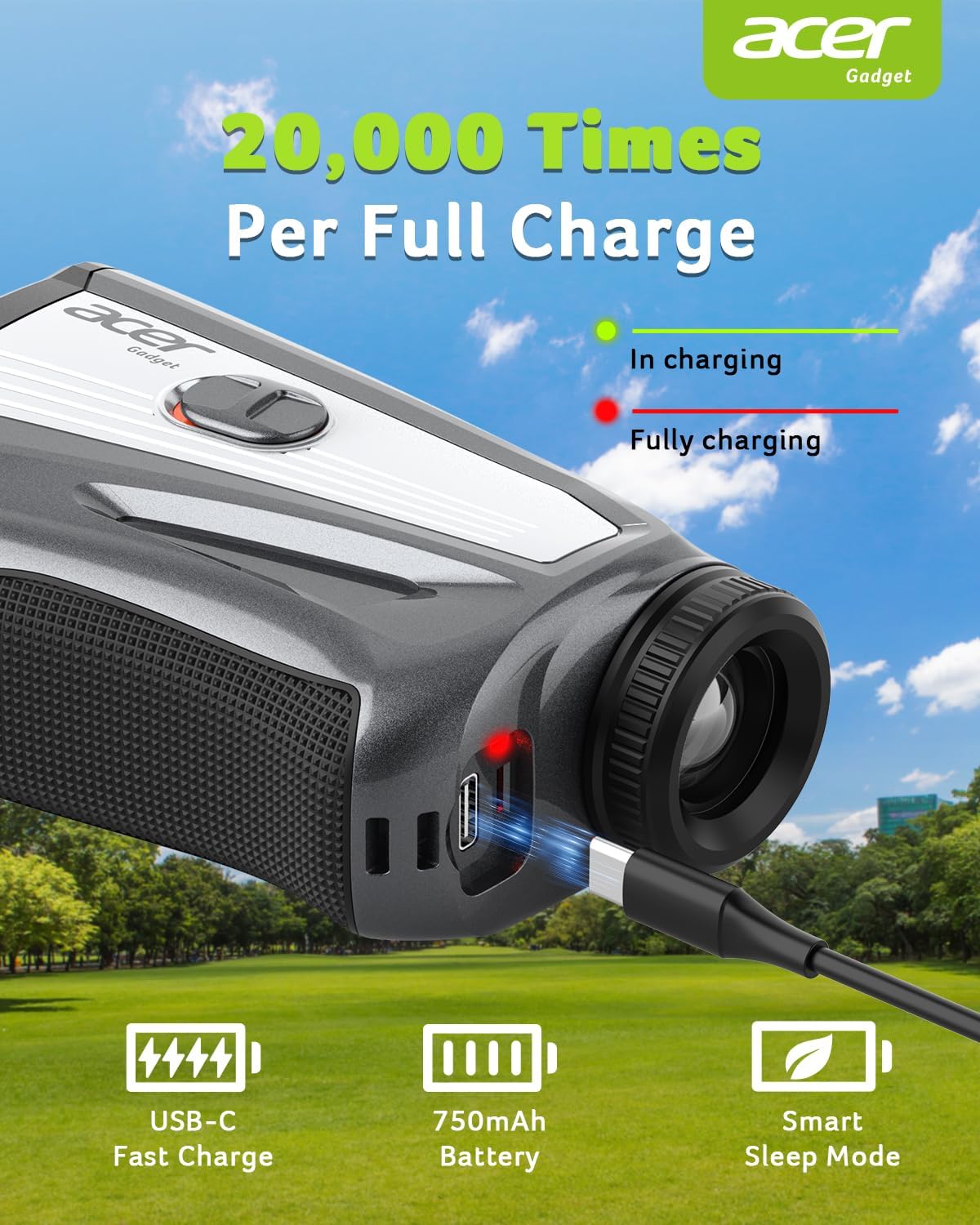
Image: The rangefinder connected to a USB-C charging cable, showing the charging indicator light. Green indicates charging, red indicates fully charged.
3.2 Powering On/Off
- To power on, press the Power button briefly.
- The device will automatically power off after a period of inactivity to conserve battery (Smart Sleep Mode).
3.3 Adjusting Diopter and Unit Settings
- Diopter Adjustment: Rotate the eyepiece to adjust the focus for a clear view through the 6X HD optics.
- Unit Setting (Yards/Meters): To switch between yards (Y) and meters (M), hold the 'M' button for 2 seconds to enter the unit setting menu, then press the Power button to toggle the unit.

Image: Diagram illustrating how to hold the 'M' button for 2 seconds to enter unit settings and press the Power button to switch between Yards (Y) and Meters (M).
4. Operating Instructions
4.1 Basic Distance Measurement
- Look through the eyepiece and aim the reticle at your target.
- Press the Power button briefly to activate the laser. The distance will be displayed instantly.
- The rangefinder offers ±0.5 yard accuracy for distances between 3 and 1200 yards.
4.2 Flag Pole Locking with Vibration
This feature helps to accurately lock onto the flagstick, even with shaky hands or in windy conditions.
- Aim the reticle towards the flagstick.
- Press and hold the Power button while slowly scanning across the flagstick.
- Once the flag is locked, the device will vibrate twice, and the distance will be displayed. This "Shake-Free Accuracy" technology minimizes errors from hand tremors.

Image: Comparison showing steady focus and sharp readings with the Acer rangefinder's anti-shake technology versus wobbly readings from other devices.

Image: Illustration of the Dual-Sense Flag Lock feature, showing the rangefinder vibrating when the flag pole is locked.
4.3 Slope Compensation
The slope compensation feature calculates the adjusted distance based on elevation changes, providing a more accurate "play as" distance for uphill and downhill shots.
- To activate or deactivate slope mode, use the dedicated one-touch slope switch on the side of the device.
- When activated, the compensated distance will be displayed alongside the actual measured distance.
- Note: For USGA compliant play, ensure the slope feature is deactivated.

Image: Diagram illustrating how slope compensation works for uphill and downhill measurements, showing the difference between measured distance and ballistic distance.
4.4 Multi-Mode Operation
Press the 'M' button briefly to cycle through the available measurement modes:
- Slope Mode: Measures distance with elevation compensation.
- Angle Mode: Displays the angle of inclination/declination.
- Speed Mode: Measures the speed of a moving object.
- Horizontal/Vertical Distance Mode: Provides horizontal and vertical components of the distance.
- Scan Mode: Allows continuous measurement of multiple targets by pressing and holding the Power button.
5. Care and Maintenance
- Cleaning: Use the provided lens cleaning cloth to gently wipe the lenses and exterior of the device. Do not use abrasive materials or chemical cleaners.
- Storage: When not in use, store the rangefinder in its portable soft case to protect it from dust, dirt, and impacts.
- Environmental Protection: The device is waterproof and dustproof, designed for outdoor use. However, avoid prolonged exposure to extreme temperatures or direct immersion in water.
- Magnetic Attachment: The rangefinder features a magnetic design for secure attachment to golf carts or clubs. Ensure the surface is clean and stable before attaching.
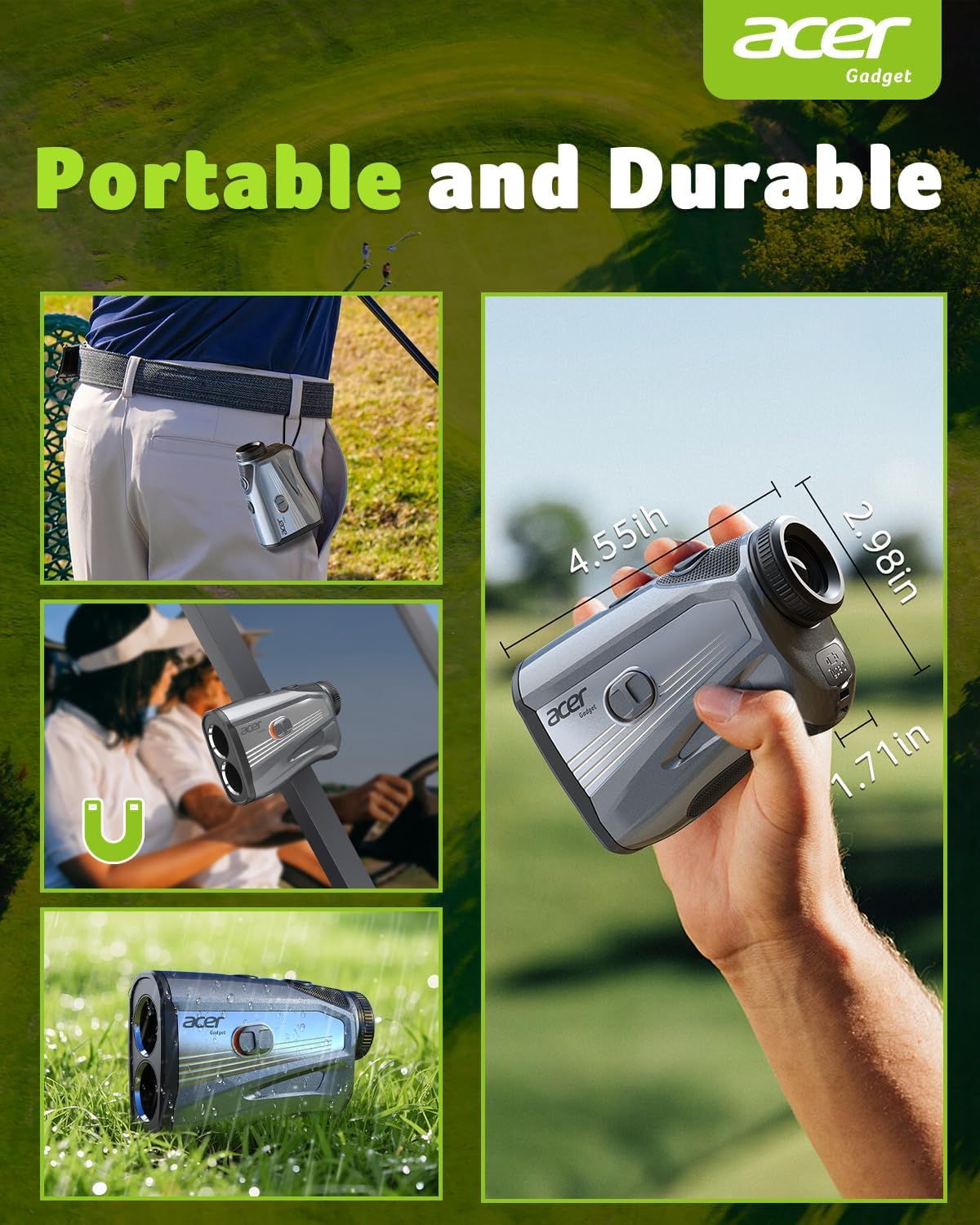
Image: Displays the rangefinder's portability, magnetic attachment to a golf cart, and its durable, waterproof design in grass.
6. Troubleshooting
If you encounter issues with your Acer Golf Rangefinder, please refer to the following common solutions:
- Device not powering on: Ensure the battery is fully charged. Connect the USB-C cable and check the charging indicator.
- Inaccurate readings:
- Ensure the lenses are clean.
- Verify you are targeting a reflective surface.
- Check for obstructions between the rangefinder and the target.
- Ensure the target is within the 3-1200 yard range.
- Display unclear: Adjust the diopter by rotating the eyepiece until the display is sharp.
- Flag lock not working: Ensure you are slowly scanning across the flagstick. The flag lock feature works best on isolated targets.
If the problem persists, please contact customer support.
7. Specifications
| Feature | Detail |
|---|---|
| Model Number | SW-1000E |
| Measuring Range | 3-1200 yards |
| Accuracy | ±0.5 yards |
| Magnification | 6X |
| Battery Type | 750 mAh USB-C Rechargeable Lithium-Ion |
| Battery Life | Approx. 20,000 measurements per charge |
| Material | Polycarbonate (PC) |
| Color | Black |
| Product Dimensions | 45.72 x 30.78 x 32.59 cm |
| Item Weight | 205 g (7.26 Ounces) |
| Features | Slope Compensation, Flag Pole Locking, Vibration, Anti-Shake Technology, Multi-Mode (Slope, Angle, Speed, Horizontal/Vertical Distance, Scan), Magnetic Attachment, Waterproof, Dustproof |
8. Warranty and Customer Support
Acer Gadget Inc. is committed to providing high-quality products and excellent customer service. Your Acer Golf Rangefinder is covered by a manufacturer's warranty. Please refer to the warranty card included in your package for specific terms and conditions.
For any questions, technical assistance, or warranty claims, please contact Acer Gadget Inc. customer support. Contact information can typically be found on the official Acer Gadget website or through the retailer where the product was purchased.
Manufacturer: Acer Gadget Inc.
