1. Introduction
This manual provides essential instructions for the installation, operation, and maintenance of your Generic Android Canbus Box HD-RZ-06 Adaptor and Wiring Harness Cable. This product is designed to facilitate the integration of an aftermarket Android car radio multimedia system into a Honda 2017 CRV vehicle, enabling communication between the vehicle's CAN-BUS system and the new head unit. Proper installation ensures full functionality of features such as steering wheel controls, door status, and other vehicle data.
2. Package Contents
Please verify that all items listed below are present in your package:
- 1x HD-RZ-06 Canbus Box
- 1x Dedicated Wiring Harness Cable for Honda 2017 CRV
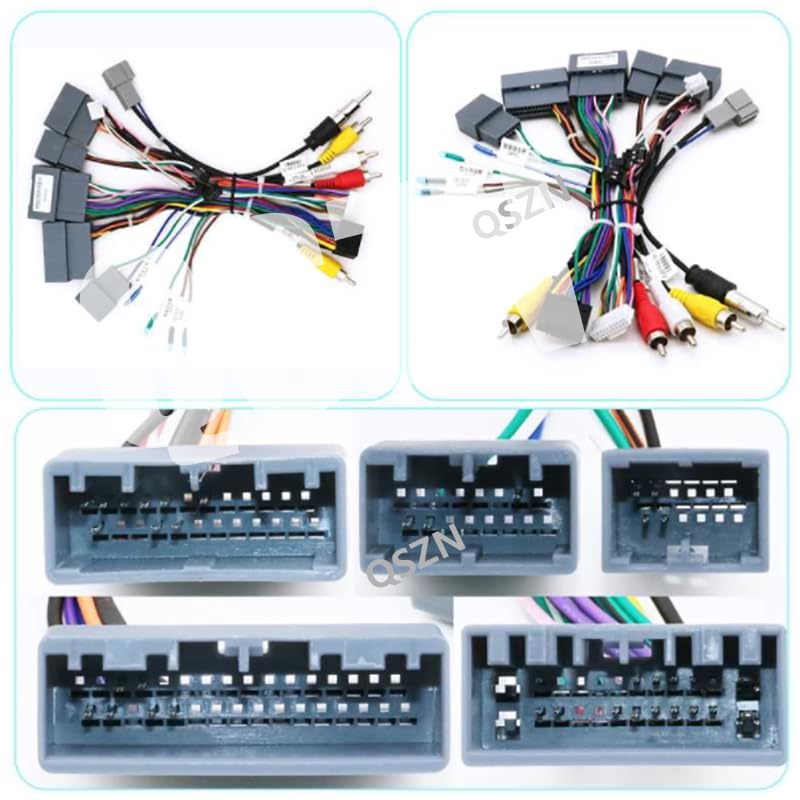
Image 2.1: The complete wiring harness cable, showing various connectors for integration with the vehicle's electrical system and the aftermarket head unit.
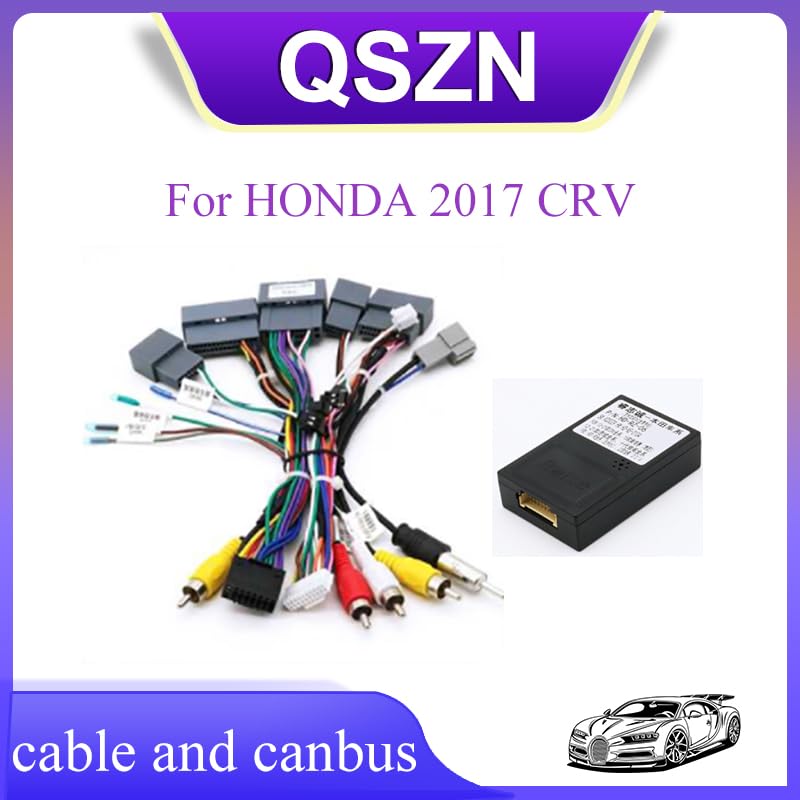
Image 2.2: A closer look at the specific connectors on the wiring harness, designed to match the Honda 2017 CRV's factory wiring.
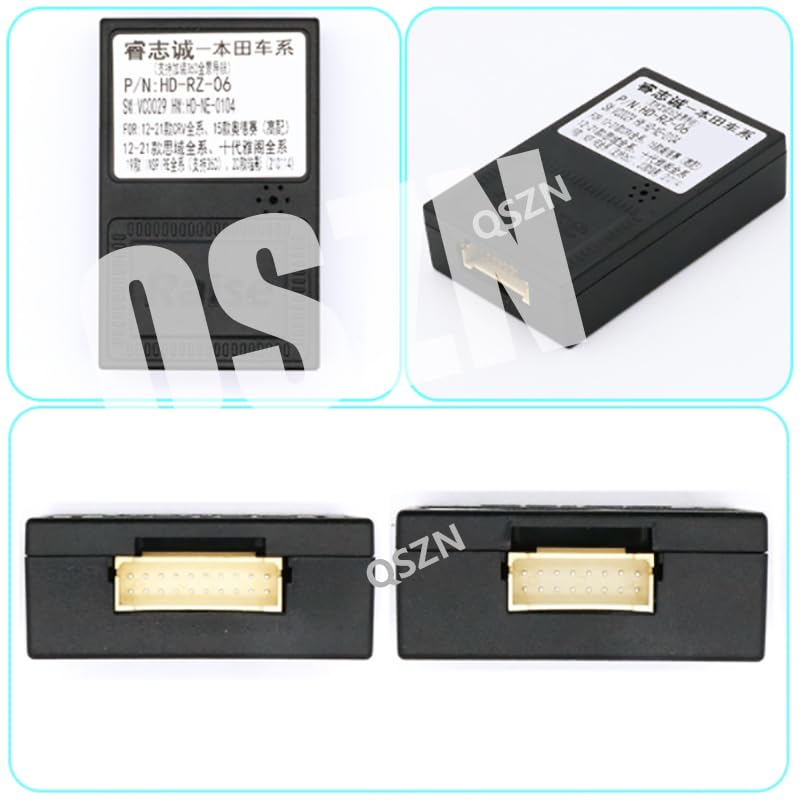
Image 2.3: The HD-RZ-06 Canbus Box, a compact electronic module responsible for interpreting vehicle data. It features a multi-pin connector port for the wiring harness.
3. Installation Guide
Installation of this product requires basic knowledge of car audio wiring and vehicle disassembly. Professional installation is highly recommended to avoid damage to your vehicle or the product.
3.1 Safety Precautions
- Disconnect the vehicle's negative battery terminal before starting any electrical work.
- Ensure the vehicle is turned off and the parking brake is engaged.
- Use appropriate tools and wear safety glasses.
- Refer to your vehicle's service manual for specific dashboard removal instructions.
3.2 Installation Steps
- Remove Factory Head Unit: Carefully remove the existing car radio multimedia system from your Honda 2017 CRV. This typically involves removing trim panels and unscrewing the head unit.
- Connect Wiring Harness: Locate the factory wiring harnesses that were connected to your original head unit. Connect the dedicated wiring harness cable (provided) to these factory connectors. Ensure all connections are secure and fully seated.
- Connect Canbus Box: Plug the HD-RZ-06 Canbus Box into the designated connector on the wiring harness. This connector is typically a multi-pin port designed specifically for the Canbus box.
- Connect to Android Head Unit: Connect the remaining connectors of the wiring harness to your aftermarket Android car radio multimedia system. Pay close attention to matching the power, speaker, antenna, and data connectors.
- Test Functionality: Before fully reassembling the dashboard, reconnect the vehicle's negative battery terminal. Turn on the vehicle and the new Android head unit. Test all functions, including audio, steering wheel controls, reverse camera (if applicable), and other integrated features.
- Secure and Reassemble: Once all functions are verified, secure the Canbus box and excess wiring to prevent rattles. Carefully reassemble the dashboard and trim panels.
4. Functionality
The HD-RZ-06 Canbus Box and wiring harness enable the following functionalities with a compatible Android car radio multimedia system in your Honda 2017 CRV:
- Steering Wheel Controls: Retains the functionality of your vehicle's factory steering wheel audio and call controls.
- Vehicle Information Display: May provide vehicle information such as door status, climate control settings, or parking sensor data to the Android head unit (functionality depends on the specific Android head unit and its software).
- Ignition (ACC) Signal: Provides a reliable ignition signal for the aftermarket head unit.
- Reverse Gear Signal: Supplies a reverse signal for automatic camera activation.
5. Troubleshooting
If you encounter issues after installation, refer to the following troubleshooting steps:
- No Power to Head Unit:
- Check all power connections from the wiring harness to the head unit and the vehicle's factory harness.
- Verify vehicle fuses related to the radio and accessory power.
- Steering Wheel Controls Not Working:
- Ensure the Canbus box is securely connected to the wiring harness.
- Check the settings within your Android head unit for steering wheel control configuration. Most Android units require a learning process for steering wheel buttons.
- Confirm the Canbus box is compatible with your specific Android head unit's Canbus protocol.
- Intermittent Functionality:
- Inspect all connections for looseness or poor contact.
- Ensure no wires are pinched or damaged during reassembly.
- No Vehicle Information Displayed:
- Verify that your Android head unit supports the display of vehicle information via Canbus.
- Check the head unit's settings for Canbus protocol selection.
6. Specifications
| Feature | Specification |
|---|---|
| Model | HD-RZ-06 |
| Compatibility | Honda 2017 CRV (for aftermarket Android car radio multimedia systems) |
| Voltage | 12V |
| Item Weight | 0.2 kg (approximate) |
| Item Dimensions | 10 x 10 x 10 cm (approximate, packaging) |
7. Care and Maintenance
The HD-RZ-06 Canbus Box and wiring harness are designed for durability and require minimal maintenance. To ensure longevity:
- Avoid exposing the components to extreme temperatures or moisture.
- Ensure all connections remain secure and free from corrosion.
- Do not attempt to open or modify the Canbus box, as this may void any implied warranty and could damage the unit.
8. Warranty and Support
Specific warranty information for this Generic product is not provided in the product details. For any issues or technical support, please contact the seller or retailer from whom you purchased the product. Ensure you have your purchase receipt and product details available when seeking support.


