
Acer SW-1000E-Camo Laser Range Finder User Manual
Model: SW-1000E-Camo
1. Introduction
Thank you for choosing the Acer SW-1000E-Camo Laser Range Finder. This device is designed for precise distance measurement in various outdoor activities, including hunting, golf, and surveying. It features 6x magnification, a range of up to 1200 yards, fast target locking, slope compensation, and a durable, rechargeable design. Please read this manual carefully to ensure proper use and optimal performance of your range finder.
2. Safety Information
This product contains a Class 1 laser. Observe the following safety precautions:
- Do not look directly into the laser aperture or at the sun through the device.
- Do not aim the device at anyone's eyes.
- Keep the device out of reach of children.
- Use only as instructed in this manual.
3. Package Contents
Verify that all items are present in your package:
- Acer Laser Range Finder (SW-1000E-Camo)
- Portable soft case
- USB Type-C Cable
- Lens Cleaning Cloth
- User Manual
- Hand Strap
- Gift box
4. Product Overview
The Acer SW-1000E-Camo Laser Range Finder is designed for ergonomic handling and robust performance. Its woodland camo finish helps it blend into natural environments.

Image: Front and side view of the Acer SW-1000E-Camo Laser Range Finder, showcasing its camouflage design and optical lenses.
Controls and Components:
- Power/Measurement Button: Activates the device and initiates distance measurements.
- Mode Button: Cycles through different measurement modes (e.g., Hunting, Golf, Speed, Height, Azimuth).
- Eyepiece/Diopter Adjustment: Rotate to adjust focus for clear viewing.
- Laser Emitter/Receiver: Located at the front of the device.
- USB-C Charging Port: For recharging the internal battery.
- Magnetic Strip: Allows for convenient attachment to metal surfaces.
5. Setup
5.1 Charging the Battery
The range finder is equipped with a built-in rechargeable Lithium-Ion battery. Before first use, fully charge the device.
- Connect the provided USB Type-C cable to the charging port on the range finder.
- Connect the other end of the USB cable to a compatible USB power source (e.g., computer, wall adapter).
- The charging indicator will illuminate during charging and change when fully charged.
- A full charge provides power for approximately 20,000 cycles of use.

Image: Illustration highlighting the USB-C rechargeable battery feature of the Acer range finder, contrasting it with devices requiring frequent battery swaps.
5.2 Powering On/Off
- To power on, press the Power/Measurement Button briefly. The display will activate.
- The device will automatically power off after a period of inactivity to conserve battery.
5.3 Adjusting Focus
Rotate the eyepiece (diopter adjustment) until the display and target appear clear and sharp.
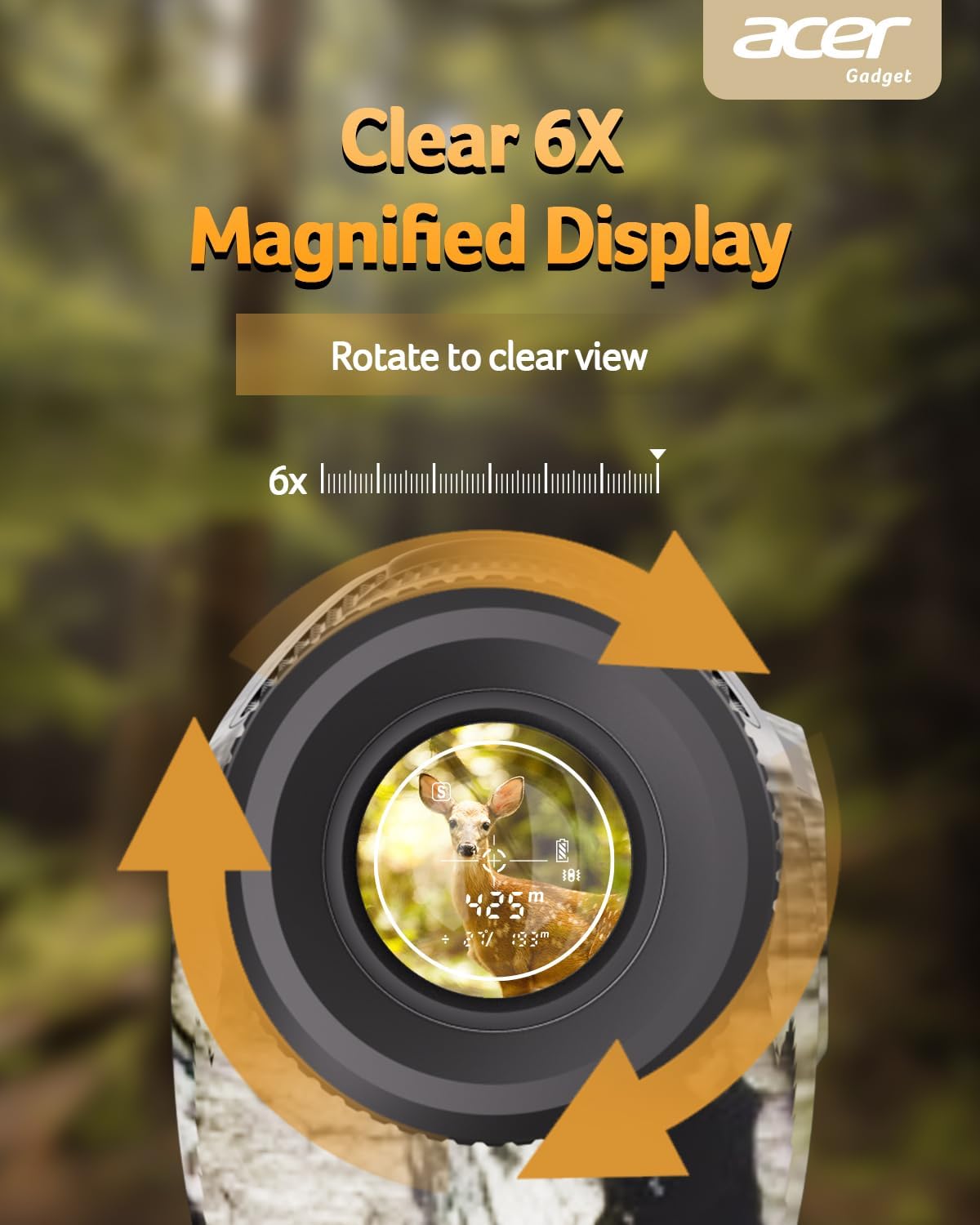
Image: Close-up view of the range finder's eyepiece, illustrating the 6x magnified display and the rotation arrows for focus adjustment.
6. Operating Instructions
The Acer SW-1000E-Camo offers multiple measurement modes for diverse applications.
6.1 Mode Selection
Press the Mode Button repeatedly to cycle through the available measurement modes. The active mode will be indicated on the display.
6.2 Hunting Mode
Optimized for hunting, this mode provides fast and accurate distance measurements up to 1200 yards. It features a 0.5-second fast target lock and slope compensation for precise targeting in varied terrain.

Image: The range finder in a natural outdoor setting, highlighting features like 97% glare reduction, 0.5s fast target lock, and a 3-1200 yards range for hunting.
6.3 Scan Mode (Dynamic Tracking)
For tracking moving targets or scanning multiple objects, press and hold the Power/Measurement Button. The device will continuously measure distances as you pan across the landscape, providing real-time updates.

Image: An illustration of the range finder's constant scan and dynamic tracking capability, showing it measuring distances to multiple moving deer simultaneously.
6.4 Golf Mode (Flag Pole Locking with Vibration)
In Golf Mode, the device prioritizes the closest target, making it easy to lock onto a flagstick even with background objects. Once locked, the range finder will vibrate to confirm the measurement.
6.5 Versatile Measuring Modes (Speed, Height, Azimuth)
The range finder includes additional modes for various measurement needs:
- Speed Mode: Measures the speed of a moving object.
- Height and Level Mode: Calculates the height of an object and its horizontal distance.
- Azimuth Mode: Provides angular measurements.

Image: A composite image demonstrating the range finder's versatile measuring capabilities, including Speed Mode (measuring a deer's speed), Height and Level Mode (measuring a building's height), Azimuth Mode, and Scanning Mode.
7. Maintenance
7.1 Cleaning
- Use the provided lens cleaning cloth to gently wipe the lenses. Do not use abrasive materials.
- For the body, wipe with a soft, damp cloth. Avoid harsh chemicals.
7.2 Storage
- Store the range finder in its portable soft case when not in use.
- Keep in a cool, dry place, away from direct sunlight and extreme temperatures.
7.3 Durability
The Acer SW-1000E-Camo features an IP54 rating, providing protection against dust and splashing water. This ensures reliable performance in various outdoor conditions.

Image: The Acer range finder being splashed with water, illustrating its IP54 water and drop protection for durability in various situations.
8. Troubleshooting
- No Power: Ensure the battery is fully charged.
- Unclear Display: Adjust the diopter by rotating the eyepiece.
- Inaccurate Readings: Ensure the target is within the effective range (3-1200 yards) and that the laser path is unobstructed. Clean the lenses if dirty.
- Device Not Responding: Try restarting the device. If issues persist, contact customer support.
9. Specifications
| Feature | Specification |
|---|---|
| Model Number | SW-1000E-Camo |
| Brand | Acer |
| Magnification | 6x |
| Maximum Range | 1200 Yards |
| Accuracy | ±0.5 yards |
| Target Lock Speed | 0.5 seconds |
| Battery Type | Rechargeable Lithium-Ion (USB-C) |
| Water Resistance | IP54 |
| Material | Polycarbonate (PC) |
| Product Dimensions | 45.72 x 30.78 x 32.59 cm (1.7 x 3 x 4.5 inches) |
| Item Weight | 205.82 g (7.26 Ounces) |
| UPC | 195133283540 |
10. Warranty and Support
For warranty information or technical support, please refer to the documentation included with your purchase or visit the official Acer support website. Keep your proof of purchase for warranty claims.
Manufacturer: Acer Gadget Inc.