
Aroepurt JSL-LDL
Aroepurt Phone Case and Screen Protector User Manual
Model: JSL-LDL
Introduction
This manual provides comprehensive instructions for the installation, operation, and maintenance of your Aroepurt Phone Case and Tempered Glass Screen Protector, designed for the ZTE Nubia A75 Z6255. This product offers robust protection, enhanced grip, and unique aesthetic features.
What's Included
Please verify that all components are present in your package:
- 1 x Aroepurt Phone Case (JSL-LDL)
- 1 x Tempered Glass Screen Protector

Image: The complete package contents, showing the phone case with integrated ring stand and the separate tempered glass screen protector.
Setup and Installation
1. Installing the Phone Case
- Ensure your phone is clean and free of dust or debris.
- Gently align your ZTE Nubia A75 Z6255 phone with the soft silicone frame of the case.
- Press the phone firmly into the case, ensuring all corners are securely seated within the shock-absorbing airbags.
- Verify that all ports, buttons, and camera cutouts align correctly with your phone.
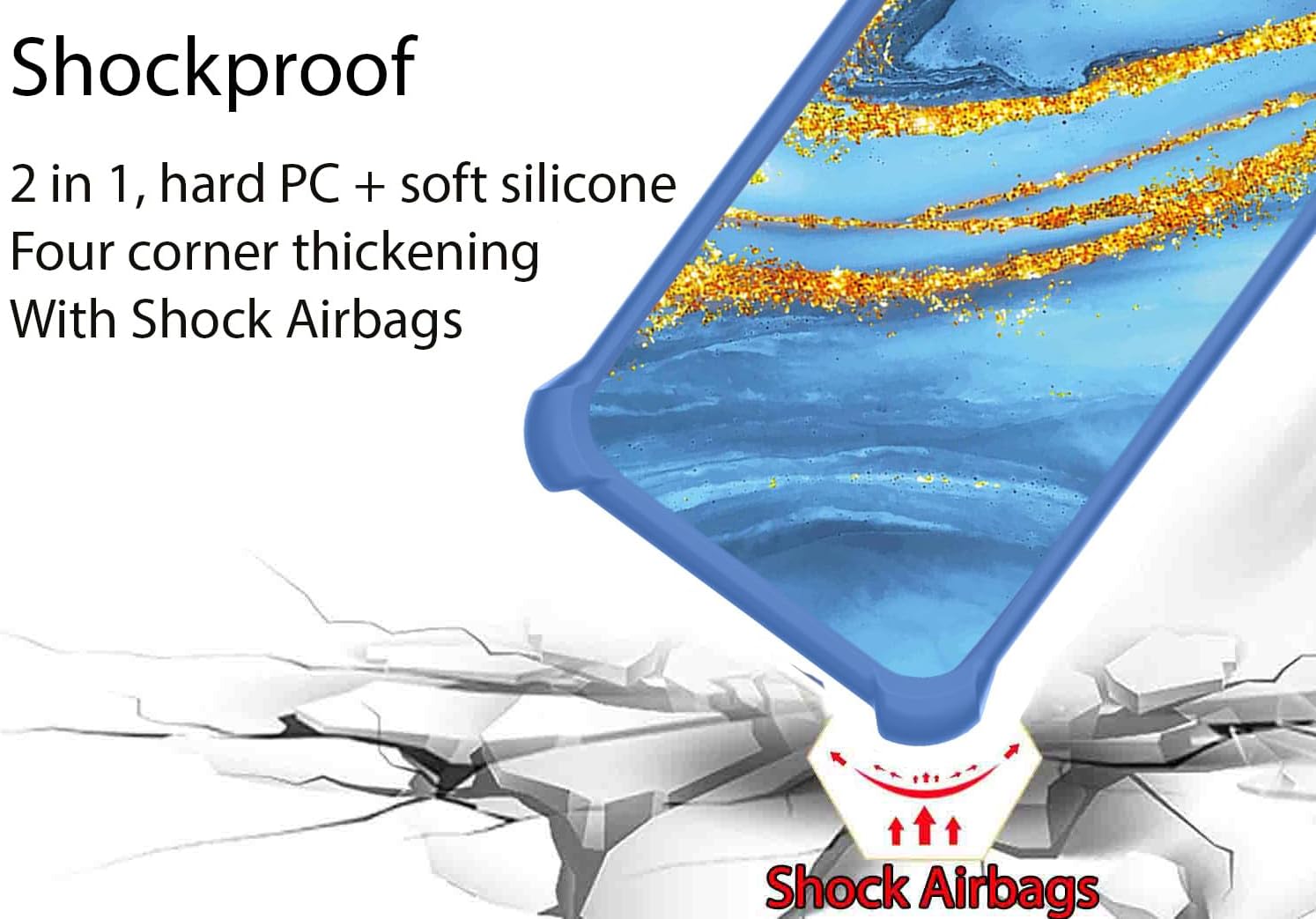
Image: Illustration of the phone case's shockproof design, highlighting the reinforced corners with shock airbags for enhanced drop protection.
2. Installing the Tempered Glass Screen Protector
- Clean the Screen: Use an alcohol wipe (not included) to thoroughly clean your phone's screen. Follow with a microfiber cloth to remove any smudges or dust.
- Remove Dust: Use a dust-absorber sticker (not included) to pick up any remaining dust particles.
- Align the Protector: Carefully peel off the protective film from the adhesive side of the tempered glass. Align the screen protector with your phone's screen, paying attention to the cutouts for the speaker and camera.
- Apply: Once aligned, gently lower the protector onto the screen. It will adhere automatically. If bubbles appear, gently push them towards the edges with a clean cloth.

Image: Diagram illustrating the key features of the tempered glass screen protector, including 9H hardness, perfect adhesion, shatterproof design, 99.9% super transparency, case-friendly fit, and anti-fingerprint coating.

Image: Visual demonstration of the screen protector's scratch-proof capabilities, showing it resisting impact from a hammer.
Operating Instructions
Ring Support Functionality
The integrated metal finger ring support provides multiple benefits:
- Enhanced Grip: Insert your finger through the ring for a secure hold, reducing the risk of accidental drops.
- Kickstand: Rotate the ring 360 degrees to position your phone at an optimal viewing angle for hands-free media consumption.
- One-Hand Operation: The ring allows for easier reach across the screen, improving one-handed usability.

Image: Demonstration of how the ring stand facilitates one-handed operation, allowing the thumb to reach more areas of the screen.
Magnetic Car Mount Compatibility
The metal ring on the back of the case is designed to be compatible with magnetic car mounts. Simply attach your phone to a magnetic car mount (not included) for secure navigation and hands-free use while driving. Note: This case does not support wireless charging due to the metal ring.

Image: Visual representation of the phone case's compatibility with magnetic car mounts, showing the ring stand attaching to a car vent mount.
Gold Glitter and Luminous Effect
The case features a unique gold glitter layer that shines brightly under light. Additionally, the special process layer absorbs light and emits a fluorescent glow in dark environments, providing a luminous effect.

Image: Detailed view of the phone case's layered construction, highlighting the gold glitter and light-absorbing layers responsible for the luminous effect, along with the frosted, scratch-free surface and PC protective backplate.
Maintenance and Care
- Cleaning the Case: Wipe the case regularly with a soft, damp cloth to remove dust and fingerprints. Avoid harsh chemicals or abrasive cleaners.
- Cleaning the Screen Protector: Use a microfiber cloth to gently wipe the screen protector. For stubborn smudges, a screen cleaner spray designed for electronics can be used.
- Avoid Extreme Temperatures: Do not expose the case or screen protector to extreme heat or cold, as this may affect their material integrity.
- Handle with Care: While designed for protection, avoid unnecessary drops or impacts to prolong the lifespan of both the case and your device.
Troubleshooting
Screen Protector Bubbles
If bubbles appear after installation, gently lift the nearest edge of the screen protector and re-apply, pushing the bubble towards the edge with a clean, soft cloth or a credit card wrapped in cloth.
Case Fit Issues
Ensure your phone model is ZTE Nubia A75 Z6255. If the case does not fit correctly, double-check that the phone is fully seated within the case and that no foreign objects are obstructing the fit.
Luminous Effect Not Visible
The luminous effect requires prior exposure to light (sunlight or artificial light) to charge. Ensure the case has been exposed to sufficient light before expecting it to glow in the dark.
Specifications
| Product Dimensions | 0.39 x 0.39 x 0.39 inches |
| Item Weight | 2.46 ounces |
| ASIN | B0DZDF9YDV |
| Special Features | 360 Rotating Ring, Car Magnetic Fixing, Stylish Design, Luminous Effect |
| Form Factor | Basic Case |
| Color | JSL-LDL (Gold Glitter+Luminous) |
| Manufacturer | GX2503-99 ARO-JS |
| Country of Origin | China |
| First Available Date | March 5, 2025 |
Warranty and Support
For any questions, concerns, or support regarding your Aroepurt product, please refer to the seller's contact information on the platform where the purchase was made. Please note that specific warranty details are subject to the seller's policy at the time of purchase.
For general inquiries, you may visit the Aroepurt brand page on Amazon.
Ask a question about this manual
Ask about setup, troubleshooting, compatibility, parts, safety, or missing instructions. Manuals+ will review the question and use this page’s manual context to help answer it.