
1. Introduction
The VirtuFit MB400 pedal exerciser combines a compact and portable design with optimal user comfort. This motion trainer allows you to improve your health and mobility easily and effectively, whether at home, in the office, or during rehabilitation. Its space-saving construction and ease of use make the MB400 suitable for people of all ages and fitness levels.
Key features include:
- 8 levels of magnetic resistance for joint-friendly training.
- 2.5 kg flywheel for smooth and uniform movement.
- Stable and non-slip design with wide feet and anti-slip studs.
- Comfortable pedals with adjustable Velcro straps, suitable for both hands and feet.
- LCD display showing time, distance, and calories burned.
- Compact, portable, and equipped with an ergonomic carrying handle.
- Battery-operated (AAA) – no power outlet required.
2. Safety Information
Please read all instructions carefully before using the VirtuFit MB400. Keep this manual for future reference.
- Consult your physician before starting any exercise program, especially if you have pre-existing health conditions.
- Ensure the exerciser is placed on a stable, flat, and non-slip surface before use.
- Keep children and pets away from the equipment during operation.
- Wear appropriate athletic footwear during leg exercises.
- Do not stand on the pedal exerciser. It is designed for seated use.
- Stop exercising immediately if you feel pain, dizziness, or nausea.
- Regularly inspect the equipment for any signs of wear or damage. Do not use if damaged.
- The maximum user weight capacity for this device is 100 kg.
3. Package Contents
Carefully unpack the box and ensure all items are present:
- VirtuFit MB400 Pedal Exerciser main unit
- Pedals with adjustable straps
- Stabilizer bars (if separate)
- Hardware for assembly (screws, washers, tools)
- User Manual
- AAA Batteries (pre-installed or separate)
4. Assembly
The VirtuFit MB400 typically requires minimal assembly. Follow these general steps:
- Attach Stabilizer Bars: If your unit has separate front and rear stabilizer bars, attach them to the main unit using the provided screws and tools. Ensure they are securely fastened to provide a stable base.
- Attach Pedals: Identify the left (L) and right (R) pedals. Screw each pedal into its corresponding crank arm. Note that the left pedal often screws counter-clockwise. Tighten firmly.
- Insert Batteries: Open the battery compartment on the LCD display unit and insert the AAA batteries, observing polarity.
Ensure all connections are tight and the unit is stable before first use.
5. Setup
Proper setup ensures effective and safe use of your pedal exerciser.
Placement
Place the MB400 on a flat, stable surface. The anti-slip feet will help keep it in place during exercise. For leg exercises, position it in front of a sturdy chair or sofa. For arm exercises, place it on a stable table.

Image: User performing leg exercises with the VirtuFit MB400, highlighting its quiet operation and suitability for home use.
Adjusting Resistance
The MB400 features 8 levels of magnetic resistance. To adjust the resistance, turn the tension control knob located on the top of the unit. Turn clockwise for higher resistance (more challenging) and counter-clockwise for lower resistance (easier).

Image: Detailed view of the tension control knob and LCD screen, illustrating how to adjust the 8 resistance levels.
6. Operating Instructions
Leg Exercises
- Sit comfortably in a sturdy chair with your feet flat on the floor.
- Place the MB400 in front of you, ensuring it is stable.
- Place your feet onto the pedals and secure them with the adjustable Velcro straps.
- Begin pedaling in a smooth, controlled motion.
- Adjust the resistance as desired using the tension control knob.

Image: An elderly user engaging in leg exercises with the MB400, emphasizing its benefits for circulation and joint health.
Arm Exercises
- Place the MB400 on a stable table at a comfortable height.
- Sit in front of the unit.
- Place your hands onto the pedals and secure them with the adjustable Velcro straps.
- Begin pedaling with your arms in a smooth, controlled motion.
- Adjust the resistance as desired using the tension control knob.

Image: A close-up of the comfortable pedals with adjustable Velcro straps, designed for secure use with both hands and feet.
Using the LCD Display
The integrated LCD display tracks your workout progress. It typically shows:
- TIME: Duration of your current workout.
- DIST (Distance): Estimated distance covered.
- CNT (Count): Number of rotations during the current session.
- T-CNT (Total Count): Total number of rotations since the last reset.
- CAL (Calories): Estimated calories burned.
- SCAN: Automatically cycles through all display functions.
Press the MODE button to cycle through the display functions or to select a specific function. To reset the values, press and hold the MODE button for a few seconds.
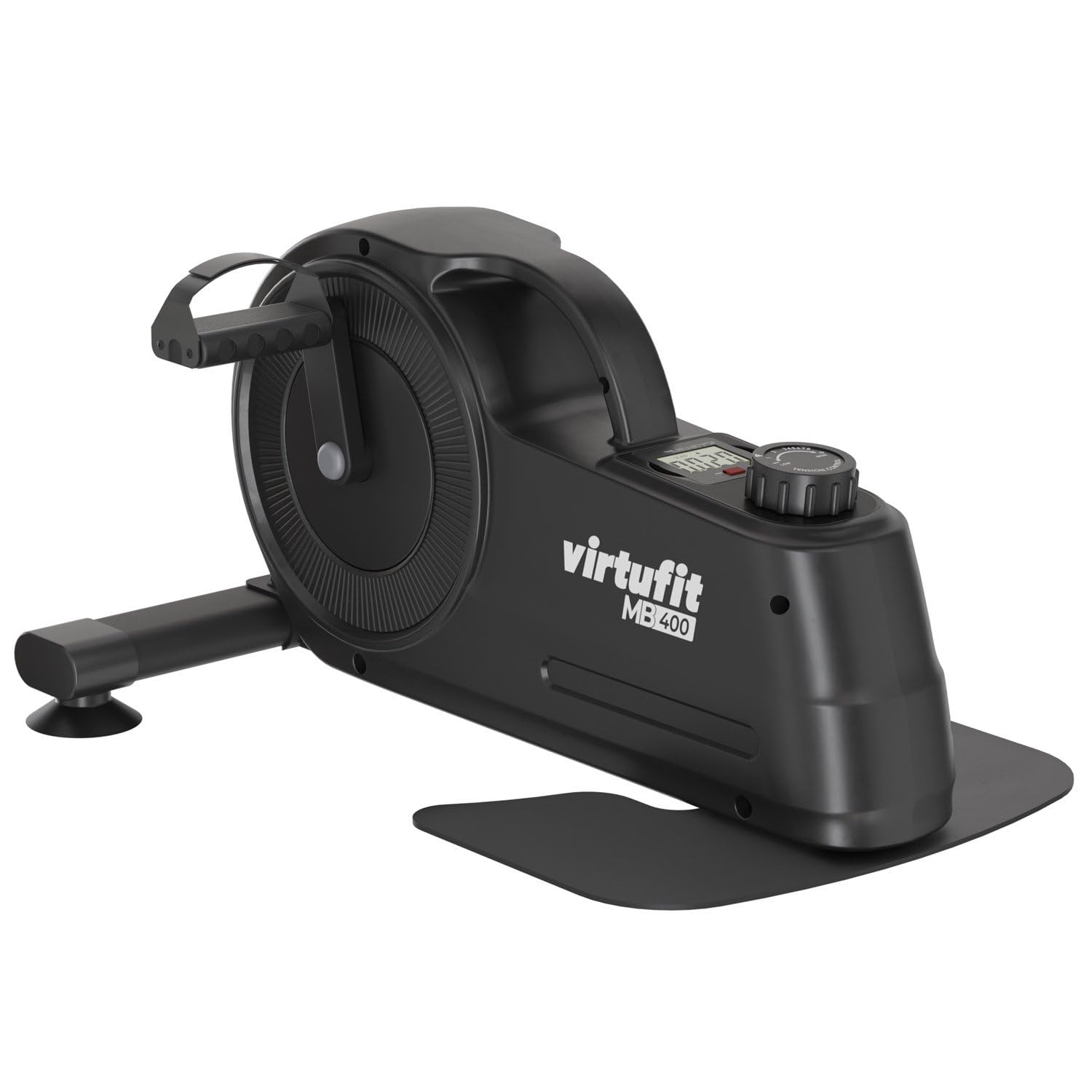
Image: A close-up of the LCD display, illustrating the various metrics tracked during exercise, such as time, distance, and calories.
7. Maintenance
Regular maintenance ensures the longevity and optimal performance of your VirtuFit MB400.
- Cleaning: Wipe down the unit with a damp cloth after each use to remove sweat and dust. Do not use abrasive cleaners or solvents.
- Inspection: Periodically check all screws and bolts to ensure they are tight. Inspect pedals and straps for wear and tear.
- Storage: Store the exerciser in a cool, dry place away from direct sunlight and extreme temperatures. Its compact design and carrying handle make it easy to store.

Image: The ergonomic carrying handle of the MB400, demonstrating its ease of transport and storage.
8. Troubleshooting
| Problem | Possible Cause | Solution |
|---|---|---|
| LCD display not working | Dead batteries or incorrect battery installation. | Check battery polarity or replace with new AAA batteries. |
| Resistance feels too easy/hard | Resistance knob not adjusted correctly. | Turn the tension control knob clockwise for more resistance, counter-clockwise for less. |
| Unit is unstable or wobbles | Loose screws or uneven surface. | Ensure all assembly screws are tight. Place the unit on a flat, level surface. |
| Pedals are loose or make noise | Pedals not securely tightened. | Re-tighten the pedals onto the crank arms. Remember the left pedal may be reverse-threaded. |
9. Specifications
- Brand: VirtuFit
- Model Number: VF20605 (MB400)
- Color: Black
- Material Type: Plastic
- Resistance Mechanism: Magnetic
- Resistance Levels: 8
- Flywheel Weight: 2.5 kg
- Power Source: Battery Powered (AAA)
- Batteries Included: Yes
- Maximum Weight Capacity: 100 Kilograms
- Product Dimensions (L x W x H): 54.5 x 29 x 44.5 cm
- Item Weight: 9.65 Kilograms
- Recommended Use: Indoor
- Special Feature: Multifunctional and adaptable

Image: Visual representation of the VirtuFit MB400 with its key dimensions labeled.
10. Warranty and Support
For warranty information or technical support, please refer to the documentation provided with your purchase or contact VirtuFit customer service. Keep your proof of purchase for any warranty claims.


