
1. Introduction
Thank you for choosing the AirKing Humidifier. This device is designed to improve air quality by maintaining optimal humidity levels in your home or office, helping to alleviate issues caused by dry air such as dry skin and irritated airways. Its modern design integrates seamlessly into any interior. Please read this manual carefully before use to ensure proper operation and maintenance.
2. Safety Instructions
- Always place the humidifier on a firm, flat, water-resistant surface at least 15 cm away from walls and furniture.
- Do not place the humidifier near heat sources or in direct sunlight.
- Ensure the power cord is not damaged and is placed where it cannot be tripped over.
- Do not immerse the unit, power cord, or plug in water or other liquids.
- Unplug the humidifier before filling, cleaning, or moving it.
- Do not add essential oils directly into the water tank. Use the designated aroma tray if available.
- Keep out of reach of children and pets.
- Do not block the mist outlet.
- Use only clean, cool tap water. Distilled or demineralized water is recommended to prevent mineral buildup.
3. Package Contents
Verify that all items are present in the package:
- AirKing Humidifier Unit (Model AKHU01TP)
- Remote Control
- User Manual
4. Product Overview
Familiarize yourself with the components of your AirKing Humidifier:
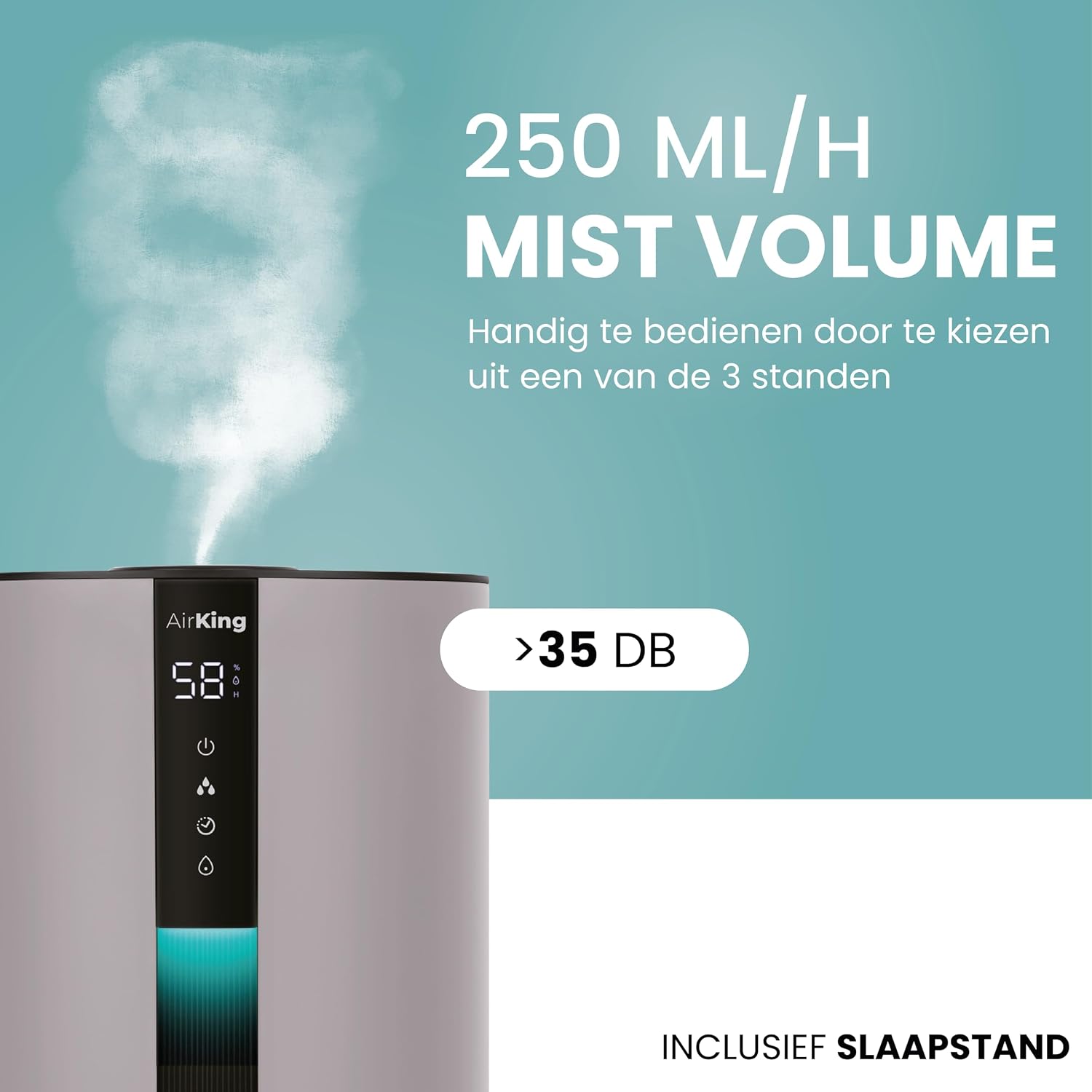
Figure 4.1: Front view of the AirKing Humidifier, showing the digital display, control buttons, and mist outlet.
- Mist Outlet: Where the cool mist is released.
- Water Tank: Holds up to 3.5 liters of water. Can be removed or filled from the top.
- Control Panel/Display: Digital interface for operating the humidifier and viewing settings.
- Hygrometer: Built-in sensor to detect ambient humidity.
- Aroma Tray (if applicable): Small compartment for adding essential oils (do not add directly to water tank).
- Power Cord: For connecting to an electrical outlet.
5. Setup
- Unpack: Carefully remove all packaging materials and place the humidifier on a stable, flat surface.
- Fill Water Tank: The AirKing Humidifier offers two ways to fill the water tank:
- Top-fill: Remove the top lid and pour clean, cool tap water directly into the tank opening.
- Removable Tank: Lift the water tank from the base, unscrew the cap, fill with water, and securely replace the cap before placing it back on the base.
Ensure the water level does not exceed the maximum fill line.
Figure 5.1: Illustrates the easy top-fill method for adding water to the humidifier.
- Add Aroma (Optional): If you wish to use essential oils, locate the aroma tray (usually a small drawer or pad) and add a few drops of essential oil to the pad. Do not add oils directly into the water tank.
- Connect Power: Plug the power cord into a standard electrical outlet. The unit will enter standby mode.
6. Operating Instructions
The AirKing Humidifier can be operated via its touchscreen control panel or the included remote control.
6.1 Control Panel Operation

Figure 6.1: Close-up of the humidifier's touchscreen control panel, showing a finger activating the power button.
- Power Button (⏻): Press to turn the humidifier ON or OFF.
- Mist Level Button (💧): Cycle through different mist output levels (e.g., Low, Medium, High).
- Humidity Setting Button (%): Set your desired humidity level. The built-in hygrometer will automatically adjust mist output to maintain this level.
- Timer Button (🕒): Set an operating timer for 1 to 12 hours. The humidifier will automatically turn off after the set time.
- Light Button (💡): Control the display light. Press to dim or turn off the display for undisturbed sleep.
- Sleep Mode Button (🌙): Activates sleep mode, which typically dims the display, reduces mist output to a quiet level, and may disable certain lights.
6.2 Remote Control Operation
The remote control provides convenient access to all functions from a distance.

Figure 6.2: The remote control for the AirKing Humidifier, showing buttons for power, mist, humidity, timer, light, and sleep mode.
The buttons on the remote control correspond to the functions on the main control panel. Point the remote control towards the humidifier's display panel to ensure proper communication.
7. Maintenance
Regular cleaning is essential for optimal performance and hygiene.
- Daily Maintenance:
- Empty and rinse the water tank daily.
- Wipe the inside of the tank with a clean cloth.
- Weekly Cleaning:
- Unplug the humidifier.
- Remove the water tank and empty any remaining water.
- Pour 2-3 cups of undiluted white vinegar into the water tank and let it sit for 20 minutes to loosen mineral buildup.
- Clean the nebulizer/ultrasonic disk and the base reservoir with a soft brush or cloth.
- Rinse all components thoroughly with clean water until the smell of vinegar is gone.
- Wipe the exterior of the unit with a soft, damp cloth.
- Storage: When not in use for an extended period, clean the humidifier thoroughly, ensure all parts are dry, and store it in a cool, dry place.
8. Troubleshooting
If you encounter issues with your humidifier, refer to the following common problems and solutions:
| Problem | Possible Cause | Solution |
|---|---|---|
| No mist or low mist output | Low water level Mineral buildup on ultrasonic disk Mist outlet blocked | Refill water tank Clean the ultrasonic disk as per maintenance instructions Ensure mist outlet is clear |
| Unusual odor | Stagnant water Dirty water tank | Empty and clean the water tank thoroughly Use fresh water daily |
| Water leakage | Water tank cap not secured Unit not on a level surface Tank damaged | Ensure water tank cap is tightly closed Place humidifier on a flat, stable surface Contact customer support if tank is damaged |
| Humidifier not turning on | No power Power button not pressed | Check power cord connection and outlet Press the power button on the unit or remote |
9. Specifications
Technical details for the AirKing Humidifier AKHU01TP:
- Manufacturer: AirKing
- Model Number: AKHU01TP
- Product Dimensions: 23 x 23 x 38 cm
- Color: Taupe
- Material: Plastic
- Power Source: Corded Electric
- Wattage: 23 Watts
- Water Tank Capacity: 3.5 Liters
- Recommended Room Size: Up to 55 Square Meters
- Operating Mode: Automatic
- Special Features: Remote Control, Built-in Hygrometer, Top-fill Design, Aroma Function, Dimable Display, Quiet Operation (typically <35dB).

Figure 9.1: The 3.5-liter water tank, designed for extended operation.
10. Warranty and Support
This AirKing Humidifier comes with a standard manufacturer's warranty. Please refer to the warranty card included in your package for specific terms and conditions.
For technical support, troubleshooting assistance, or warranty claims, please contact AirKing customer service through the retailer where you purchased the product or visit the official AirKing website for contact information.
