Introduction
Thank you for choosing the Womaqu 1:18 RC Car. This high-speed, all-metal drivetrain off-road racing truck is designed for exciting adventures. Please read this manual thoroughly before operating the vehicle to ensure safe and optimal performance. Keep this manual for future reference.
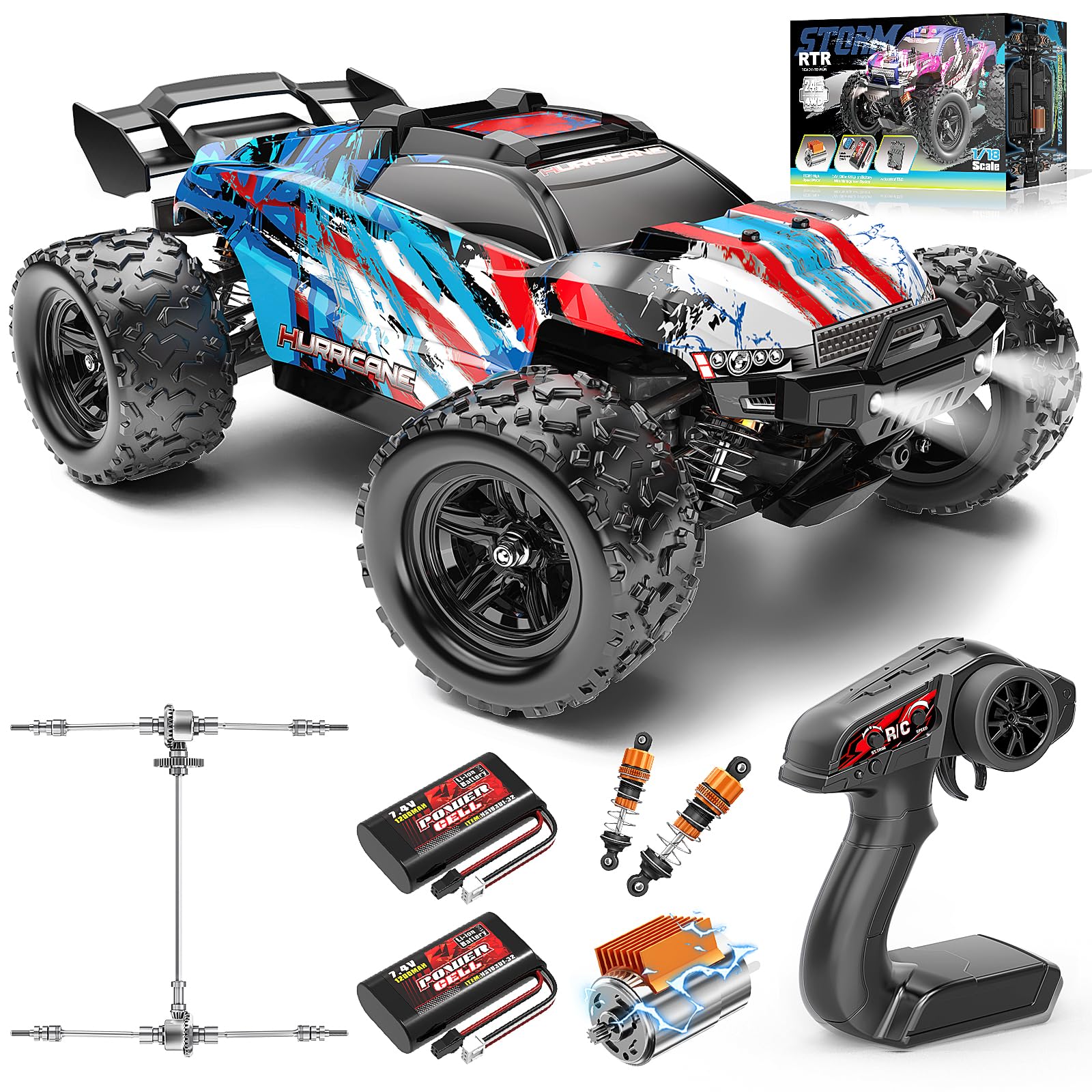
The Womaqu 1:18 RC Car, a high-speed off-road racing truck, shown in action on sand.
What's in the Box
Carefully unpack all components and check against the list below:
- 1 RC Car
- 1 Car Shell
- 2 Lithium Batteries (1200mAh)
- 1 Mini Screwdriver
- 1 Remote Controller
- 1 User Manual
- 1 Charging Cable
Important Safety Information
- CHOKING HAZARD: This product contains small parts and is not suitable for children under 3 years old.
- Always operate the RC car in open areas, away from people, pets, and obstacles.
- Do not operate near public roads, electrical wires, or water.
- Adult supervision is recommended for users under 14 years of age.
- Ensure batteries are charged correctly and never leave charging batteries unattended.
- Turn off the RC car and remote controller when not in use.
Setup Guide
1. Charging the RC Car Batteries
The RC car uses two 7.4V 1200mAh lithium batteries. Fully charge both batteries before first use.
- Connect the charging cable to the battery.
- Plug the USB end of the charging cable into a suitable USB power adapter (not included).
- The indicator light on the charging cable will show the charging status. Refer to the charger's instructions for specific light indications.
- Charging typically takes approximately 2 hours per battery. Do not overcharge.

The RC car is powered by two 7.4V 1200mAh lithium batteries, providing up to 40 minutes of playtime.
2. Installing Batteries in the RC Car
- Remove the car shell to access the battery compartment.
- Insert the charged lithium batteries into their designated slots.
- Connect the battery connectors to the car's power port.
- Carefully arrange the wires and secure the battery compartment cover.
- Reattach the car shell.
3. Installing Batteries in the Remote Controller
The remote controller requires 3 AA batteries (included).
- Open the battery cover on the back of the remote controller.
- Insert 3 AA batteries, ensuring correct polarity (+/-).
- Close the battery cover securely.
4. Pairing the Remote Controller with the RC Car
- Turn on the RC car's power switch.
- Turn on the remote controller's power switch.
- The indicator light on the remote controller will flash and then become solid, indicating a successful connection.
- If pairing fails, turn off both devices and repeat the steps.

The 2.4GHz remote control offers full proportional control with a range of up to 229 feet (70 meters), featuring speed adjustment (50%-100% throttle) and steering trim.
Operating Instructions
Basic Controls
- Throttle Trigger: Pull to move forward, push to brake/reverse.
- Steering Wheel: Turn left or right to steer the car.
- Speed Adjustment: Use the rate-limiting dial on the remote (50%-100%) to adjust the maximum speed, ideal for beginners or different terrains.
- Steering Trim: Adjust if the car pulls to one side when the steering wheel is centered.
Driving Tips
- Start with the speed adjustment set to 50% until you are comfortable with the controls.
- The 4x4 drivetrain and adjustable coilover shocks allow for smooth handling on various terrains, including grass, sand, and dirt.
- Avoid driving in deep water or extremely muddy conditions to protect the electronics.

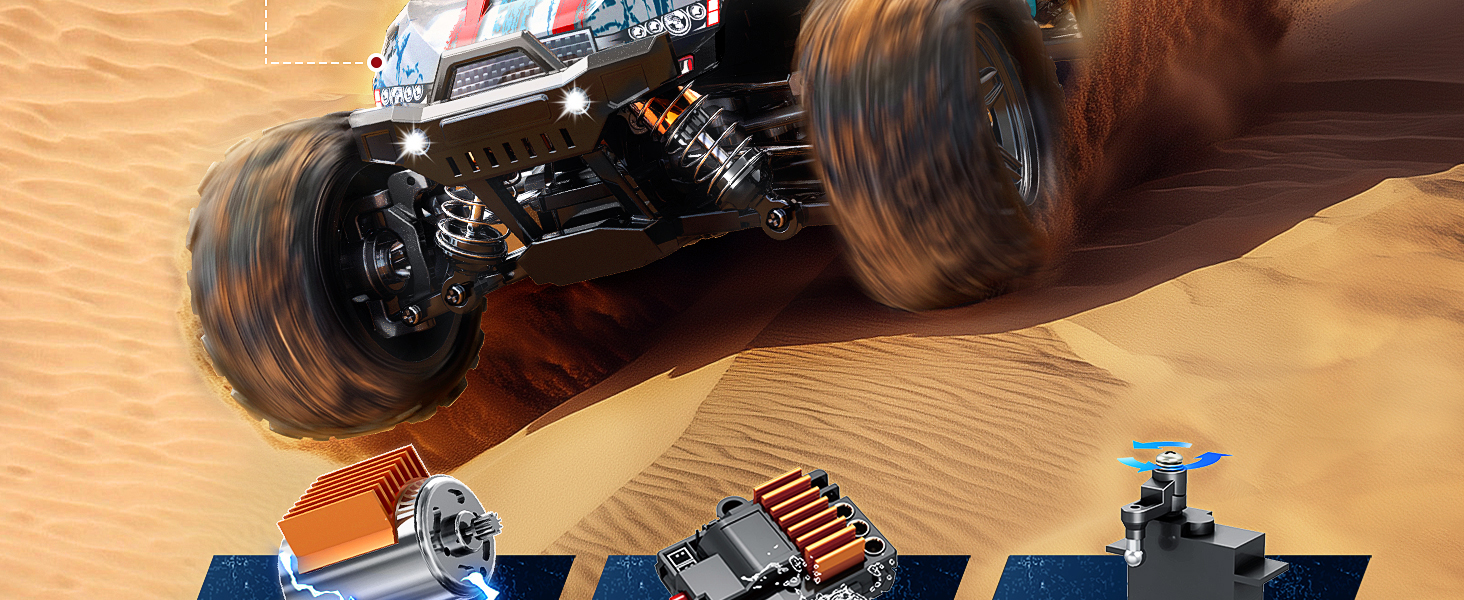
The Womaqu RC car is designed for all-terrain use, providing a dual experience on various surfaces.
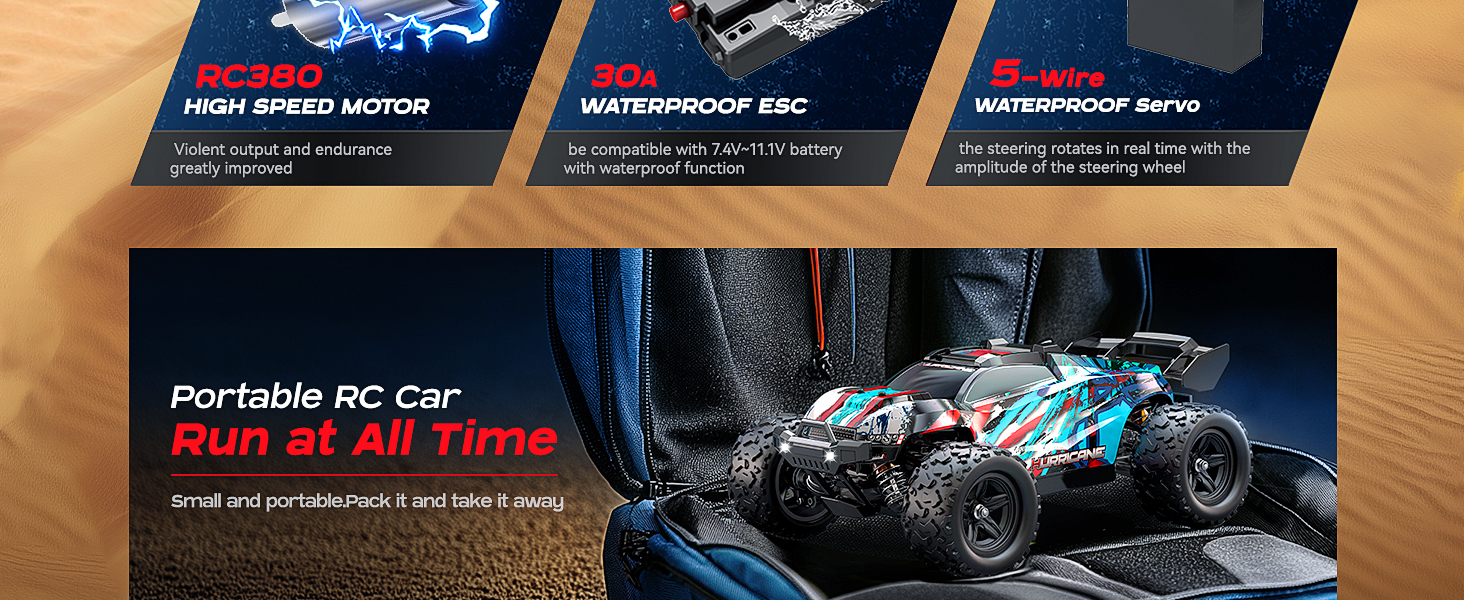
Its compact and portable design allows you to take the RC car anywhere for outdoor fun.
Maintenance
General Care
- After each use, clean the car to remove dirt, dust, and debris. Use a soft brush or cloth.
- Inspect the wheels, suspension, and drivetrain for any damage or loose parts.
- Store the RC car in a dry, cool place away from direct sunlight.
Battery Care
- Always disconnect batteries from the car when not in use.
- Do not store fully charged or completely discharged batteries for extended periods. Charge them to about 50% for storage.
- The car features a protective circuit to prevent overcharging, over-discharging, and short-circuiting.
Drivetrain and Components
The Womaqu RC car features an all-metal drivetrain, waterproof electronics, and an aluminum heatsink for the motor, ensuring durability.

The high-strength metal drive system ensures durability and reliable performance.
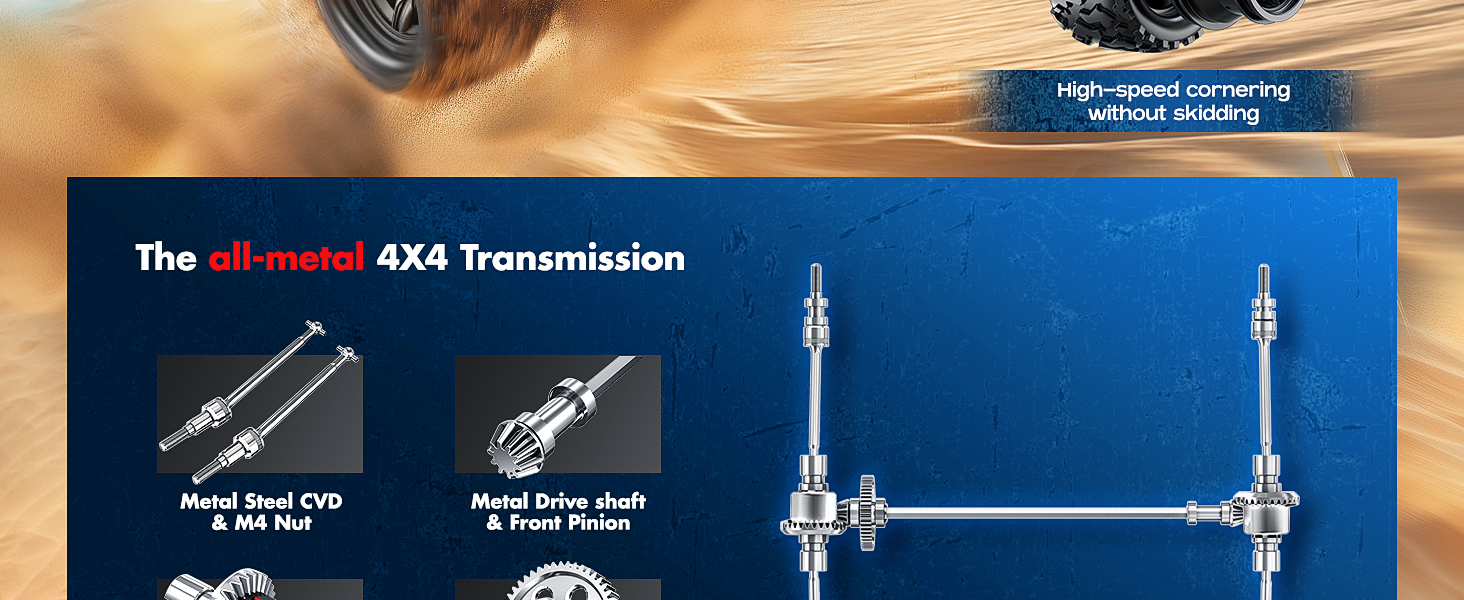
The all-metal 4x4 transmission provides robust power delivery and cornering stability.
Troubleshooting
| Problem | Possible Cause | Solution |
|---|---|---|
| Car does not respond to remote. | Low battery in car or remote; not paired; power switch off. | Charge car batteries; replace remote batteries; ensure both power switches are ON; re-pair car and remote. |
| Short playtime. | Batteries not fully charged; old batteries; aggressive driving. | Ensure batteries are fully charged; consider replacing old batteries; moderate driving style. |
| Car pulls to one side. | Steering trim needs adjustment. | Adjust the steering trim dial on the remote controller. |
| Reduced speed or power. | Low battery; speed adjustment set too low; debris in drivetrain. | Charge batteries; check speed adjustment on remote; clean drivetrain. |
If any parts are damaged, replacement components are available through the Womaqu Amazon store for easy repair.
Specifications
- Model Number: HS18321
- Scale: 1:18
- Top Speed: Up to 40 km/h
- Motor: RC380 Brushed Motor
- Drivetrain: 4x4 All-Metal
- Batteries: 2 x 7.4V 1200mAh Lithium-ion (for car), 3 x AA (for remote)
- Playtime: Up to 40 minutes (with two batteries)
- Control System: 2.4GHz
- Control Range: Up to 229 feet (70 meters)
- Product Dimensions: 11 x 7.28 x 4.33 inches
- Item Weight: 2.53 pounds
- Recommended Age: 8 years and up
Detailed dimensions of the Womaqu 1:18 RC Car.
Warranty and Support
Womaqu is committed to providing quality products and customer satisfaction. For any questions, concerns, or assistance with replacement parts, please contact Womaqu US directly through the Amazon platform where the product was purchased. Our customer service team is available to help ensure your long-term enjoyment of the product.
Replacement components for this brushed high-speed RC car are readily available, allowing for easy repairs and extended product life.