
1. Introduction
This manual provides essential information for the safe and efficient use of your DOOGEE U11 Pro Android Tablet. The U11 Pro is an 11-inch tablet running Android 15, equipped with a powerful Unisoc T7200 octa-core processor, 30GB RAM (expandable), 256GB internal storage (expandable up to 2TB), and an 8580mAh battery. It features a 90Hz HD IPS display with eye protection, 13MP rear camera, 5MP front camera, 5G WiFi, Bluetooth 5.0, GPS, and Face ID for secure access. The tablet comes with a stylus, Bluetooth keyboard, and mouse for enhanced productivity.
2. What's in the Box
Please check the package contents upon unboxing:
- 1x DOOGEE U11 Pro Tablet (11-inch)
- 1x Type-C USB Cable
- 1x 10W Charger
- 1x Stylus
- 1x Bluetooth Mouse
- 1x Bluetooth Keyboard
- 1x Leather Case
- 1x SIM Card Removal Pin
- 1x User Manual
- 1x Warranty Card
Note: The 2TB TF card for storage expansion must be purchased separately.
3. Setup
3.1 Initial Power On
- Press and hold the Power button located on the side of the tablet until the DOOGEE logo appears.
- Follow the on-screen prompts to select your language, connect to a Wi-Fi network, and set up your Google account.
3.2 SIM Card and MicroSD Card Installation
To install a SIM card for cellular data or a MicroSD card for expanded storage:
- Locate the SIM/MicroSD card tray on the side of the tablet.
- Insert the SIM card removal pin into the small hole next to the tray to eject it.
- Place your Nano-SIM card(s) and/or MicroSD card into the designated slots on the tray, ensuring correct orientation.
- Carefully reinsert the tray into the tablet until it clicks into place.
3.3 Connecting Accessories (Keyboard, Mouse, Stylus)
The included keyboard and mouse connect via Bluetooth. The stylus is typically plug-and-play or requires minimal setup.
- Bluetooth Keyboard/Mouse: Turn on the keyboard/mouse. Go to Settings > Connected devices > Bluetooth on your tablet. Enable Bluetooth and search for available devices. Select the keyboard/mouse from the list and pair them.
- Stylus: The stylus is generally ready for use upon removal from its holder or simply by touching the screen. No pairing is usually required.
4. Operating Instructions
4.1 Display and Visual Experience
The DOOGEE U11 Pro features an 11-inch HD IPS display with a 90Hz refresh rate for smooth visuals. It offers a resolution of 1920 x 1080 pixels, 16.7 million colors, and a 1000:1 contrast ratio. An eye protection mode is available to reduce visual fatigue during prolonged use.

Image: The 11-inch IPS ultra-clear display showing a lake scene with Mount Fuji in the background. Display specifications are listed: 1280*800 Resolution, 83.2% Screen-to-body ratio, 16.7 million colors, and 1000:1 Contrast.

Image: A tablet displaying abstract blue and green shapes, emphasizing the 90Hz high refresh rate for a smooth experience.
4.2 Performance and Multitasking
Powered by the Unisoc T7200 octa-core processor (1.6 GHz, 12nm, Mali-G57 GPU) and 30GB RAM (6GB base + 24GB expandable), the tablet ensures smooth performance for gaming, streaming, and multitasking. Android 15 optimizes app speed and efficiency.

Image: A detailed view of the Unisoc T7200 processor chip, highlighting its octa-core architecture, 1.6 GHz speed, 12nm process, and Mali-G57 GPU.

Image: A tablet screen surrounded by various application icons, illustrating the 30GB RAM (6GB base + 24GB extended) for efficient app management.
4.3 Storage
The tablet comes with 256GB of internal storage (ROM), which can be expanded up to 2TB using a microSDXC card. This provides ample space for applications, videos, photos, and documents.

Image: A graphic representation of 256GB base storage and 2TB expandable memory, indicating the tablet's storage capabilities.
4.4 Battery and Charging
Equipped with an 8580mAh Lithium-polymer battery, the U11 Pro offers extended usage times. It also supports 5W OTG reverse charging, allowing you to charge other devices.

Image: A tablet displaying a battery icon, illustrating the 8580mAh long-lasting battery. Usage statistics are provided: 1509 hours standby, 28.3 hours audio, 9.2 hours video, 6.7 hours web browsing.

Image: A tablet connected to a smartphone, demonstrating 5W reverse charging capability, allowing the tablet to share power with other devices.
4.5 Camera
Capture moments with the 13MP rear camera and enjoy clear video calls with the 5MP front camera.

Image: A visual representation of the tablet's 13MP main camera and 5MP front camera, accompanied by example photos taken with the device.
4.6 Connectivity
The tablet supports 5G WiFi for fast and stable internet, Bluetooth 5.0 for wireless accessories, and precise navigation with GPS, BeiDou, GLONASS, and Galileo. It also includes an FM radio and a 3.5mm headphone jack.

Image: A tablet displaying a map, illustrating precise navigation capabilities with icons for GPS, BeiDou, GLONASS, and Galileo.
4.7 Software Features
- Android 15: Experience the latest Android operating system for an intelligent, fluid, and secure user experience.
- WPS Office: Integrated WPS Office suite (Word, Excel, PPT) for productivity tasks, transforming your tablet into a portable workstation.
- Split Screen: Efficient multitasking with the split-screen function, allowing two apps to run simultaneously.
- Face ID: Advanced facial recognition for quick and secure unlocking of your device.
- Widevine L1: Enjoy high-quality streaming content from platforms like Netflix, Hulu, Prime Video, HBO Max, and YouTube in 1080p resolution.
- Dual Speakers: High-quality dual speakers provide an immersive audio experience for media consumption.
- 10-Point Multi-Touch: Precise multi-touch control for gaming and gesture-based interactions.
- Low Blue Light Mode: Protect your eyes with a dedicated mode that reduces blue light emission.

Image: The Android 15 logo with colorful application icons in the background, representing the updated and intelligent operating system.

Image: A three-panel image showcasing WPS Office software on a tablet (word processing), a laptop (spreadsheet), and a person using presentation software on a tablet.

Image: A tablet displaying a split-screen view with a video call on one side and a productivity application on the other, demonstrating efficient multitasking.

Image: A grey tablet displaying a person's face with a Face ID recognition frame, indicating quick and effortless entry into the tablet.
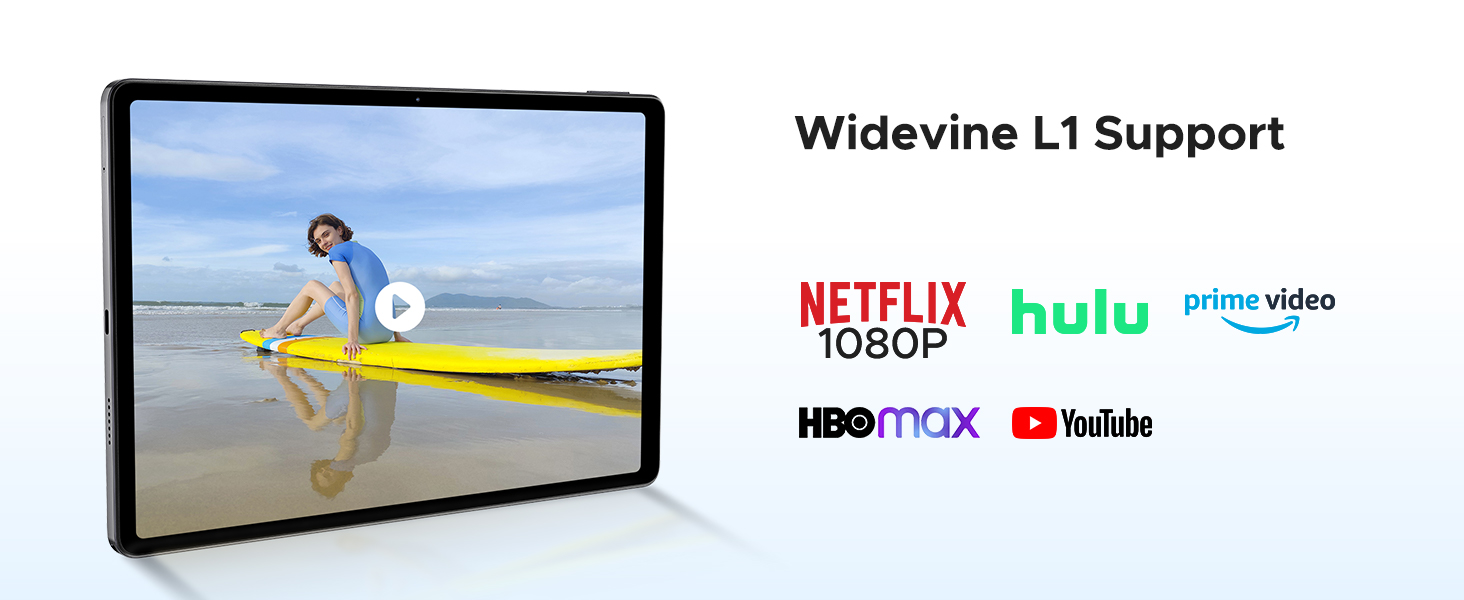
Image: A tablet displaying logos of various video streaming services (Netflix, Hulu, Prime Video, HBO Max, YouTube), indicating Widevine L1 support for high-quality content playback.

Image: Hands holding a black tablet displaying a music player interface, emphasizing the high-quality dual speakers for an enhanced audio experience.

Image: A tablet displaying a military-themed game with on-screen controls, demonstrating 10-point multi-touch capability for precise gesture control.

Image: A tablet displaying a night city landscape with a soft blue glow, illustrating the low blue light mode designed to protect your vision.
4.8 Official Product Video
Video: An official product video showcasing the features of a DOOGEE Android tablet, including its processor, battery, and storage capabilities. This video is provided by the seller.
5. Maintenance
- Cleaning: Use a soft, lint-free cloth to clean the screen and body of the tablet. Avoid using harsh chemicals or abrasive materials.
- Software Updates: Regularly check for and install system updates to ensure optimal performance, security, and access to new features. Go to Settings > System > System update.
- Battery Care: To prolong battery life, avoid extreme temperatures and do not let the battery completely drain frequently.
- Storage Management: Periodically clear unnecessary files and apps to maintain system speed. Utilize the expandable storage for large media files.
6. Troubleshooting
6.1 Common Issues and Solutions
| Problem | Solution |
|---|---|
| Tablet does not turn on | Ensure the battery is charged. Connect the charger and wait a few minutes before attempting to power on again. If unresponsive, press and hold the Power button for 10-15 seconds to force a restart. |
| Cannot connect to Wi-Fi | Check if Wi-Fi is enabled in Settings. Restart your router and the tablet. Ensure you are entering the correct Wi-Fi password. |
| Bluetooth accessories not pairing | Ensure Bluetooth is enabled on both the tablet and the accessory. Place devices close to each other. Restart both devices and try pairing again. Check accessory's manual for specific pairing instructions. |
| Slow performance | Close unused applications. Clear cache for frequently used apps. Check for system updates. Consider performing a factory reset if the issue persists (back up your data first). |
| Battery drains quickly | Reduce screen brightness. Disable unused features like GPS, Bluetooth, or Wi-Fi when not needed. Close background apps. Check battery usage in Settings to identify power-hungry apps. |
7. Specifications
| Feature | Detail |
|---|---|
| Brand | DOOGEE |
| Model Number | U11PRO |
| Operating System | Android 15 |
| Screen Size | 11 Inches |
| Screen Resolution | 1920 x 1080 pixels (1080p Full HD) |
| Refresh Rate | 90Hz |
| Processor | Unisoc T7200 Octa-core (1.6 GHz) |
| RAM Size | 30 GB (6GB base + 24GB expandable) |
| Memory Storage Capacity | 256 GB |
| Max. Supported Flash Memory | 2 TB (microSDXC) |
| Battery Power | 8580 mAh (Lithium-polymer) |
| Rear Camera Resolution | 13 Megapixels |
| Front Camera Resolution | 5 Megapixels |
| Wireless Technology | Wi-Fi 5 |
| Connectivity Technology | AUX, Bluetooth 5.0, Cellular, USB, Wi-Fi |
| GPS Geopositioning | Beidou+GLONASS+Galileo+AGPS |
| Biometric Security | Face ID |
| Special Features | Stylus included, OTG Reverse Charging, Dual Speakers, FM Radio, Widevine L1 |
| Dimensions (Thickness) | 7.9 mm |
| Weight | 537 g |
8. Warranty and Support
Your DOOGEE U11 Pro tablet comes with the following:
- 30-Day Return Guarantee: Free return and refund within 30 days of purchase.
- 2-Year Limited Warranty: A 2-year limited warranty covers manufacturing defects. Please refer to the warranty card included in your package for detailed terms and conditions.
- 24/7 Online Support: For any technical assistance or inquiries, please contact our customer support team available 24/7 online.
For further assistance, please visit the official DOOGEE website or contact your retailer.

