
1. Introduction
This manual provides detailed instructions for the safe installation, operation, and maintenance of your Mpayel 52-inch 8-Blade Low Profile Indoor Ceiling Fan with Light. Please read this manual thoroughly before installation and use, and retain it for future reference.
- Remote and App Control: Effortlessly adjust fan speed, dim lights, and set a 2-hour timer using either the included remote control or a dedicated smartphone application.
- Quiet and Powerful DC Motor: The DC motor ensures silent operation for a comfortable and undisturbed environment, while providing strong airflow.
- Versatile 8-Blade Design: Eight blades deliver powerful airflow, suitable for both indoor and outdoor covered spaces like bedrooms and living rooms.
- Dimmable and Reversible Functionality: The integrated LED light is dimmable, allowing you to set the perfect ambiance. The reversible motor function enables year-round use, providing cooling in summer and aiding heat distribution in winter.
- Durable Construction: Crafted from high-quality iron with a sleek black finish, this fan is built for lasting performance and adds a modern touch to any room.
2. Safety Information
Always follow basic safety precautions when installing and operating electrical appliances to reduce the risk of fire, electric shock, and personal injury.
- Ensure the power is turned off at the circuit breaker before installation or maintenance.
- All wiring must be in accordance with national and local electrical codes.
- Mount the fan to a ceiling outlet box marked "Acceptable for Fan Support of 35 lbs (15.9 kg) or less" and use the mounting screws provided with the outlet box.
- Do not bend the blade holders during installation, balancing, or cleaning.
- Keep children away from the fan when it is operating.
3. Package Contents
Verify that all components are present and undamaged before beginning installation.
- Fan Motor Assembly
- Fan Blades (8 pieces)
- Light Kit Assembly
- Remote Control with Wall Mount
- Mounting Bracket and Hardware
- Instruction Manual
4. Installation
Professional installation is recommended. Ensure all power is disconnected before proceeding.
- Mounting Bracket Installation: Secure the mounting bracket to the ceiling outlet box.
- Wiring: Connect the fan's electrical wires to the household wiring according to the provided wiring diagram.
- Fan Assembly: Attach the fan motor assembly to the mounting bracket.
- Blade Attachment: Securely attach the 8 fan blades to the motor housing. The blades feature a double-sided design (black and deep walnut color) allowing you to choose the desired aesthetic.
- Light Kit Installation: Connect and install the LED light kit to the bottom of the fan motor.

Figure 4.1: Fan Dimensions and Recommended Installation Height. This diagram illustrates the 52-inch fan's dimensions (10.5 in height, 8.7 in from ceiling to blades) and suggests an installation height for rooms between 100-225 sq ft with 8-10ft ceilings.
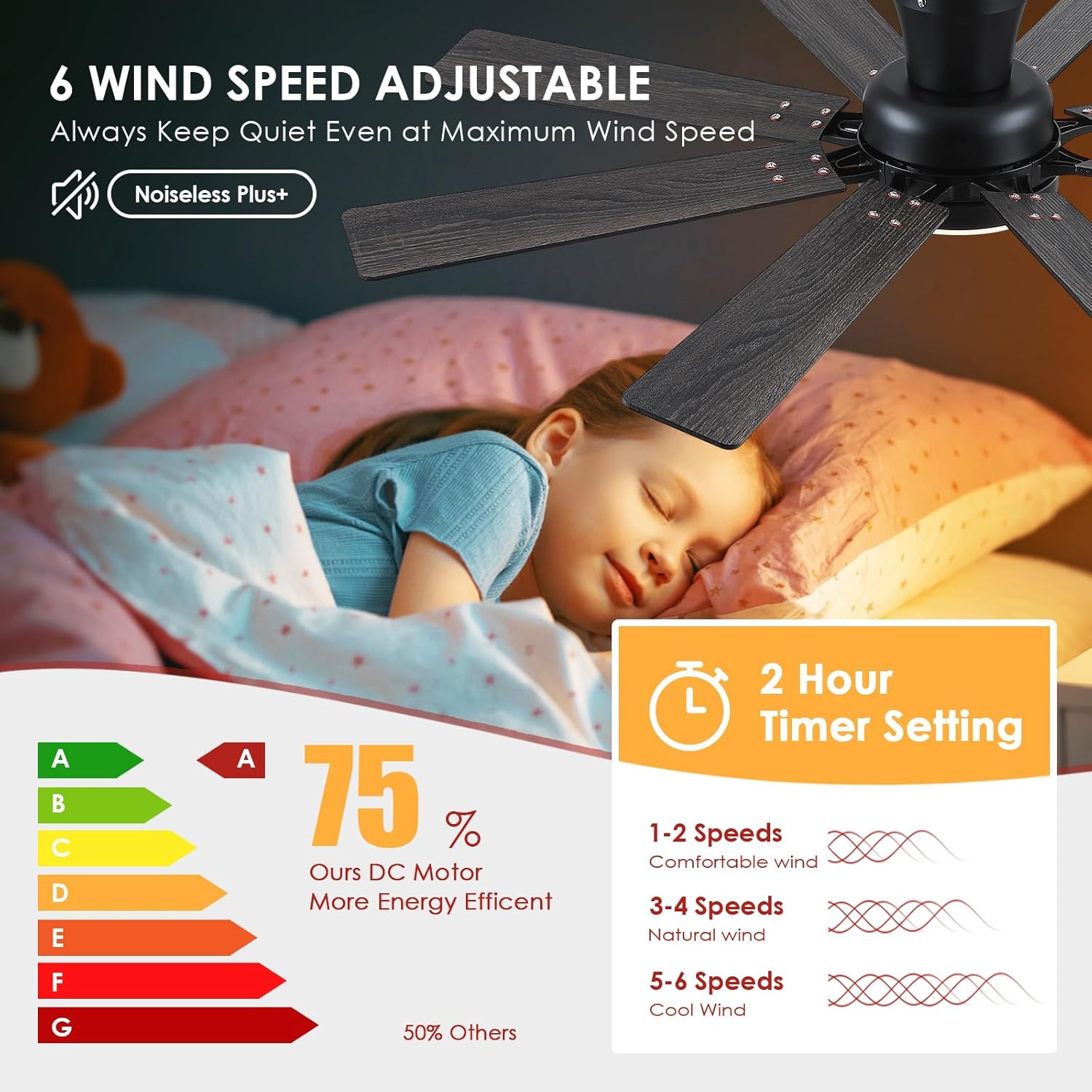
Figure 4.2: Double-Sided Fan Blades. The fan blades offer two color options: black and deep walnut, allowing for customization to match your decor.
5. Operation
Your Mpayel ceiling fan can be controlled via the included remote or a smartphone application.
5.1 Remote Control
The remote control allows for comprehensive management of your fan's functions.
- Fan Speed: Select from 6 different fan speeds (1-6) to adjust airflow intensity.
- Light Control: Turn the light on/off, dim the brightness, and adjust the color temperature.
- Reversible Function (F/R): Change the direction of the fan blades for summer (downward airflow) or winter (upward airflow) use.
- Timer: Set a 2-hour timer for automatic fan shutdown.
- All Off: Turns off both the fan and the light simultaneously.
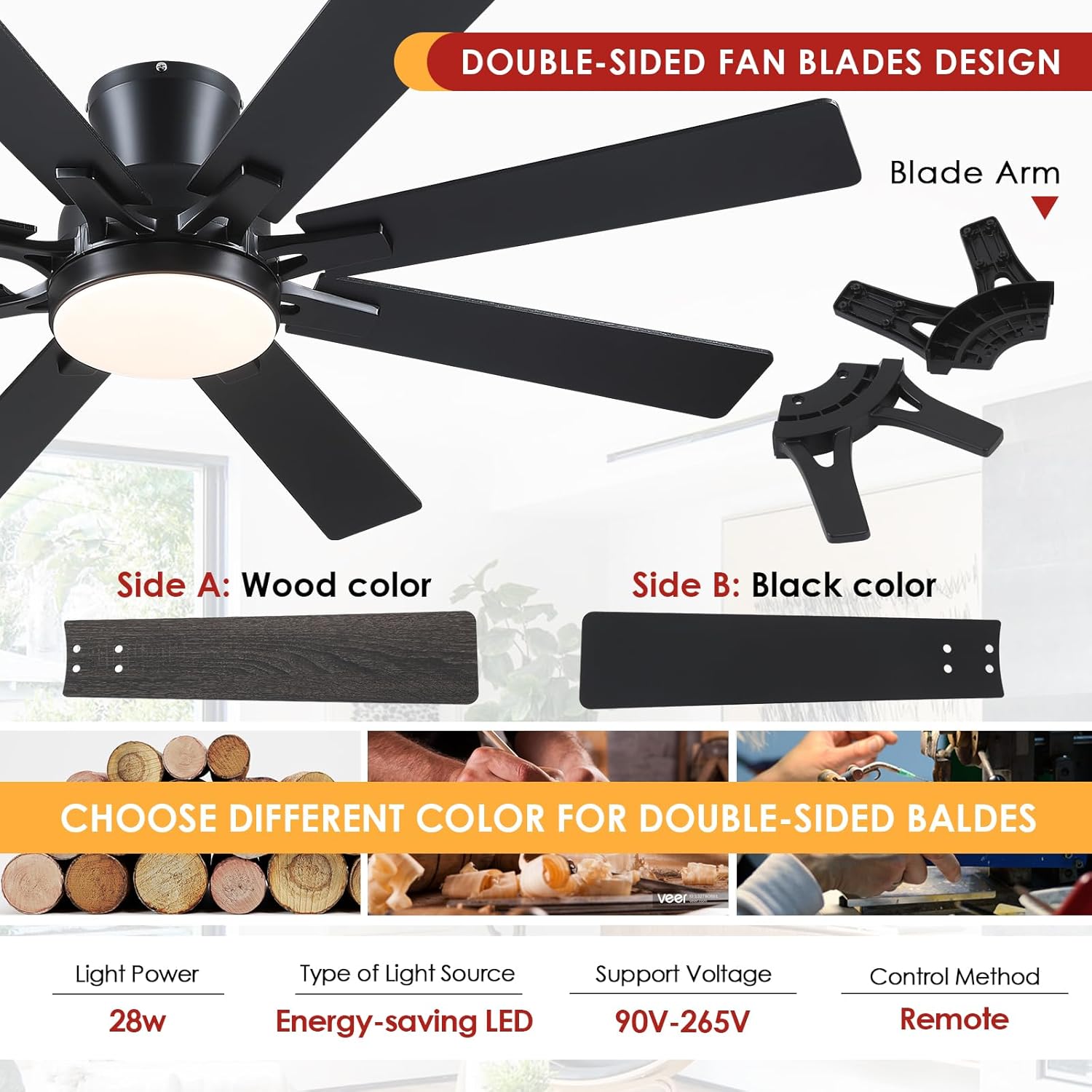
Figure 5.1: Remote Control Functions. The remote provides full control over fan speed, light settings, and directional changes.

Figure 5.2: Quiet Operation and Timer. The fan operates quietly with 6 speed settings and includes a convenient 2-hour timer.
5.2 App Control
Control your fan from your smartphone by downloading the "Fan Lamp Pro" app.
- Scan the QR code provided in the manual or on the product packaging to download the app.
- Open the app and select "Add Device."
- Choose "Light Fan" from the device list.
- Click "Pair" to connect your fan.
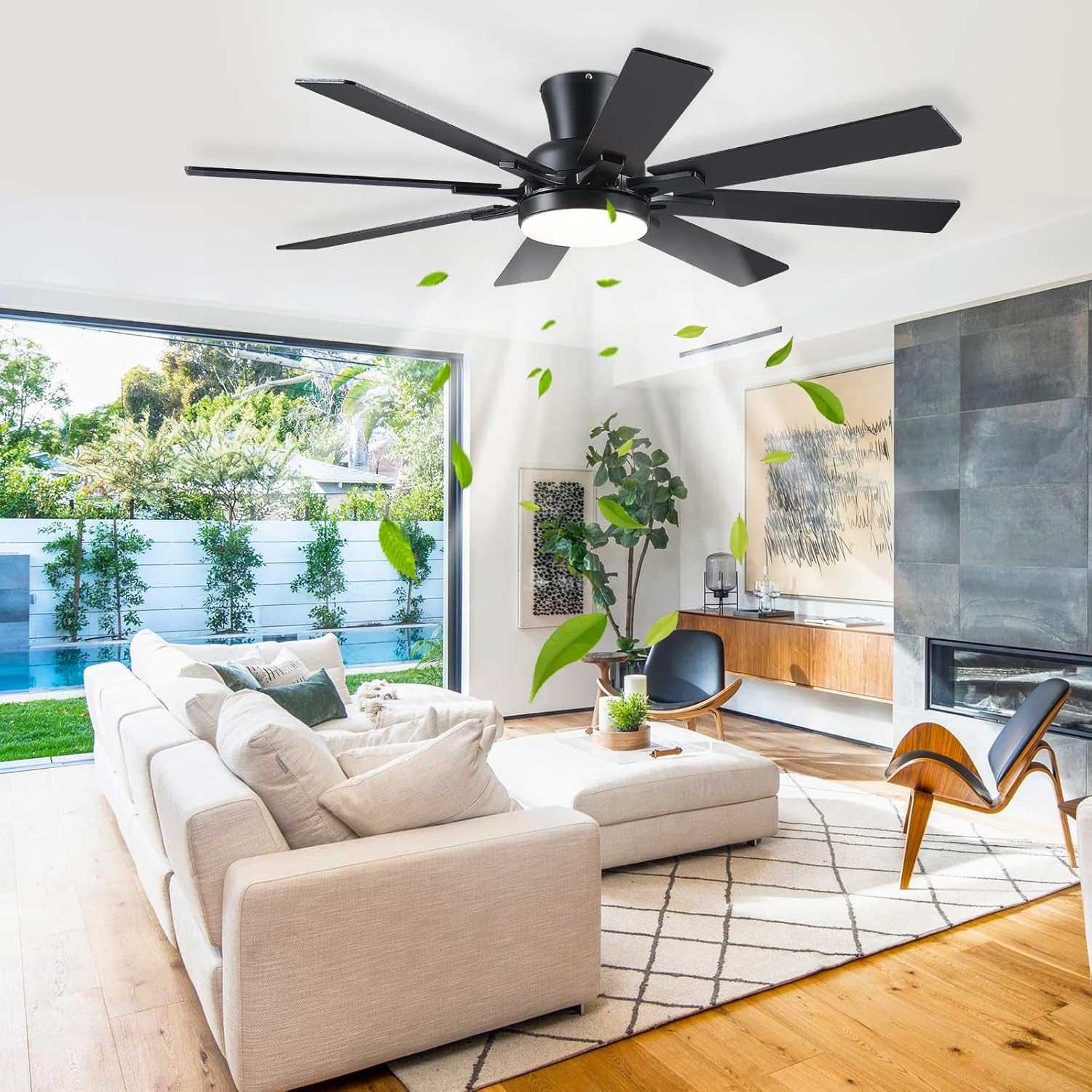
Figure 5.3: App Control Setup. Scan the QR code to download the Fan Lamp Pro app and follow the on-screen instructions to pair your device.
Video 5.1: Ceiling Fan App Operation. This video demonstrates how to connect and operate the ceiling fan using the smartphone application, including adjusting fan speed and light settings.
Video 5.2: Ceiling Fan Scene Function. This video illustrates the scene functions available through the app, allowing users to customize and save preferred fan and light settings for different moods or activities.
5.3 Light Settings
The integrated LED light offers adjustable brightness and color temperature.
- Color Temperature: Choose between Warm White (3000K), Natural White (4500K), and Cool White (6000K).
- Brightness: Dimmable from 10% to 100% to suit your needs.
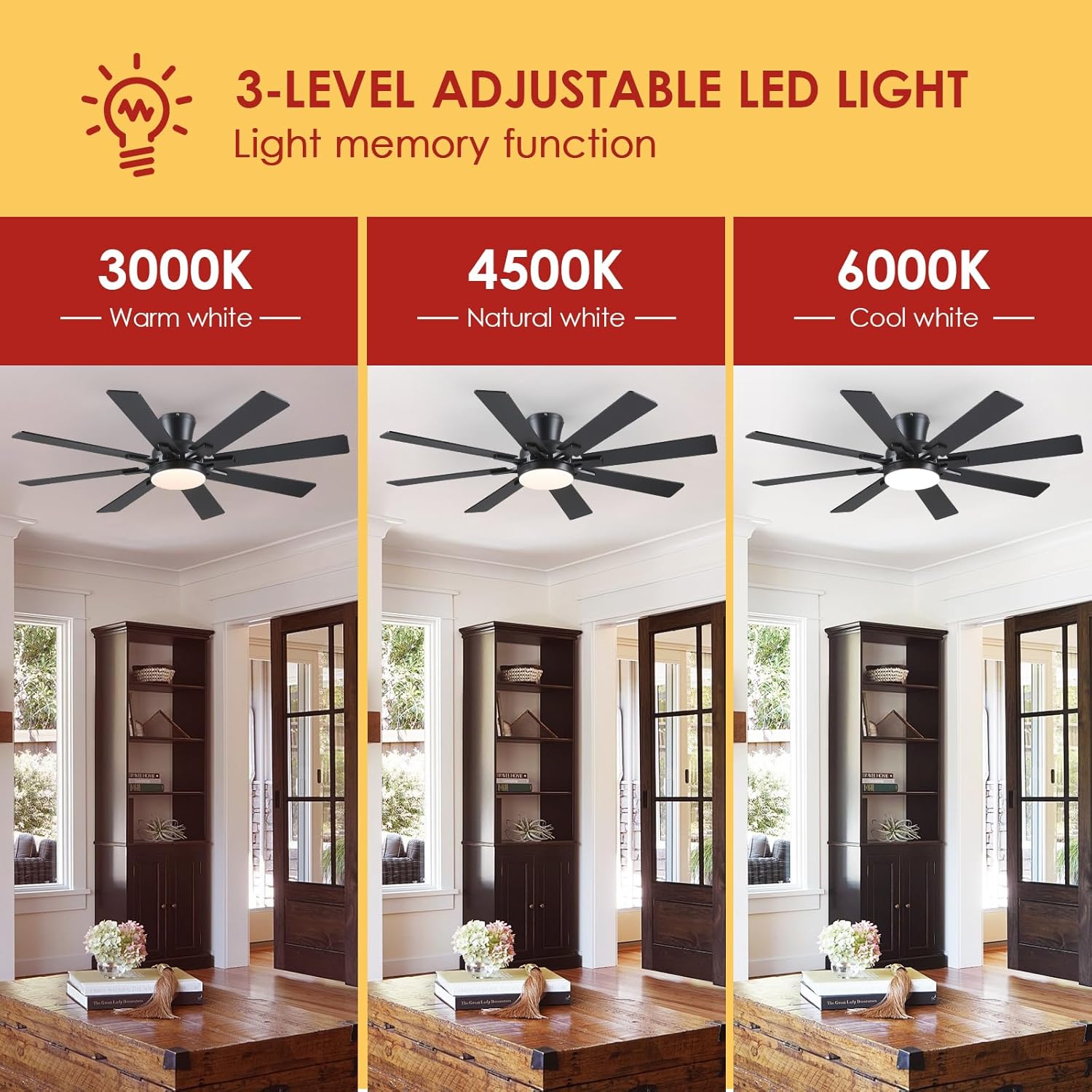
Figure 5.4: 3-Level Adjustable LED Light. The fan's light offers three distinct color temperatures to match various preferences and room ambiances.
5.4 Reversible Function
Optimize comfort year-round by utilizing the reversible motor function.
- Summer Mode: Blades rotate counter-clockwise to create a downward airflow, providing a cooling effect.
- Winter Mode: Blades rotate clockwise to create an upward airflow, circulating warm air trapped near the ceiling.

Figure 5.5: Summer and Winter Modes. The fan's reversible motor helps maintain comfort by optimizing air circulation for both warm and cool seasons.
6. Maintenance
Regular maintenance ensures optimal performance and longevity of your ceiling fan.
- Cleaning: Use a soft, damp cloth to clean the fan blades and motor housing. Do not use abrasive cleaners or solvents.
- Tighten Screws: Periodically check all screws for tightness. Retighten as necessary.
- Light Source: The LED light source is integrated and not user-replaceable. Contact customer support if the light fails.
7. Troubleshooting
If you encounter issues with your fan, refer to the following common solutions:
| Problem | Possible Cause | Solution |
|---|---|---|
| Fan does not start | No power to the fan; Loose wire connections; Remote control not paired. | Check circuit breaker; Verify all wire connections are secure; Re-pair the remote control (refer to remote control section). |
| Fan makes noise | Loose screws on motor housing or blades; Fan blades are unbalanced. | Tighten all screws; Ensure blades are properly installed and balanced. |
| Light does not work | Loose wire connection in light kit; Light kit failure. | Check light kit wiring; Contact customer support for assistance. |
| Remote control not working | Dead batteries; Remote not paired with fan. | Replace batteries (2 AAA required); Re-pair the remote control. |
8. Specifications
| Feature | Detail |
|---|---|
| Brand | Mpayel |
| Model Name | B8248 |
| Size | 52 inches (8 blades) |
| Color | Black-52inch-8blade |
| Material | Iron |
| Style | Modern |
| Light Fixture Form | Ceiling Fan Light |
| Room Type | Bedroom, Living Room |
| Indoor/Outdoor Usage | Indoor |
| Power Source | DC |
| Special Feature | Remote Controlled |
| Control Method | App, Remote |
| Light Source Type | LED |
| Number of Light Sources | 8 |
| Voltage | 265 Volts |
| Light Color | White (Adjustable Color Temperature) |
| Included Components | Light Kit |
| Lighting Method | LED |
| Item Weight | 14.45 pounds (6.57 Kilograms) |
| Wattage | 28 watts |
| Bulb Base | E26 (for light kit) |
| Switch Type | Remote |
| Mounting Type | Ceiling Mount |
| Batteries Required | 2 AAA batteries (for remote, not included) |
9. Warranty and Support
For warranty information or technical support, please contact Mpayel customer service through your purchase platform or the contact details provided in the product packaging. Keep your purchase receipt as proof of purchase.
