
Donerton I66
Donerton I66 Wireless Earbuds User Manual
Model: I66
Introduction
Thank you for choosing Donerton I66 Wireless Earbuds. This manual provides detailed instructions on how to set up, operate, and maintain your earbuds to ensure optimal performance and longevity. Please read this manual thoroughly before using the product.

Image: Donerton I66 Wireless Earbuds in their charging case, displaying the LED power indicator.
What's in the Box
Upon opening the package, please verify that all components are present:
- Wireless Earbud (L&R)
- Charging Case
- Replacement Ear Caps (S/M/L)
- Type-C Charging Cable
- Instruction Book (this manual)

Image: An overhead view of the Donerton I66 product packaging contents, including the earbuds, charging case, various sized ear tips, and a USB-C charging cable.
Specifications
| Feature | Detail |
|---|---|
| Model Name | I66 |
| Connectivity Technology | Wireless (Bluetooth 5.4) |
| Bluetooth Range | 15 Meters |
| Audio Driver Type | Dynamic Driver |
| Audio Driver Size | 13 Millimeters |
| Battery Life (Earbuds) | 6-8 hours (single charge) |
| Total Playtime (with case) | Up to 45 hours |
| Charging Time (Case) | 1.5 hours (USB-C) |
| Control Type | Touch Control |
| Water Resistance Level | Waterproof (IP7) |
| Microphones | 4 (with CVC algorithm for noise cancellation) |
| Weight (single earbud) | 3.9g |
Setup Guide
1. Initial Charging
Before first use, fully charge the earbuds and the charging case. Connect the provided USB-C cable to the charging case and a power source. The LED display on the case will indicate the charging status.

Image: The Donerton I66 charging case with earbuds inside, illustrating the 45-hour playtime and LED power display. The image shows the case being charged via USB-C.
2. Pairing with Your Device
- Ensure the earbuds are charged.
- Open the charging case. The earbuds will automatically power on and enter pairing mode.
- On your device (smartphone, tablet, laptop), go to Bluetooth settings.
- Search for "i66" in the list of available devices and select it to connect.
- Once connected, a confirmation sound will play, and the earbuds will be ready for use.
For subsequent uses, the earbuds will automatically connect to the last paired device when taken out of the case.

Image: A visual guide showing the "One Step Pairing" process for the Donerton I66 earbuds, where opening the case automatically connects them to a device, and closing the case disconnects them.
Operating Instructions
Touch Controls
The Donerton I66 earbuds feature highly sensitive touch sensors for easy control of various functions:
| Action | Left Earbud (L) | Right Earbud (R) |
|---|---|---|
| Play/Pause | Once-Tap | Once-Tap |
| Answer Call | Once-Tap | Once-Tap |
| Hang Up Call | Long Press | Long Press |
| Volume - | Twice-Tap | N/A |
| Volume + | N/A | Twice-Tap |
| Previous Track | Tap 2 seconds | N/A |
| Next Track | N/A | Tap 2 seconds |
| Voice Assistant | Triple-Tap | Triple-Tap |

Image: A detailed diagram illustrating the smart touch control functions of the Donerton I66 earbuds, including actions for answering calls, adjusting volume, changing tracks, and activating voice assistant.
Wearing the Earbuds
Select the ear tips that provide the most comfortable and secure fit. Gently insert the earbuds into your ear canal and rotate them slightly to ensure a snug seal for optimal sound quality and noise isolation.
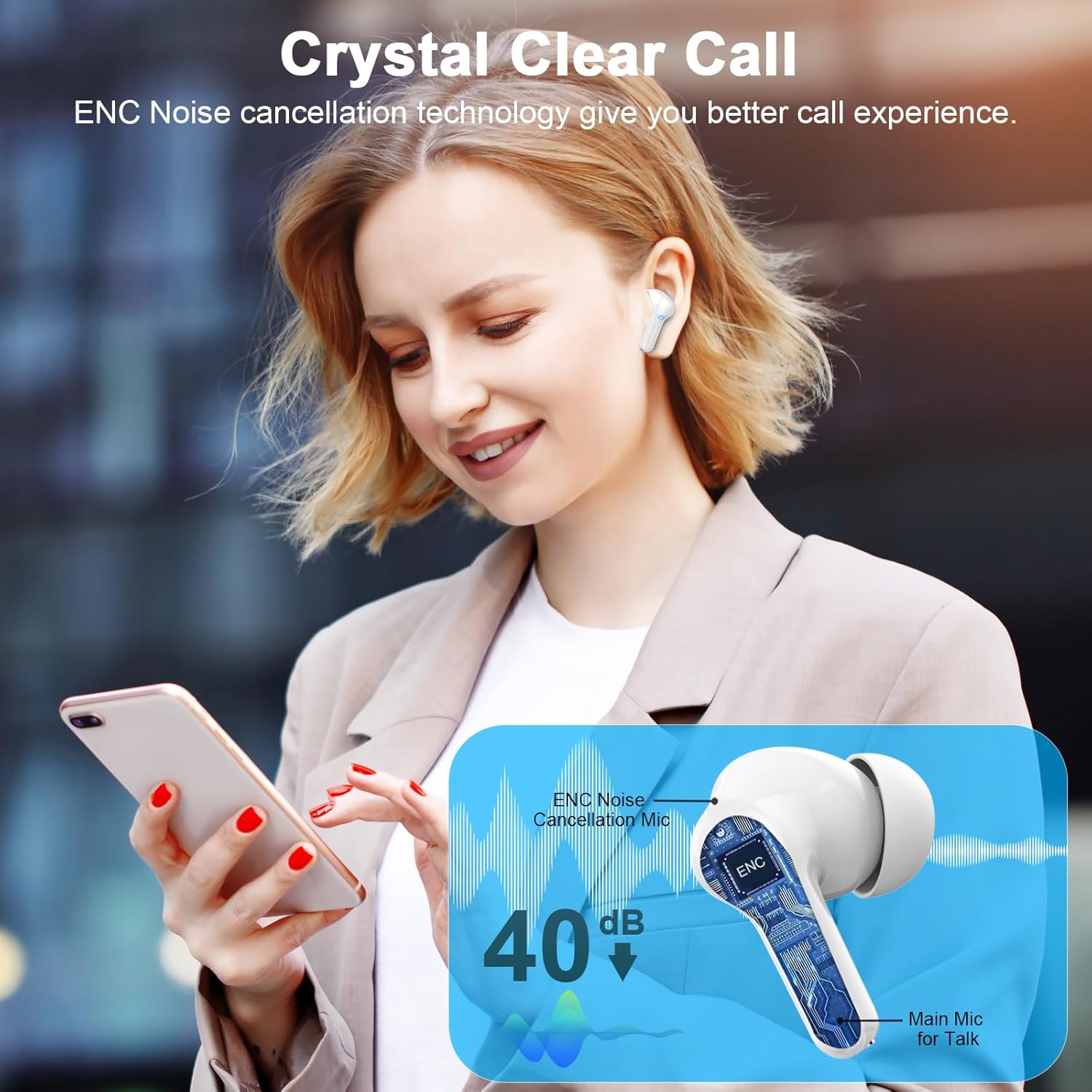
Image: An illustration highlighting the ergonomic design of the Donerton I66 earbuds and the availability of S, M, and L ear tip sizes for a comfortable and secure fit.
Maintenance and Care
- Cleaning: Regularly clean the earbuds and charging case with a soft, dry, lint-free cloth. Do not use harsh chemicals or abrasive materials.
- Ear Tips: Remove ear tips periodically and clean them with a damp cloth. Ensure they are completely dry before reattaching.
- Charging Ports: Keep the USB-C charging port free of dust and debris.
- Storage: When not in use, store the earbuds in their charging case to protect them and keep them charged.
- Water Resistance: The earbuds are IP7 waterproof, meaning they are protected against temporary immersion in water. However, they are not designed for swimming or prolonged submersion. Dry them thoroughly if they get wet.

Image: An illustration demonstrating the IP7 waterproof rating of the Donerton I66 earbuds, showing them resistant to rain, sweat, and splashes.
Troubleshooting
- Earbuds not pairing or connecting:
- - Ensure both earbuds are fully charged.
- - Place earbuds back into the charging case, close the lid, wait a few seconds, then open it again to reset.
- - On your device, forget or delete "i66" from the Bluetooth list and try pairing again.
- - Ensure your device's Bluetooth is enabled and within 15 meters of the earbuds.
- Only one earbud working:
- - Place both earbuds back into the charging case and close the lid. Open the lid again to re-establish the connection between them.
- - Check the battery level of both earbuds via the charging case's LED display.
- Low volume or poor sound quality:
- - Adjust the volume on both your device and the earbuds.
- - Ensure the ear tips are properly sealed in your ear canal. Try different sized ear tips.
- - Clean any earwax or debris from the earbud speakers.
- Charging issues:
- - Ensure the charging cable is securely connected to both the case and the power source.
- - Try a different USB-C cable or power adapter.
- - Clean the charging contacts on both the earbuds and inside the case.
Warranty and Support
Donerton products come with a standard manufacturer's warranty. For detailed warranty information, please refer to the warranty card included in your product packaging or visit the official Donerton website.
If you encounter any issues not covered in this manual or require further assistance, please contact Donerton customer support:
- Manufacturer: Donerton
- Email: manager@cyrus-consulting.co.uk (UK REP)
- Email: contact@evatmaster.com (EC REP)
- Website: Donerton Official Store on Amazon
WARNING!!! Don't disassemble, hit, or burn the device.
Related documentsI66


Ask a question about this manual
Ask about setup, troubleshooting, compatibility, parts, safety, or missing instructions. Manuals+ will review the question and use this page’s manual context to help answer it.