
1. Product Overview
The NHOPEEW 7-inch Android Car Radio is a versatile in-car entertainment and navigation system designed for specific Dacia and Renault models. It features a responsive touchscreen, Android 13 operating system, wireless CarPlay and Android Auto, GPS navigation, Wi-Fi connectivity, FM/RDS radio, and support for a reversing camera. With 2GB RAM and 64GB internal storage, it offers fast performance and ample space for your applications and media.
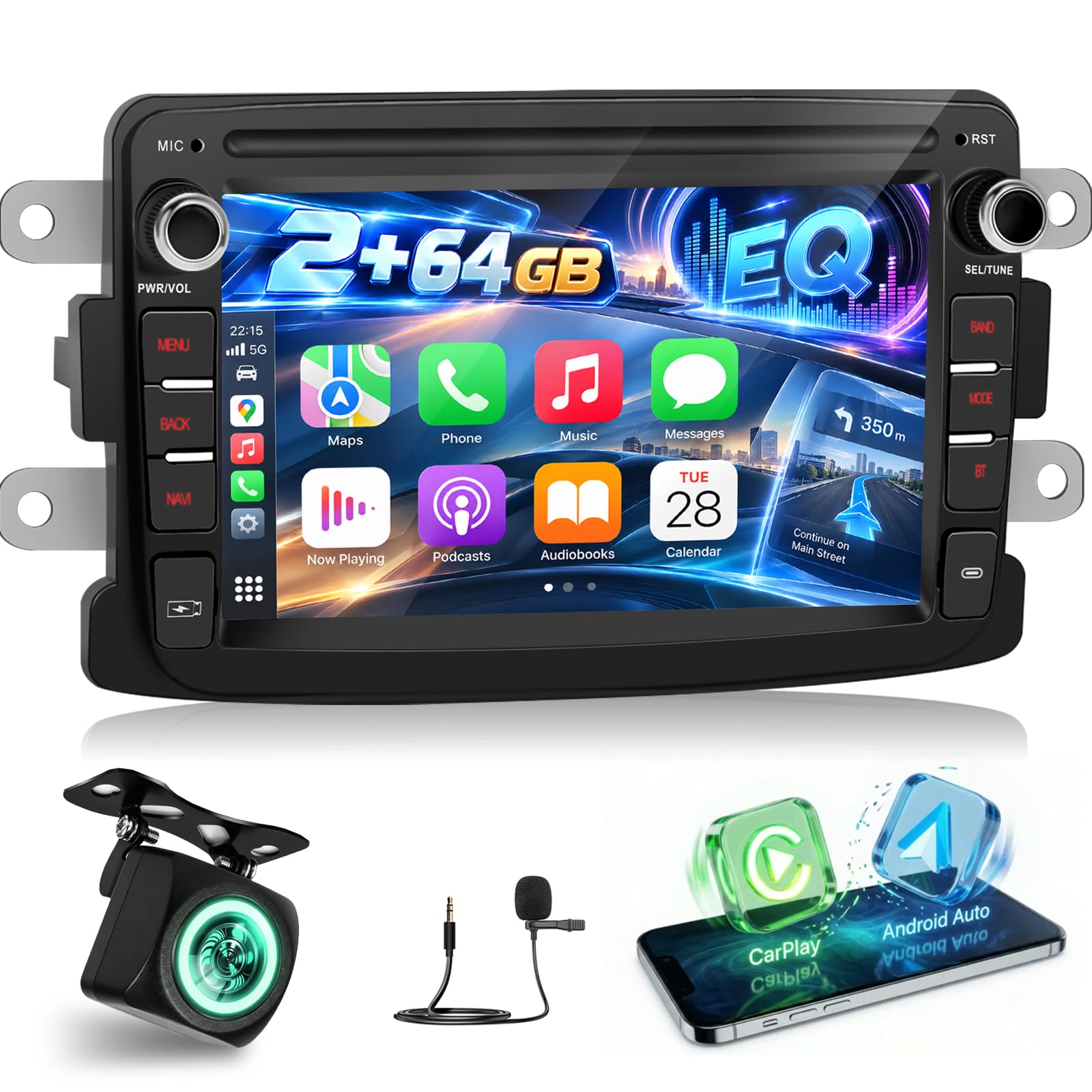
Figure 1.1: NHOPEEW 7-inch Android Car Radio main unit.
2. Vehicle Compatibility
This Android car radio is specifically designed for the following vehicle models and years:
- For Dacia: Logan (2012-2017), Duster (2011-2017), Sandero (2012-2017), Dokker (2012-2017), Lodgy (2012-2017)
- For Renault: Captur (2013-2017), Symbol (2013-2017), Duster
- For LADA Xray 2: Note that some steering wheel control buttons may be unusable.
Before purchase and installation, please confirm your car's original system configuration, year, and central control panel to ensure compatibility. Refer to the images below for visual guidance on compatible and incompatible dashboards.

Figure 2.1: Compatible vehicle models and dashboard examples.

Figure 2.2: Visual guide for compatible and incompatible dashboard types.
3. What's in the Box
The package includes the following components:
- Car Radio Unit
- Power Cable
- RCA Cable
- USB Cable
- GPS Antenna
- Radio Antenna
- Canbus (if applicable for your vehicle model)
- Rear Camera Input Cable
- Rear Camera (optional, if included in your package)
- User Manual (this document)
Note: The exact contents may vary slightly based on the specific product variant.
4. Setup and Installation
Professional installation is recommended. Ensure the vehicle's battery is disconnected before starting installation. Connect all cables securely according to the wiring diagram provided with your unit. Incorrect wiring can cause damage to the device or vehicle.
4.1 Reversing Camera Installation
Follow these steps to install the reversing camera:
- Connect the positive terminal of the camera's power supply to the reverse light's positive terminal.
- Connect the negative terminal of the camera's power supply to the reverse light's negative terminal (ground).
- Connect the video signal cable from the camera to the "Rear Camera Input" on the car radio.
- The reversing trigger is controlled by the stereo, so no separate trigger wire connection is typically needed for the radio itself.
Important: Even if you are not using the backup camera, ensure the reversing input cable is connected to the radio. This is crucial for proper Bluetooth and Wi-Fi signal reception.

Figure 4.1: Reversing Camera Installation Diagram.
5. Operating Instructions
5.1 Wireless CarPlay and Android Auto
Enjoy hands-free control and seamless connectivity. Connect your smartphone wirelessly via Bluetooth or Wi-Fi, or use a USB cable for wired connection. Access navigation, music, calls, and messages directly from the car radio display.

Figure 5.1: Wireless CarPlay interface.

Figure 5.2: Wireless Android Auto interface.
5.2 Mirror Link Function
The Mirror Link function allows you to mirror your smartphone's screen (both iOS and Android) onto the car radio's display. This provides access to your phone's apps and videos on a larger screen. Connect wirelessly or via USB.

Figure 5.3: Mirror Link functionality for iOS and Android devices.
5.3 GPS Navigation and Wi-Fi Connectivity
The built-in GPS navigation system provides precise directions, real-time route adjustments, and up-to-date maps. With integrated Wi-Fi, you can connect to the internet, download apps, get live traffic updates, and check weather conditions directly from your car.

Figure 5.4: GPS Navigation and Wi-Fi connectivity.
5.4 FM/RDS Radio and Sound EQ
Enjoy clear radio reception with the FM tuner and RDS (Radio Data System) functionality. Customize your audio experience with the integrated sound equalizer (EQ) to match your preferences.

Figure 5.5: FM/RDS Radio and Sound EQ interface.
5.5 Steering Wheel Control (SWC)
The unit supports steering wheel controls, allowing you to manage audio, calls, and other functions without taking your hands off the wheel. This enhances driving safety and convenience. The system can be configured to learn your vehicle's steering wheel buttons.

Figure 5.6: Steering Wheel Control functionality.
5.6 Reversing Camera Integration
The system supports AHD reversing cameras, providing a clear view of the area behind your vehicle when reversing. This feature enhances safety during parking maneuvers. The camera typically offers night vision, is waterproof, provides high-definition video, and a wide viewing angle.
5.7 Split Screen Function
The split-screen function allows you to run two applications simultaneously on the display. For example, you can have navigation on one side and music playback on the other, improving multitasking while driving.

Figure 5.7: Split Screen functionality.
6. Maintenance
- Cleaning: Use a soft, dry cloth to clean the screen and unit. Avoid abrasive cleaners or solvents.
- Software Updates: Periodically check for software updates to ensure optimal performance and access to new features. Updates can usually be downloaded via Wi-Fi.
- Temperature: Avoid exposing the unit to extreme temperatures, which can affect its lifespan and performance.
7. Troubleshooting
If you encounter any issues, please refer to the following common problems and solutions:
- Screen is broken, cables are unsuitable, or parts are missing: Inspect all components upon receipt. If any issues are found, contact customer support immediately.
- Device does not power on after installation: Double-check all wiring connections according to the diagram. A wiring error is a common cause. Take a photo of your wiring for reference when contacting support.
- Screen is locked and unavailable after installation: Try placing five fingers on any part of the screen simultaneously and holding for five seconds. Then, follow any on-screen instructions to unlock.
- No Bluetooth or Wi-Fi signal: Ensure the reversing input cable is connected to the radio, even if a camera is not installed. This cable is essential for signal reception.
For further assistance, please contact customer support.
Figure 7.1: Common troubleshooting steps and customer support contact information.
8. Specifications
| Feature | Detail |
|---|---|
| Brand | NHOPEEW |
| Model Number | 259388ec-df23-42c7-97eb-2eadeafd7cfb |
| Operating System | Android 13 |
| RAM | 2GB |
| Internal Storage | 64GB |
| Display Size | 7 Inches |
| Connectivity Technology | USB, Wi-Fi |
| Special Features | Wireless CarPlay, Android Auto, Mirror Link, Built-in Wi-Fi, GPS Navigation, FM/RDS, Split Screen, Rear Camera Input, Steering Wheel Control |
| Compatible Devices | Smartphone |
| Audio Output Mode | Stereo, Surround (5.1 Channel) |
| Video Encoding | H.264, MPEG-4 |
| Internet Applications | YouTube, Browser, Netflix |
| Country of Origin | China |
9. Warranty and Support
The NHOPEEW Android Car Radio comes with a 2-year warranty. For warranty claims, technical support, or any product-related inquiries, please contact the seller directly through your purchase platform. Ensure you have your order details and product model number ready for faster service.
For Amazon purchases, you can typically find seller contact information on the product page or in your order history.


