
1. Product Overview
The Dexnor Heavy Duty Protection Case is engineered to provide robust protection for your Samsung Galaxy A36 5G. This case features a dual-layer design, a built-in screen protector, a magnetic slide camera cover, and an integrated kickstand, ensuring comprehensive defense against daily wear and tear, drops, and impacts.
2. Compatibility
This case is specifically designed for the Samsung Galaxy A36 5G (6.7 inch, 2025 New Release). It is not compatible with other Samsung Galaxy models such as the A34 6.6-inch or A35 6.6-inch.

Image: Compatibility chart illustrating that the case is exclusively for the Samsung Galaxy A36 6.7-inch model, with visual comparisons to incompatible A34 and A35 models.
3. What's Included
Your Dexnor Heavy Duty Protection Case package includes the following items:
- 1 x Main Case with Camera Cover and Kickstand
- 1 x Front Frame with Built-in Screen Protector
- 1 x Front Frame without Built-in Screen Protector (for use with your own screen protector)

Image: The package contents laid out, including the main case, two interchangeable front frames (one with integrated screen protector, one without), and the instruction manual.
4. Setup and Installation
Follow these steps to properly install your Dexnor case:
- Separate the Case: Gently pry apart the front frame and the back cover of the case, starting from the bottom right corner.
- Clean Your Phone: Ensure your Samsung Galaxy A36 5G screen is clean and free of dust or smudges using a microfiber cloth.
- Choose Front Frame: Select either the front frame with the built-in screen protector or the one without, depending on your preference. If using the built-in screen protector, peel off any protective films from both sides of the screen protector.
- Install Phone into Front Frame: Carefully place your Samsung Galaxy A36 5G into the chosen front frame, ensuring all edges are securely seated.
- Attach Back Cover: Align the front frame (with your phone inside) with the back cover. Press firmly around the edges until the two parts snap together securely.
Video: Dexnor Samsung A37/A36/A56 Case Installation Video. This video demonstrates the step-by-step process of installing the phone case, including separating the components, cleaning the phone, and securing the device within the case.
Video: 2 Front Frame & Slide Camera Cover Phone Case Install Video. This video provides a detailed guide on installing the phone case, highlighting the use of the two front frame options and the functionality of the slide camera cover.
5. Key Features
5.1. Heavy Duty Shockproof Protection
The case is constructed with a dual-layer PC back cover and a shockproof TPU bumper frame. Raised thickened rubber in all four corners provides enhanced shock absorption, safeguarding your phone against drops and falls.
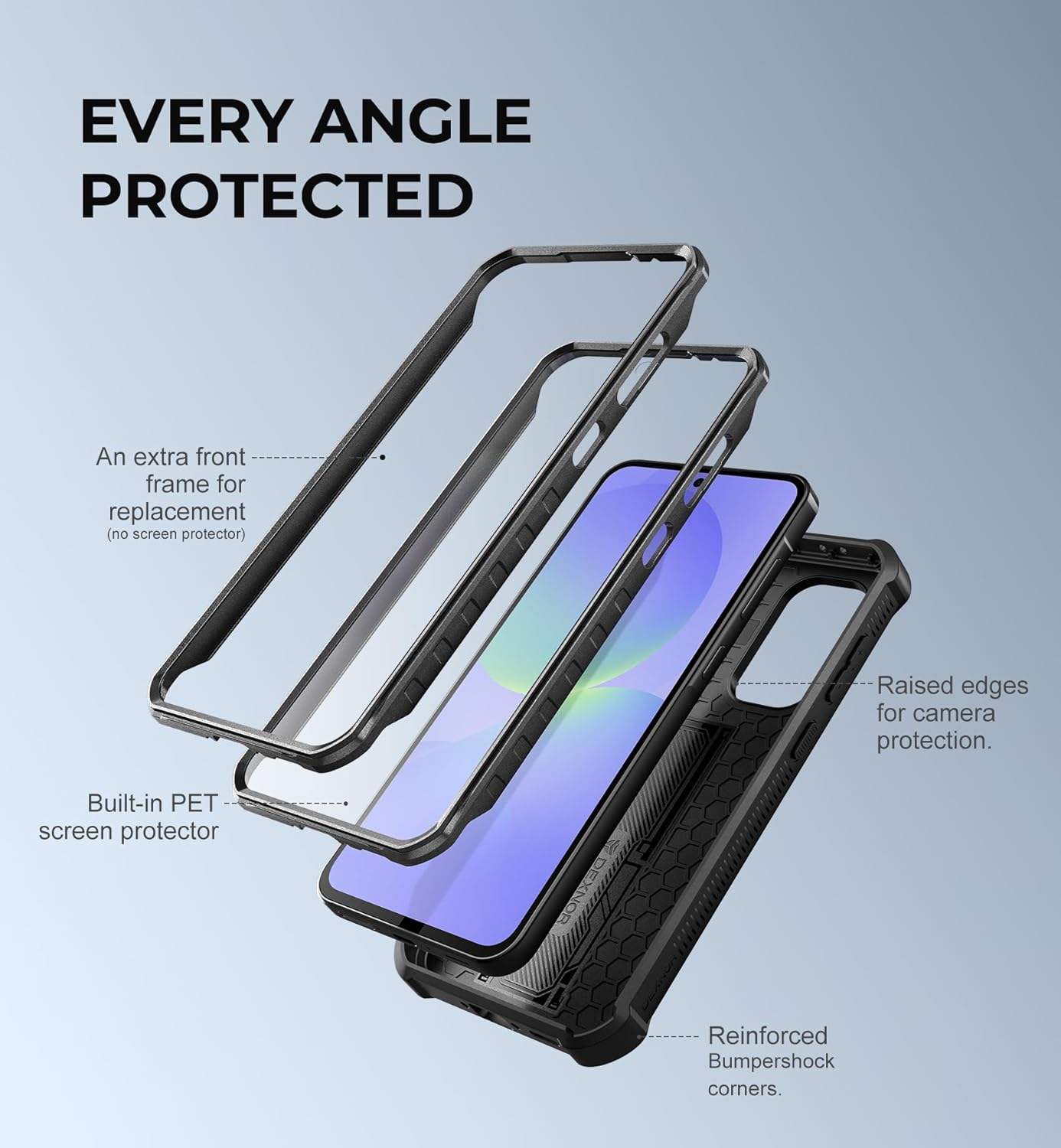
Image: An exploded view of the case components, illustrating the multi-layered defense system with a built-in PET screen protector, an optional front frame, and reinforced bumper corners for comprehensive protection.
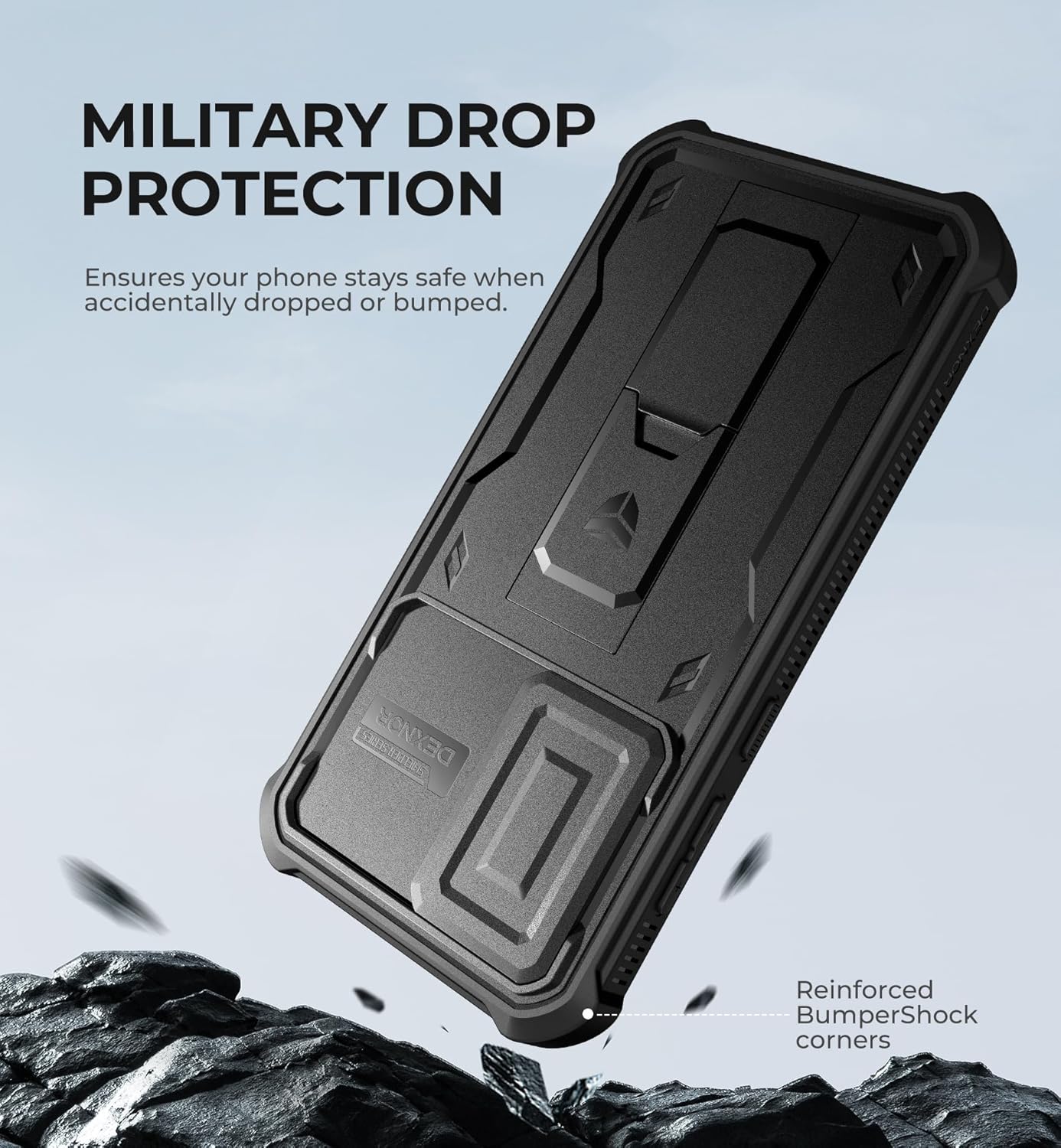
Image: A phone encased in the Dexnor case is shown falling onto a rocky surface, highlighting its military-grade drop protection and reinforced BumperShock corners designed to absorb impact.
5.2. Magnetic-Repulsion Slide Camera Cover
The innovative magnetic repulsion technology ensures ultra-smooth sliding of the camera lens cover. It features fixed locks on both sides to prevent accidental sliding, protecting your camera lens from scratches, bumps, and shocks, while also safeguarding your privacy. The 2mm raised camera slider adds an extra layer of protection.

Image: A detailed view of the upgraded camera cover, illustrating the magnetic repulsion technology that allows for ultra-smooth sliding to protect the camera lenses.
Video: Dexnor Samsung A37/A36 5G Case Display Video. This video showcases the design and features of the Dexnor case for the Samsung A36 5G, including the sliding camera cover and overall robust construction.
5.3. Built-in Folding Kickstand
The integrated foldable kickstand allows for hands-free viewing in both portrait and landscape modes. You can adjust the angle as needed for optimal viewing. The hidden design ensures it is not obtrusive when not in use. It also functions as a secure one-handed grip for outdoor activities.

Image: The sturdy kickstand of the Dexnor case is shown holding a phone steady in both landscape and portrait orientations, ideal for hands-free viewing.
5.4. Accurate Cutouts & Easy Access
Designed specifically for the Samsung Galaxy A36 5G, the case provides precise cutouts for all ports, buttons, and camera functions, ensuring easy access and full functionality without removing the case.

Image: A close-up view of the case's precise cutouts, demonstrating easy access to the charging port, speakers, and other essential functions of the phone.
5.5. Wireless Charging Support
The case is designed to be compatible with wireless charging, allowing you to charge your device conveniently without removing the case.
6. Operating Instructions
6.1. Using the Slide Camera Cover
- To open the camera cover: Gently slide the cover horizontally across the camera module until it clicks into the open position, revealing the lenses.
- To close the camera cover: Slide the cover back over the camera lenses until it clicks into the closed position, ensuring the lenses are fully protected.
6.2. Using the Folding Kickstand
- To deploy the kickstand: Locate the small indentation on the kickstand and gently pull it outwards until it locks into an open position.
- To adjust the viewing angle: The kickstand can support the phone in both vertical (portrait) and horizontal (landscape) orientations. Adjust the phone's position on a flat surface to achieve your desired viewing angle.
- To retract the kickstand: Push the kickstand back into its recessed slot on the case until it sits flush with the back cover.
7. Maintenance
To ensure the longevity and optimal performance of your Dexnor case:
- Cleaning: Regularly wipe the case with a soft, damp cloth to remove dust and fingerprints. For stubborn dirt, a mild soap solution can be used, followed by wiping with a clean, dry cloth.
- Screen Protector: If using the built-in screen protector, avoid using harsh chemicals or abrasive materials that could scratch or damage its surface.
- Camera Cover: Keep the sliding mechanism free from debris to ensure smooth operation.
- Avoid Extreme Conditions: Do not expose the case to extreme temperatures or direct sunlight for prolonged periods, as this may affect its material integrity.
8. Troubleshooting
If you encounter any issues with your Dexnor case, please refer to the following common solutions:
- Screen Protector Sensitivity: If the touch screen feels less responsive, ensure the screen protector is clean and free of air bubbles. Re-installation might be necessary to ensure proper alignment and contact.
- Case Not Closing Properly: Verify that your phone is correctly seated within the front frame and that no foreign objects are obstructing the case's closure. Ensure all clips are securely fastened.
- Camera Cover Sticking: Check the sliding mechanism for any trapped dust or debris. Gently clean the tracks to restore smooth operation.
- Kickstand Malfunction: Ensure the kickstand is fully extended or retracted. If it feels loose or stiff, check for any obstructions or damage.
For further assistance, please contact Dexnor customer support.
9. Specifications
| Feature | Detail |
|---|---|
| Product Dimensions | 6.73 x 3.46 x 0.63 inches |
| Item Weight | 3.88 ounces |
| Material | Polycarbonate, Thermoplastic Polyurethane |
| Special Features | 2 Extra Front Frames, Built-in Kickstand, Built-in Screen Protector, Slide Camera Protector |
| Color | Black |
10. Warranty & Support
Warranty: Dexnor offers a 10-year warranty on its phone and tablet cases, ensuring long-term reliability and customer satisfaction.
Return Policy: A 60-day return policy is available for your peace of mind.
Customer Support: If you have any questions or require assistance, please feel free to contact Dexnor customer service. We are committed to replying and resolving your issue within 24 hours.