
1. Introduction
The Kaiser MSA-2073 is a portable rechargeable speaker designed for versatile audio playback. It features integrated LED lights, KSR-LINK 9.2 technology for connecting multiple speakers, Bluetooth 5.3 for stable wireless connection, FM radio, and inputs for microphone and SD cards. This speaker delivers natural sound with clarity and precision, and includes a hands-free function for managing calls while connected to your smartphone.
2. Safety Information
- Read all instructions before operating the device.
- Keep the speaker away from water, moisture, and extreme temperatures.
- Do not attempt to open or repair the unit yourself. Refer all servicing to qualified personnel.
- Use only the provided charging cable and accessories.
- Avoid placing the speaker near heat sources or in direct sunlight.
- Ensure proper ventilation around the speaker during use.
3. Package Contents
Please check that all items are present in the package:
- 1 x Kaiser MSA-2073 Portable Speaker
- 1 x User Manual
- 1 x Audio Cable
- 1 x USB Charging Cable
4. Product Overview
Front View

Image: Front view of the Kaiser MSA-2073 speaker, showcasing the integrated colorful LED lights and speaker grilles.
Top Control Panel

Image: Top panel of the Kaiser MSA-2073 speaker, displaying controls for volume, bass, treble, microphone, and input modes.
- POWER Switch: Turns the speaker on or off.
- VOLUME Knob: Adjusts the master volume.
- BAJOS (Bass) Knob: Adjusts the bass level.
- AGUDOS (Treble) Knob: Adjusts the treble level.
- VOL GUIT (Guitar Volume) Knob: Adjusts the volume for a connected guitar.
- ECO MIC (Microphone Echo) Knob: Adjusts the echo effect for the microphone.
- VOL MIC (Microphone Volume) Knob: Adjusts the microphone volume.
- MODE Button: Switches between input modes (Bluetooth, FM, USB, SD, AUX).
- LED Button: Controls the LED light modes.
- BT Button: Activates Bluetooth pairing mode.
- MUDO (Mute) Button: Mutes the audio output.
- EFECTO VOZ (Voice Effect) Button: Cycles through five voice effects for the microphone.
- Playback Controls: Previous track, Play/Pause, Next track.
- MICRO SD Slot: For inserting an SD card.
- USB Port: For connecting a USB drive.
- AUX Input: 3.5mm audio input.
- MIC 1 / MIC 2 Inputs: 6.35mm inputs for microphones.
- GUITARRA (Guitar) Input: 6.35mm input for a guitar.
- CARGA (Charging) Indicator: Light indicating charging status.
- ALIMENTACIÓN (Power) Input: Power connection port.
Rear View
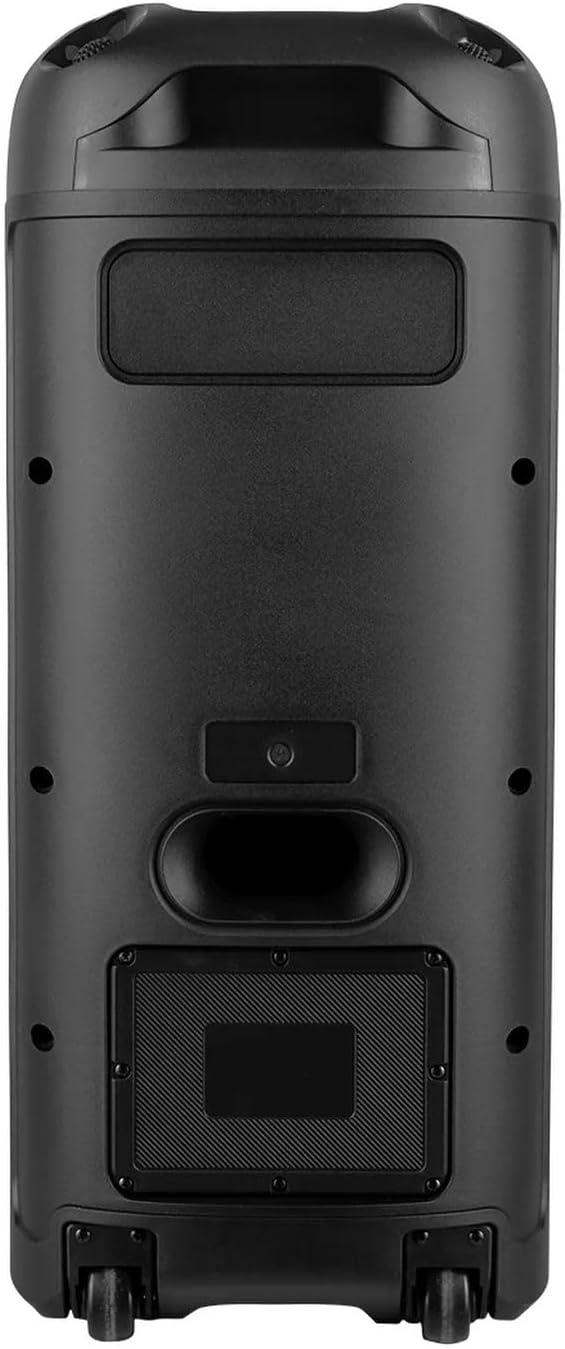
Image: Rear view of the Kaiser MSA-2073 speaker, highlighting the back panel and integrated wheels for portability.
Included Microphone

Image: The microphone included with the Kaiser MSA-2073 speaker, featuring a power button and indicator light.
5. Setup
5.1 Charging the Speaker
- Connect the provided USB charging cable to the speaker's power input.
- Connect the other end of the USB cable to a suitable USB power adapter (not included) or a powered USB port.
- The charging indicator light will illuminate during charging. It will turn off or change color once fully charged.
5.2 Powering On/Off
- To power on the speaker, slide the POWER switch to the 'ON' position.
- To power off the speaker, slide the POWER switch to the 'OFF' position.
6. Operating Instructions
6.1 Bluetooth Pairing
- Power on the MSA-2073 speaker. It will automatically enter Bluetooth pairing mode, indicated by a flashing 'BLUE' display.
- On your mobile device (smartphone, tablet, etc.), enable Bluetooth and search for available devices.
- Select "MSA-2073" from the list of devices.
- Once connected, the speaker will emit a confirmation sound, and the 'BLUE' display will stop flashing.
- You can now play audio from your device through the speaker.
6.2 KSR-LINK 9.2 (Linking Two Speakers)
The KSR-LINK 9.2 technology allows you to wirelessly connect two MSA-2073 speakers for a stereo sound experience.
- Ensure both MSA-2073 speakers are powered on and in Bluetooth mode.
- On one of the speakers (this will be the primary speaker), press and hold the BT button for a few seconds until you hear a pairing tone.
- The two speakers will automatically search for and connect to each other. A confirmation sound will indicate a successful connection.
- Once linked, connect your mobile device to the primary speaker via Bluetooth as described in section 6.1. Audio will now play through both speakers.
6.3 FM Radio Operation
- Press the MODE button repeatedly until 'FM' appears on the display.
- Press the Play/Pause button to initiate an automatic scan for FM stations. The speaker will save all found stations.
- Use the Previous/Next Track buttons to navigate between saved FM stations.
6.4 USB / SD Card Playback
- Insert a USB flash drive into the USB Port or an SD card into the MICRO SD Slot.
- The speaker will automatically switch to USB or SD mode and begin playing audio files. If not, press the MODE button to select the correct input.
- Use the Playback Controls (Previous, Play/Pause, Next) to manage your music.
6.5 Microphone and Voice Effects
- Connect a microphone to either the MIC 1 or MIC 2 input.
- Adjust the microphone volume using the VOL MIC knob.
- Adjust the echo effect using the ECO MIC knob.
- Press the EFECTO VOZ button to cycle through five different voice effects.
6.6 Hands-Free Function
When your smartphone is connected via Bluetooth, the speaker's hands-free function allows you to manage calls directly from the speaker.
- Answering a Call: Press the Play/Pause button to answer an incoming call.
- Ending a Call: Press the Play/Pause button again to end an active call.
- Rejecting a Call: Press and hold the Play/Pause button to reject an incoming call.
6.7 LED Lights Control
Press the LED button to cycle through different LED light modes or to turn the lights off.
7. Maintenance
- Cleaning: Use a soft, dry cloth to clean the exterior of the speaker. Do not use abrasive cleaners or solvents.
- Storage: When not in use for extended periods, store the speaker in a cool, dry place away from direct sunlight.
- Battery Care: To prolong battery life, avoid fully discharging the speaker frequently. Charge it regularly, even if not in use.
8. Troubleshooting
| Problem | Possible Solution |
|---|---|
| Speaker does not power on. | Ensure the speaker is charged. Connect the USB charging cable and allow it to charge for a period. Check the power switch position. |
| No sound from the speaker. | Check the master volume and input source. Ensure your connected device's volume is also up. If using a microphone, check its connection and volume. |
| Bluetooth connection fails. | Ensure the speaker is in Bluetooth mode. Make sure your device is within 10 meters of the speaker. Try unpairing and re-pairing the device. Restart both the speaker and your Bluetooth device. |
| FM radio reception is poor. | Try repositioning the speaker to improve signal reception. Perform an auto-scan again. |
| USB/SD card not playing. | Ensure the USB drive or SD card is inserted correctly. Check that the audio files are in a compatible format. Press the MODE button to select the correct input. |
9. Specifications
| Feature | Detail |
|---|---|
| Model Name | MSA-2073 |
| Brand | Kaiser |
| Dimensions (D x W x H) | 34 x 32 x 71 cm |
| Audio Power | 28,000 W PMPO / 70 W RMS |
| Speaker Amplification Type | Passive |
| Bluetooth Version | 5.3 |
| Bluetooth Range | Up to 10 m |
| Impedance | 3 ohm |
| Microphone Voice Effects | 5 effects |
| Mounting Type | Floor |
| Batteries Required | No (Internal rechargeable battery) |
| ASIN | B0DZ85MJW9 |
| Product Launch Date | March 4, 2025 |
10. Warranty and Support
This product comes with a standard manufacturer's warranty. For specific warranty details, claims, or technical support, please refer to the warranty card included in your package or contact Kaiser customer service directly. Keep your proof of purchase for any warranty-related inquiries.


