
1. Introduction
This manual provides essential instructions for the setup, operation, and maintenance of your INTECHING RMF-TX920U Voice Remote Control. Please read this guide thoroughly to ensure proper use and to maximize your remote control's functionality with your compatible Sony Bravia Smart Google TV.
2. Product Overview
The INTECHING RMF-TX920U is a replacement voice remote control designed for seamless integration with various Sony Bravia OLED 4K Ultra HD Smart Google TV models. It offers responsive button presses and voice search capabilities.

Figure 1: Front view of the INTECHING RMF-TX920U Voice Remote Control, showing the power button, TV input, settings, menu, navigation pad, back, home, volume, channel, mute, play/pause, and Google Assistant buttons.
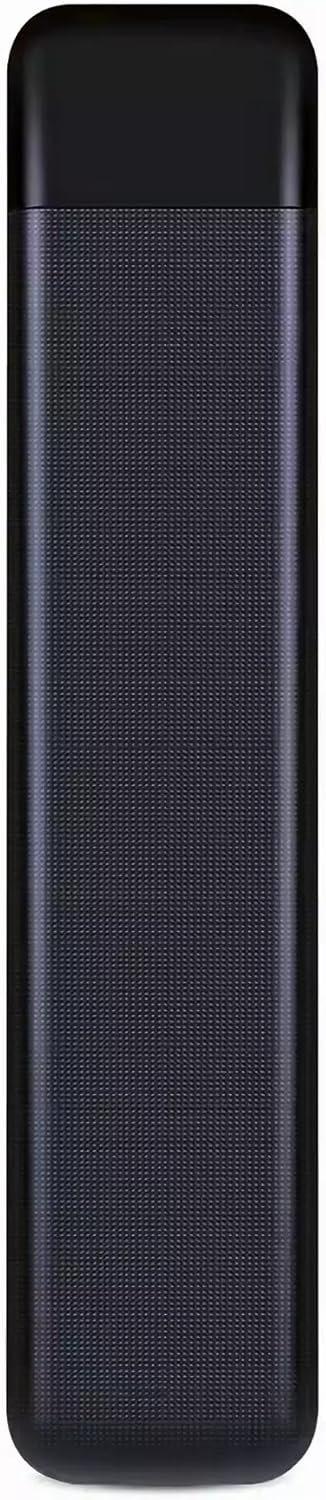
Figure 2: Back view of the INTECHING RMF-TX920U Voice Remote Control, featuring a textured grip for comfortable handling.
3. Setup
3.1 Battery Installation
The remote control requires two (2) AAA batteries (not included) for operation.
- Locate the battery compartment cover on the back of the remote control.
- Slide the cover downwards or press the latch to open it.
- Insert two AAA batteries, ensuring the positive (+) and negative (-) terminals align correctly with the markings inside the compartment.
- Replace the battery compartment cover until it clicks securely into place.
3.2 Pairing with Your TV (for Voice Functionality)
To enable the voice control feature, the remote must be paired with your Sony Bravia TV. Basic functions (like power, volume, channel) may work without pairing, but voice commands require this step.
- Ensure your television is powered on. If not, press the Power button on the remote control to turn on the TV.
- Press and hold the Vol- (Volume Down) button and the Google Assistant (microphone icon) button simultaneously for approximately 2-3 seconds.
- The TV screen should display a pairing initiation message.
- Follow any on-screen instructions that appear to complete the pairing process.
Note: Ensure there are no obstructions between the remote control and the TV during operation and pairing.
4. Operating Instructions
4.1 Basic Functions
The remote control is designed to work immediately for basic functions once batteries are installed. Point the remote directly at your TV and press the desired buttons for actions such as:
- Power: Turns the TV on or off.
- Volume Up/Down: Adjusts the sound level.
- Channel Up/Down: Changes TV channels.
- Mute: Silences the TV audio.
- Navigation Pad: Used to navigate menus and select items.
- Home: Returns to the TV's home screen.
- Back: Returns to the previous screen or menu.
4.2 Voice Control (Google Assistant)
After successful pairing, you can use the voice control feature:
- Press the Google Assistant (microphone icon) button.
- Speak clearly into the microphone located on the remote control.
- You can issue commands such as "Open Netflix," "Search for action movies," "What's the weather?", or "Turn up the volume."
5. Maintenance
- Cleaning: Wipe the remote control with a soft, dry cloth. Do not use liquid cleaners or abrasive materials.
- Battery Replacement: Replace batteries when the remote's responsiveness decreases or it stops functioning. Always replace both batteries at the same time with new ones.
- Storage: Store the remote in a cool, dry place away from direct sunlight and extreme temperatures. If not used for an extended period, remove the batteries to prevent leakage.
- Obstructions: Ensure a clear line of sight between the remote control and the TV's infrared receiver for optimal performance.
6. Troubleshooting
| Problem | Possible Cause / Solution |
|---|---|
| Remote is not responding. |
|
| Voice control is not working. |
|
| Buttons are unresponsive or sticky. |
|
7. Specifications
- Model Number: ITK-TX920U (RMF-TX920U)
- Brand: INTECHING
- Product Dimensions: 7.1 x 1.38 x 0.71 inches
- Item Weight: 2.82 ounces
- Batteries Required: 2 x AAA batteries (not included)
- Special Feature: Voice Search (Google Assistant)
- Color: Black
8. Compatible TV Models
This INTECHING RMF-TX920U Voice Remote Control is compatible with the following Sony Bravia OLED 4K Ultra HD Smart Google TV series:
- Bravia 3 Series: K-43S30, K-50S30, K-55S30, K-65S30, K-75S30, K-85S30
- Bravia 7 Series: K-43XR70, K-50XR70, K-55XR70, K-65XR70, K-75XR70, K-85XR70
- Bravia 8 Series: K-45XR80, K-50XR80, K-55XR80, K-65XR80, K-75XR80, K-77XR80, K-85XR80
- Bravia 9 Series: K-65XR90, K-75XR90, K-85XR90
This list is not exhaustive. If your Sony Bravia TV is a Smart Google TV from the 3, 7, 8, or 9 series, it is likely compatible.
9. Warranty and Support
INTECHING provides a 12-month warranty from the date of purchase for this remote control. For any questions, technical assistance, or warranty claims, please contact INTECHING customer service. Our well-trained support team aims to respond to messages within 24 hours.
For further assistance, please refer to the seller's contact information on the platform where the product was purchased.