
1. Introduction
This user manual provides comprehensive instructions for the operation and maintenance of your Washinglee M302 OBD2 Diagnostic Scanner. The M302 is a versatile diagnostic tool designed to assist in identifying and resolving issues in vehicles manufactured after 1996, supporting a wide range of car brands and diagnostic protocols. Please read this manual thoroughly before using the device to ensure proper and safe operation.
2. Product Overview
2.1. What's in the Box
- 1 X M302 Code Reader
- 1 X User Manual
- 1 X Carry Case

Figure 2.1: The M302 Code Reader, User Manual, and Carry Case included in the package.
2.2. Key Features
- 2.8 Inches Color TFT Screen
- Wide Vehicle Coverage (61 Car Brands, 100000+ Vehicles after 1996)
- Oil Reset Function (for cars 1996-2021)
- Full 10 OBD2 Modes Support
- Engine Diagnosis & Fault Code Clearing
- Real-time Data Streaming & Automotive Instrument Data
- Oxygen Sensor Test, Fault Freeze Frame, I/M Ready Status
- On-Board Monitor Test (Mode 6) & E-V-A-P Test (Mode 8)
- DTC Lookup & Cloud Print
- Overcurrent and Overvoltage Protection
- Supports 11 Languages
- Supports 5 Private and 9 Standard Protocols
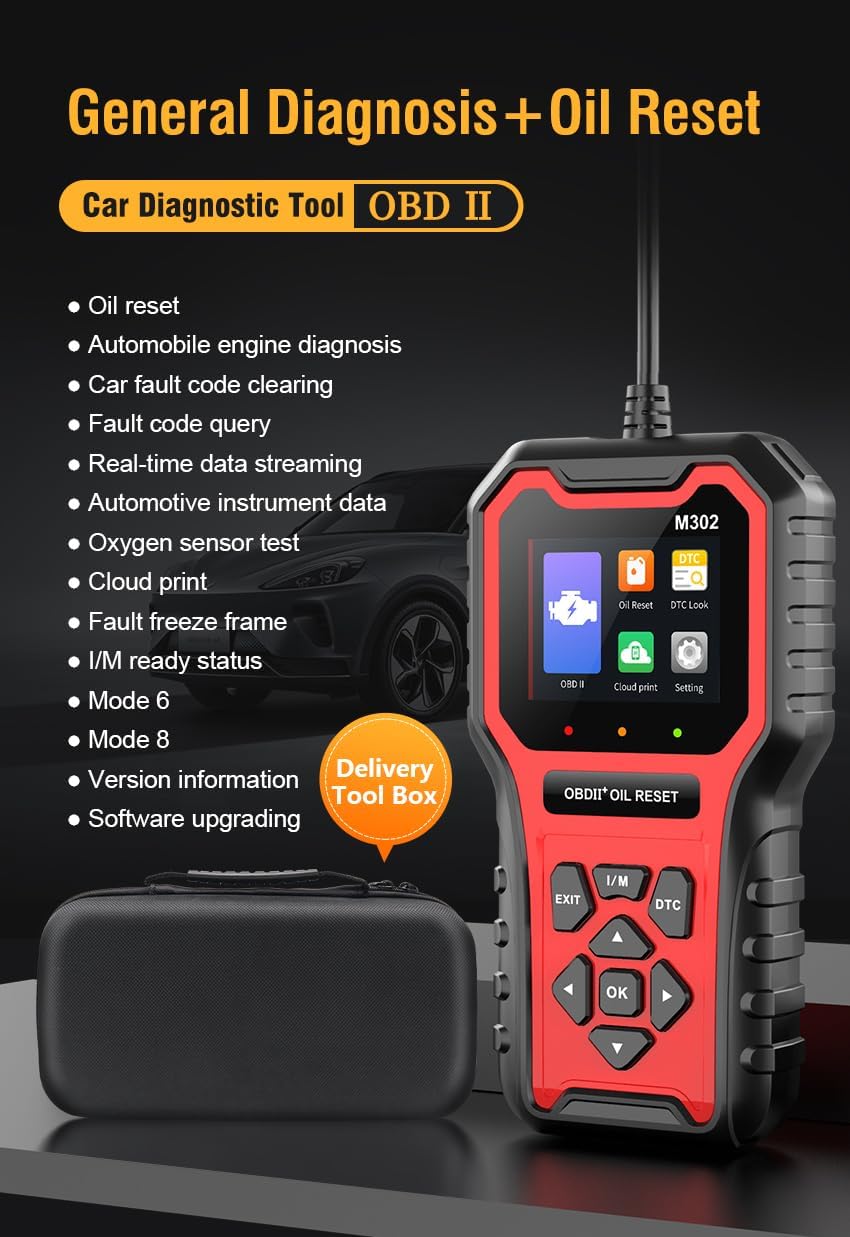
Figure 2.2: Overview of the M302's general diagnostic and oil reset capabilities.
3. Setup
3.1. Connecting the Device
- Locate the 16-pin Data Link Connector (DLC) in your vehicle. This is usually found under the dashboard on the driver's side.
- Ensure the vehicle's ignition is turned off.
- Firmly plug the M302's OBD2 connector into the vehicle's DLC.
- Turn the vehicle's ignition to the "ON" position (do not start the engine unless instructed by a specific diagnostic procedure). The M302 will power on automatically.

Figure 3.1: The M302 scanner with its integrated OBD2 cable, ready for connection.
4. Operating Instructions
4.1. Navigation
The M302 features a 2.8-inch color TFT screen and a user-friendly button interface for navigation. Use the directional arrows (Up, Down, Left, Right) to move through menus, the "OK" button to confirm selections, and the "EXIT" button to return to the previous screen or main menu.
4.2. Engine Diagnostic Functions
The M302 supports all 10 OBD2 modes for comprehensive engine diagnostics.
- Read/Clear Engine Fault Codes: Access the "OBD II" menu to read current, pending, and permanent Diagnostic Trouble Codes (DTCs). Select "Clear Codes" to erase DTCs and turn off the Check Engine Light (MIL). Note: Clearing codes does not fix the underlying problem. Ensure repairs are made before clearing codes.
- Real-time Data Streaming: View live sensor data from the vehicle's engine control unit (ECU). This includes parameters like engine RPM, vehicle speed, oxygen sensor readings, coolant temperature, and more. This data can help identify performance issues.
- I/M Readiness Status: Check the readiness of the emission-related monitoring systems. This is crucial for passing emission tests.
- Oxygen Sensor Test: Retrieve O2 sensor monitor test results for the most recently completed tests.
- On-Board Monitor Test (Mode 6): Access results of on-board diagnostic monitoring tests for specific components/systems that are not continuously monitored.
- E-V-A-P Test (Mode 8): Initiate a test of the Evaporative Emission Control System.
- Fault Freeze Frame: When an emission-related fault occurs, the ECU stores certain vehicle parameters at the time of the fault. This "freeze frame" data can help pinpoint the conditions under which the fault occurred.
- DTC Lookup: Use the built-in DTC library to find detailed descriptions of generic (P0, P2, P3, B0, C0, U0) and manufacturer-specific (P1, P3, B1, C1, U1) codes.

Figure 4.1: The M302 displaying a fault code and illustrating the process of reading and clearing engine fault codes.

Figure 4.2: The M302 performing an On-Board Monitor Test and showing real-time data stream for diagnostics.
4.3. Oil Reset Function
The M302 can reset the oil maintenance light for vehicles manufactured between 1996 and 2021.
- From the main menu, select "Oil Reset".
- Follow the on-screen prompts to perform the oil service light reset.
- Confirm the reset was successful on your vehicle's dashboard.
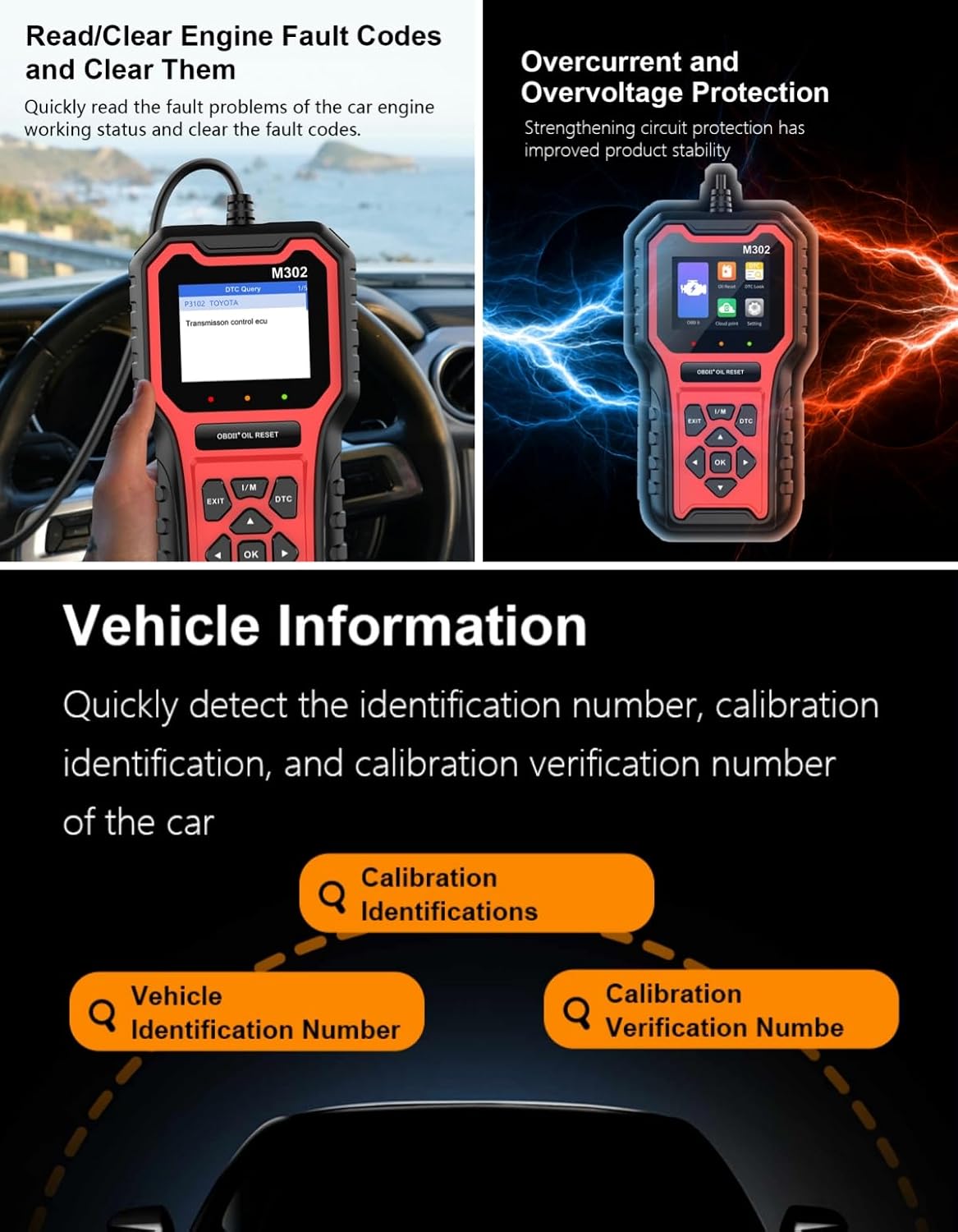
Figure 4.3: Illustration of the oil reset function, showing a car dashboard before and after the maintenance light is cleared.
4.4. Cloud Print
The Cloud Print function allows you to generate a QR code for diagnostic data (DTCs, data stream, freeze frame). Scan the QR code with a mobile phone to save or print the data.

Figure 4.4: The M302 displaying a QR code for the Cloud Print feature, enabling easy sharing or printing of diagnostic reports.
5. Supported Protocols and Vehicle Coverage
5.1. Supported Protocols
The M302 supports a wide array of communication protocols, ensuring compatibility with numerous vehicles.
Standard Protocols:
- SAE J1850 PWM (41.6Kbaud)
- SAE J1850 VPW (10.4Kbaud)
- ISO9141-2 (5 baud init, 10.4Kbaud)
- ISO14230-4 KWP (5 baud init, 10.4 Kbaud)
- ISO14230-4 KWP (fast init, 10.4 Kbaud)
- ISO15765-4 CAN (11bit ID, 500 Kbaud)
- ISO15765-4 CAN (29bit ID, 500 Kbaud)
- ISO15765-4 CAN (11bit ID, 250 Kbaud)
- ISO15765-4 CAN (29bit ID, 250 Kbaud)
Private Protocols:
- CAN-500K
- CAN-50K
- CAN-125K
- TP20
- KWP
5.2. Vehicle Compatibility
The M302 is compatible with most cars made after 1996 that utilize the OBD2 protocol. It supports over 61 car brands and models globally, including but not limited to:

Figure 5.1: A comprehensive list of car brands and models supported by the M302 scanner, categorized by region.
6. Maintenance
6.1. Software Upgrades
The M302 supports software upgrades to ensure compatibility with new vehicle models and diagnostic features. Visit the official Washinglee website for the latest software updates and instructions on how to perform the upgrade.

Figure 6.1: The M302 scanner connected to a laptop, illustrating the software upgrade process.
6.2. Equipment Self-test
The device includes self-test functions to verify the integrity of its components, such as the LCD, buttons, LED indicators, and buzzer. Regularly performing these tests can help prevent inaccurate detection due to equipment malfunctions.
- LCD Testing: Checks for dead pixels or display issues.
- Key Test: Verifies the functionality of all navigation and function buttons.
- LED Testing: Confirms indicator lights are working correctly.
- Buzzer Test: Checks the audible alert system.
Figure 6.2: The M302's Equipment Self-test menu, showing options for LCD, Key, LED, and Buzzer tests.
7. Troubleshooting
If you encounter issues with your M302 scanner, refer to the following common troubleshooting steps:
- Device does not power on: Ensure the OBD2 connector is securely plugged into the vehicle's DLC and the vehicle's ignition is in the "ON" position. Check the vehicle's battery voltage.
- Communication error: Verify the vehicle is OBD2 compliant (most vehicles after 1996). Ensure the connection is secure. Try the scanner on another OBD2 compliant vehicle if possible.
- Screen frozen or unresponsive: Disconnect the device from the vehicle, wait a few seconds, and reconnect. If the issue persists, perform a software update if available.
- Inaccurate readings: Ensure the vehicle's ignition is on and the engine is running (if required for specific tests). Check for any loose connections.
7.1. Overcurrent and Overvoltage Protection
The M302 is equipped with overcurrent and overvoltage protection to safeguard the device from electrical surges. If the device unexpectedly shuts down or fails to respond, it might be due to these protection mechanisms activating. Disconnect the device and reconnect after a few moments.
Figure 7.1: The M302 scanner's robust design includes overcurrent and overvoltage protection for enhanced stability.
8. Specifications
| Parameter | Value |
|---|---|
| Working Voltage | DC 8 - 18V |
| Operating Environment | 0 to 60 Celsius degree |
| Storage Temperature | -20 to 80 Celsius degree |
| Product Dimensions | 7.68"L x 4.19"W x 1.34"H |
| Item Weight | 1.68 pounds |
| Screen | 2.8 Inches Color TFT Screen |
| Supported Languages | English, Spanish, French, German, Italian, Polish, Portuguese, Japanese, Korean, Chinese, Russian |
9. Warranty and Technical Support
The Washinglee M302 OBD2 Diagnostic Scanner comes with a 1-year warranty from the date of purchase.
For technical assistance, troubleshooting, or warranty claims, please contact Washinglee technical support. Refer to the contact information provided in your product packaging or visit the official Washinglee website for support resources.