
Dreo DR-HTF017 Black
Contents
Dreo Tower Fan TF117 User Manual
Model: DR-HTF017 Black
Brand: Dreo
1. Introduction
Welcome to the user manual for your new Dreo Tower Fan TF117. This fan is designed to provide powerful, quiet, and efficient cooling for your home or office. Please read this manual thoroughly before operation to ensure proper use, maintenance, and safety.
2. Important Safety Instructions
- Read all instructions before using this fan.
- Always unplug the fan before cleaning or servicing.
- Do not operate any fan with a damaged cord or plug.
- Do not run cord under carpeting. Do not cover cord with throw rugs, runners, or similar coverings. Arrange cord away from traffic area and where it will not be tripped over.
- Do not insert or allow foreign objects to enter any ventilation or exhaust opening as this may cause an electric shock or fire, or damage the fan.
- Do not use outdoors.
- This fan is intended for household use only.
3. Product Overview
Familiarize yourself with the components of your Dreo Tower Fan TF117.
3.1 Package Contents
- Dreo Tower Fan TF117
- Remote Control
- User Manual
3.2 Fan Components

The image above shows the main unit of the Dreo Tower Fan TF117 along with its remote control. The fan features a sleek black design with a digital display on the top.
3.3 Control Panel & Remote Control
The fan can be controlled via the touch panel on top of the unit or the included remote control. The control panel features buttons for power, speed, mode, timer, and oscillation.
4. Setup
The Dreo Tower Fan TF117 requires minimal assembly.
4.1 Assembly Instructions
- Carefully remove all parts from the packaging.
- Attach the base to the main fan body. Ensure it clicks securely into place.
- Place the fan on a firm, level surface.
- Plug the power cord into a standard electrical outlet.
5. Operating Instructions
Your Dreo Tower Fan TF117 offers various settings to customize your cooling experience.
5.1 Power On/Off
- Press the Power button on the control panel or remote control to turn the fan on or off.
5.2 Speed Settings
The fan features 4 speed settings.
- Press the Speed button to cycle through the available fan speeds (1-4).
5.3 Modes
Choose from 3 distinct modes: Normal, Sleep, and Natural.
- Press the Mode button to switch between Normal, Sleep, and Natural modes.
- Normal Mode: Provides a consistent airflow at the selected speed.
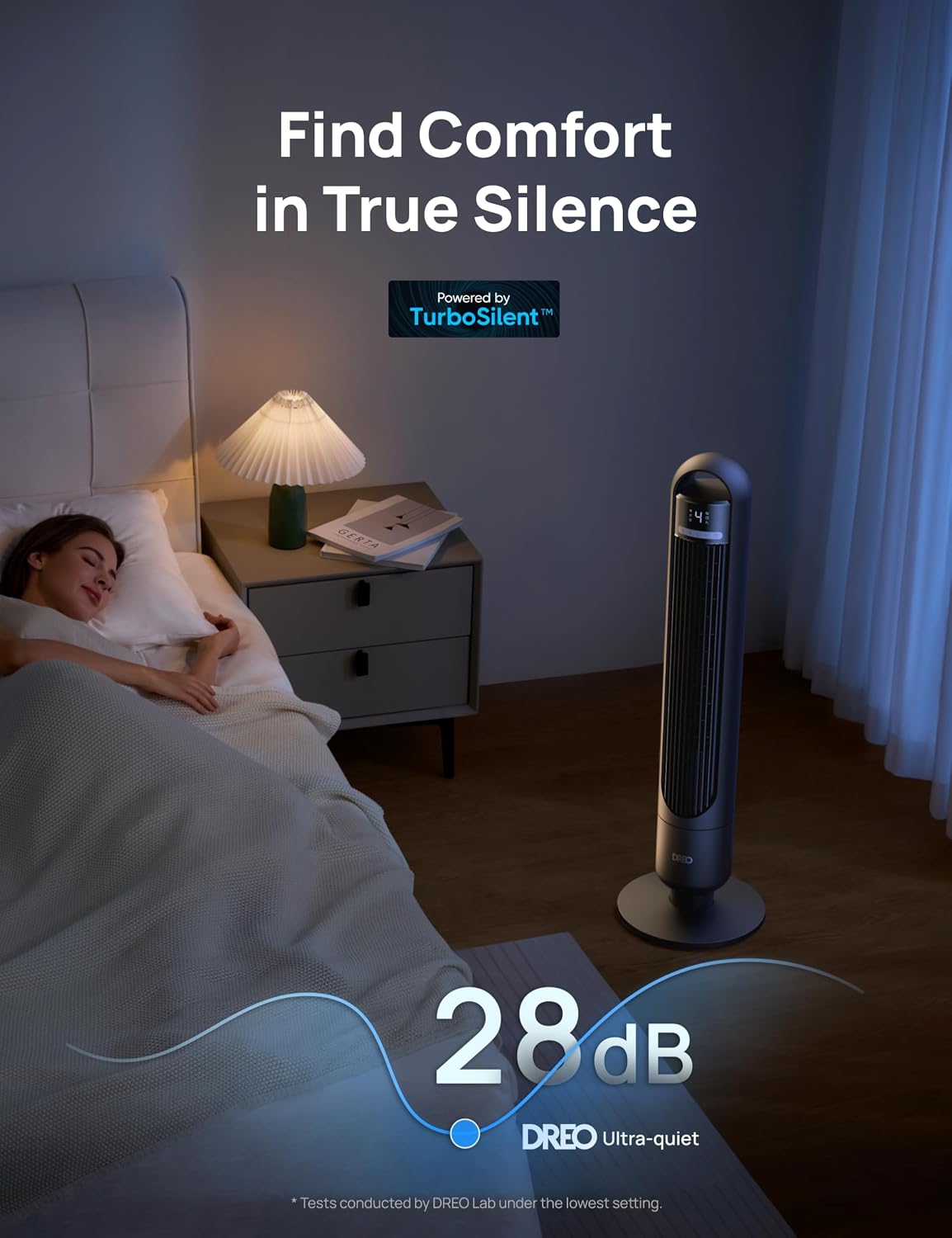
- Sleep Mode: Operates at an ultra-quiet 28dB, gradually decreasing fan speed to promote restful sleep. The display will auto-dim after 60 seconds.
- Natural Mode: Simulates natural breezes by varying fan speed intermittently.
5.4 Oscillation
The fan offers 90° of smooth oscillation to cover a wider area.
- Press the Oscillation (Swing) button to start or stop the fan's oscillation feature.
5.5 Timer Function
Set the fan to automatically turn off after a specified period, up to 8 hours.
- Press the Timer button repeatedly to set the desired operating time in 1-hour increments. The display will show the remaining time.
5.6 Remote Control Usage
The remote control allows for convenient operation from a distance. Ensure the remote control has a C battery installed (included).
6. Maintenance
6.1 Cleaning
- Always unplug the fan before cleaning.
- Use a soft, damp cloth to wipe the exterior surfaces of the fan.
- Do not use abrasive cleaners or solvents.
- For internal dust, use a vacuum cleaner with a brush attachment to gently clean the air inlet and outlet grilles.
6.2 Storage
- If storing the fan for an extended period, clean it thoroughly.
- Store the fan in its original packaging or a dust-free, dry place.
7. Troubleshooting
| Problem | Possible Cause | Solution |
|---|---|---|
| Fan does not turn on | Not plugged in; Power outlet not working; Remote control battery low | Ensure power cord is securely plugged in; Test outlet with another device; Replace remote control battery (C battery) |
| Weak airflow | Fan speed too low; Air inlets/outlets blocked | Increase fan speed; Clean air inlets/outlets |
| Fan is noisy | Fan not on a level surface; Internal dust buildup | Place fan on a flat, stable surface; Clean internal components (refer to cleaning section) |
| Oscillation not working | Oscillation function not activated | Press the Oscillation (Swing) button on the control panel or remote |
8. Specifications
| Feature | Detail |
|---|---|
| Brand | Dreo |
| Model Name | DR-HTF017 Black |
| Product Dimensions | 8.03"D x 8.03"W x 36.26"H |
| Item Weight | 6.01 pounds (2.73 Kilograms) |
| Power Source | Corded Electric |
| Noise Level | 28 dB |
| Number of Power Levels | 3 (Modes: Normal, Sleep, Natural) |
| Control Method | Remote, Touch |
| Oscillation | 90° |
| Timer | 8 Hours |
| Air Velocity | 25ft/s |
| Max Airflow Coverage | 29ft |
| Batteries Required | 1 C battery (included for remote) |
9. Warranty & Support
Dreo provides a warranty for this product. For detailed warranty information and to register your product for an extended warranty, please visit the official Dreo website or refer to the warranty card included in your package.
For technical support, troubleshooting assistance, or replacement parts, please contact Dreo Customer Service.
- Official Website: www.dreo.com
- User Manual (PDF): Download PDF
Ask a question about this manual
Ask about setup, troubleshooting, compatibility, parts, safety, or missing instructions. Manuals+ will review the question and use this page’s manual context to help answer it.