
1. Product Overview
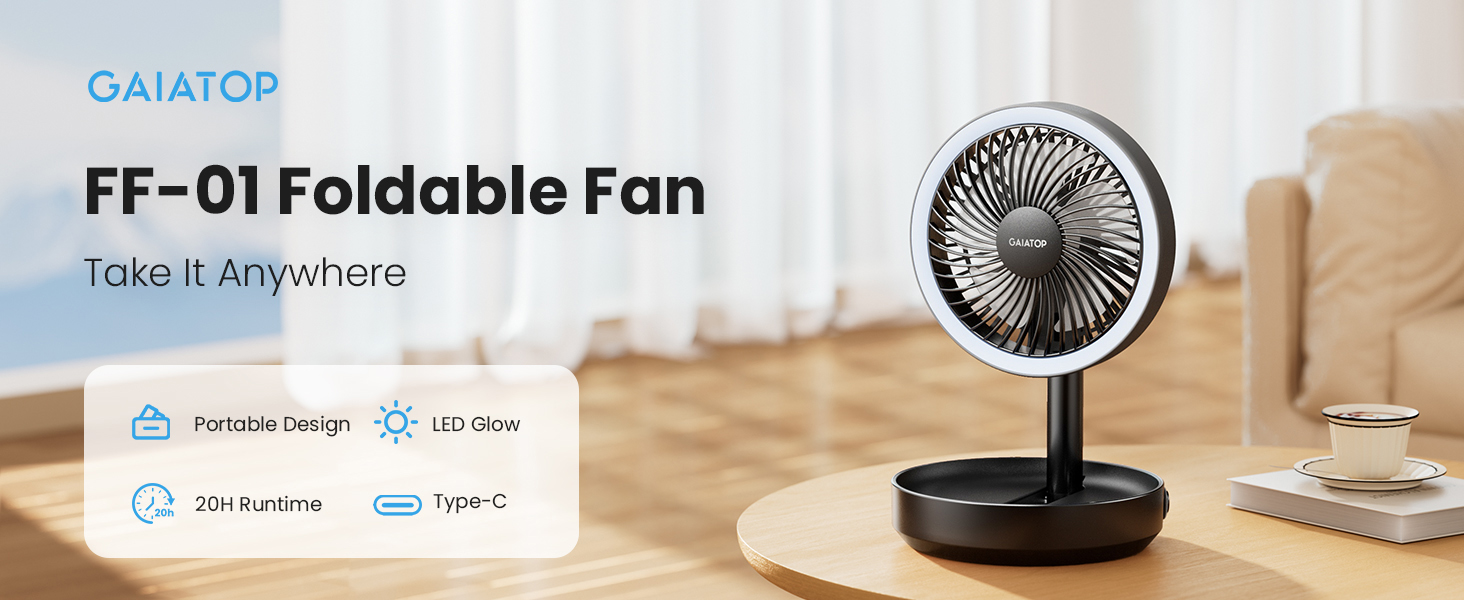
The Gaiatop Foldable Small Desk Fan with LED Night Light (Model: FF-01) is a versatile and portable cooling device designed for various environments. It features a wireless 6000mAh rechargeable battery, offering extended operation without a power outlet. Its compact, foldable design makes it ideal for travel, office, bedroom, or outdoor use. The integrated LED night light provides additional utility with two brightness settings.
2. Key Features
- Foldable Design: Collapses from 10.6 inches to 2.7 inches for easy portability and storage. Weighs 1.23 lbs for stability.
- Long Battery Life: Equipped with a 6000mAh rechargeable battery, providing 4 to 20 hours of runtime depending on speed and light usage. Fully recharges in approximately 5 hours.
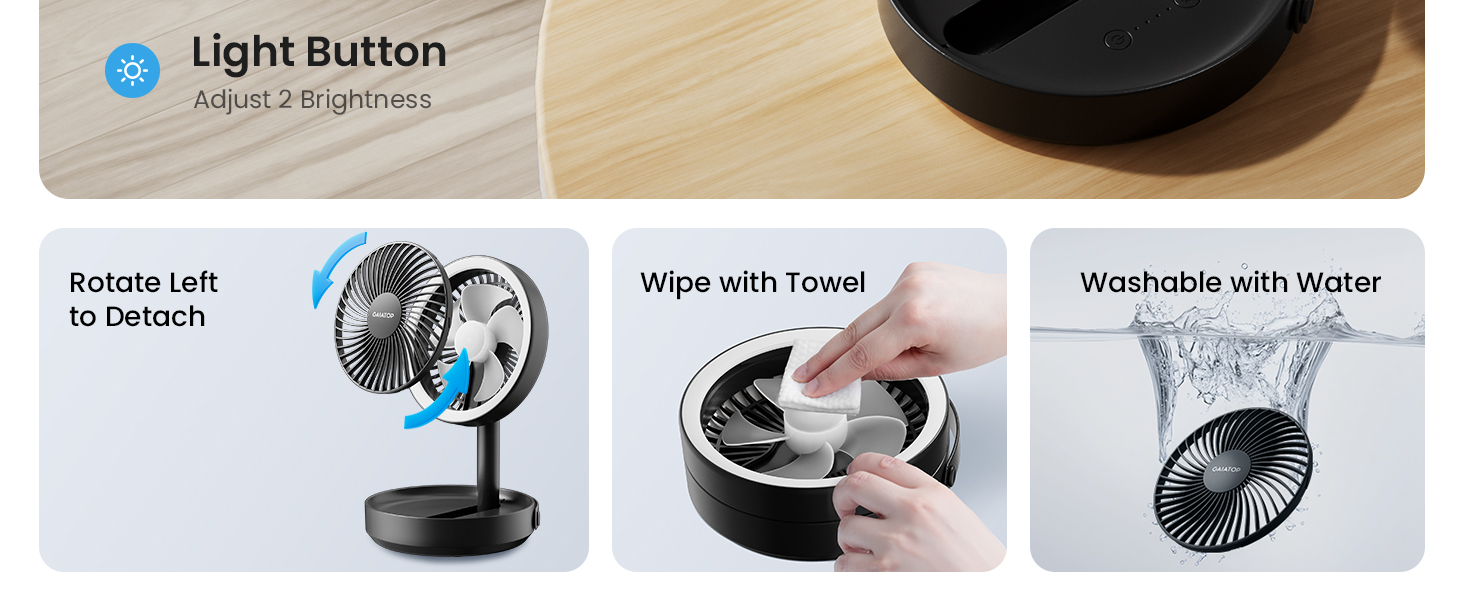
- Integrated LED Night Light: Features two brightness levels (low for gentle glow, high for increased visibility), usable independently or with the fan.
- Adjustable Airflow: Fan head tilts 180° and the stand folds 90° for directional airflow. Offers three fan speeds:
- Low: 3.4 m/s
- Medium: 4.0 m/s
- High: 4.7 m/s
- Multiple Placement Options: Can be used as a desk fan with its non-slip base, hung using the built-in strap, or wall-mounted via the back hole.
- Easy Cleaning: Removable front cover for convenient cleaning.
- Battery Indicator: Four LED lights indicate battery status (slow flash when low, fast flash while charging, solid when full).
3. Setup Guide
3.1 Unfolding the Fan
To unfold the fan from its compact state:
- Gently pull the fan head upwards from the base.
- Extend the stand to your desired height.
- Adjust the fan head angle by tilting it up to 180 degrees.
3.2 Charging the Fan
Before first use, fully charge the fan. Use the provided USB Type-C cable to connect the fan to a power source.
- Connect the USB Type-C end of the cable to the fan's charging port.
- Connect the other end of the cable to a compatible USB power source (e.g., wall charger, car charger, laptop, power bank).
- The battery indicator lights will flash rapidly during charging and become solid when fully charged. A full charge takes approximately 5 hours.


4. Operating Instructions
4.1 Powering On/Off and Adjusting Fan Speed
Locate the fan button on the base of the unit.
- Press the fan button once to turn on the fan at Low speed (3.4 m/s).
- Press the button a second time for Medium speed (4.0 m/s).
- Press the button a third time for High speed (4.7 m/s).
- Press the button a fourth time to turn off the fan.

4.2 Using the LED Night Light
Locate the light button on the base of the unit.
- Press the light button once to turn on the LED night light at Low brightness.
- Press the button a second time for High brightness.
- Press the button a third time to turn off the LED night light.

4.3 Placement Options
The fan offers flexible placement options:
- Desk Use: Place the fan on any flat surface. The non-slip base ensures stability.
- Hanging: Utilize the built-in strap to hang the fan from hooks or tent poles.
- Wall-Mounted: Use the back hole to mount the fan on a wall.


4.4 Battery Indicator
The lowest of the four indicator lights on the base shows the battery status:
- Slow Flash: Battery is low and requires charging.
- Fast Flash: Unit is currently charging.
- Solid Light: Battery is fully charged.
5. Maintenance and Cleaning
Regular cleaning ensures optimal performance and longevity of your fan.
- Power Off: Ensure the fan is turned off and disconnected from any power source before cleaning.
- Remove Front Cover: Gently twist the front cover counterclockwise to detach it from the fan unit.
- Clean Blades: Use a soft, damp cloth or towel to wipe dust and debris from the fan blades. The blades can also be washed with water if heavily soiled, ensuring they are completely dry before reassembly.
- Reattach Cover: Align the front cover with the fan unit and twist clockwise until securely fastened.
6. Troubleshooting
| Problem | Possible Cause | Solution |
|---|---|---|
| Fan does not turn on. | Battery is depleted. | Charge the fan using the provided USB-C cable. Ensure the charging indicator lights are active. |
| Fan runs for a short period. | Insufficient battery charge. | Fully charge the fan for 5 hours. Note that higher fan speeds and LED light usage reduce battery life. |
| LED light does not turn on. | Light button not pressed correctly or battery low. | Press the light button multiple times to cycle through brightness settings. If still unresponsive, charge the fan. |
| Reduced airflow or unusual noise. | Fan blades are dirty or obstructed. | Clean the fan blades as described in the Maintenance section. Ensure no foreign objects are obstructing the fan. |
7. Product Specifications
| Feature | Detail |
|---|---|
| Brand | Gaiatop |
| Model Name/Number | FF-01 |
| Color | Black |
| Electric Fan Design | Table Fan |
| Power Source | Battery Powered |
| Battery Capacity | 6000mAh |
| Runtime | Up to 20 hours (depending on usage) |
| Charging Time | Approx. 5 hours |
| Product Dimensions (D x W x H) | 6.77"D x 6.77"W x 2.7"H (folded) |
| Item Weight | 562 Grams (1.23 lbs) |
| Number of Speeds | 3 |
| Airflow Speed (Low) | 3.4 m/s |
| Airflow Speed (Medium) | 4.0 m/s |
| Airflow Speed (High) | 4.7 m/s |
| Noise Level | 41 Decibels |
| Wattage | 5 watts |
| Number of Blades | 5 |
| Connector Type | USB Type C |
| Light Type | LED (2 brightness levels) |
| Material | Acrylonitrile Butadiene Styrene (ABS) |
| Indoor/Outdoor Usage | Indoor, Outdoor |
8. Warranty and Support
For warranty information or technical support, please refer to the product packaging or contact Gaiatop customer service directly. Keep your purchase receipt for warranty claims.
Contact Information: Please visit the official Gaiatop website or refer to the contact details provided with your product for the most up-to-date support information.
9. Product Videos
Gaiatop Foldable Small Desk Fan with LED Night Light
Video: An official product video from Gaiatop showcasing the features and functionality of the foldable desk fan with LED night light.