
Potensic ATOM 2
Contents
Potensic ATOM 2 Drone User Manual
Model: ATOM 2
Introduction
This user manual provides essential information for the safe and effective operation of your Potensic ATOM 2 drone. Please read this manual thoroughly before your first flight and retain it for future reference. The Potensic ATOM 2 is a compact and lightweight 3-axis gimbal 8K GPS drone designed for recreational flyers and content creators seeking high-quality aerial footage.
What's in the Box
The standard kit for the Potensic ATOM 2 includes the following components:
- Potensic ATOM 2 Drone
- Remote Control
- Battery (1 included in standard kit, total 2 batteries with bundle)
- Propellers (spare set may be included)
- User Manual (this document)

Figure 1: Contents of the Potensic ATOM 2 Standard Kit, including the drone, remote control, and batteries.
Product Overview
The Potensic ATOM 2 drone features a lightweight and compact design, weighing under 249g, which may exempt it from certain registration requirements in some regions. It is equipped with advanced imaging and transmission technologies for an enhanced user experience.
Camera and Gimbal
The drone is equipped with a 1/2'' Sony CMOS sensor, capable of capturing 8K photos and recording 4K/30fps HDR stable videos. The F1.8 aperture and 4-in-1 pixels contribute to improved low-light performance, detail, and color accuracy. A 3-axis gimbal ensures stable and smooth footage.
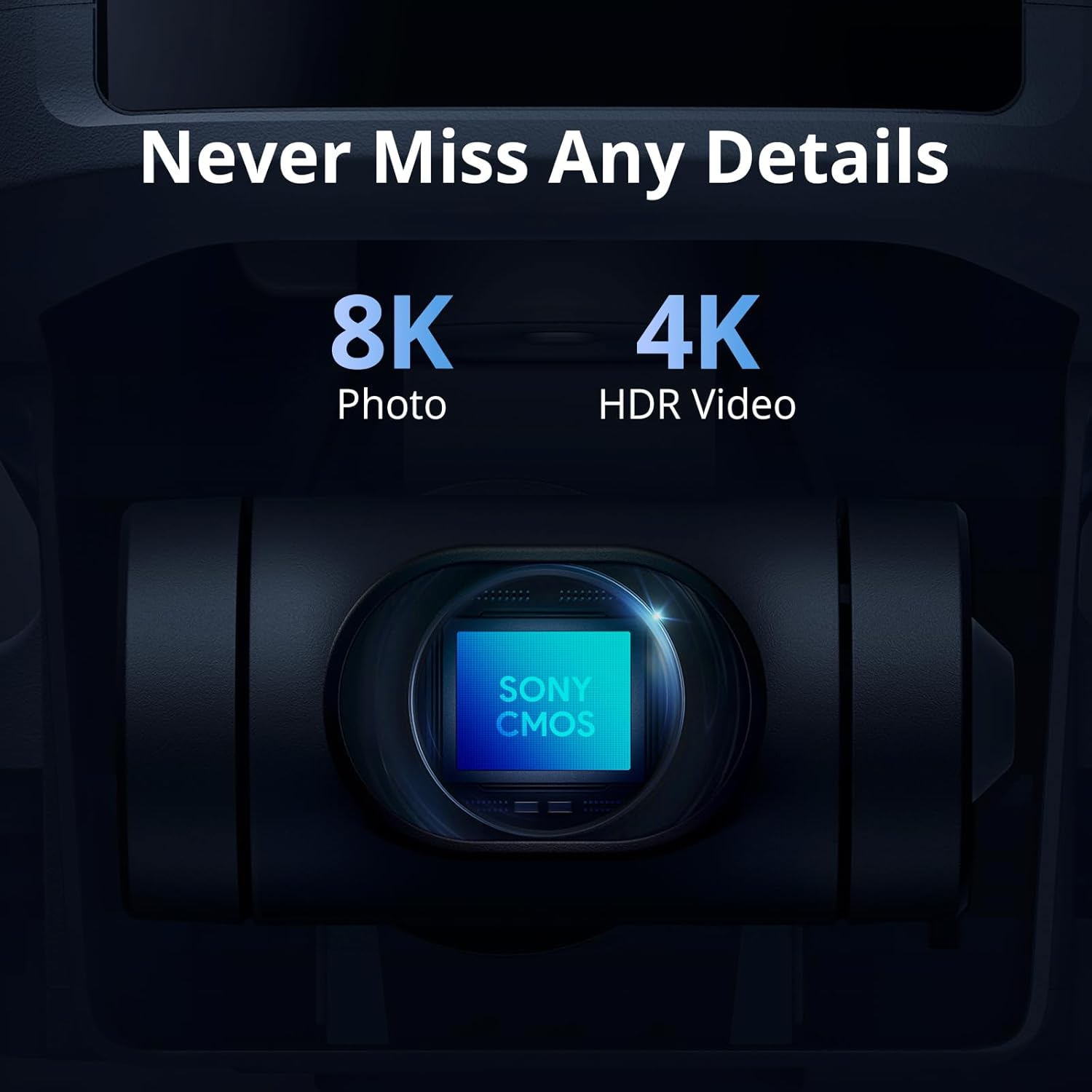
Figure 2: Close-up view of the Potensic ATOM 2's camera, highlighting its 8K photo and 4K HDR video capabilities with a Sony CMOS sensor.
Design and Portability
The ATOM 2's compact and lightweight design makes it highly portable, allowing users to capture moments anytime, anywhere without the need for FAA and Remote ID Registration in the US due to its weight being under 249g.

Figure 3: The Potensic ATOM 2 drone held in hand, demonstrating its compact and lightweight form factor.
Transmission and Control
The newly upgraded remote control features a directional antenna and built-in PixSync 4.0 technology, offering excellent anti-interference capabilities. This allows for a control range of up to 10 km and 1080p/30fps live view transmission, ensuring enhanced sensitivity and precision during flight.

Figure 4: The Potensic ATOM 2 remote control with a smartphone mounted, illustrating the long-range transmission capability.
AI Tracking and Smart Features
Powered by an advanced AI model, the ATOM 2 includes premium object locking and imagery technology. Users can frame a target to activate various tracking modes such as Spotlight, Follow, and Parallel. It also facilitates crisp and clear video capture in low-light conditions.

Figure 5: Visual representation of the AI Track feature, showing the drone following a moving vehicle.

Figure 6: An example of vertical shooting, demonstrating the drone's ability to capture perfectly framed content for social media.
Setup & First Flight
Battery Installation
Ensure the drone battery is fully charged before use. To install, align the battery with the compartment on the drone's rear and push until it clicks securely into place. Verify that the battery buckle pops out correctly to prevent mid-flight dislodgement.

Figure 7: The Potensic ATOM 2 intelligent flight battery, showing its design and connection points.
Remote Control Setup
The remote control is designed for comfortable handling. Extend the phone holder and ensure the directional antenna is pointed towards the drone during flight for optimal signal. Connect your smartphone to the remote control using a compatible USB cable. The remote control features an intuitive layout for precise drone operation.
Smartphone App Connection
Download and install the "Potensic Eve" app on your smartphone. Power on the remote control and the drone. Connect your smartphone to the remote control via the provided USB cable. Launch the app, and it should automatically connect to the drone, providing a live view and access to flight settings.
Pre-flight Checks
- Ensure all batteries (drone and remote control) are fully charged.
- Check that propellers are securely attached and free from damage.
- Verify that the gimbal protector is removed before powering on the drone.
- Perform compass and gimbal calibration as instructed by the app, especially before the first flight or if flying in a new location.
- Select a safe, open area free from obstacles, people, and no-fly zones.
Operating the Drone
Flight Modes
The Potensic ATOM 2 offers different flight modes to suit various skill levels and flight scenarios:
- Beginner Mode: Ideal for new pilots, restricting flight distance and altitude to a safe range (e.g., 30m radius and height).
- Normal Mode: Provides balanced control for general flying.
- Sport Mode: Unlocks the drone's full speed and agility for experienced pilots.
These modes can be adjusted within the "Potensic Eve" app settings under the "Safety" section.
Smart Features (AI Track & QuickShots)
The drone includes intelligent flight modes to simplify complex shots:
- AI Track: Allows the drone to automatically follow a selected subject. While effective in open spaces, it requires a specific angle to work optimally and may be less reliable in complex environments. Note that AI Track requires a flight altitude of at least 4 meters.
- QuickShots: Pre-programmed flight paths for cinematic shots, including Dolly Zoom, Pull Away, and Circle Shot. These features are accessible via the app and simplify capturing dynamic video content.
It is important to note that the Potensic ATOM 2 does not feature obstacle avoidance sensors. Pilots must maintain visual line of sight and be aware of their surroundings to prevent collisions, especially when using automated flight modes.
Range and Signal
The drone boasts a maximum transmission range of 10 km (approximately 32,808.4 feet) in ideal conditions. In open environments, the signal reception is generally robust, allowing for stable control and video feed over significant distances. Minimal signal dropouts may occur during complex maneuvers or in areas with high interference.
Battery Performance & Charging
The Potensic ATOM 2 offers a solid flight time of approximately 25 to 30 minutes per charge, depending on flight conditions and usage. For optimal experience, especially for extended sessions, the combo pack with multiple batteries is highly recommended.
Charging
Charge the drone battery and remote control using the provided charging accessories. Always use official Potensic chargers to ensure safety and prolong battery life.
Battery Care
- Avoid storing the battery with a low charge for extended periods to prevent damage.
- Store batteries in a cool, dry place away from direct sunlight and extreme temperatures.
- Do not overcharge or over-discharge the batteries.
- If a battery appears swollen, damaged, or leaks, discontinue use immediately and dispose of it properly according to local regulations.
Maintenance
Regular maintenance ensures the longevity and safe operation of your drone:
- Propellers: Inspect regularly for cracks, bends, or chips. Replace damaged propellers immediately.
- Motors: Keep motors clean and free of dust or debris. Ensure they spin freely.
- Gimbal: Handle the gimbal with care. Avoid applying force to it. Ensure the gimbal protector is used during transport.
- Body: Clean the drone body with a soft, dry cloth. Avoid using harsh chemicals.
- Firmware: Keep the drone and remote control firmware updated via the Potensic Eve app for optimal performance and new features.
Troubleshooting
| Problem | Possible Cause | Solution |
|---|---|---|
| Drone does not power on | Low battery; improperly installed battery | Charge battery; ensure battery is securely installed. |
| No live video feed in app | Loose USB cable connection; app not launched; smartphone incompatibility | Reconnect USB cable; restart app; try a different USB cable or smartphone. |
| Unstable flight/drift | Uncalibrated compass/gimbal; strong winds | Perform compass and gimbal calibration; avoid flying in strong winds. |
| AI Track not working reliably | Insufficient altitude; complex environment; subject leaves frame | Ensure flight altitude is at least 4m; use in open areas; keep subject in frame. |
Specifications
| Feature | Detail |
|---|---|
| Brand | Potensic |
| Model Name | ATOM 2 |
| Weight | 249g |
| Camera Sensor | 1/2'' Sony CMOS |
| Photo Resolution | 8K (48MP max) |
| Video Resolution | 4K/30fps HDR |
| Gimbal | 3-Axis |
| Max Flight Time | Up to 32 minutes (ideal conditions) |
| Max Transmission Range | 10 km (32,808.4 feet) |
| Connectivity Technology | Wi-Fi, PixSync 4.0 |
| GPS Support | GPS and GLONASS |
| Control Type | Remote Control |
| App | Potensic Eve |
Warranty & Support
For warranty information, technical support, or service inquiries, please refer to the official Potensic website or contact their customer service directly. Keep your proof of purchase for warranty claims.
Documents and downloads
Ask a question about this manual
Ask about setup, troubleshooting, compatibility, parts, safety, or missing instructions. Manuals+ will review the question and use this page’s manual context to help answer it.