
wheelfun 3809
Henglong 3809 2.4GHz 1/24 RC Leopard 2 A5 Battle Tank Instruction Manual
Model: 3809 / Leopard 2 A5
1. Introduction and Safety Information
This manual provides essential instructions for the safe operation, setup, and maintenance of your Henglong 3809 2.4GHz 1/24 RC Leopard 2 A5 Battle Tank. Please read this manual thoroughly before operating the tank to ensure proper function and to prevent damage or injury.
Safety Precautions:
- Recommended Age: This product is recommended for users 21 years and up.
- BB Shooting System: When using the BB shooting system, always ensure the barrel is pointed away from people, animals, and fragile objects. Wear protective eyewear.
- Water Spray: Use only clean water in the water spray system. Do not add other liquids.
- Battery Safety: Follow all battery charging and handling instructions carefully. Do not overcharge or short-circuit batteries.
- Supervision: Adult supervision is recommended during operation, especially when children are present.
2. Package Contents
Verify that all items listed below are included in your package:
- 1/24 RC Tank Model (Leopard 2 A5)
- Remote Controller (requires 3*AA batteries, not included)
- Tank Battery
- USB Charging Cable
- Infrared Combating System (integrated)
- BB Shooting System (integrated)
- Mainboard (integrated)
- Instruction Manual

Image 2.1: Contents of the package including the tank, remote control, battery, and USB charging cable.
3. Setup
3.1. Charging the Tank Battery
- Connect the tank battery to the provided USB charging cable.
- Plug the USB charging cable into a standard USB power adapter (not included) or a computer USB port.
- Allow the battery to charge fully. Refer to the charging cable's indicator light for charging status (e.g., red for charging, green for full).
- Once fully charged, disconnect the battery from the charger.
3.2. Installing Batteries in the Remote Controller
- Locate the battery compartment on the back of the remote controller.
- Open the battery compartment cover.
- Insert 3 AA batteries (not included) according to the polarity markings (+/-).
- Close the battery compartment cover securely.
3.3. Installing the Tank Battery
- Locate the battery compartment on the tank.
- Connect the charged tank battery to the tank's power connector.
- Carefully place the battery into the compartment and secure the cover.
4. Operating Instructions
4.1. Powering On and Pairing
- Turn on the tank using its power switch.
- Turn on the remote controller. The tank and remote should automatically pair. An indicator light on the remote or tank may confirm successful pairing.
4.2. Basic Movement
- Forward/Backward: Use the left joystick (or designated control) to move the tank forward or backward.
- Turning: Use the right joystick (or designated control) to turn the tank left or right.
4.3. Turret Rotation
The tank's turret can rotate 320 degrees, allowing for wide targeting angles.
- Use the designated controls on the remote to rotate the turret left or right.

Image 4.1: The tank's turret can rotate up to 320 degrees for dynamic targeting.
4.4. Barrel Elevation and Depression
The tank barrel can be adjusted up and down for varied targeting.
- Use the designated controls on the remote to elevate or depress the barrel.

Image 4.2: Detailed view of the tank's main gun barrel, capable of elevation and depression.
4.5. BB Shooting System
WARNING: Exercise extreme caution. Do not aim at people, animals, or fragile objects. Wear protective eyewear.
- Load BB pellets into the designated compartment (refer to tank diagram for location).
- Press the firing button on the remote control to fire BB pellets.
- The tank will simulate realistic firing sounds and recoil effects upon firing.
4.6. Infrared Battle Functionality
Engage in interactive battles with other compatible RC tanks equipped with infrared systems.
- Ensure both tanks are in infrared battle mode (refer to individual tank manuals for activation).
- Aim and fire at opponent tanks to register hits.
4.7. Simulated Lights and Sound Effects
The tank features realistic lighting and sound effects to enhance the operational experience.
- Operational lights (headlights, taillights) will illuminate during use.
- Engine sounds, firing sounds, and other realistic audio cues are integrated.

Image 4.3: The tank's front headlights are illuminated, adding to the realistic simulation.

Image 4.4: The tank's rear lights are illuminated, providing visual realism.
4.8. Spray Water Function
The tank can emit a mist to simulate smoke effects.
- Locate the water tank at the rear of the tank.
- Carefully add a small amount of clean water to the water tank.
- Activate the spray function using the designated button on the remote control.
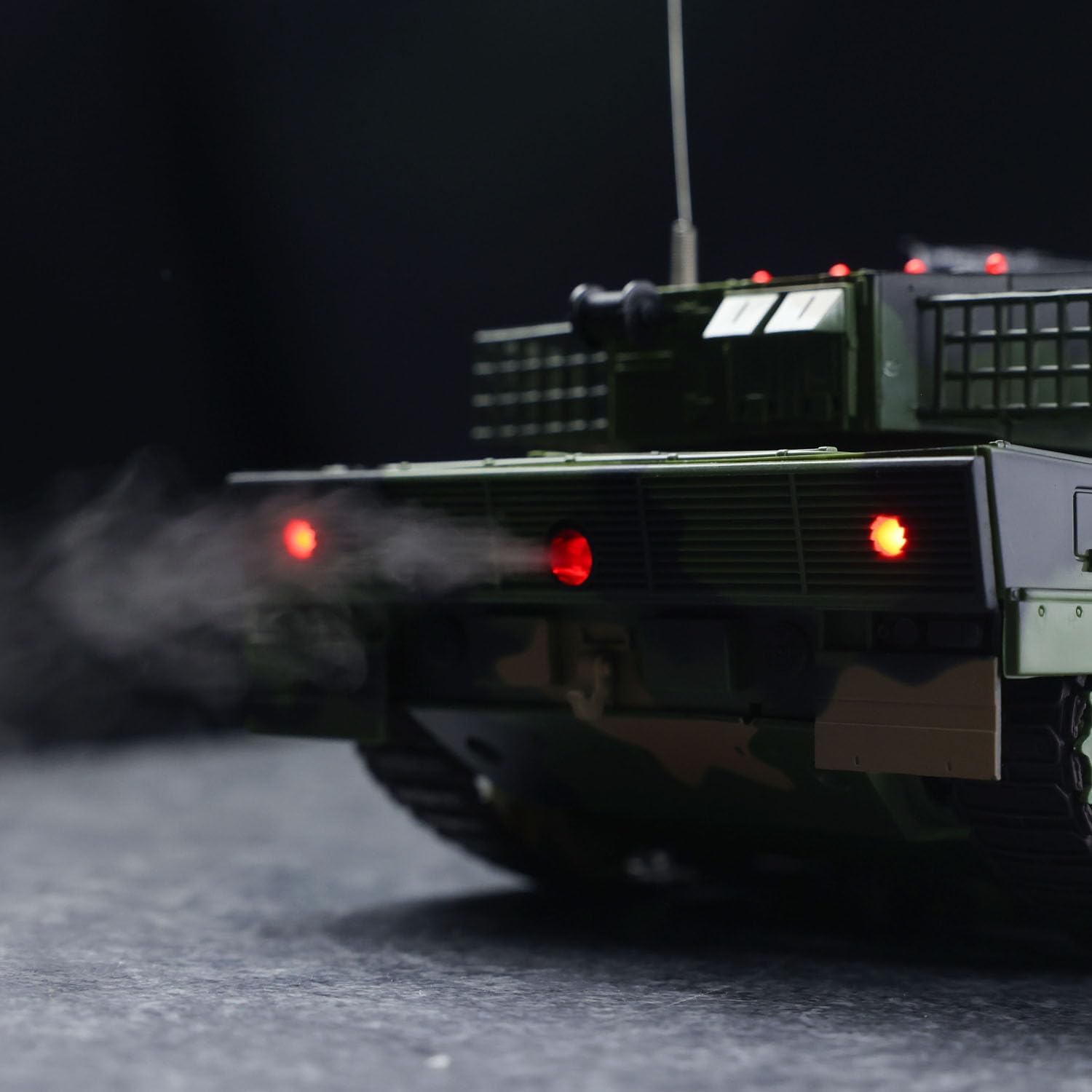
Image 4.5: The tank's rear section emitting a mist, simulating smoke effects.
5. Maintenance
5.1. Cleaning
- Turn off the tank and remote control before cleaning.
- Use a soft, dry cloth to wipe down the tank's exterior.
- For stubborn dirt, a slightly damp cloth can be used, but ensure no water enters electronic components.
- Do not use harsh chemicals or solvents.
5.2. Storage
- Remove all batteries from the tank and remote control if storing for an extended period.
- Store the tank and accessories in a cool, dry place, away from direct sunlight and extreme temperatures.
- Keep the original packaging for safe storage and transport.
6. Troubleshooting
| Problem | Possible Cause | Solution |
|---|---|---|
| Tank does not respond to remote. | Low batteries in tank or remote; Not paired; Out of range. | Charge/replace batteries; Re-pair tank and remote; Operate within range. |
| BBs not firing. | No BBs loaded; Jammed mechanism; Low power. | Load BBs; Clear any obstructions; Ensure tank battery is charged. |
| Water spray not working. | No water in tank; Clogged nozzle. | Fill water tank; Gently clear nozzle. |
| Lights or sounds not functioning. | Low battery; Internal connection issue. | Charge tank battery; If problem persists, contact support. |
7. Specifications
- Manufacturer: wheelfun
- Model Number: TH24748-AMZUS2-S (Henglong 3809 Leopard 2 A5)
- Scale: 1/24
- Tank Size: 40 x 12.5 x 14.5 cm (15.7 x 4.9 x 5.7 inches)
- Product Dimensions: 18.8 x 10.4 x 7.6 inches (packaging/overall)
- Item Weight: 6 pounds
- Material: Plastic
- Frequency: 2.4GHz
- Turret Rotation: 320 degrees
- Recommended Age: 21 years and up
8. Warranty and Support
For any questions, technical support, or warranty inquiries, please contact the manufacturer or retailer where the product was purchased. Keep your purchase receipt as proof of purchase.
Related Documents - 3809
 |
Instrukcja obsługi gramofonu Lenco L-3809 z napędem bezpośrednim i nagrywaniem USB Kompleksowa instrukcja obsługi gramofonu Lenco L-3809 z napędem bezpośrednim, obejmująca konfigurację, obsługę, środki ostrożności, specyfikacje i funkcje nagrywania przez USB. |
 |
VINEVIDA NO. 3809 Fragrance Oil - Material Safety Data Sheet (MSDS) Material Safety Data Sheet (MSDS) for VINEVIDA NO. 3809 Fragrance Oil, providing comprehensive information on product identification, hazards, composition, first aid, fire fighting measures, accidental release, handling and storage, exposure controls, physical and chemical properties, stability and reactivity, toxicological information, ecological information, disposal considerations, transport information, and regulatory information. |
 |
ZH-3809BH Tennis Pitch Machine User Manual Comprehensive user manual for the Furlihong ZH-3809BH Tennis Pitch Machine, covering package contents, parts description, assembly instructions, control operations, battery installation, troubleshooting, cleaning, power cable usage, and safety precautions. |
 |
DITEC AS45 Installation Manual for Panic Devices This installation manual provides detailed instructions for the DITEC AS45 automatic door panic device system, covering AST, ASME, and ASMI configurations. Includes part lists, diagrams, and electrical connection guides. |
 |
TLETS Operation Manual: Mobile System for Texas Law Enforcement This manual provides comprehensive operational guidelines for the Texas Law Enforcement Telecommunications System (TLETS) mobile access. It covers system definition, policy, training, and database inquiries for law enforcement and criminal justice agencies in Texas, including access to Nlets. |
 |
Organizational Maintenance Manual: RT-859/APX-72 Receiver-Transmitter and Mountings Official organizational maintenance manual detailing the operation, inspection, and repair procedures for the RT-859/APX-72 Receiver-Transmitter and its associated MT-3809/APX-72 and MT-3948/APX-72 mountings. Published by the Department of the Navy and Department of the Army in June 1967. |