
Introduction
Product Overview
The iWALK 5500mAh Portable Charger is a compact power bank designed for on-the-go charging. Featuring a 5500mAh capacity and 22.5W fast charging via its integrated USB-C port, it provides efficient power for a wide range of devices. The device incorporates iWALK's SenseForce charging technology for optimized temperature control and energy conversion.
This manual provides essential information on how to set up, operate, and maintain your iWALK portable charger, along with troubleshooting tips and product specifications.
Setup
Unboxing and Initial Charge
Upon unboxing your iWALK portable charger, it is recommended to fully charge the device before its first use. This ensures optimal battery performance and longevity.
- Inspect the Package: Ensure all components are present. The package should contain the iWALK 5500mAh portable charger and a charging cable.
- Connect for Charging: Use the provided USB-C cable to connect the portable charger to a compatible USB power adapter (not included) or a computer's USB port.
- Monitor Charging: The integrated LED digital display will show the battery percentage, indicating the charging progress. The device is fully charged when the display shows 100%.
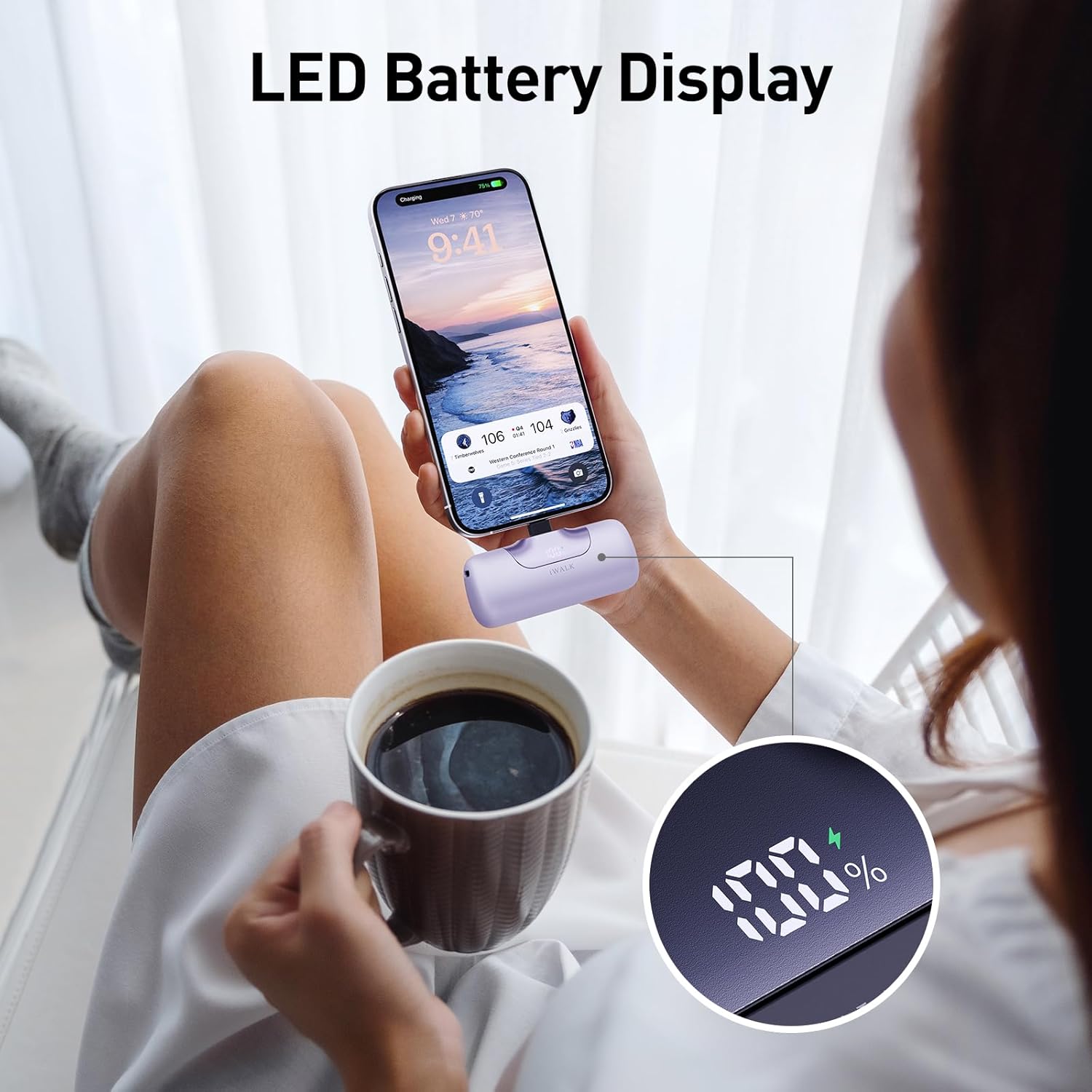
Image: The iWALK portable charger connected to a phone, displaying the battery percentage on its LED screen.
Operating Instructions
Charging Your Device
The iWALK portable charger features a built-in USB-C connector for direct plug-in charging of compatible devices.
- Connect to Device: Directly plug the integrated USB-C connector of the portable charger into the charging port of your smartphone, tablet, or other compatible device.
- Initiate Charging: Charging will typically begin automatically. The LED display on the portable charger will show its remaining battery level.
- Fast Charging: The charger supports 22.5W fast charging, capable of charging an iPhone 15 from 0% to 50% in approximately 30 minutes.
- SenseForce Technology: The SenseForce charging system optimizes temperature control and energy conversion for safe and efficient charging.

Image: The iWALK portable charger with its integrated USB-C connector, illustrating compatibility with various iPhone 16/15 series and Android devices.

Image: A visual representation of the iWALK SenseForce Charging System, detailing the 22.5W Fast Charging, 12W Comfortable Charging, and Low Current Charging modes.
Maintenance
Care and Storage
- Cleaning: Use a soft, dry cloth to clean the exterior of the portable charger. Avoid using harsh chemicals or abrasive materials.
- Storage: Store the device in a cool, dry place away from direct sunlight and extreme temperatures.
- Battery Longevity: To maintain battery health, avoid fully discharging the power bank frequently. Recharge it when the battery level is low.
- Avoid Impact: Protect the device from drops and impacts, which can damage internal components.
Troubleshooting
Common Issues and Solutions
| Problem | Possible Cause | Solution |
|---|---|---|
| Portable charger not charging | Loose connection, faulty cable/adapter, or depleted battery. | Ensure the charging cable is securely connected to both the charger and the power source. Try a different cable or power adapter. Allow the charger to charge for at least 30 minutes. |
| Device not charging from portable charger | Portable charger battery is low, device is incompatible, or connection is loose. | Check the portable charger's LED display for battery level. Ensure your device is compatible with USB-C charging. Re-plug the portable charger into your device's port. |
| Slow charging speed | Device not supporting fast charging, or using a non-fast charging port/cable. | Ensure your device supports PD 20W fast charging. The iWALK charger automatically adjusts output, but some devices may not utilize the full 22.5W. |
| LED display not working | Device malfunction or temporary glitch. | Try charging the power bank or connecting a device to see if it reactivates. If the issue persists, contact customer support. |
Specifications
| Feature | Detail |
|---|---|
| Model Number | LPB5500PC |
| Battery Capacity | 5500 mAh |
| Charging Power | 22.5W (Max) |
| Connector Type | Built-in USB Type-C |
| Battery Composition | Lithium-ion |
| Voltage | 3.6 Volts |
| Amperage | 3 A |
| Dimensions (L x W x H) | 7.5 x 2.5 x 4.5 cm |
| Weight | 100 grams |
| Special Features | Digital Display, Fast Charging, Compact, Lightweight |

Image: The iWALK portable charger's compact size and 5500mAh capacity, showing approximate charge percentages for an iPhone 16 and Galaxy S25.
Warranty and Support
Product Warranty
Specific warranty details for the iWALK LPB5500PC portable charger may vary by region and retailer. Please refer to the warranty information provided with your purchase or visit the official iWALK website for the most accurate and up-to-date warranty policy.
Customer Support
For technical assistance, product inquiries, or warranty claims, please contact iWALK customer support. Contact information can typically be found on the product packaging, the official iWALK website, or through your point of purchase.
When contacting support, please have your product model number (LPB5500PC) and proof of purchase readily available.


