
GIM ZJ-026
Contents
GIM Wireless Induction Speaker Instruction Manual
Model: ZJ-026
Introduction
Thank you for choosing the GIM Wireless Induction Speaker. This innovative 4-in-1 device combines a wireless induction speaker, a Bluetooth 5.3 speaker, an adjustable phone stand, and a colorful RGB ambient light. Designed for ease of use and versatility, it provides a seamless audio experience for various settings, from your kitchen to your office.
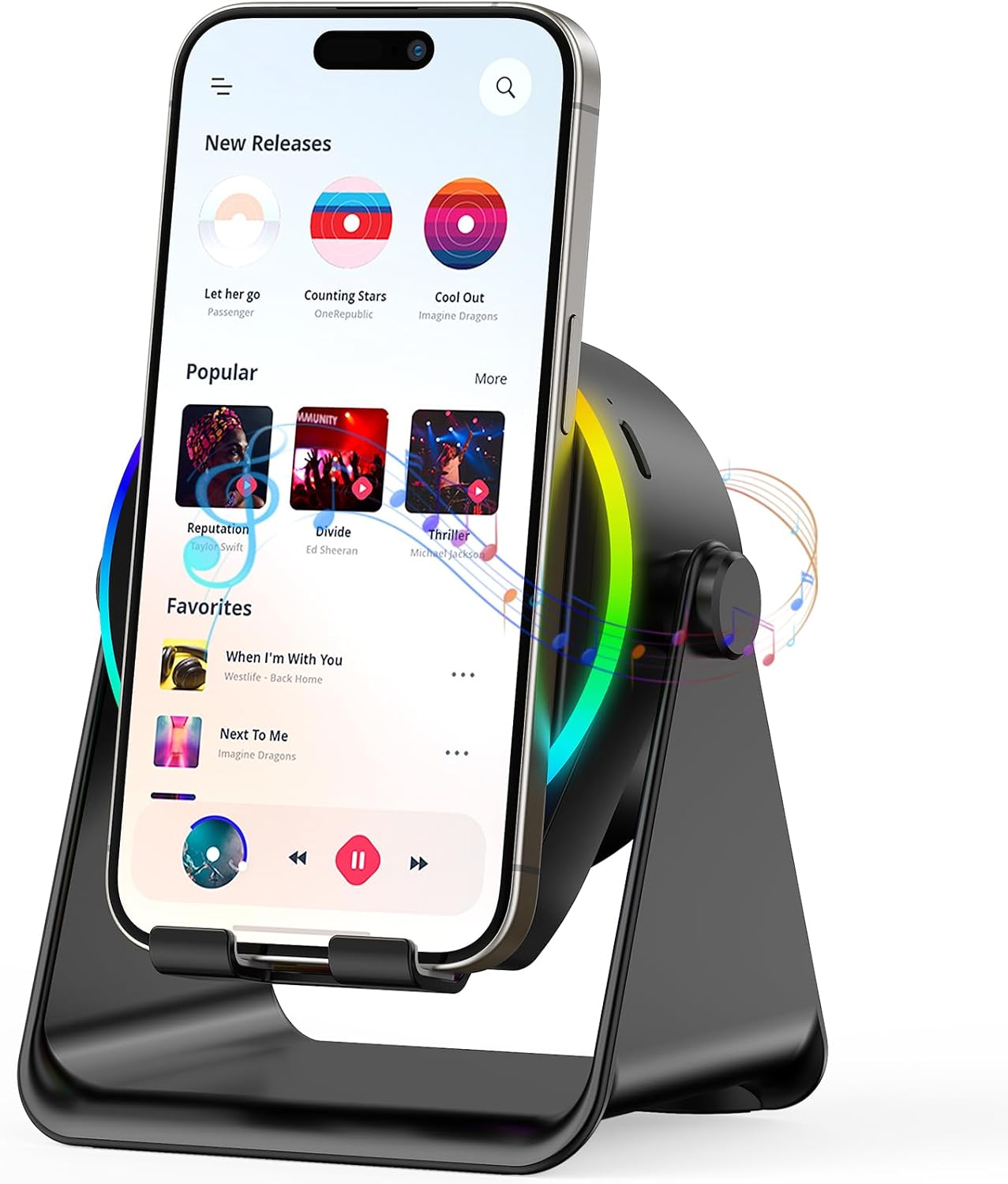
Image: The GIM Wireless Induction Speaker in black, holding a smartphone that is displaying a music application. The speaker features a circular light ring with colorful ambient lighting.
Product Features
- Wireless Induction Speaker: No Bluetooth pairing required. Simply place your phone on the stand to amplify sound.
- Bluetooth 5.3 Speaker: Connect wirelessly via Bluetooth for high-quality audio.
- Adjustable Phone Stand: Features 360° rotation and a non-slip base for stable device placement and optimal viewing angles.
- Colorful RGB Ambient Light: Provides 7-color RGB lighting effects to enhance your environment.
- Built-in Powerbank: Integrated rechargeable battery for portable use.

Image: An infographic highlighting the key features of the speaker, including wireless induction, Bluetooth connectivity, adjustable phone stand, RGB ambient light, and 360-degree rotation.
Package Contents
Please ensure all items are present in the package:
- GIM Wireless Induction Speaker (Model ZJ-026)
- Power Cable
- Quick Start Guide
- Warranty Card
Setup
Before first use, fully charge the speaker using the provided power cable. Connect the power cable to the charging port on the speaker and a compatible USB power source.
Powering On/Off
- To Power On: Long press the power button (usually marked with a power symbol) until you hear an audible prompt. The speaker will typically start in Induction Mode.
- To Power Off: Long press the power button again until the device shuts down.

Image: A close-up of the speaker's control panel, illustrating the power button and the "M" button for mode switching. Text indicates long press for power on/off and short press for mode switching.
Operating Instructions
Induction Mode
Induction Mode allows for instant audio amplification without Bluetooth pairing. This mode is ideal for quick use, especially when your hands are occupied.
- Ensure the speaker is powered on and in Induction Mode (you will hear "Induction Mode").
- Place your smartphone upright on the speaker's stand. The built-in induction sensor will detect your phone's speaker and amplify its audio.
- To stop amplification, simply remove your phone from the stand.
- Note: Induction mode works best with phones placed upright. Tablets are primarily supported in Bluetooth mode.

Image: A visual guide demonstrating the wide compatibility of the speaker. It shows various smartphones compatible with Induction Mode and a range of mobile phones and tablets compatible with Bluetooth Mode.
Bluetooth Mode
For a more stable and higher-quality audio experience, use Bluetooth Mode.
- Ensure the speaker is powered on.
- Short press the "M" button (Mode button) to switch from Induction Mode to Bluetooth Mode. You will hear "Bluetooth Mode".
- On your device (smartphone, tablet, etc.), enable Bluetooth and search for "ZJ-026" in the list of available devices.
- Select "ZJ-026" to pair. Once connected, you will hear a confirmation sound.
- You can now play audio from your device through the GIM speaker.
Adjustable Phone Stand
The integrated phone stand offers flexibility for optimal viewing.
- The support can rotate 360 degrees, allowing you to adjust your device to any desired viewing angle (portrait or landscape).
- The widened anti-slip base and silicone grooves ensure your device remains stable and secure, preventing slipping or falling.
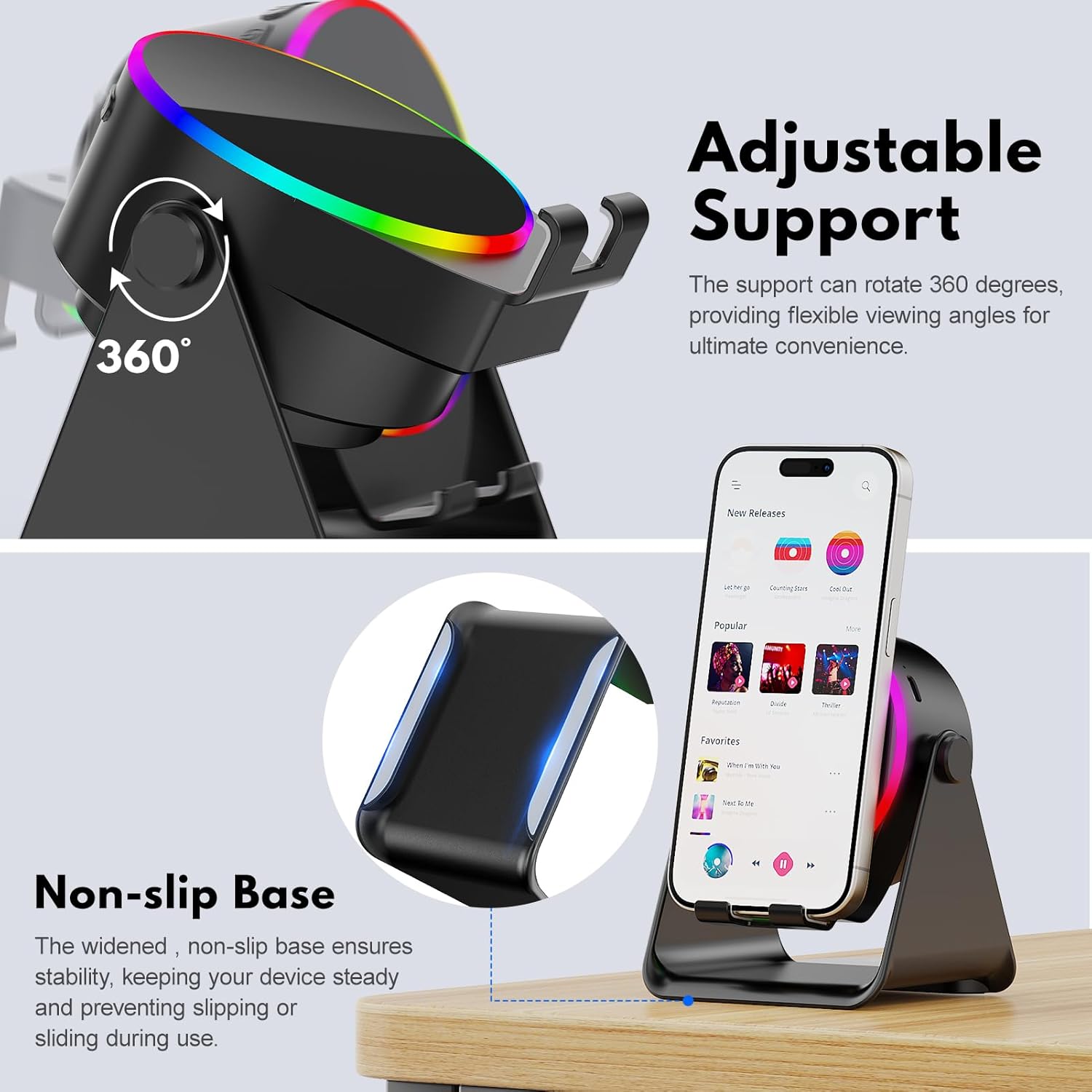
Image: A detailed view of the speaker's adjustable support, demonstrating its 360-degree rotation capability, and a close-up of the non-slip base designed for stability.
RGB Ambient Light
The speaker features a dynamic 7-color RGB lighting effect.
- The lights automatically cycle through colors when the speaker is on.
- To Turn Off Lights: Long press the "M" button. This will only turn off the lights, not the speaker's audio function.
- To Turn On Lights: Long press the "M" button again.

Image: The GIM speaker displaying its colorful RGB light effect, positioned on a desk next to a computer monitor, illustrating its use in a modern workspace.
Maintenance
- Keep the device dry. Do not expose it to water or excessive moisture.
- Clean the surface with a soft, dry cloth. Do not use abrasive cleaners or solvents.
- Avoid dropping the device or subjecting it to strong impacts.
- Store in a cool, dry place when not in use for extended periods.
Troubleshooting
| Problem | Possible Cause | Solution |
|---|---|---|
| No sound in Induction Mode. | Phone not positioned correctly; phone case too thick; speaker not in Induction Mode. | Ensure phone's speaker is aligned with the induction sensor. Try removing phone case. Short press "M" button to switch to Induction Mode. |
| Cannot connect via Bluetooth. | Speaker not in Bluetooth Mode; device's Bluetooth is off; "ZJ-026" not found. | Short press "M" button to switch to Bluetooth Mode. Ensure Bluetooth is enabled on your device. Refresh Bluetooth device list and select "ZJ-026". |
| RGB lights are off. | Lights have been manually turned off. | Long press the "M" button to turn the lights back on. |
| Low audio quality. | Phone volume too low; device too far in Bluetooth mode; interference. | Increase phone volume. Ensure device is within Bluetooth range. Move away from other electronic devices causing interference. For best sound quality, use Bluetooth mode. |
| Speaker not turning on. | Battery is depleted. | Charge the speaker fully using the provided power cable. |
Specifications
| Model Name | ZJ-026 |
| Brand | GIM |
| Speaker Type | Portable Speaker |
| Connectivity Technology | Bluetooth |
| Speaker Maximum Output Power | 5 Watts |
| Frequency Response | 50 Hz |
| Control Method | Touch |
| Product Dimensions | 3.42"D x 4.01"W x 5.12"H |
| Item Weight | 0.7 Pounds (11.2 ounces) |
| Material | Plastic |
| Battery | 1 A battery required (included) |
| Charging Time | Approximately 3 hours |
| Playing Time | Approximately 3 to 5 hours (depends on volume) |
Warranty and Support
Your GIM Wireless Induction Speaker comes with a Warranty Card included in the package. Please refer to the card for specific warranty terms and conditions.
For technical support or inquiries, please contact GIM customer service through the contact information provided on the Warranty Card or visit the official GIM website.
Documents and downloads
Ask a question about this manual
Ask about setup, troubleshooting, compatibility, parts, safety, or missing instructions. Manuals+ will review the question and use this page’s manual context to help answer it.